
Utilities and checklists
PCI DSS Readiness Checklist
A free PCI DSS checklist for v4.0.1. Rate each requirement, see your completion and gaps at a glance, and export a prioritised action plan. Everything stays in your browser.
- Free, no sign-up
- Your data stays in your browser
Loading the PCI DSS Readiness Checklist…
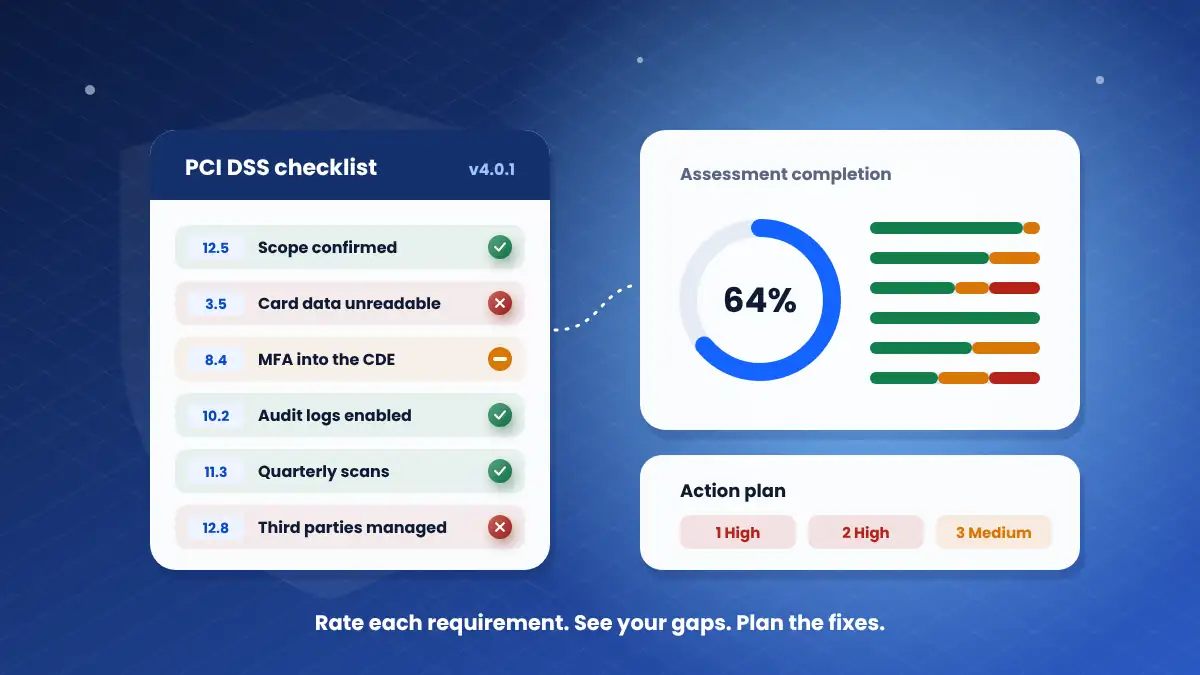
This PCI DSS checklist helps fintechs, banks, payment processors, and merchants check how ready they are for the Payment Card Industry Data Security Standard (PCI DSS). It follows the 12 requirements of PCI DSS v4.0.1, with one item for each second-level requirement, such as 3.5 or 8.4. For every item, you get a plain-English summary, why it matters, the evidence to look for, and the official reference. Then the checklist turns your answers into results and an ordered action plan. However, it is a readiness aid for learning and planning. It is not an official assessment, so it cannot tell you that you are compliant.
How to use the PCI DSS checklist
- Set your organisation. First, open Your organisation and tick the boxes that apply. For example, service providers get extra items, and the appendices only appear if they apply to you.
- Start with scope. Next, mark item 12.5 (scope). Every other control depends on knowing where account data lives.
- Rate each item. Then choose In place, Partially in place, Not in place, or Not applicable. Open “Why it matters” to see the evidence questions and the sub-requirements to check.
- Explain any N/A. If an item does not apply, write a short reason. Otherwise, it still counts as not assessed.
- Review your results. The Results tab shows your completion, how many applicable items are in place, and a breakdown for each requirement.
- Plan the fixes. Finally, the Action plan tab lists every gap in order. Add the gap, the corrective action, a responsible role, and a target date, then download a CSV or print it.
Turn on “Remember my progress in this browser” to come back later. Alternatively, download the CSV and keep it with your compliance records.
What the checklist covers
The PCI DSS checklist groups its 62 core items under the six goals of the standard. In addition, service providers and some other organisations get up to five optional items.
| Requirement | Topic | Example items |
|---|---|---|
| 1 and 2 | Network security and secure configuration | For example, firewall rules, network diagrams and hardened builds |
| 3 and 4 | Protecting account data | Also, masking, unreadable card numbers, key management, and encryption in transit |
| 5 and 6 | Malware and secure software | In particular, anti-phishing, patching and payment page scripts |
| 7, 8 and 9 | Access control | For instance, least privilege, MFA and POS terminal inspection |
| 10 and 11 | Monitoring and testing | Likewise, logs, vulnerability scans and penetration tests |
| 12 | Policies and programmes | Finally, scope, risk analysis, training, third parties and incident response |
| A1, A2, A3 | Appendices (optional) | However, only multi-tenant providers, SSL at POS, or designated entities |
Each summary is our own short wording. Therefore, always check the details in the official standard before you sign anything off.
How the PCI DSS checklist scores your answers
The checklist shows two numbers, and neither is a compliance score.
- Assessment completion is assessed items ÷ items in scope × 100. An item counts as assessed when it is In place, Partially in place, or Not in place, or Not applicable with a written reason.
- Implementation coverage is items in place ÷ (assessed items − not applicable items) × 100. Partially in place does not count as in place.
Both numbers round down, so you only see 100% when every item counts. Also, items are not weighted. In a real assessment, one missing control can matter more than several others, depending on your environment.
How the action plan is ordered
Every item marked Partially in place or Not in place goes into the action plan. New gaps start as High priority if they are not in place, or Medium if they are partial, and you can change any priority. After that, the plan puts foundation items first. For example, 3.5 (unreadable card numbers) depends on 3.2 (keeping less data), which depends on 12.5 (scope). So when 3.5 is a gap, the checklist raises the priority of those earlier items too, unless you set them yourself. If you give a prerequisite a lower priority, the plan warns you.
Example: a small online shop
Imagine a fictional Lagos online shop that takes cards through a payment gateway. Its team rates 22 items and leaves 40 for later. They mark 11 as in place, 6 as partial, and 4 as not in place, and they mark 2.3 (wireless) as not applicable because no wireless network touches card data.
- Completion: 22 ÷ 62 × 100 = 35.4%.
- Coverage: 11 ÷ (22 − 1) × 100 = 52.3%.
- Action plan: 10 gaps. First come the four High items: anti-phishing (5.4), third-party providers (12.8), unreadable card numbers (3.5), and MFA (8.4). The six partial items follow at Medium.
To see this example in the tool, open the Results tab and select “Load an example”. Afterwards, use “Start over” to clear it.
Which PCI DSS version does this checklist use?
It uses PCI DSS v4.0.1, which the PCI Security Standards Council published in June 2024. Version 4.0 was retired on 31 December 2024, and the requirements that v4.0 had future-dated became effective on 31 March 2025. Moreover, the Council asked for comments on v4.0.1 from June to July 2026 to plan a possible revision. Therefore, check the PCI SSC Document Library for the current version before you rely on any checklist, including this one. The tool shows the date we last reviewed it.
What the PCI DSS checklist does not do
- It does not certify you. Your acquirer or the card brands decide how you validate, for example, with a Self-Assessment Questionnaire (SAQ) or a Report on Compliance from a Qualified Security Assessor.
- It does not pick your SAQ. The right questionnaire depends on how you accept payments, so ask your acquirer.
- It does not replace the standard. Each item groups several detailed sub-requirements, and only the full text sets the rule.
- It does not collect data. Above all, never type card numbers, passwords, keys, IP addresses, or vulnerability details. The checklist blocks notes that look like them.
Frequently asked questions
Is this PCI DSS checklist free?
Yes. It is free, with no sign-up. In addition, it runs in your browser, and nothing you enter is sent to DigiLifeGuide.
Who needs to follow PCI DSS?
In short, any business that stores, processes, or transmits cardholder data, or that can affect its security. That includes merchants, gateways, processors, banks, and many service providers.
Does completing the checklist make us compliant?
No. It shows how ready you are and what to fix next. Compliance is validated through the process your acquirer or the card brands require.
Can I save my progress?
Yes. Turn on “Remember my progress in this browser”. Your answers then stay on this device only. Also, “Start over” deletes them.
Why does Not applicable need a reason?
Because assessors expect a justification for every item you rule out. As a result, the checklist only counts N/A as assessed once you write one.
PCI DSS is a standard of the PCI Security Standards Council, LLC. DigiLifeGuide is not affiliated with the Council. Summaries are written by DigiLifeGuide for learning and are not a substitute for the official standard or an assessment.
For more on card security, read our guides to card issuance and HSM key generation, or look up chip terms in the EMV glossary. You can also browse every free tool on the payment tools hub.