A failed POS transaction is one of the most annoying moments in Nigerian payments. The terminal beeps, the screen shows a strange message, and sometimes your phone still buzzes with a debit alert. The good news is that most failures have a clear cause and a simple fix. This guide explains what each common POS error message means, what to do next, and how fast you should get your money back.
Quick answer: A failed POS transaction usually happens because of low funds, a wrong PIN, a card limit, a network timeout, or a bank or switch that is offline. Check the error message or response code, fix the cause, and only retry after you confirm you were not debited. If you were debited but the payment failed, the debit should reverse automatically. If it does not, report it to your bank; CBN rules say POS disputes should be resolved within 72 hours.
In this guide
- What is a failed POS transaction?
- Why POS transactions fail
- Failed POS transaction error codes and how to fix them
- Debited but the failed POS transaction did not go through?
- How long does a POS reversal take?
- How to avoid a failed POS transaction
- Tips for POS agents and merchants
- Frequently asked questions
- Key takeaways
What is a failed POS transaction?
A failed POS transaction is a card payment or cash-out request that the terminal could not complete. In other words, the merchant or agent did not receive the money, even if your bank briefly held or debited it.
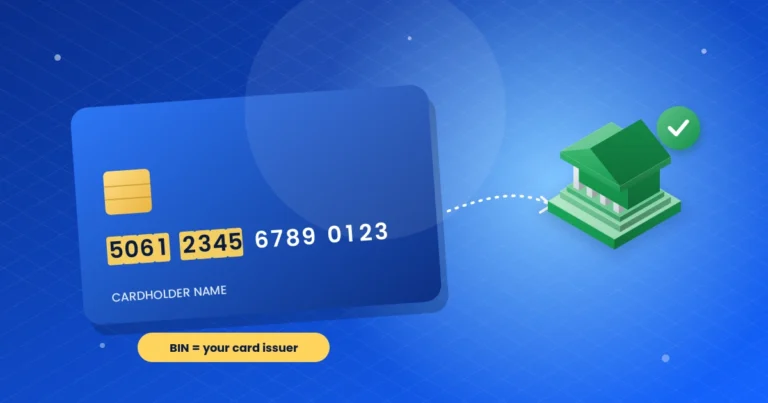
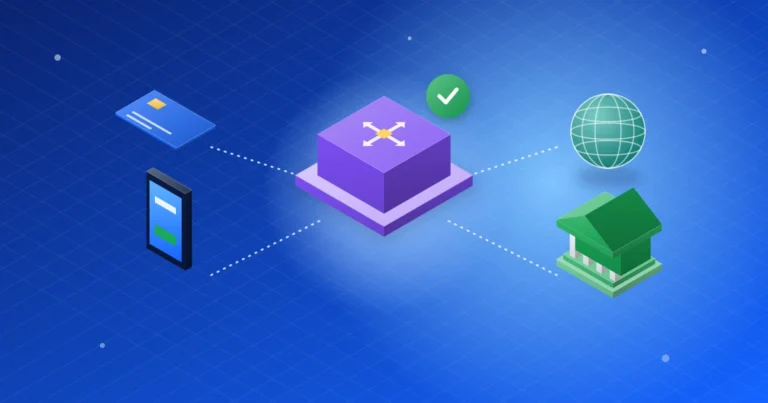
To see why this happens, it helps to know the path of a POS payment. First, the terminal sends your request to a terminal aggregator (PTSA) such as NIBSS or UPSL. Then a switch passes it to your card scheme, such as Verve, Mastercard, or Visa. Next, your bank’s issuer processor checks your PIN, card status, and fraud rules. Finally, your bank’s core banking system approves the debit. If any link in that chain says no, or does not reply in time, the payment fails. Our guide to how POS transactions work explains each step in detail.
Why POS transactions fail
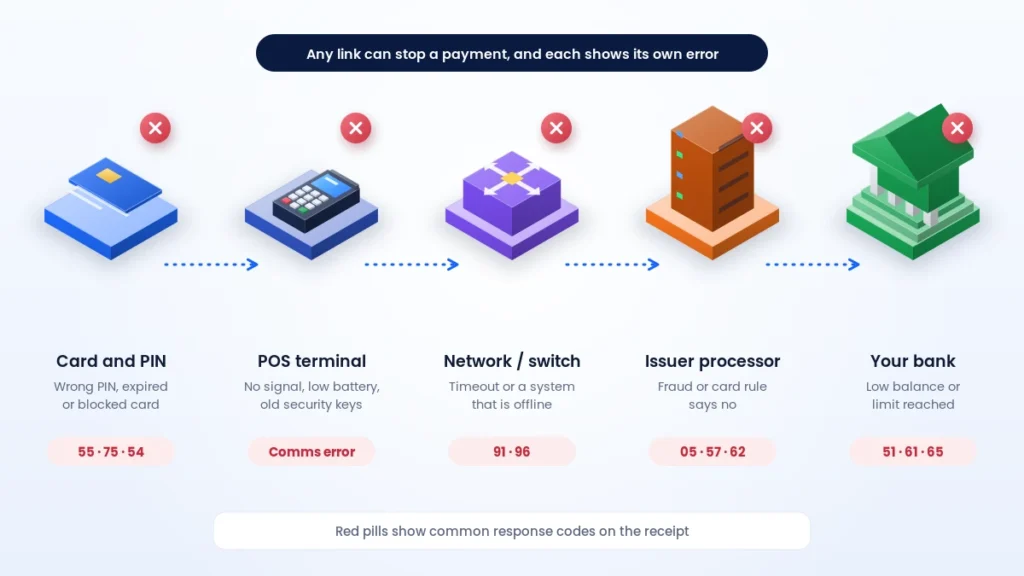
Most failures fall into five groups. Once you know the group, the fix is usually obvious:
- Your account: low balance, a daily or weekly limit, or a card that is not enabled for POS payments.
- Your card or PIN: a wrong PIN, too many PIN attempts, or an expired, damaged, or blocked card.
- Bank checks: the issuer processor declines a request that breaks a fraud or card rule.
- The network: a switch, card scheme, or bank system is down, or the request times out.
- The terminal: poor data signal, low battery, outdated security keys, or a terminal used outside its approved location.
Failed POS transaction error codes and how to fix them
Card and bank response codes
Most terminals show a short message, and many also print a two-digit response code on the receipt. These codes follow a global card standard, so the same number means the same thing on most terminals. However, the exact wording on the screen can differ between terminal providers.
| Code | Message you may see | What it means | What to do |
|---|---|---|---|
| 05 | Do not honour | Your bank declined without a specific reason, often due to fraud or card rules | Call your bank, or instead try another card |
| 06 | Error | A general processing error | Wait a minute, then check your balance and retry once |
| 12 | Invalid transaction | Your card is not enabled for this type of payment | First, enable POS or online use in your bank app |
| 14 | Invalid card number | The terminal could not read your card correctly | Reinsert the chip; otherwise, try another card |
| 15 | No such issuer | The terminal cannot find a route to your bank | Instead, try a different terminal or card |
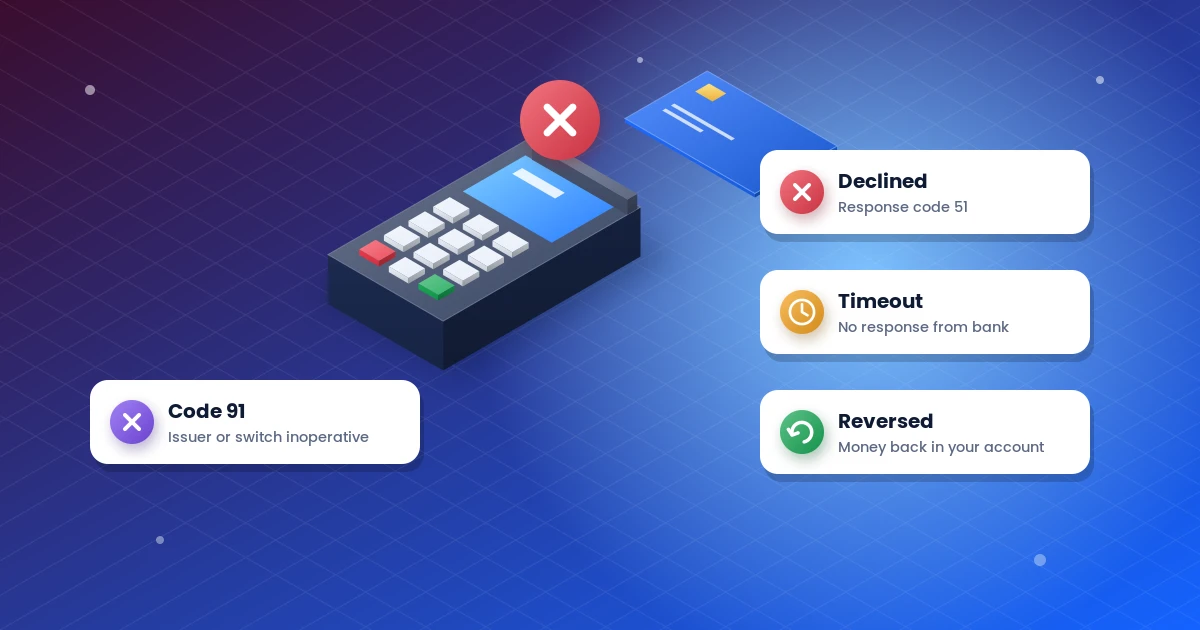
| 51 | Insufficient funds | Your balance does not cover the amount plus any charges | First, check your balance, or pay a smaller amount |
| 54 | Expired card | The card is past its expiry date | So, request a new card from your bank |
| 55 | Incorrect PIN | The PIN you entered is wrong | Re-enter it carefully; stop after two failed tries |
Restriction, limit and system codes
The next group usually means a rule or a system is blocking the payment, rather than a mistake at the counter:
| Code | Message you may see | What it means | What to do |
|---|---|---|---|
| 57 | Transaction not permitted to cardholder | Your bank has restricted this card for this channel | Contact your bank to lift the restriction |
| 58 | Transaction not permitted on terminal | The terminal is not set up for this card or service | The merchant should contact their terminal provider |
| 61 | Exceeds withdrawal limit | You have reached your daily amount limit | Wait for the limit to reset, or instead use a transfer |
| 62 | Restricted card | The card is blocked or restricted | Call your bank, because only it can unblock the card |
| 63 | Security violation | A security check failed, often a PIN key mismatch on the terminal or a fraud flag | First, try another terminal. Merchants should also run key exchange, and if it repeats, the customer should call their bank |
| 65 | Exceeds withdrawal frequency | You have made too many transactions today | Wait until tomorrow, or otherwise contact your bank |
| 75 | PIN tries exceeded | Too many wrong PINs, so the card is locked | Then ask your bank to reset your PIN |
| 91 | Issuer or switch inoperative | Your bank or a switch is offline or not responding | Wait and retry later, or instead use another card |
| 96 | System malfunction | A system in the chain had an error | First check your balance, then retry later |
Messages from the terminal itself
Some messages come from the terminal itself rather than from your bank. They usually point to a problem the merchant or agent must fix:
| Message on the terminal | What it usually means | What to do |
|---|---|---|
| Connection failed, host not reachable or comms error | The terminal has no data or Wi-Fi connection | Then switch to a stronger network or another SIM |
| Timeout or no response | A reply did not arrive in time | First, check your balance before you try again |
| Card read error or remove card | The chip could not be read | Clean the chip, then insert it fully |
| Key exchange or “prep terminal” needed | The terminal’s security keys need a refresh | Run key exchange from the menu, or call the provider |
| Low battery or paper out | The terminal cannot finish printing or processing | First charge the device, then load new paper |
For “Issuer or switch inoperative” in particular, Paystack explains that the customer’s bank or card network is temporarily unavailable. So, waiting and retrying later usually works.
Debited but the failed POS transaction did not go through?
This is the most stressful case. You see “Declined” or “Timeout”, yet your bank sends a debit alert. Usually, the bank has placed a hold on your money, but the merchant never received it. In most cases, the system reverses the debit automatically within minutes or hours.
If the money does not return, take these steps:
- Do not pay again yet. First, confirm your balance in your bank app, so you are not charged twice.
- Keep the evidence. Then keep the receipt, or take a photo of the screen, including the time and terminal ID.
- Get the merchant’s details. Next, note the shop or agent name, location, amount, and date.
- Report it to your bank. After that, call your bank or use its app, and ask for a POS dispute. Give them the date, amount, and any reference number.
- Escalate if needed. Finally, if your bank does not resolve it, escalate the complaint to the CBN Consumer Protection Department.
Paying a POS agent by transfer
Many agents now accept bank transfers instead of cards. If a transfer to an agent fails or stays “pending”, ask the agent to check their app first. If the money left your account but did not arrive, ask your bank to trace the transfer. Give them the session ID on your transfer receipt, because it identifies the transfer across banks.
How long does a POS reversal take?
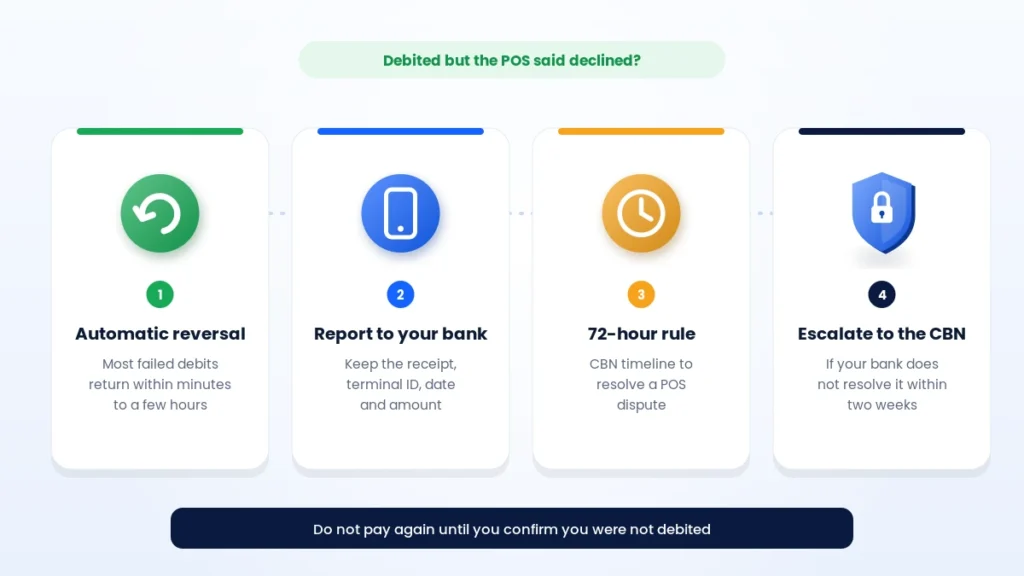
Here is what you can expect, based on CBN rules:
| Situation | What should happen | Source |
|---|---|---|
| Automatic reversal | Usually within minutes to a few hours | Bank and switch systems |
| Disputed or failed POS transaction | Resolved within 72 hours | CBN circular, June 2020 |
| Complaint about a POS agent | Resolved within 7 working days | CBN agent banking framework |
| Bank fails to resolve your complaint | Escalate to the CBN after two weeks | CBN consumer protection guidance |
In short, you should not wait weeks in silence. If 72 hours pass without a refund, follow up with your bank in writing and keep a copy.
How to avoid a failed POS transaction
A few simple habits prevent most problems:
- Check your balance before large payments, and remember that agents add a cash-out fee.
- Enable POS and online payments for your card in your bank app.
- Know your daily limits, and raise them in advance if you need to.
- Enter your PIN slowly, and stop after two wrong attempts to avoid a locked card.
- Carry a backup card, or keep a transfer option ready.
- Turn on SMS or app alerts, so you see every debit and reversal at once.
Tips for POS agents and merchants
Agents and merchants can also cut failures and complaints. For example:
- Keep the terminal charged, and carry a power bank.
- Use a strong network, and keep a second SIM from another provider ready.
- Run key exchange and software updates when your provider asks.
- Stay within your registered location, because terminals outside the approved geo-fence can be disabled.
- Never repeat a payment until the customer confirms they were not debited.
- Print or share a receipt for every attempt, including declined ones.
- Reconcile your terminal and bank records daily, and resolve complaints quickly.
Above all, keep your terminal provider’s support number visible. A quick call often fixes key, network, or settings errors in minutes.
Frequently asked questions
What does “issuer or switch inoperative” mean on a POS?
It means your bank or a switch in the payment chain is offline or not responding. In most cases, it is temporary. Therefore, wait a few minutes and try again, or use another card.
Can I get my money back if the POS debited me twice?
Yes. A double debit usually happens when a request times out and the terminal retries. Report it to your bank with your receipts, and ask for the duplicate to be reversed.
Why does my card work at the ATM but fail on POS?
Your bank may have enabled the card for ATM use only. Alternatively, the POS terminal may have a network or routing problem. Check your card settings in your bank app first.
Should I pay again after a failed POS transaction?
Only after you confirm in your bank app that you were not debited. Otherwise, you may pay twice and then need to wait for a refund.
Who should I report a failed POS transaction to?
Report it to your own bank first, because your bank holds your money. If you paid an agent, also tell the agent and their provider.
Key takeaways
- A failed POS transaction usually comes from low funds, a wrong PIN, a limit, a network timeout, or an offline bank.
- The response code on the receipt tells you the cause, for example, 51 for insufficient funds and 91 for an offline bank or switch.
- Never repeat a payment until you confirm you were not debited.
- Most failed debits reverse automatically; disputes should be resolved within 72 hours.
- If your bank does not help, escalate the complaint to the CBN.
Want to understand the full journey of a card payment? Read our guide to how POS transactions work, see how ATM transactions work, or browse more digital payments guides.