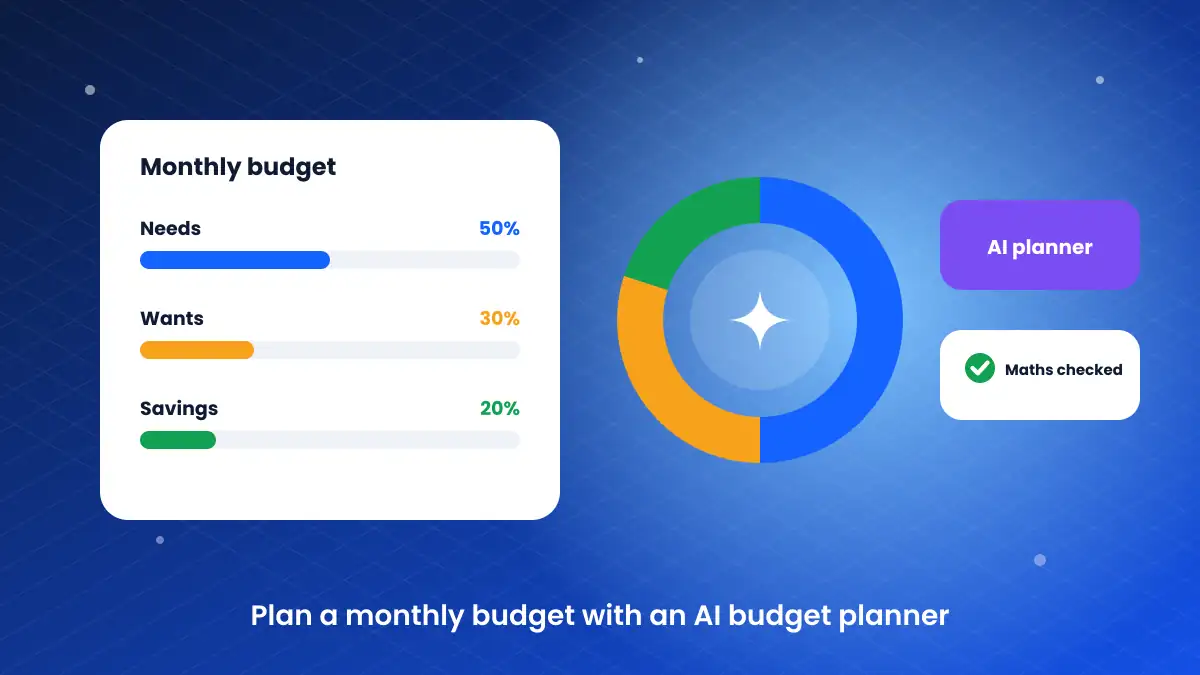
Prices change, bills arrive at different times, and, as a result, small spending adds up fast. A monthly budget helps you stay in control, but building one from scratch can feel like hard work. Free AI tools such as ChatGPT and Gemini can do much of that work for you. This guide shows how to use an AI budget planner step by step, with copy-ready prompts, a simple budgeting method, and the privacy rules to follow, so you can plan your month in less time.
Quick answer: To use an AI budget planner, list your monthly income and expenses, remove any personal or account details, and paste the figures into a free AI tool such as ChatGPT or Gemini. Ask it to sort your spending into categories, suggest a budget using a method such as 50/30/20, and build a table you can copy into a spreadsheet. Then check the maths yourself and review the plan each month.
In this guide
- What is an AI budget planner?
- Why use an AI budget planner?
- Before you use an AI budget planner: gather your numbers
- How to use an AI budget planner step by step
- Copy-ready AI budget planner prompts
- Choose a simple budgeting method
- Keep your money data private
- Turn your AI budget planner results into a budget you use
- Frequently asked questions
- Key takeaways on using an AI budget planner
What is an AI budget planner?
Simply put, an AI budget planner is an AI chatbot or app that helps you organise your income and expenses into a monthly plan. You describe your money in plain English, and the AI sorts it, does the sums, and suggests where to cut back.
Fortunately, you do not need a special app. For example, the free versions of ChatGPT, Gemini, Copilot, and Claude can all act as a budget planner when you give them the right prompts.
In fact, many people already use AI this way. In an August 2025 survey of 1,019 US adults, about two-thirds of generative AI users said they used it for financial advice, and 34% of them asked about budgeting and expenses, according to Credit Karma.
Why use an AI budget planner?
In particular, AI is good at the parts of budgeting that most people avoid:
- Sorting expenses. For instance, it can group a messy list of spending into clear categories in seconds.
- Doing the sums. Similarly, it adds totals, works out percentages, and shows what is left over.
- Suggesting changes. For example, it can point out where your spending is higher than your target.
- Building tables. Finally, it can create a budget table that you copy into Google Sheets or Excel.
However, AI can also make mistakes. In the same Credit Karma survey, 52% of people who acted on AI financial advice said it had led them to a poor financial decision or mistake. So treat the AI as an assistant, and check its numbers yourself.
Before you use an AI budget planner: gather your numbers
The US Consumer Financial Protection Bureau (CFPB) suggests four steps for any budget: identify your income, track your spending, map out your bills, and then build your working budget, according to its budgeting guide. So collect these details first:
- Income. Your take-home pay, plus any side income, allowances, or regular support.
- Fixed bills. Rent, school fees, transport, data, and electricity, with their due dates.
- Variable spending. Food, fuel, outings, and other costs that change each month.
- Savings and debts. Any loan repayments, contributions, or savings goals.
Usually, your banking app statement for the last one or two months is a good place to find these figures.
How to use an AI budget planner step by step
Next, follow these steps in ChatGPT, Gemini, or any free AI tool:
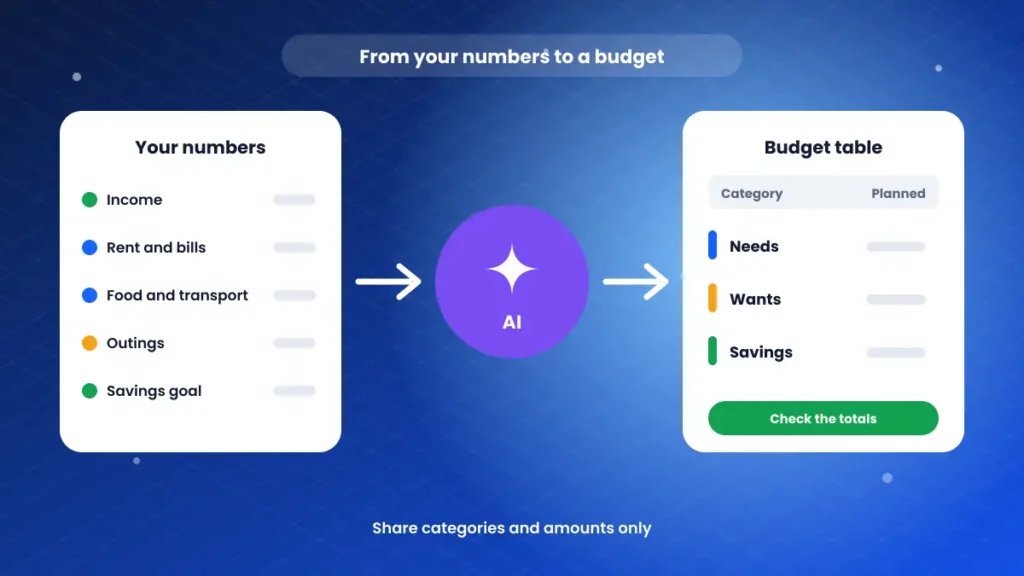
- Remove private details. First, delete account numbers, names, and anything that identifies you or your bank.
- Paste your figures. Next, list your income and expenses as simple lines, such as “Rent: [amount] per month”.
- Ask for categories. Then ask the AI to sort your spending into needs, wants, and savings.
- Choose a method. For example, ask it to compare your spending with the 50/30/20 rule.
- Ask for a table. Request a budget table with columns for category, planned amount, and actual amount.
- Check the maths. Finally, add up the totals yourself or in a spreadsheet, because AI can get sums wrong.
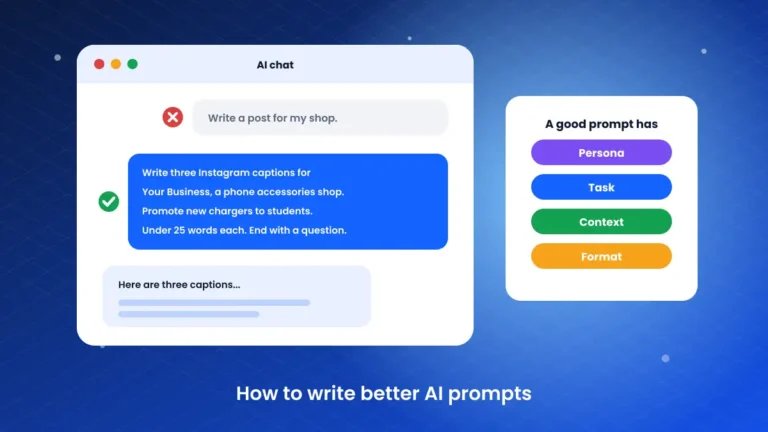
Our guide on how to write better AI prompts explains how to get clearer answers.
Copy-ready AI budget planner prompts
To use them, replace the details in square brackets with your own figures.
Build a monthly budget
“Act as a budget planner. My monthly take-home income is [amount]. My expenses are: [list each expense and amount]. Sort them into needs, wants, and savings, show the total for each, and tell me how much is left over. Present it as a table.”
Apply the 50/30/20 rule
“Using my income of [amount], show how much I should spend on needs, wants, and savings under the 50/30/20 rule. Then compare it with my current spending: [list]. Suggest three realistic changes.”
Find places to cut back
“Here is my spending for the last month: [list]. Which three categories are highest compared with a typical budget? Suggest practical ways to reduce each one without cutting essentials.”
Plan for an irregular income
“My income changes each month, between [low amount] and [high amount]. Help me build a budget based on the lower figure, with a plan for what to do with extra money in good months.”
Create a savings plan
“I want to save [amount] for [goal] by [date]. Based on my budget below, how much should I set aside each month, and where could that money come from? [paste budget]”
Choose a simple budgeting method
Generally, AI works best when you give it a clear method. Here are three common ones:
| Method | How it works | Best for |
|---|---|---|
| 50/30/20 | About 50% for needs, 30% for wants, and 20% for savings | Beginners who want a simple guide |
| Zero-based | Every unit of income gets a job, so income minus spending equals zero | People who want full control |
| Pay yourself first | Move savings out on payday, then spend the rest | People who struggle to save |
American Express describes the 50/30/20 percentages as “guardrails to help you cover your essential costs, enjoy life, and build financial security” in its guide to the rule. However, they are a starting point. If rent and food take more than half your income, ask the AI to suggest a split that fits your situation.
Keep your money data private
Unfortunately, free AI tools may store what you type, and some use it to improve their models unless you turn that setting off. So follow these rules:
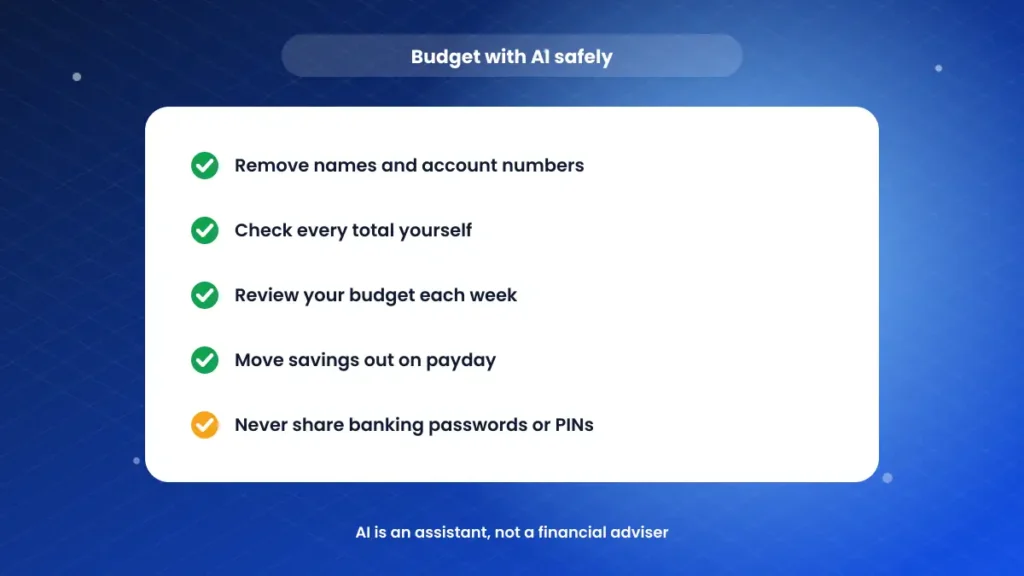
- Never share your bank login, PIN, card number, BVN, or OTP with any AI tool.
- Use categories and amounts only, not full bank statements with names and account numbers.
- Turn off chat history or training in the AI tool’s settings if you prefer.
- Beware of fake budgeting apps that ask for your banking password. Our guide on how to protect your bank account online explains the warning signs.
Turn your AI budget planner results into a budget you use
Of course, a plan only helps if you follow it. So take these final steps:
- Copy the table into a spreadsheet. Google Sheets and Excel let you update actual spending through the month. Our guide to ChatGPT for Excel analysis shows how AI can help with formulas.
- Review it weekly. Spend five minutes each week comparing planned and actual spending.
- Update it monthly. Paste the new month’s figures into the same chat, and ask the AI what changed.
- Automate savings. For example, set up a standing transfer to a savings account on payday.
If you run a small business, keep business and personal money separate. Our guide on how to track business expenses in Excel explains how.
Frequently asked questions
Is it safe to use AI for budgeting?
Yes, if you share only categories and amounts. Never share passwords, PINs, card numbers, or full bank statements with personal details.
Which free AI tool is best for budgeting?
ChatGPT and Gemini both work well for sorting expenses and building tables. Choose the one you already use, and check its maths.
Can AI connect to my bank account?
Admittedly, some paid budgeting apps can link to bank accounts. However, never give your banking password to an app or chatbot you do not fully trust.
Is AI budgeting advice reliable?
It is a helpful starting point, but it can make mistakes. Check the figures, and speak to a qualified financial adviser for big decisions.
How often should I update my budget?
Review it weekly, and update it at the start of each month or whenever your income or bills change.
Key takeaways on using an AI budget planner
- An AI budget planner sorts your income and expenses and builds a monthly plan in minutes.
- Gather your income, bills, and spending first, then paste the figures into a free AI tool.
- Use a clear method, such as 50/30/20, and adjust it to your situation.
- Never share bank logins, PINs, or account numbers, and always check the maths.
- Copy the plan into a spreadsheet, review it weekly, and update it monthly.
This guide is for general information, not personal financial advice. Want more ways to work smarter? Read how to write emails with AI and how to summarise documents with AI, or browse all our AI and productivity guides.