Most people lose money from a bank account in one of two ways: they hand over a code without realising it, or someone gets into their phone or email. Both are preventable. This guide shows you how to protect your bank account online with twelve simple habits, the new CBN rules that already work in your favour, and the exact steps to take if something goes wrong. If a caller sounds exactly like someone you know, read our guide to deepfake scams as well.
Quick answer: To protect your bank account online, never share your PIN, OTP, or password with anyone, lock your phone and banking app, and turn on two-step verification for your email. Then set your own daily transfer limit in your banking app, keep transaction alerts on, and use the official app only. Since 1 July 2026, CBN rules also bind your banking app to one device and cap transfers at ₦20,000 for the first 24 hours on a new device. If you notice a transfer you did not make, call your bank at once.
In this guide
- Why criminals target your bank account
- 12 ways to protect your bank account online
- How the new CBN rules protect your bank account
- How to protect your bank account when you pay online
- An example: how one setting saved Bisi’s savings
- What to do if your bank account is compromised
- Frequently asked questions
- Key takeaways
Why criminals target your bank account
Criminals rarely break into a bank. Instead, they go after the customer, because a person is easier to fool than a bank’s systems. NIBSS reported that losses to electronic payment fraud fell to ₦25.85 billion in 2025, down 51% from 2024, according to Techeconomy. However, it named social engineering, which means tricking people into giving up details, as the most common technique.
That is good news for you. Most attacks need your help to work, as our guide to authorised push payment fraud shows. So, if you learn a few habits, you can protect your bank account from the tricks behind most fraud.
| Common attack | What the criminal needs from you |
|---|---|
| Phishing text, email, or call | Your PIN, OTP, password, or card details |
| SIM swap | Your phone number, plus a password or PIN |
| Stolen or unlocked phone | Access to an open banking app |
| Hacked email | A way to reset your banking password |
| Fake website or app | Your login details or card number |
12 ways to protect your bank account online
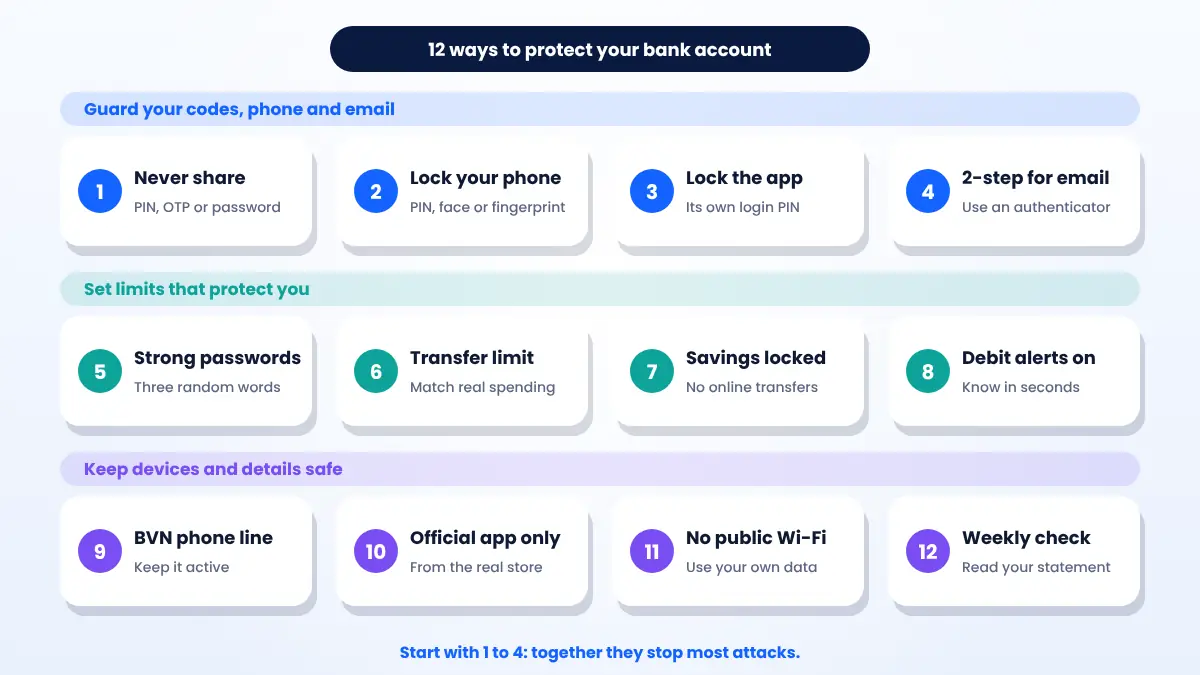
Start with the first four. Together, they stop most of the attacks in the table above.
Guard your codes, phone and email
- Never share your PIN, OTP, or password. No real bank staff, CBN official, or police officer will ask for them. Anyone who asks is a fraudster.
- Lock your phone. Use a six-digit PIN or your fingerprint or face, and set the screen to lock after a minute. An unlocked phone gives a thief your apps, your texts, and your OTPs.
- Lock your banking app separately. Use a login PIN that differs from your phone PIN and your card PIN. Also, never save your banking password in a notes app or photo.
- Turn on two-step verification for your email. Your email can reset your banking and other passwords. Use an authenticator app if you can, because SMS codes can be stolen through a SIM swap. Our guide to what two-factor authentication is compares the options. Here is how to secure your Gmail account.
Set limits that protect your bank account
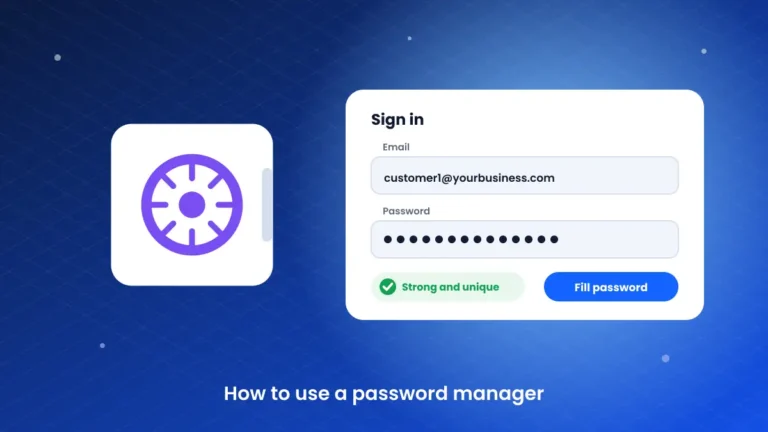
- Use strong, different passwords. For example, the UK’s National Cyber Security Centre suggests three random words joined together. A password manager can remember them for you.
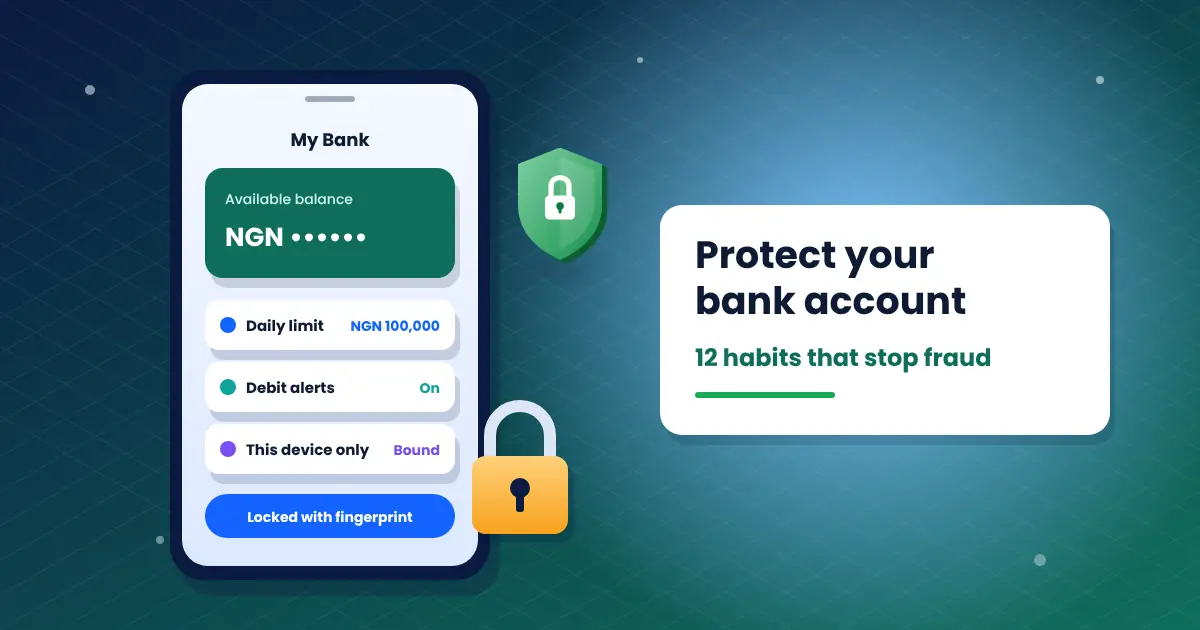
- Set your own transfer limit. Choose a daily limit that matches your real spending, such as ₦100,000, instead of the bank’s maximum. Then a thief can only take that much in a day.
- Switch off online transfers on savings you rarely touch. Under the new CBN rules, you can opt out of online instant transfers on an account and opt back in later with extra checks.
- Keep alerts on. Turn on SMS, email, or in-app alerts for every debit. Then you will know about a strange transfer within seconds. Still, an SMS alone does not prove that money arrived, so learn how to spot a fake bank alert.
Keep your devices and details safe
- Keep your BVN phone number up to date. Your bank sends OTPs to the number linked to your BVN. Since May 2026, you can change that number only once in your lifetime, according to BrandSpur, so keep the line active.
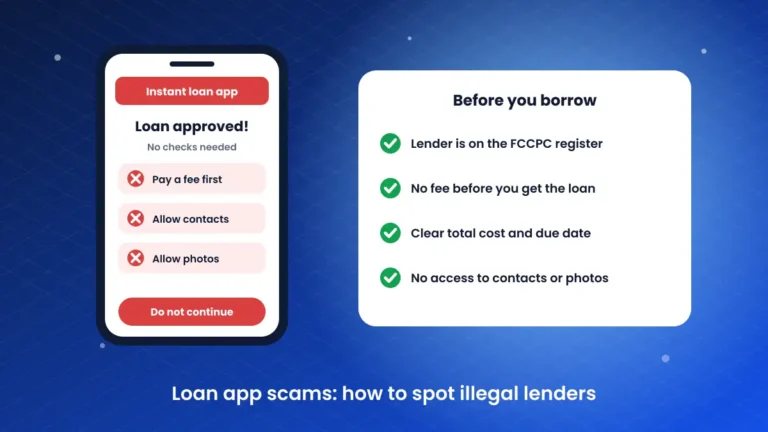
- Download apps only from the official store. Use the link on your bank’s website, and check the developer name before you install. The same check protects you from fake lenders, as our guide to loan app scams explains. If you are new to banking apps, read our guide to what digital banking is. Also, update your phone and banking app when updates arrive.
- Avoid banking on public Wi-Fi and shared phones. Use your own mobile data instead. Likewise, never log in on a friend’s phone or a business centre computer. If you must use public Wi-Fi, our guide explains what a VPN is and what it can protect.
- Check your statement every week. Look for small debits, new beneficiaries or devices you do not recognise.
How the new CBN rules protect your bank account
The Central Bank of Nigeria added new security rules for instant payments in a circular dated 12 March 2026. Banks had to comply by 1 July 2026, according to Afriwise. Here is what they mean for you:
| Rule | What it means for you |
|---|---|
| One device at a time | Your banking app works on only one registered phone. So a criminal cannot quietly use it on a second phone. |
| ₦20,000 cap on a new device | For the first 24 hours on a new phone, transfers out are capped at ₦20,000. As a result, a thief who activates your app elsewhere cannot empty your account at once. |
| Extra checks on new devices | Similarly, a first login to internet banking on a new device needs stronger authentication. |
| Your own limits | You can set a lower transfer limit than the maximum, which is ₦25 million a day for individuals. |
| Opt out of online transfers | You can block online instant transfers on an account, then turn them back on with extra checks. |
| BVN watchlist hold | In addition, a bank can hold a flagged transfer for up to 24 hours while it contacts you. |
The full text of the circular is summarised by Aluko & Oyebode. These rules help, but they do not replace your own habits. For example, the ₦20,000 cap does nothing if you give a fraudster your OTP for a transfer from your own phone.
How to protect your bank account when you pay online
Online shopping exposes your card details, so add a few extra layers:
- Use a separate card for online payments. A prepaid or virtual card with a small balance limits what a leak can cost you. Our guide to the debit card vs prepaid card explains why.
- Check the address before you pay. Pay only on websites you typed in yourself or reached from a trusted app. Here is how to identify a fake website.
- Never send an OTP to a seller. The OTP confirms a payment from your account, so a seller who asks for it is stealing from you. In future, passkeys for payments may replace OTPs altogether.
- Do not save your card on websites you rarely use. Fewer stored copies mean fewer places to leak from.
When you pay by transfer, read the account name before you confirm. Our guide to how bank transfers work explains each step.
An example: how one setting saved Bisi’s savings
This example is illustrative, but it shows how the settings above work together.
Bisi keeps her salary in one account and her savings in another. Last year, she set a ₦50,000 daily limit on the salary account. She also switched off online transfers on the savings account.
One evening, she clicked a fake “account update” link and typed in her login details. Within minutes, a criminal logged in and tried to move ₦600,000. The transfer failed because of her limit. Moreover, the savings account allowed no online transfers at all.
Her debit alert arrived at once, so she called her bank and blocked the app. She lost nothing. Her mistake was the click, but her settings limited the damage.
What to do if your bank account is compromised
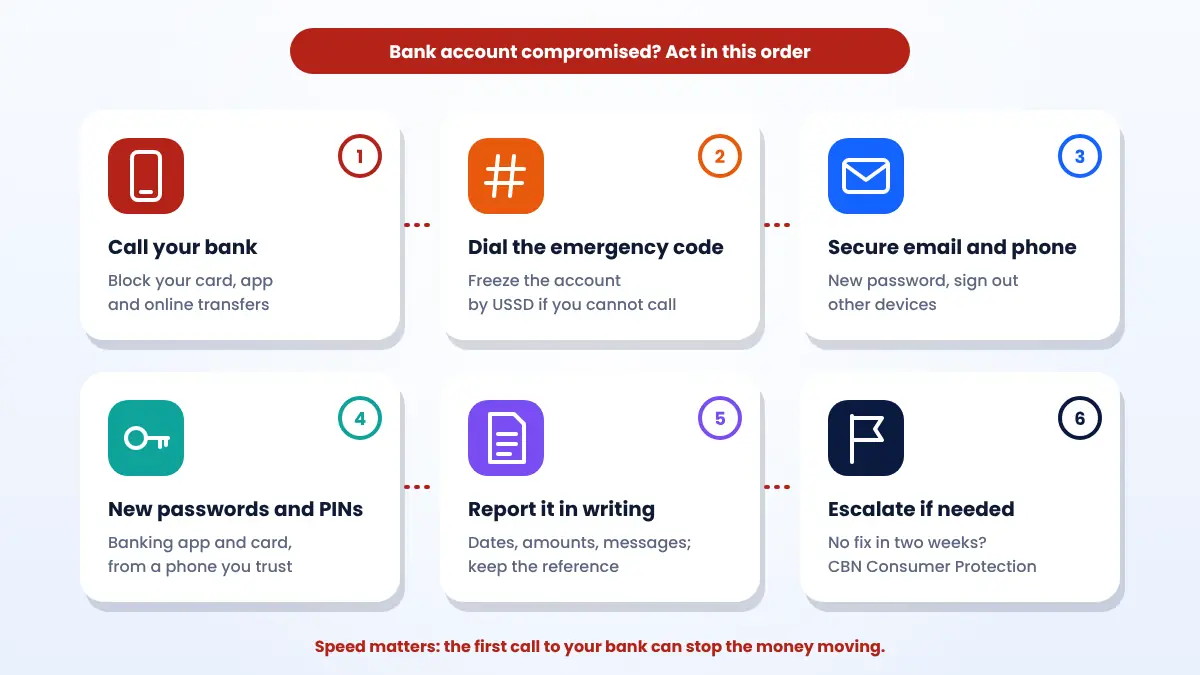
Speed matters, so act in this order:
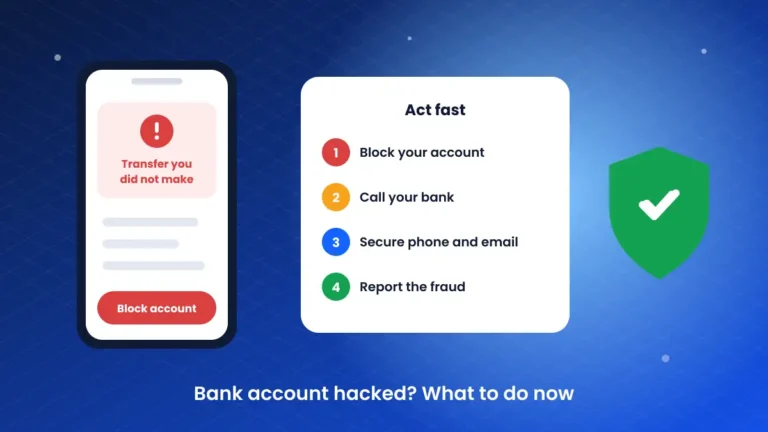
- Call your bank at once. Use the number on the back of your card or on the bank’s official website. Ask them to block your card, your app, and online transfers.
- Dial your bank’s emergency code if you cannot get through. Many banks have a USSD code that freezes your account; for example, Zenith Bank’s is *966*911#. Check your own bank’s code today and save it in your phone.
- Secure your email and phone. Change your email password, sign out of other devices, and check that two-step verification is still on. If your line lost signal, call your network too.
- Change your banking passwords and PINs from a phone you trust.
- Report it in writing. Send your bank the date, time, amounts, and any messages you received. Keep the reference number. You can also report the fraud to the police or the EFCC.
- Escalate if needed. If your bank does not resolve a complaint within two weeks, you can take it to the CBN’s Consumer Protection Department.
If a criminal moved your phone number, read our guide to SIM swap fraud. If it started with a text or email, learn how to recognise a phishing message so it does not happen again.
Frequently asked questions
Will my bank refund money lost to fraud?
It depends on what happened. If the bank or its systems were at fault, you have a strong case. However, if you shared your PIN or OTP, recovery is much harder. So report quickly in every case, because the bank can sometimes stop the money at the receiving bank.
Is fingerprint or face login safe for my banking app?
Yes, it is usually safer than a short PIN that someone can watch you type. Still, keep a strong phone PIN too, because anyone who knows it can often add their own fingerprint.
What is device binding?
Device binding ties your banking app to one registered phone. If you move to a new phone, the bank checks that it is you, and transfers are capped at ₦20,000 for the first 24 hours. Our guide to device binding explains how it works and what to expect.
Is USSD banking safe?
USSD banking is safe when you protect your phone and your USSD PIN. However, anyone who has your unlocked phone and PIN can use it. If you never use USSD, ask your bank how to turn it off.
How often should I change my banking PIN?
Change it at once if anyone may have seen it. Otherwise, a strong PIN that nobody knows matters more than changing it often.
Can someone empty my account with just my account number?
No. Your account number lets people send money to you. To take money out, a criminal needs your PIN, password, OTP, or card details, which is why you must protect those.
Key takeaways
- Most fraud needs your help, so never share your PIN, OTP, or password with anyone.
- Lock your phone, lock your banking app, and turn on two-step verification for your email.
- Set your own transfer limit, keep alerts on, and switch off online transfers on savings you rarely use. Your bank’s AI fraud detection also watches for unusual payments.
- New CBN rules bind your app to one device and cap transfers at ₦20,000 for 24 hours on a new phone.
- If something goes wrong, call your bank at once, secure your email, and report it in writing. For a step-by-step plan, see what to do if your bank account is hacked.
Want to go further? Learn what a card issuer does to protect your card behind the scenes.