AI chat tools such as ChatGPT, Gemini, and Copilot can write, summarise, and explain almost anything. However, the answer you get depends heavily on what you type. A vague request usually gets a vague reply, while a clear one can save you an hour of work. This guide shows you how to write better AI prompts, with a simple four-part formula, before-and-after examples, and templates you can copy today.
Quick answer: Good AI prompts say who the answer is for, what you want, the background the tool needs, and how the answer should look. In practice, start with a clear task, add context, give the tool a role, and set the format and length. Then read the reply and refine it with short follow-up instructions. Never paste passwords, PINs, or other private details into an AI chat.
In this guide
- What is an AI prompt?
- Why many AI prompts go wrong
- The four parts of a good prompt
- How to write better AI prompts, step by step
- Before and after: AI prompts you can copy
- AI prompt templates for everyday tasks
- How to fix a reply that misses the mark
- Keep your data safe when you use AI
- Common prompt mistakes to avoid
- Frequently asked questions
- Key takeaways on AI prompts
What is an AI prompt?
A prompt is the instruction you type into an AI chat tool. For example, it can be a question, a request, or a whole brief with examples. Then the tool reads your words and predicts a useful reply.
Unlike a search engine, an AI tool works best with full sentences. So, instead of typing a few keywords, you explain what you need, as you would to a helpful colleague who knows nothing about your situation.
Why many AI prompts go wrong
In general, most weak replies come from a few common problems:
- The request is too vague. For example, “Write a post about my business” gives the tool almost nothing to work with.
- There is no context. The tool does not know your audience, your product, or your goal unless you say so.
- There is no format. Without guidance, you may get a long essay when you wanted three bullet points.
- Too much is packed in. Several unrelated tasks in one message can confuse the reply.
Fortunately, each problem has a simple fix, which the next sections cover.
The four parts of a good prompt
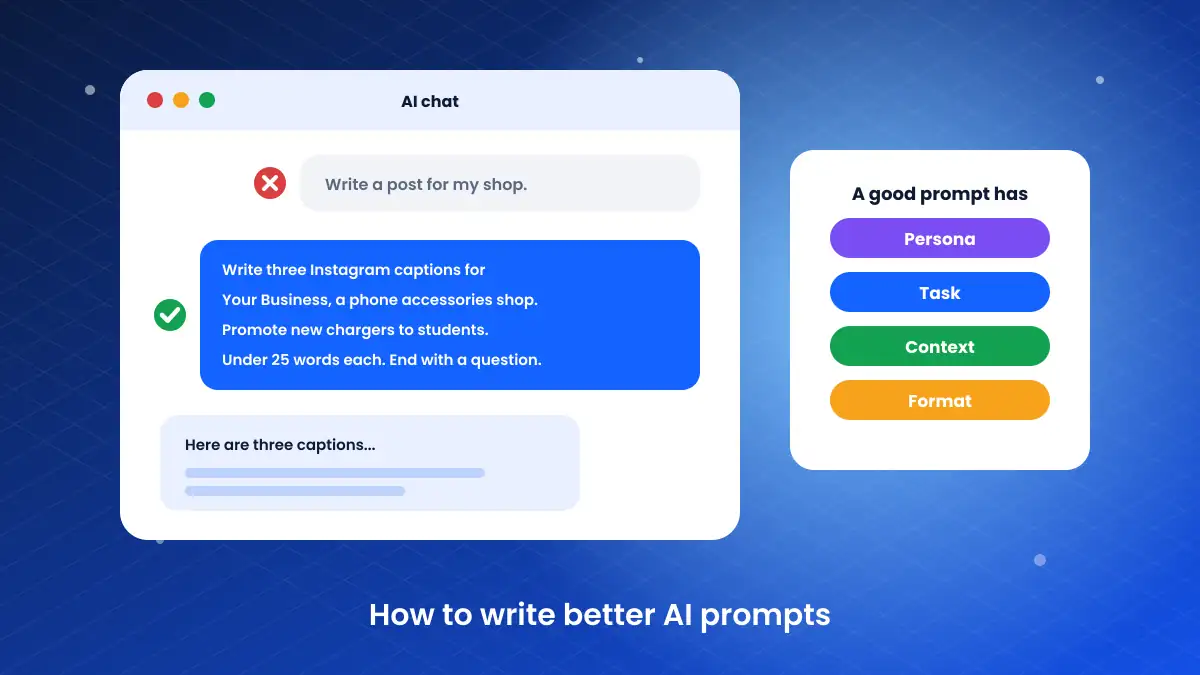
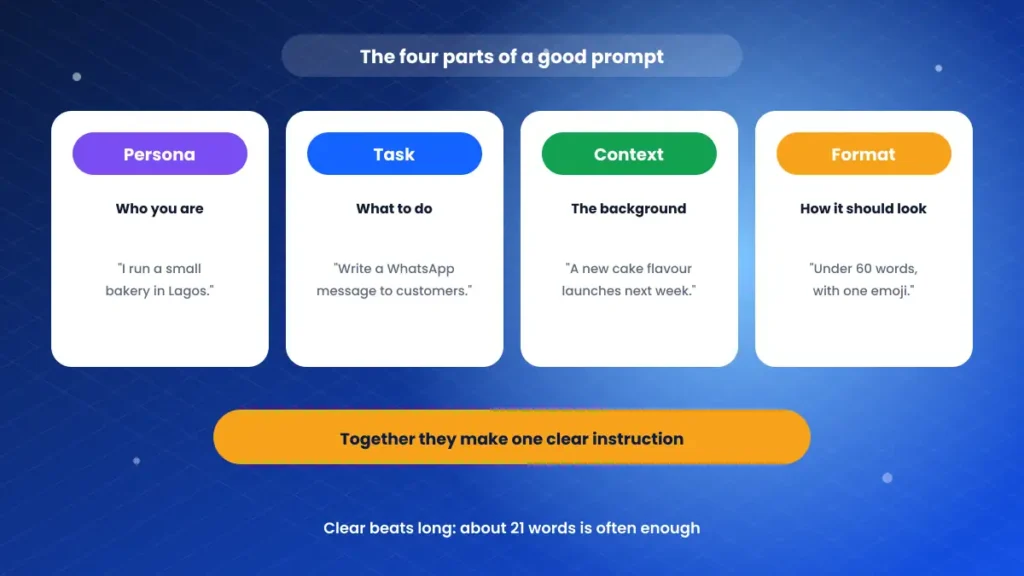
Google’s prompting guide for Gemini in Google Workspace suggests four areas you can include: persona, task, context, and format, according to 9to5Google. You do not need all four every time, but using a few usually helps.
| Part | What it means | Example |
|---|---|---|
| Persona | Who you are, or the role the tool should take | “I run a small bakery in Lagos.” |
| Task | What you want the tool to do | “Write a WhatsApp message to customers.” |
| Context | Background the tool needs | “We are adding a new cake flavour next week.” |
| Format | How the answer should look | “Keep it under 60 words, with one emoji.” |
As a result, those four parts become one clear prompt. In the same guide, Google said its most successful prompts averaged about 21 words. In other words, a good prompt does not have to be long. Instead, it just has to be clear.
How to write better AI prompts, step by step
Follow these steps the next time you open an AI tool:
- Start with the task. First, use a clear action word, such as “write”, “summarise”, “explain”, “list”, or “compare”.
- Add the context. Next, say who the answer is for and why you need it. Mention your audience, your goal, and any facts the tool must use.
- Give the tool a role. Then, if it helps, tell it who to act as, for example, “Act as an experienced customer service manager.”
- Set the format and length. After that, ask for bullet points, a table, a short email, or a word limit.
- Add an example. Similarly, if you want a particular style, paste a short sample and say “write in this style”.
- Ask it to ask you questions. For bigger tasks, end with “Ask me any questions you need before you start.”
- Refine the reply. Finally, give short follow-up instructions until the answer fits.
Above all, keep one main task per message. If you need several things, ask for them one after another.
Before and after: AI prompts you can copy
For instance, here is how a few small changes improve the result:
| Task | Weak prompt | Better prompt |
|---|---|---|
| Customer reply | “Reply to an angry customer.” | “Act as a polite customer service agent for Your Business. Write a short WhatsApp reply to Customer 1, whose order is two days late. Apologise, give a new delivery date of Friday, and offer free delivery next time.” |
| Social media post | “Write a post for my shop.” | “Write three Instagram captions for Your Business, a phone accessories shop. Promote our new chargers to students. Keep each caption under 25 words, and end with a question.” |
| Study help | “Explain inflation.” | “Explain inflation to a secondary school student in simple English. Use one everyday example from a market, and finish with three quick quiz questions.” |
| Summary | “Summarise this.” | “Summarise the report below in five bullet points for a busy manager. Then list any deadlines it mentions.” |
As a result, the better prompts tell the tool who the answer is for, what to include, and how long it should be.
AI prompt templates for everyday tasks
To start, copy these templates, and replace the words in square brackets:
- Email: “Write a [formal or friendly] email to [who] about [topic]. Include [key points]. Keep it under [number] words.” For more email prompts, see how to write emails with AI.
- Explain something: “Explain [topic] to [audience] in simple English. Use one example, and avoid jargon.”
- Plan: “Create a [number]-step plan to [goal] within [time]. Put it in a table with columns for task, owner, and deadline.”
- Ideas: “Give me [number] ideas for [goal] for [audience]. For each idea, add one sentence on why it could work.”
- Improve writing: “Edit the text below for clarity and grammar. Keep my tone, and list the main changes you made.”
Our guides on how to summarise documents with AI and create presentations with AI include more prompts for those tasks.
How to fix a reply that misses the mark
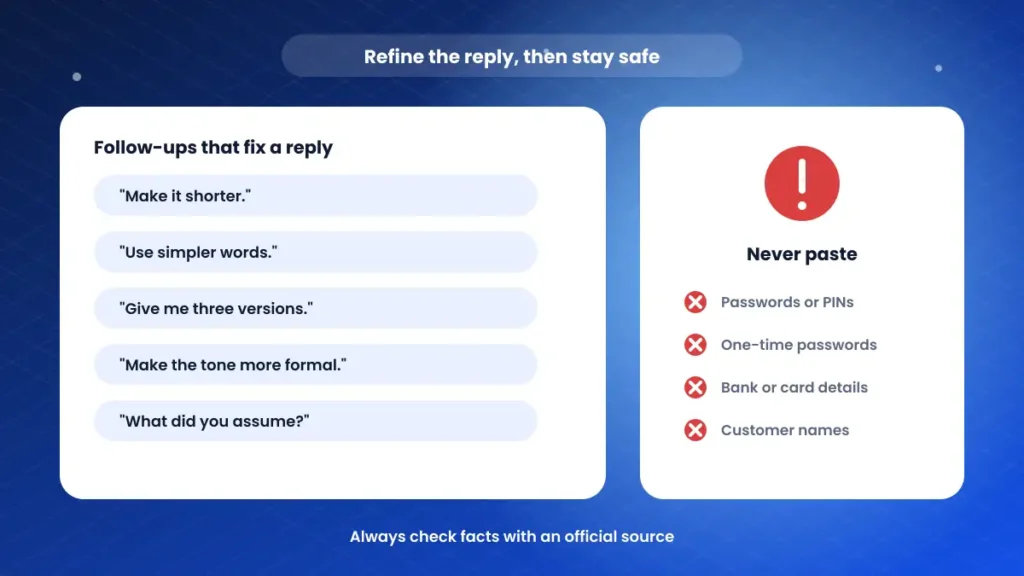
In most cases, the first reply is a draft, not the final answer. Google’s guide also recommends refining your prompt if the result is not right. Try these follow-ups:
- “Make it shorter.”
- “Use simpler words.”
- “Give me three different versions.”
- “Make the tone more formal.”
- “What did you assume? List your assumptions.”
- “Turn this into a table.”
If the tool keeps going in the wrong direction, start a new chat with a clearer prompt. Otherwise, old messages can keep pulling the answer back.
Keep your data safe when you use AI
AI tools are helpful. Even so, treat them like a public place. Follow these rules:
- Never paste passwords, PINs, or one-time passwords.
- Leave out bank details, such as card numbers, account numbers, or your BVN. Our guide to what a BVN is explains why that number matters.
- Remove customer details. Replace names and phone numbers with placeholders, such as “Customer 1”.
- Check the facts. AI tools can sound confident and still be wrong, so verify figures, dates, and rules with an official source.
Our guide on how to create a CV with AI shows how to use placeholders for personal details.
Common prompt mistakes to avoid
In fact, even experienced users make these mistakes:
- Asking for “the best” without saying best for whom. Add your budget, audience, or goal. For money prompts, see how to use an AI budget planner.
- Accepting the first answer. A quick follow-up often doubles the quality.
- Copying AI text without reading it. Always edit the reply so it sounds like you.
- Using AI for decisions it cannot make. For example, legal, medical, or financial decisions need a qualified person.
Frequently asked questions
Do the same AI prompts work in ChatGPT, Gemini, and Copilot?
Mostly, yes. The same habits of clear tasks, context, and format help in all of them. However, each tool answers in its own style, so expect small differences.
Should AI prompts be long?
Not necessarily. In fact, clarity matters more than length. Google found its most successful prompts averaged about 21 words, although big tasks may need more detail.
Can I write prompts in Pidgin or another local language?
Many tools understand several languages. However, quality varies. If the answer seems weak, try English, then ask the tool to translate the result.
Do I need a paid AI tool to write good prompts?
No. In fact, these techniques work with free versions too. Our guide to free AI writing tools compares some options.
How do I get the AI to write in my style?
First, paste two or three short samples of your writing, and say “write in this style”. Then edit the result to match your voice.
Key takeaways on AI prompts
- Clear AI prompts get better results than vague ones.
- Include a persona, a task, context, and a format when they help.
- Keep one main task per message, and ask for a specific length or layout.
- Treat the first reply as a draft, and refine it with short follow-ups.
- Never paste passwords, PINs, bank details, or customer data into an AI chat.
Want to use AI at work? Read our guides on how to use AI in a small business and use AI for business research, or browse all our AI and productivity guides.