Mathematics is where many students give up, because one missed step can make a whole topic feel impossible. The good news is that you can now use AI to learn mathematics at your own pace, with a tutor that never gets tired of your questions. However, AI can also do your homework for you and leave you with nothing in the exam hall. This guide shows students how to use AI to learn mathematics the right way: the best free tools, a five-step method, prompts to copy, a worked WAEC-style example, and the checks that catch AI mistakes.
Quick answer: To use AI to learn mathematics, try each question yourself first, then ask an AI tutor such as Gemini’s Guided Learning or ChatGPT’s study mode for a hint, not the answer. Next, explain the method back, practise similar questions, and check every answer with a second tool, such as Photomath, GeoGebra, or substitution. AI explains well, but it still makes calculation slips, so never copy its working without checking it.
In this guide
- Can you really use AI to learn mathematics?
- The best free tools to use AI to learn mathematics
- A five-step method to use AI to learn mathematics
- Prompts students can copy
- Worked example: a quadratic equation
- How to catch mistakes when you use AI to learn mathematics
- Using AI to learn mathematics for WAEC, NECO and JAMB
- Frequently asked questions
- Key takeaways on using AI to learn mathematics
Can you really use AI to learn mathematics?
Yes, if you use it as a tutor rather than an answer machine. A good AI tutor can explain a topic three different ways, break a long question into steps, and set fresh practice questions on demand. For example, it can explain logarithms with money, then with graphs, until one explanation clicks.
Still, AI has a known weak spot. A 2025 study, Mathematical Computation and Reasoning Errors by Large Language Models, found that procedural slips were the most frequent errors in AI-written maths solutions. In other words, the model often understands the method but gets a sign or a sum wrong along the way. So, when you use AI to learn mathematics, you must check its work, just as a teacher would. If you teach maths yourself, our guide to AI tools for teachers shows how to plan lessons and quizzes with AI.
The best free tools to use AI to learn mathematics
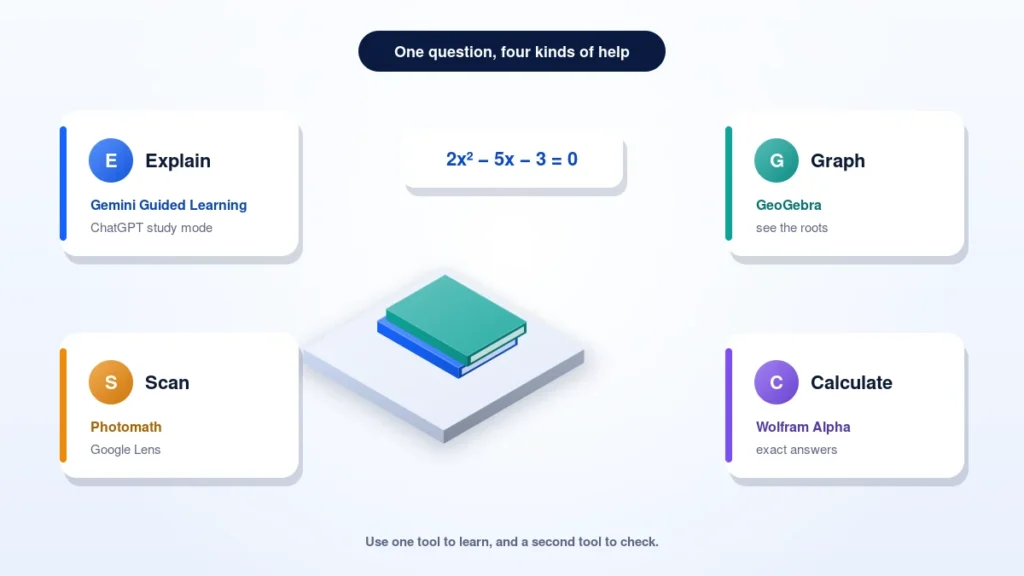
Different tools do different jobs. Here is how they compare:
| Tool | What it does best | Free plan |
|---|---|---|
| Gemini (Guided Learning) | Explains step by step and asks you questions instead of giving answers | Yes, with a Google account |
| ChatGPT (study mode) | Tutors you through a topic and checks your understanding | Yes, with daily limits |
| MathPlug | Lessons and practice for JSS 1 to SS 3, with AI help that a maths engine checks first | Yes, with no sign-up. Totally free for Nigerian students |
| Photomath | Scans a written question and shows each solving step | Yes; extra explanations cost money |
| Google Lens | Photographs a question and finds help and similar problems | Yes |
| GeoGebra | Draws graphs and shapes so you can see the answer | Yes |
| Wolfram Alpha | Calculates exact answers you can check against | Yes; full step-by-step needs Pro |
| Gemini Notebook | Builds quizzes from your own notes and past questions | Yes |
Google added Guided Learning to Gemini in August 2025, and it is the closest thing to a patient private tutor. Also, ChatGPT’s study mode works in a similar way.
If you are in secondary school, MathPlug is built for Nigerian students. It sorts short, visual lessons by class and term from JSS 1 to SS 3, gives instant feedback on practice questions, and offers timed BECE and WASSCE practice papers with worked solutions. Also, its AI help explains the working only after the site’s maths engine has checked the answer, which guards against the calculation slips described above. It is free, needs no sign-up, and keeps open lessons available offline, so it suits a small data budget.
For a wider list of free study tools, see our guide to the best free AI tools for Nigerian students.
A five-step method to use AI to learn mathematics
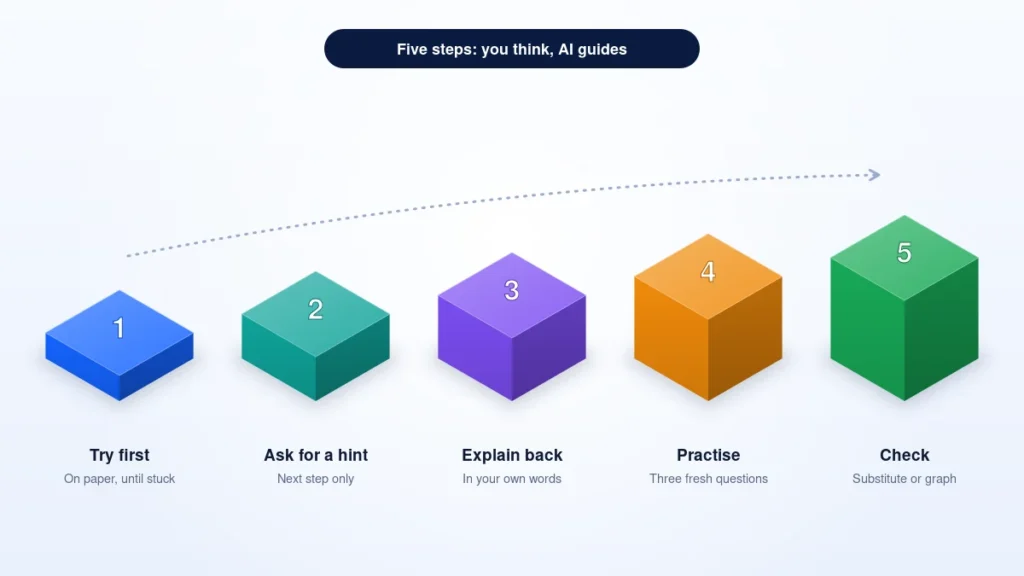
This method keeps you doing the thinking, while AI fills the gaps.
Step 1: Try the question first
First, attempt the question on paper, even if you only get halfway. Then you know exactly where you got stuck, so your question to the AI is sharper.
Step 2: Ask for a hint, not the answer
Next, paste or type the question and say where you stopped. Ask for the next step only. In Gemini, turn on Guided Learning; in ChatGPT, choose study mode. Both tools then guide you with questions rather than full solutions.
Step 3: Explain the method back
After you finish, explain the method to the AI in your own words. Ask it to point out anything you got wrong. If you cannot explain it, you have not learned it yet.
Step 4: Practise with fresh questions
Then ask for three similar questions at the same level, and solve them without help. After that, ask for one harder question. As a result, you learn the method, not just one answer.
Step 5: Check with a second tool
Finally, check your answer another way. Substitute it back into the equation, plot it in GeoGebra, or compare it with Photomath. If two methods agree, you can trust the result.
Prompts students can copy
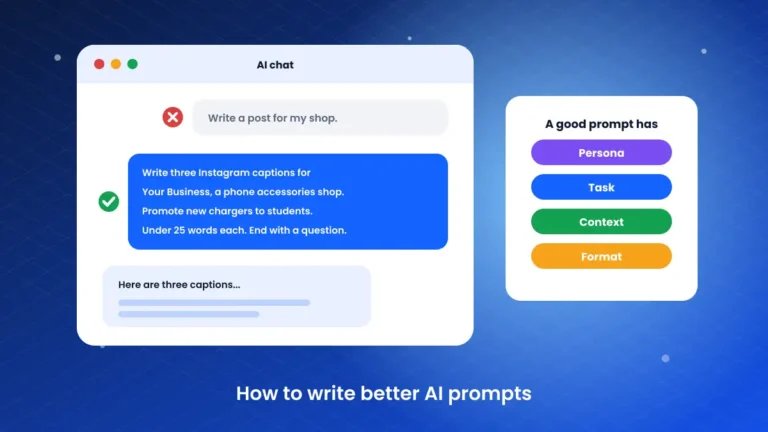
Good prompts get better tutoring. Copy these and change the topic:
| Goal | Prompt to copy |
|---|---|
| Get unstuck | “I am solving this question, and I stopped at this line. Give me only the next hint, not the answer.” |
| Understand a topic | “Explain completing the square to an SS2 student, using one simple example, then ask me a question to check.” |
| Practise | “Give me five WAEC-style questions on simultaneous equations, from easy to hard. Do not show the answers yet.” |
| Mark your work | “Here is my working. Check each line and tell me the first line with a mistake, but do not correct it.” |
| Find the gap | “Ask me ten quick questions on indices and tell me which rule I keep getting wrong.” |
| Exam timing | “Set a 20-minute JAMB-style test of ten questions on algebra, then mark it when I paste my answers.” |
Notice that each prompt tells the AI what not to do. That way, you use AI to learn mathematics instead of skipping the learning.
Worked example: a quadratic equation
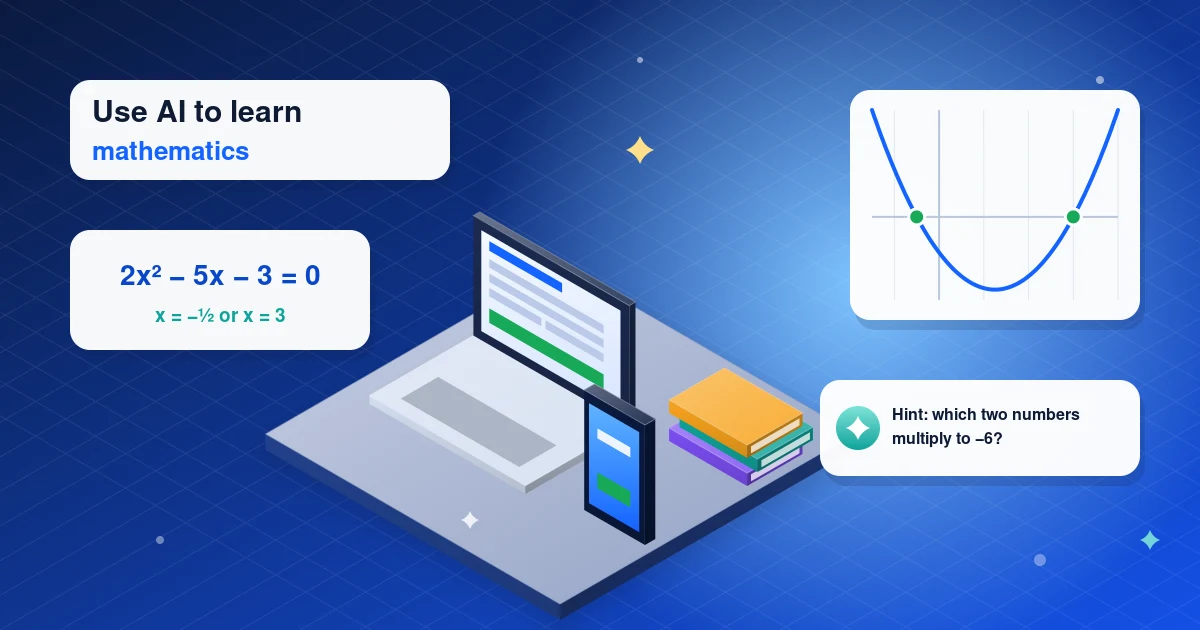
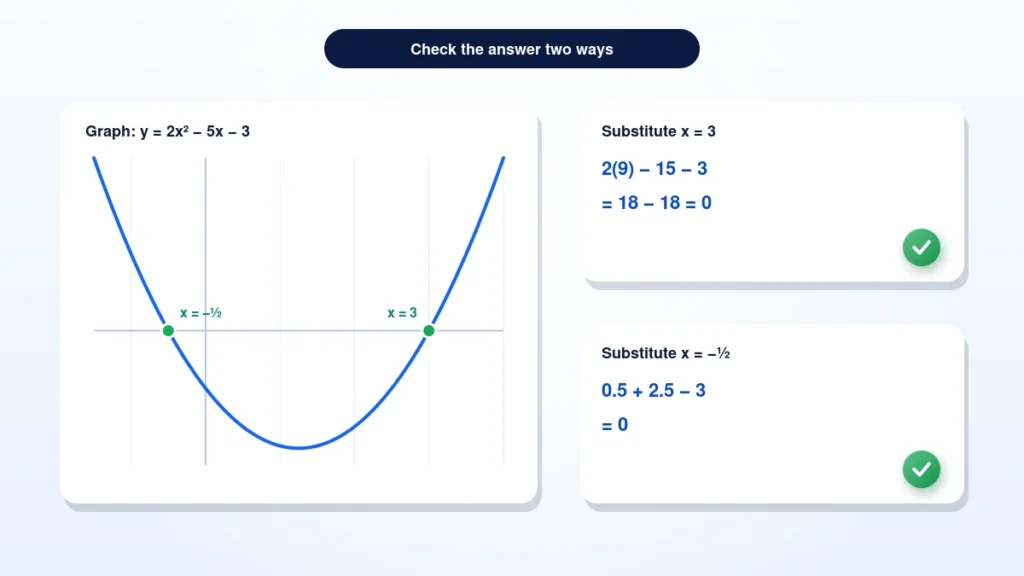
For example, take a typical WAEC-style question: solve 2x² − 5x − 3 = 0.
- You try first. You notice it does not factorise as easily as x² questions, so you stop.
- You ask for a hint. The AI asks: “Which two numbers multiply to give 2 × (−3) = −6 and add up to −5?”
- You find them. You get −6 and +1. Then the AI asks you to split the middle term: 2x² − 6x + x − 3 = 0.
- You finish. You group the terms: 2x(x − 3) + 1(x − 3) = 0, so (2x + 1)(x − 3) = 0. Therefore x = −½ or x = 3.
- You check. Substitute x = 3: 2(9) − 15 − 3 = 0. Then substitute x = −½: 0.5 + 2.5 − 3 = 0. Both work.
Because you did each step yourself, you can now solve the next quadratic without help. That is the real goal when you use AI to learn mathematics.
How to catch mistakes when you use AI to learn mathematics
AI tools sound confident even when they are wrong. So, watch for these common errors:
- Sign and arithmetic slips. A minus sign disappears, or 7 × 8 becomes 54. Instead of trusting it, redo the arithmetic yourself.
- Misread photos. A scanned “5” becomes an “S”, or a power drops to the line. Always compare the typed question with your paper.
- Wrong formula or rule. The AI may use a formula from a different syllabus. Check it against your textbook.
- Skipped steps. If a step jumps, ask: “Show the step between line 3 and line 4.”
- Answers that fail a sense check. A length cannot be negative, and a probability cannot exceed 1.
In addition, the fastest check is substitution: put the answer back into the original question. For graphs and geometry, GeoGebra shows at once whether the answer makes sense.
Using AI to learn mathematics for WAEC, NECO and JAMB
AI is most useful in the weeks before an exam. For instance, list the topics in your syllabus, then ask the AI to quiz you on one topic each day. Also, upload past questions to Gemini Notebook and ask it to group them by topic, so you can see which topics appear most often.
For BECE and WASSCE, MathPlug’s timed practice papers give you marked, exam-style practice with worked solutions.
However, practise under exam conditions too. Turn the phone off, time yourself, and work on paper. Because you cannot use AI in the exam hall, you need the method in your head, not on your screen.
Frequently asked questions
Is it cheating to use AI to learn mathematics?
No, not when you use it to understand and practise. However, copying AI answers into graded homework usually breaks school rules, so check your teacher’s policy.
Which free app is best when you use AI to learn mathematics?
For explanations, Gemini’s Guided Learning and ChatGPT’s study mode work well. MathPlug, meanwhile, follows the Nigerian curriculum for JSS and SS students. For checking, Photomath and GeoGebra are strong, free choices.
Can AI solve any maths question?
Not reliably. It handles most school maths, but it can slip on long calculations and misread photos. Always check the final answer.
How do I stop AI from just giving me the answer?
Tell it directly: “Give me a hint, not the answer.” Better still, use Guided Learning or study mode, which tutors you by design.
Can primary or junior secondary students use these tools?
Most tools accept users from age 13, and younger children need a parent’s account and supervision. Parents can sit with them and use the same hint-first method.
Key takeaways on using AI to learn mathematics
- Use AI to learn mathematics as a tutor: try first, ask for hints, explain back, and practise.
- Gemini’s Guided Learning and ChatGPT’s study mode are free and built for learning.
- AI makes procedural slips, so check every answer by substitution, Photomath, or GeoGebra.
- Ask for fresh practice questions, and then sit timed tests without AI before exams.
Want more ways to study smarter? Read our guide to the best free AI tools for Nigerian students, learn to use ChatGPT for Excel analysis, or browse all our AI and productivity guides.