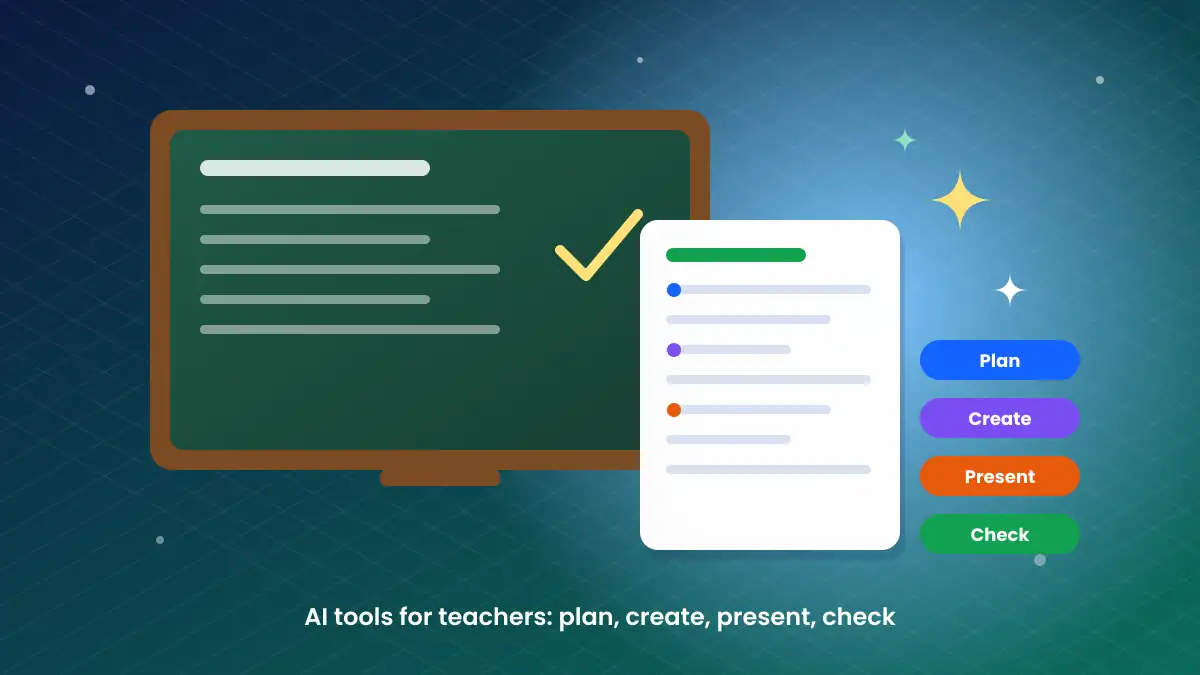
Lesson notes, schemes of work, marking, and report comments can eat a teacher’s whole weekend. Free AI tools for teachers can now draft a lesson plan, build a quiz with an answer key, or rewrite a passage for weaker readers in a few minutes. This guide compares the best free AI tools for teachers in 2026, explains what each free plan includes, and shows how to use them safely with your pupils’ data.
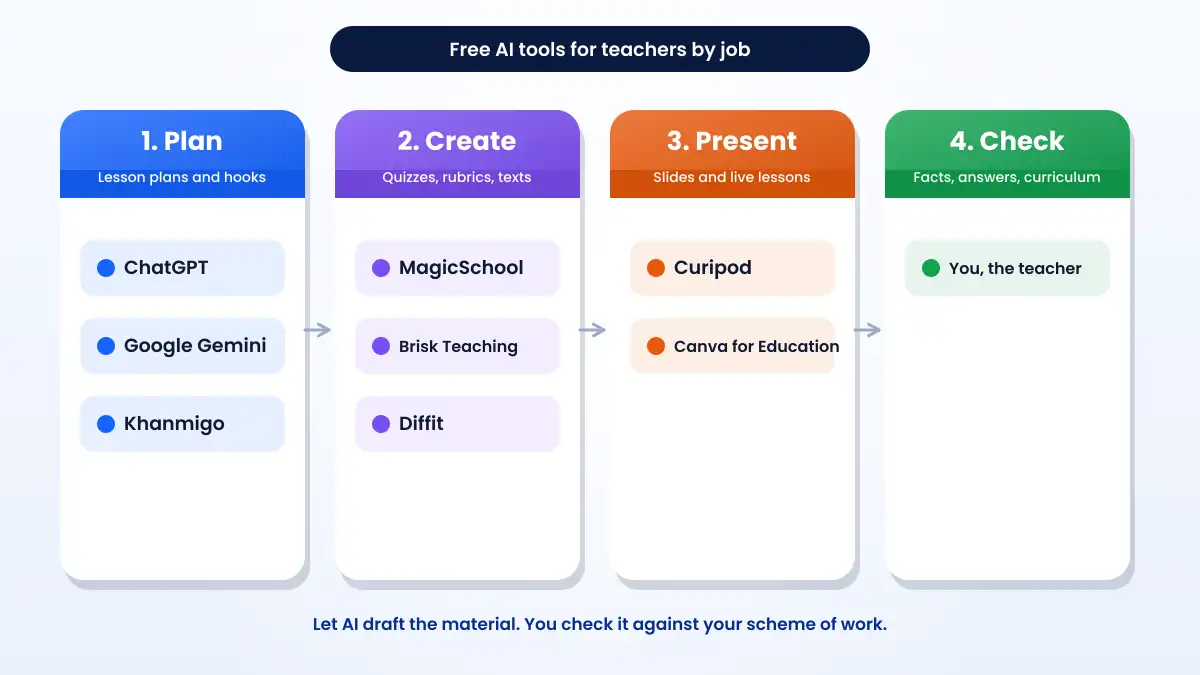
Quick answer: The best free AI tools for teachers are ChatGPT and Google Gemini for lesson plans and explanations, MagicSchool and Brisk Teaching for ready-made teacher tools, Khanmigo for Teachers for lesson hooks and rubrics, Diffit for levelled reading passages, Curipod for interactive lessons, and Canva for Education for slides and worksheets. Most of these AI tools for teachers have a free plan that covers everyday planning. Always check the output against your curriculum and keep pupils’ personal details out.
In this guide
- Why AI tools for teachers matter now
- The best free AI tools for teachers at a glance
- The best free AI tools for teachers, one by one
- How to pick the right AI tool for each teaching job
- A simple five-step AI lesson-planning routine
- Use AI tools for teachers safely
- Free or paid: when to upgrade
- Frequently asked questions
- Key takeaways on AI tools for teachers
Why AI tools for teachers matter now
Teachers in Nigeria carry large classes, many lesson notes, and plenty of paperwork. AI cannot teach your class, but it can take over the first draft of many routine jobs. For example, it can turn a topic from the scheme of work into a lesson plan, write ten practice questions at three difficulty levels, or suggest kinder wording for a report comment.
Government is also moving in this direction. In July 2026, the Federal Ministry of Education signed an agreement to train about 11,700 Unity College teachers in AI for lesson delivery and assessment. So learning these tools now puts you ahead of the change, wherever you teach.
The best free AI tools for teachers at a glance
| Tool | Best for | Free plan in brief | Paid plan from |
|---|---|---|---|
| ChatGPT | Lesson plans, explanations, questions | Free with an account; limited messages on the best model | About $5 a month (Go, Nigeria) |
| Google Gemini | Planning inside Google apps | Free with a Google account; also free in Google Classroom for school accounts | $5 a month (AI Plus) |
| MagicSchool | 80+ ready-made teacher tools | Free plan with usage caps and no saved history | $8.33 a month (billed yearly) |
| Brisk Teaching | Quizzes, rubrics and feedback in Chrome | Free forever plan after a 14-day trial | School plans only |
| Khanmigo for Teachers | Lesson hooks, rubrics and groupings | Free for teachers in 180+ countries | No teacher plan to buy |
| Diffit | Reading passages at different levels | Free plan; access to work from the last 90 days | $14.99 a month |
| Curipod | Interactive lessons with polls and writing | Free for teachers, with limits | School plans only |
| Canva for Education | Slides, worksheets, and posters | Free for verified primary and secondary teachers | Free (K-12 only) |
Free limits change often. So treat this table as a guide, and check each tool’s own page before you plan a term around it. Most figures above come from a comparison of teacher plan limits checked in October 2026.
The best free AI tools for teachers, one by one
1. ChatGPT: the all-round planning assistant
ChatGPT is the easiest place to start because it takes plain instructions. Give it your class, subject, and topic, and ask for a lesson plan with objectives, a starter, main activities, and an exit ticket. For example: “Write a 40-minute lesson plan for JSS2 Basic Science on the states of matter. Include one hands-on activity that needs no lab, and five exit questions.”
The free plan limits how many messages you can send on the strongest model, and then it switches to a lighter one. Our guide to the best free AI writing tools explains these limits. OpenAI also launched ChatGPT for Teachers, which is free until June 2027. However, it started with US schools, so check whether it is open to you.
2. Google Gemini: best if your school uses Google
Gemini is free with any Google account, and it drafts notes, summaries, and questions well. If your school has Google Workspace for Education, teachers also get Gemini in Classroom at no cost, with more than 30 tools for lesson plans, quizzes, and rubrics. Quizzes can go straight into Google Forms, which saves typing.
Without a school account, the normal Gemini app still does most of this. Just paste your topic and ask for the same outputs.
3. MagicSchool: the biggest set of ready-made teacher tools
MagicSchool gives you more than 80 tools built for teachers, such as a lesson planner, a rubric maker, a text levelling tool, and a report-comment writer. Instead of writing prompts, you fill in a short form. As a result, it suits teachers who are new to AI.
The free plan does not expire, but it has usage caps and no saved history. Plus costs $8.33 a month when billed yearly, or $12.99 monthly.
4. Brisk Teaching: AI inside your browser
Brisk is a free extension for Chrome and Edge. It works on the page you already have open, so you can turn a Google Doc, an article, or a YouTube video into a quiz, a lesson plan, or a rubric. The free plan includes more than 20 tools, including a quiz maker with answer keys and a presentation maker.
Browser extensions do not run on phones. So Brisk suits teachers who plan on a laptop.
5. Khanmigo for Teachers: free help from Khan Academy
Khanmigo’s teacher tools are free in English in more than 180 countries, and Nigeria is not on the excluded list. It guides you through more than 20 activities, such as lesson hooks, rubrics, differentiated lesson plans, and student groupings, so you do not need to write prompts.
Its student tutor is limited to learners in the US, though. So use it for your planning, not as a tutor for your class.
6. Diffit: one text, many reading levels
Diffit takes a topic, an article, or a passage and rewrites it at the reading level you choose, with vocabulary, questions, and a summary. That helps when one class has strong and struggling readers. The free plan lets you download, print, and share, but you can only open work from the last 90 days.
7. Curipod: lessons that pupils answer
Curipod builds a lesson from a topic, with slides, polls, word clouds, and short writing tasks that pupils answer on a device. It works best where pupils have phones, tablets, or a computer lab. Teachers can use it for free, although the free plan has limits, such as no PDF downloads.
8. Canva for Education: slides and worksheets
Canva for Education is free for teachers in primary and secondary schools worldwide. Without a school email, you upload proof such as a teaching licence or school ID, and Canva reviews it within 48 hours. You then get premium templates and Canva’s AI design tools for slides, posters, and worksheets. However, university lecturers are not eligible. To turn your lesson into a full slide deck, follow our guide on how to create presentations with AI.
How to pick the right AI tool for each teaching job
The best tool depends on the task in front of you. Here is a quick guide:
| Teaching job | Start with | Then check with |
|---|---|---|
| Lesson plan or lesson note | ChatGPT, Gemini or MagicSchool | Your scheme of work |
| Quiz or test with answer key | Brisk, Gemini (Forms) or MagicSchool | Solve every question yourself |
| Reading text at two or three levels | Diffit | Read it once before class |
| Slides and worksheets | Canva for Education or Brisk | Your own notes |
| Rubrics and lesson hooks | Khanmigo for Teachers | Your marking guide |
| Report card comments | ChatGPT or MagicSchool | Your own knowledge of each pupil |
If you teach maths, our guide on how students can use AI to learn mathematics has prompts you can also share with your class.
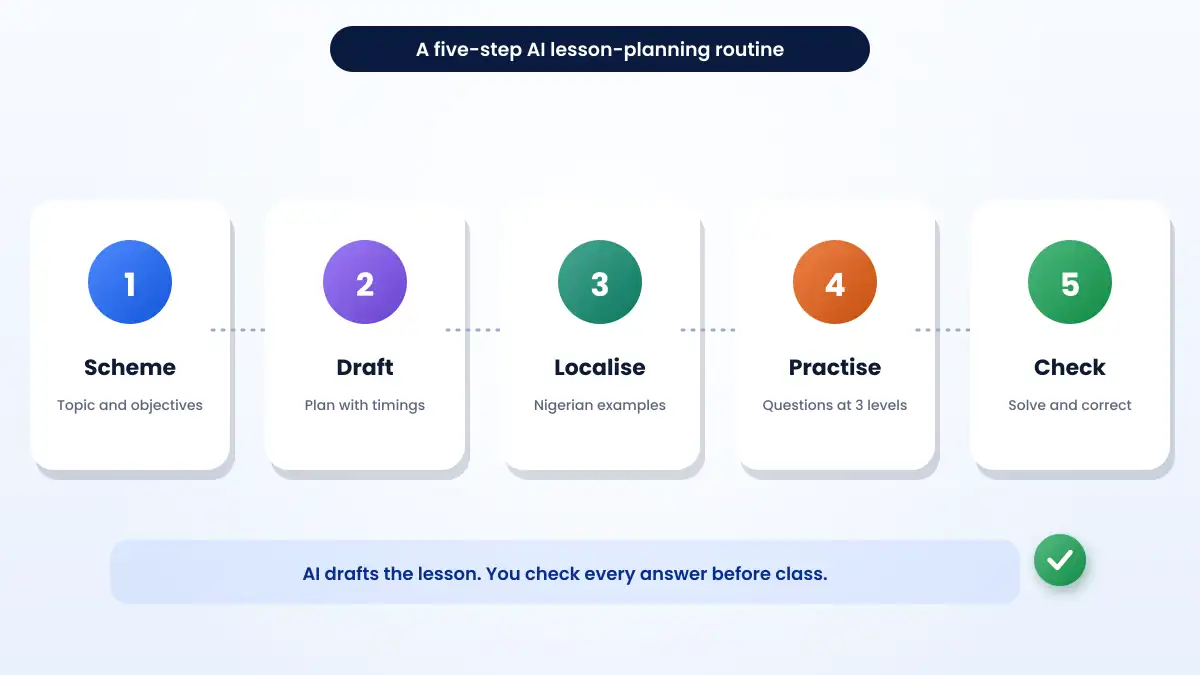
A simple five-step AI lesson-planning routine
Free AI tools for teachers save the most time when you follow the same routine each week:
- Start from your scheme of work. Copy the topic, class, and learning objectives. AI does not know your curriculum unless you tell it.
- Ask for a first draft. Request a lesson plan with timings, one activity, and an exit ticket. Mention the class size and what resources you have.
- Make it local. Swap foreign examples for Nigerian ones, such as naira prices, local foods, or familiar places. Pupils learn faster from examples they recognise.
- Create practice material. Ask for questions at three levels, with an answer key and a short marking guide.
- Check before class. Read everything, solve the questions, and correct any errors. Then save the final version for next term.
Use AI tools for teachers safely
AI saves time, but it also brings risks for you and your pupils. Keep these rules in mind:
- Keep pupils’ personal data out. Do not paste names, results, medical notes, or photos of pupils into a chatbot. Use initials or “Pupil A” instead. Nigeria’s Data Protection Act 2023 covers this kind of personal data.
- Check every fact and answer. Chatbots can get dates, figures, and even maths answers wrong. So never hand out an answer key you have not checked.
- Follow your school’s rules. Ask your head teacher or proprietor how the school wants AI used, especially for marking and reports.
- Be open with pupils. Explain when and how you used AI, and teach them to use it to learn rather than to copy. Our guide to the best free AI tools for Nigerian students is a good page to share.
- Do not trust AI detectors. Tools that claim to spot AI writing can wrongly flag a pupil’s own work, so never punish a pupil on a detector score alone.
Free or paid: when to upgrade
Most teachers never need to pay, because two or three free plans together cover nearly every planning job. However, an upgrade can make sense if you plan for several classes every week:
- MagicSchool Plus ($8.33 a month, billed yearly) suits teachers who want saved history and no usage caps.
- ChatGPT Go (about $5 a month in Nigeria) suits teachers who keep running out of messages.
- Diffit Individual ($14.99 a month) suits teachers who level many texts and want older work.
Pay for one tool at a time, and ask your school first, since some schools buy plans for all staff. Many plans also bill in US dollars, so a naira card may hit a foreign spending limit.
Frequently asked questions
What is the best free AI tool for teachers?
For most teachers, ChatGPT or Gemini is the best free starting point, because they handle almost any planning task. MagicSchool is a strong second choice if you prefer forms to prompts.
Can AI write my lesson notes for me?
It can write a good first draft. However, you must check it against your scheme of work and your class, because AI does not know your pupils or your syllabus.
Are AI tools for teachers safe for pupils’ data?
They can be, if you keep personal details out. Use initials instead of names, and never upload results or photos of pupils.
Do I need a laptop to use these tools?
No. ChatGPT, Gemini, MagicSchool, Diffit, and Canva work in a phone browser or app. However, Brisk needs Chrome or Edge on a computer.
Is Canva for Education free for university lecturers?
No. Canva for Education is only for primary and secondary teachers. Lecturers can use Canva’s normal free plan.
Key takeaways on AI tools for teachers
- Use ChatGPT or Gemini to draft lesson plans, and MagicSchool, Brisk, or Khanmigo for ready-made teacher tools.
- Diffit levels reading texts, Curipod makes lessons interactive, and Canva for Education is free for school teachers.
- Free plans cover most needs; upgrade one tool only when a limit slows you down every week.
- Check every answer, keep pupils’ data out, and follow your school’s rules.
Want more? Read our guides to the best free AI writing tools, how to use ChatGPT for Excel analysis for class records, or browse all our AI and productivity guides.