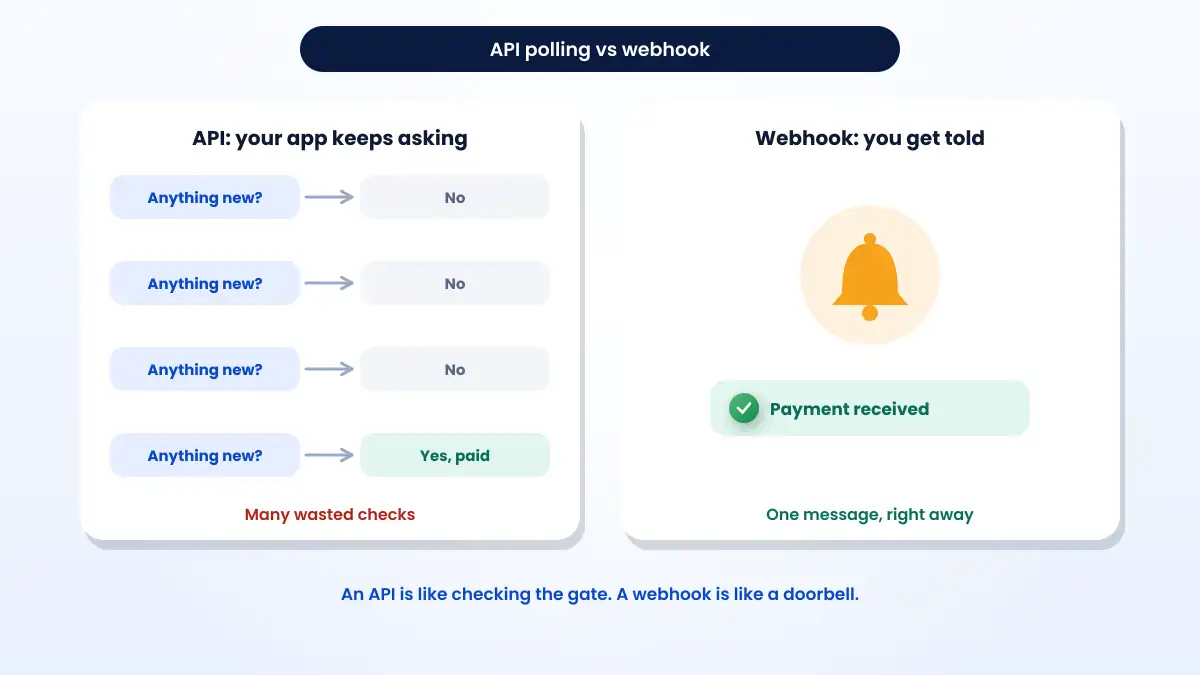
Imagine waiting for a visitor. You could walk to the gate every five minutes to check, or you could fit a doorbell and relax until it rings. Webhooks are the doorbell of the internet. So, what is a webhook? This guide explains it in plain English, shows how webhooks work step by step, compares them with APIs, and gives real examples, including how online payments use them.
Quick answer: A webhook is an automatic message that one app sends to another as soon as something happens, such as a payment succeeding or a form being submitted. Instead of your app asking “has anything changed?” again and again, the other service sends the news to a web address (URL) you choose. The message usually contains the event details in JSON. Payment providers such as Paystack and Blusalt use webhooks to tell your website that a customer has paid, so your system can confirm the order automatically.
In this guide
- What is a webhook?
- How a webhook works
- Webhook vs API: what is the difference?
- Everyday examples of webhooks
- How webhooks work in online payments
- How to keep webhooks secure
- Do you need to build webhooks yourself?
- Frequently asked questions
- Key takeaways on what is a webhook
What is a webhook?
A webhook is a way for one system to tell another system that an event has happened, at the moment it happens. You give a service a web address on your server. Then, whenever the event you care about takes place, the service sends a message to that address.
GitHub’s guide to webhooks describes them as a way to automatically receive data on your server when certain events occur. In other words, you do not need to keep checking for updates, because the updates come to you.
For this reason, people sometimes call webhooks “reverse APIs” or “push notifications for apps”. With a normal API, your app asks and the other side answers. With a webhook, the other side speaks first.
How a webhook works
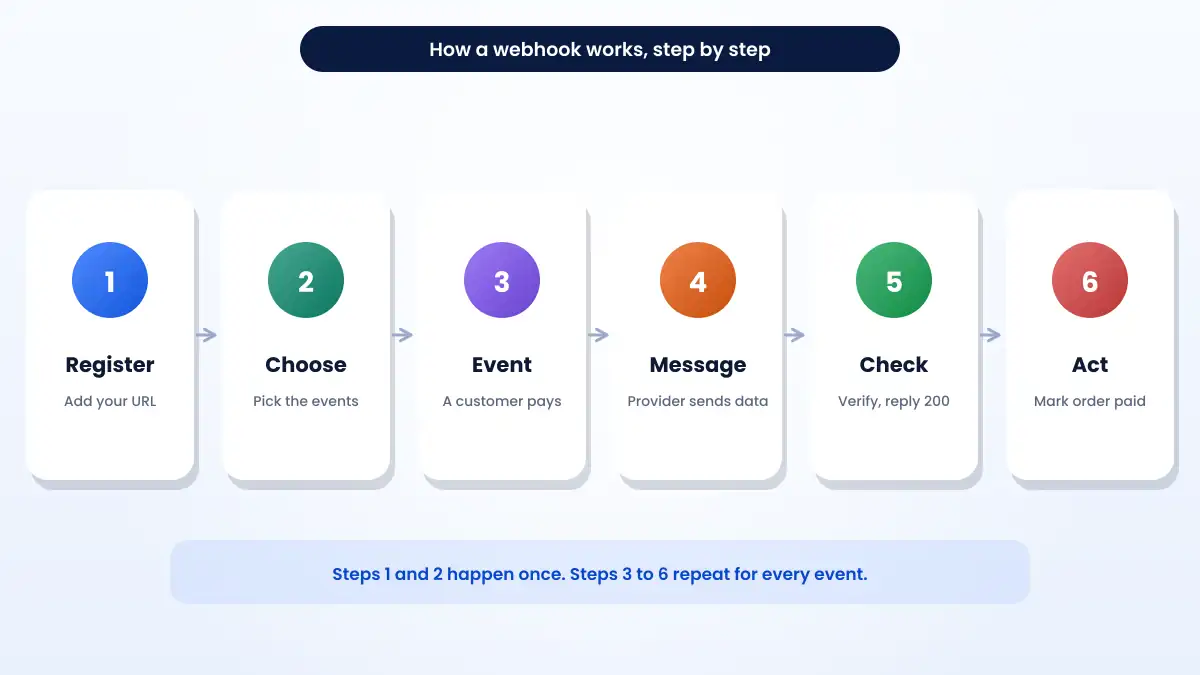
Here is what happens behind the scenes:
- You register a webhook URL. In the provider’s dashboard, you enter a web address on your server, such as an address ending in /webhooks/payments.
- You choose the events. For example, you might ask for a message every time a payment succeeds.
- The event happens. A customer pays, a file is uploaded, or a form is sent.
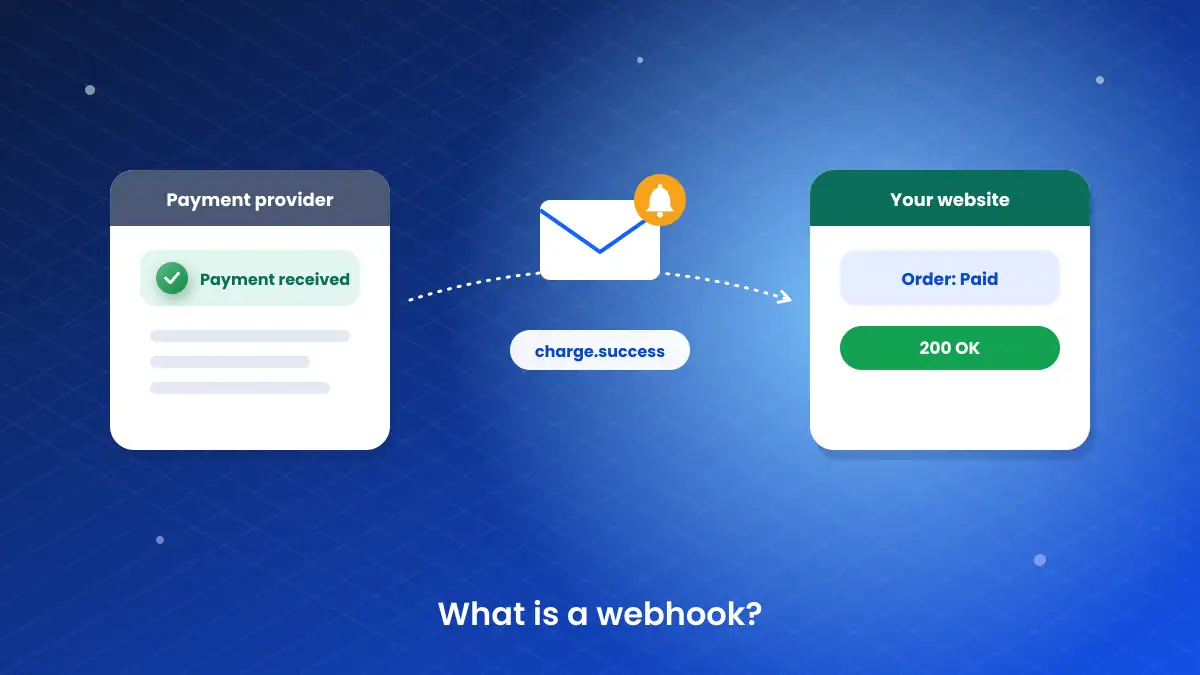
- The provider sends a message. It makes a POST request to your URL. The message, called the payload, describes the event, usually in JSON.
- Your server checks and replies. It confirms the message is genuine, then quickly replies with “200 OK” to say it was received.
- Your app takes action. For instance, it marks the order as paid and emails the customer.
Here are the main terms you will see:
| Term | What it means |
|---|---|
| Event | The thing that happened, such as a successful payment |
| Webhook URL | The web address on your server that receives the message |
| Payload | The data inside the message, usually in JSON |
| Signature | A code that proves the message really came from the provider |
| Retry | Another attempt to deliver the message if your server did not reply |
Webhook vs API: what is the difference?
Webhooks and APIs work together, but they move information in opposite directions. Our guide to what an API is explains the API side in more detail.
| Feature | API | Webhook |
|---|---|---|
| Who starts the conversation | Your app asks | The other service tells you |
| When data moves | Whenever you ask | As soon as an event happens |
| How you get updates | You check again and again (polling) | Updates are pushed to you |
| Best for | Getting or changing data on demand | Reacting to events in real time |
| Example | “Show me my balance” | “A payment just succeeded” |
Checking an API again and again is called polling. According to GitHub, webhooks need fewer resources than polling and give near real-time updates. However, GitHub also notes that calling the API is still fine when you only need information once in a while.
Everyday examples of webhooks
You benefit from webhooks every day, even if you never see them:
- Online payments. When you pay on a website, the payment provider sends a webhook to the shop, which then confirms your order.
- Bank transfers to businesses. Some payment services send a webhook when money lands in a business’s account, so the order updates automatically.
- Online forms. A form tool can send each new response to a spreadsheet or a team chat.
- Deliveries. A courier service can tell a shop when a parcel is picked up or delivered.
- Software teams. Code hosting sites such as GitHub can trigger an automatic website update whenever new code is saved.
- Chat apps. Business messaging tools can pass each new customer message to a support system.
How webhooks work in online payments
Payments are the most common use of webhooks for small businesses. Here is a simplified example using Paystack.
First, a customer pays on your website. Next, Paystack sends a webhook to your server with an event called charge.success. Then your website checks the message and marks the order as paid.
According to Paystack’s webhook documentation, each message includes a signature header that your server should check before trusting the event. Your server should also reply with “200 OK” quickly. If it does not, Paystack retries the delivery: in live mode, every 3 minutes for the first 4 tries, then every hour for up to 72 hours.
This matters because a customer’s screen is not proof of payment. Our guide on how to spot a fake bank alert explains why you should always confirm money on your own side. A webhook from your payment provider, checked properly, is one of the most reliable ways to do that automatically. To compare providers, see our guide on how to accept online payments.
How to keep webhooks secure
Anyone can send a message to a public web address, so your webhook URL must check every message. Follow these basics:
- Verify the signature. Use the method in your provider’s documentation to confirm the message really came from them.
- Use HTTPS. Your webhook URL should use an encrypted connection.
- Allow only the provider’s addresses if the provider publishes a list of the IP addresses it sends from.
- Handle repeats safely. Because of retries, the same event can arrive more than once, so make sure you do not ship one order twice.
- Double-check important events. For payments, many developers also confirm the transaction with the provider’s API before releasing goods.
- Keep your secret key secret. Never put it in website code that visitors can see, or in emails and chats.
Do you need to build webhooks yourself?
Not always. If you use a website builder or a shop plugin, such as WooCommerce with a payment plugin, the plugin usually sets up the webhook for you. Similarly, many no-code automation tools let you receive a webhook and send the data to a spreadsheet or email with a few clicks.
However, if you build your own website or app, you or your developer will need to create a webhook URL and handle the messages. Start with your provider’s documentation and its test mode.
Frequently asked questions
Is a webhook the same as an API?
No. With an API, your app asks for information when it needs it. With a webhook, another service sends your app information automatically when an event happens. Many services offer both.
What does a webhook message contain?
It usually contains the event type, such as a successful payment, plus details like an ID, the amount, and the time, sent as JSON text.
What happens if my server is down?
Most providers try again later. For example, Paystack keeps retrying failed live deliveries for up to 72 hours, according to its documentation.
Are webhooks safe?
Yes, if you set them up properly. Check the signature on every message, use HTTPS, and never trust a webhook that fails the check.
Do I need coding skills to use webhooks?
To build a webhook handler, yes. However, shop plugins and no-code tools can handle webhooks for you without any coding.
Key takeaways on what a webhook is
- A webhook is an automatic message sent from one app to another when an event happens.
- It works like a doorbell, so you do not need to keep checking for updates.
- APIs answer when you ask, while webhooks tell you as soon as something changes.
- Payment providers use webhooks to confirm payments to your website automatically.
- Always verify the signature, use HTTPS, and handle repeated messages safely.
Want simpler explanations? Browse all our Digital Explained guides, or learn what cloud computing is.