A customer shows you a transfer on their phone, and seconds later your phone beeps with a credit alert. So you hand over the goods. Later, you check your account and the money is not there. Fake bank alert scams like this hit traders, POS agents, and online sellers every week. This guide shows how to spot a fake bank alert, how to check any payment in under a minute, and what to do if you are targeted.
Quick answer: A fake bank alert is a text, notification, or screenshot that claims money has reached your account when it has not. To spot one, never trust the SMS or the customer’s screen. Instead, open your own bank app, check your balance and transaction history, and confirm the amount and sender’s name before you release goods. Warning signs include alerts from personal phone numbers, spelling errors, pressure to hurry, links, and requests to call back or share your card details.
In this guide
- What is a fake bank alert?
- Common types of fake bank alerts
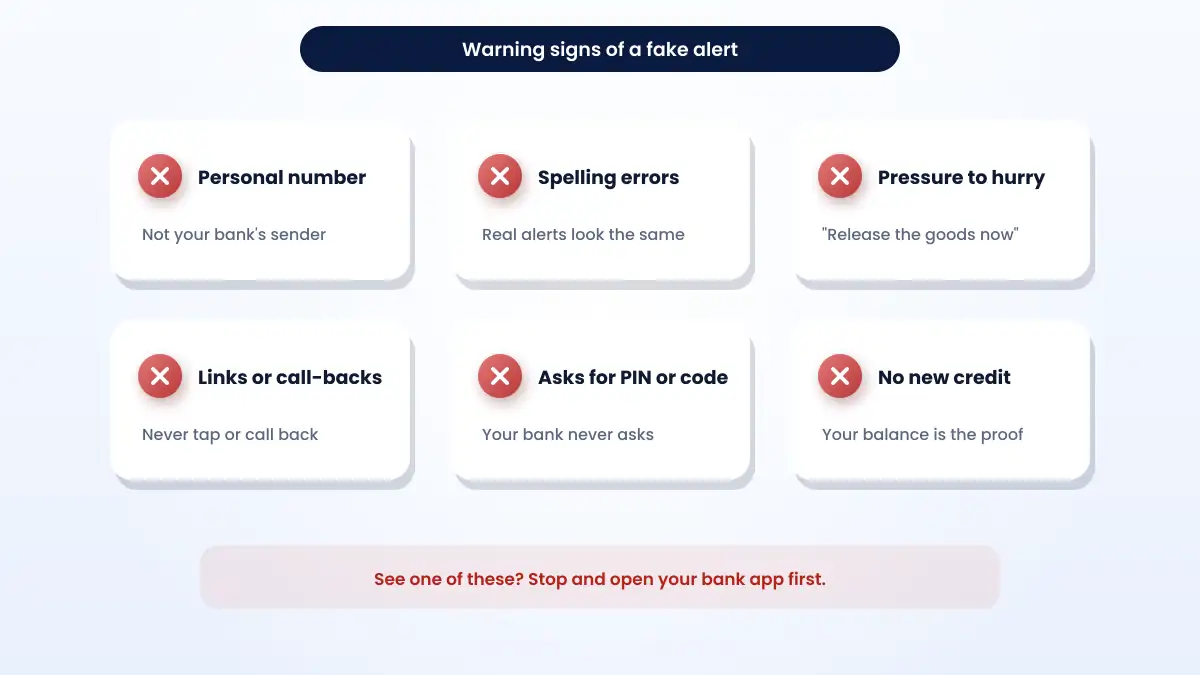
- Warning signs of a fake bank alert
- How to spot a fake bank alert in under a minute
- Extra tips for traders and POS agents
- What to do if you receive a fake bank alert
- How fake alerts link to other scams
- Frequently asked questions
- Key takeaways on how to spot a fake bank alert
What is a fake bank alert?
A fake bank alert is any message that pretends money has been paid into your account. It may look exactly like your bank’s usual text. However, the money never arrives, because no real transfer took place.
Scammers use it to take goods, cash or services without paying. For example, police in Osun State arrested suspects who allegedly used fake alerts to buy clothes, rice, and cooking oil from traders, as Gazette Nigeria reported in January 2025.
Common types of fake bank alerts
Most scams fall into a few groups:
- Fake SMS alerts. A text that looks like a bank credit alert but comes from a normal phone number, or from a sender name copied to look like your bank.
- Fake transfer screenshots. The buyer shows a “successful” transfer screen on their phone or sends a screenshot on WhatsApp.
- “Pending” transfer stories. The buyer says the transfer is delayed and promises it will land soon, so you should release the goods now.
- Call-back and refund tricks. You get an alert for money you did not expect, then a call asking you to send it back or share your card details.
According to Dubawa, a fact-checking project, fake alerts often come from personal numbers, ask you to call back, or ask for your card details and PIN. Also, a fake alert usually does not appear in the same message thread as your bank’s real alerts.
Warning signs of a fake bank alert
Look out for these red flags:
- The sender is a personal phone number, not your bank’s usual sender name.
- The message sits outside your bank’s normal thread of earlier alerts.
- The balance is missing or looks wrong, or the account details do not match yours.
- There are spelling or grammar mistakes. Real alerts follow the same format every time.
- The message has a link or asks you to call a number.
- The customer is in a hurry and pushes you to release goods before you check.
- Someone asks for your PIN, card details or a code. Your bank will never ask for these.
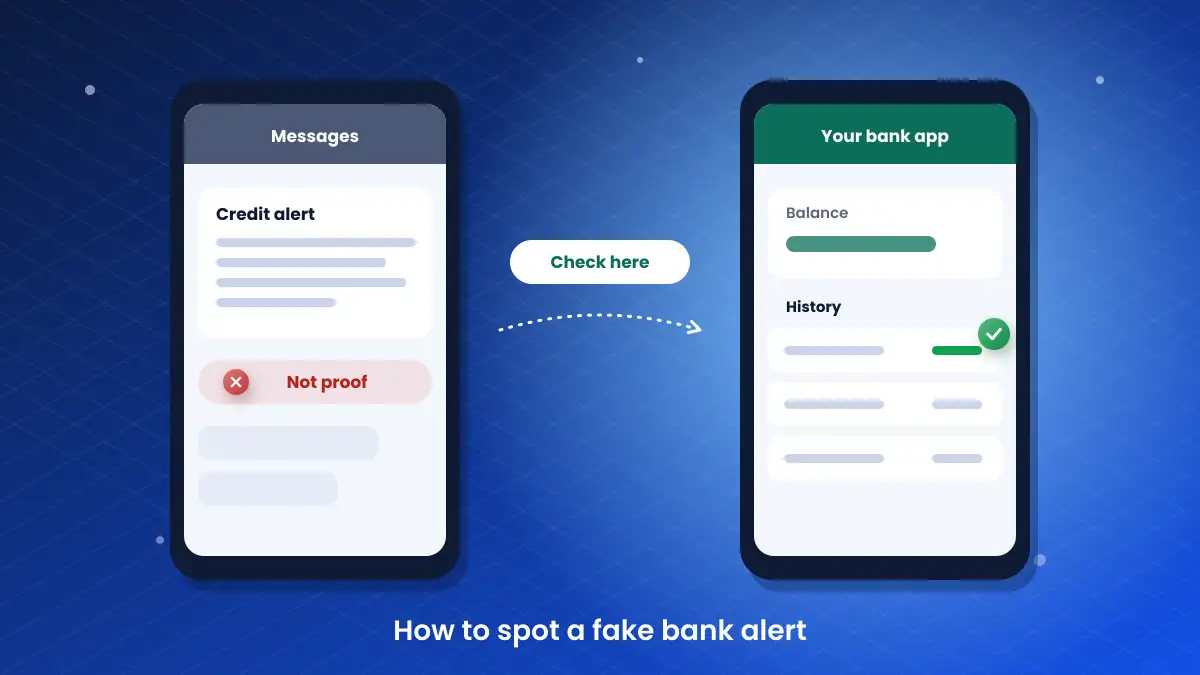
Above all, remember that a screenshot proves nothing. Anyone can show you a screen. Only your own account balance shows whether money has arrived. As Dubawa’s guide to fake alerts puts it, if the money is not in your balance, the alert is likely fake.
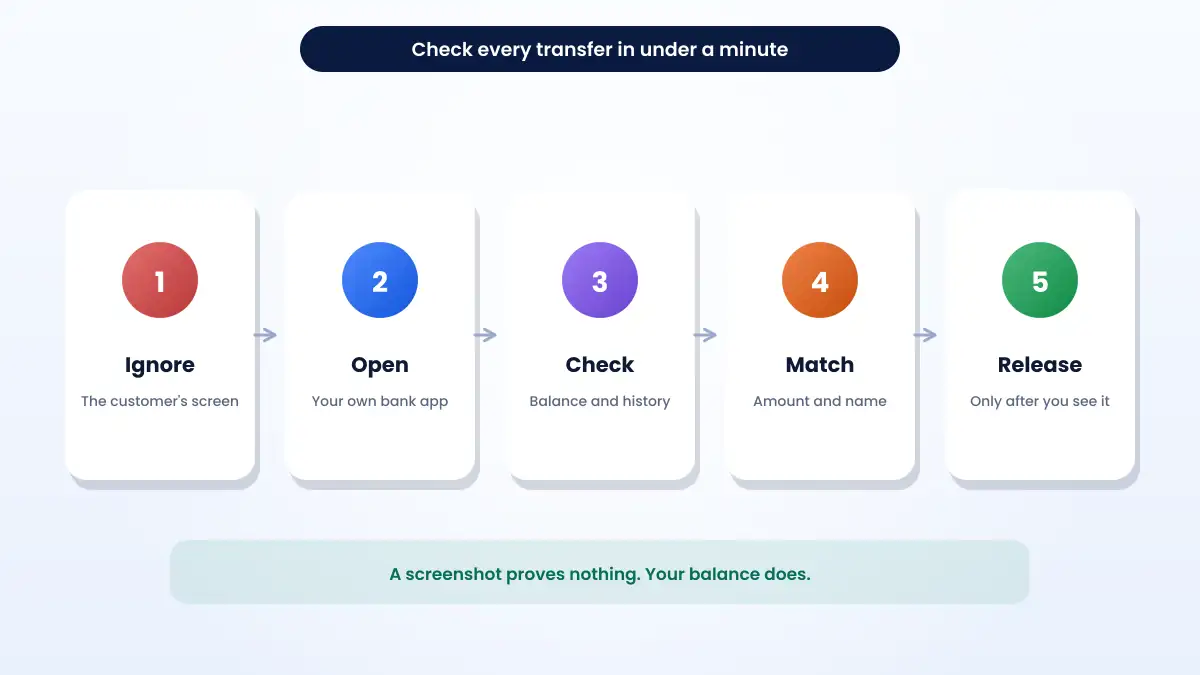
How to spot a fake bank alert in under a minute
Follow these steps for every transfer, especially from new customers:
- Ignore the customer’s phone. Do not accept a screenshot or a “successful” screen as proof.
- Open your own bank app or internet banking. Do not use any link in the message.
- Check your balance and transaction history. The payment should show as a new credit.
- Match the details. The amount, the time, and the sender’s name should match what you expect.
- Release the goods only after you see the money. If it is not there, politely ask the customer to wait.
- If in doubt, call your bank on the number on its official website or the back of your card.
In fact, police in Osun advised traders to check transfers in their bank apps before handing over goods.
Extra tips for traders and POS agents
Busy shops are the main target, because staff have little time to check. So set some simple rules:
- Make “check the app” a shop rule. Every staff member checks the bank app before releasing goods, with no exceptions.
- Turn on app notifications. Push notifications from your bank app are harder to fake than an SMS, but still confirm the balance.
- Use one business account for sales. Then new payments are easy to spot in the history.
- Offer payment links or POS. A payment link or card terminal confirms the payment on your side. Our guide to what a payment link is shows how to create one. Our guide on how to accept online payments explains the options. On a website, a webhook from your payment provider can mark orders as paid automatically.
- Be careful at closing time and weekends. Scammers often pick busy or rushed moments.
- Do not accept “I’ll send the rest later” from a stranger.
For POS agents, the same rule applies. Before you pay out cash, check that the transfer has reached your account. Our guide on how POS transactions work explains what a successful payment looks like.
What to do if you receive a fake bank alert
If you suspect a fake bank alert, stay calm and act quickly:
- Do not release the goods or send any money back.
- Keep the evidence. Save the message, the phone number, any screenshots, and CCTV footage if you have it.
- Report it to your bank using its official contact details.
- Report it to the police, especially if you have already lost goods.
- Warn other traders in your market or business group.
Similarly, if you get an unexpected “credit” followed by a call asking for a refund, do not send money. Instead, check your balance and call your bank. Real reversals go through the bank, not through a stranger’s phone call. Our guide on how to reverse a failed transfer explains how genuine reversals work.
How fake alerts link to other scams
Fake alerts often come with other tricks. For example, the message may include a link to a fake banking page. Our guide on how to recognise a phishing message shows how to spot those links. Likewise, a caller who asks for a code may be trying to take over your line, so read how SIM swap fraud works too. Similarly, be wary of crypto “investments” that promise quick profits; our guide to what blockchain technology is lists the warning signs. Our guide to authorised push payment fraud explains how scammers trick people into sending money.
Frequently asked questions
Can a fake alert show my real balance?
It can show any number the scammer types. That is why you must check the balance inside your own bank app, not in a text message.
Are bank app notifications always real?
They are more reliable than SMS, because they come from inside the app. Even so, open the app and confirm the credit in your transaction history before you release goods.
What if the customer says the transfer is pending?
Then the money has not arrived yet. Real transfers can sometimes be delayed, but you should keep the goods until the payment shows in your account.
Can a fake bank alert empty my account?
The alert itself cannot. However, if you click a link, share your PIN, or read out a code, scammers may get into your account. Our guide on how to protect your bank account online explains how to stay safe.
Should I delete fake alert messages?
No. Keep them as evidence for your bank and the police, then block the number.
Key takeaways on how to spot a fake bank alert
- A fake bank alert claims money has arrived when it has not.
- Never trust an SMS, a screenshot, or the customer’s phone as proof.
- Always check your balance and history in your own bank app before you release goods.
- Watch for personal numbers, spelling errors, links, pressure, and requests for your PIN.
- Keep the evidence and report fake alerts to your bank and the police.
Want to stay safer online? Next, learn how bank transfers work, or browse all our cybersecurity guides.