You may have seen privacy apps advertised as the answer to hackers, slow streaming, and online tracking. Some of those claims are true, but many are exaggerated. So what is a VPN, what does it actually protect, and do you really need one? This guide explains how one works in plain English, when it helps, when it does not, and how to choose a safe one.
Quick answer: A VPN, or virtual private network, creates an encrypted tunnel between your device and a remote server, so people on the same network cannot easily see what you are doing. It also hides your real IP address from the websites you visit. It is useful on public Wi-Fi and for privacy, but it does not stop phishing, scam calls, or malware. Choose a trusted provider, and be careful with free apps.
In this guide
- What is a VPN?
- How a VPN works
- What a VPN protects, and what it does not
- When a VPN is useful
- When you may not need a VPN
- Free VPNs: what to watch for
- How to choose a safe VPN
- How to set up a VPN on your phone
- VPNs and online banking
- Frequently asked questions
- Key takeaways on what a VPN is
What is a VPN?
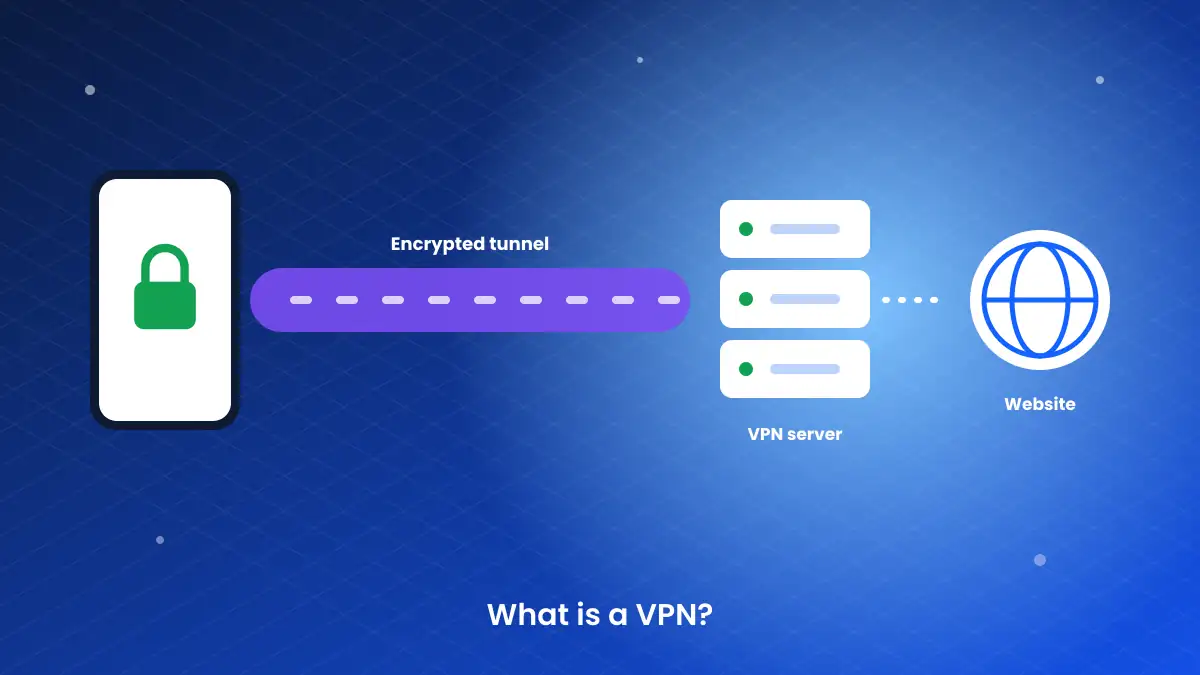
A VPN, short for virtual private network, is a service that sends your internet traffic through an encrypted connection to a server run by the provider. From there, your traffic goes on to the website or app you want to use.
In simple terms, it puts your online activity inside a sealed envelope while it crosses the network you are using. As a result, the owner of a public Wi-Fi hotspot, or someone else on the same network, sees only an encrypted connection, not the details of what you are doing.
Businesses have used this technology for years to let staff reach office systems securely from home. Today, consumer apps make the same idea available to anyone with a phone or laptop.
How a VPN works
Here is what happens when you switch on a VPN:
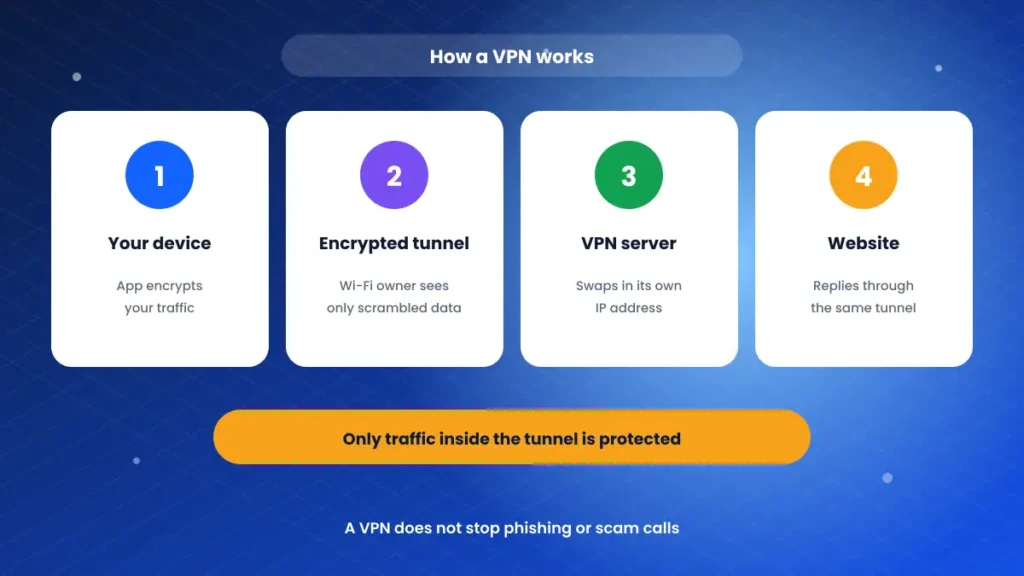
- You connect to a remote server. First, the app on your phone or computer connects to a server run by the provider, often in a location you choose.
- Your traffic is encrypted. Next, the app scrambles your data before it leaves your device, so it cannot be read on the way.
- The server forwards your request. Then the server sends your request to the website or app, using its own IP address instead of yours.
- The reply comes back the same way. Finally, the website replies to the server, which sends the response back to you through the encrypted tunnel.
However, the UK’s National Cyber Security Centre notes that “only traffic which is routed over the VPN will be protected by it”, according to its VPN guidance. In other words, if the connection drops or some apps bypass it, that traffic is not protected.
What a VPN protects, and what it does not
It is a useful tool, but it is not a complete security solution. This table shows the difference:
| A VPN helps with | A VPN does not stop |
|---|---|
| Snooping on public Wi-Fi networks | Phishing links and fake websites |
| Hiding your IP address from websites | Scam calls and fake bank alerts |
| Hiding your browsing from the local network owner | Malware you download yourself |
| Securely reaching work systems, where your employer provides it | Weak or reused passwords |
| Some location-based restrictions | Tracking by accounts you are signed in to, such as social media |
In particular, it cannot protect you if you type your PIN or password into a fake website. Our guides on how to recognise a phishing message and how to identify a fake website cover those risks.
When a VPN is useful
It is most useful in these situations:
- On public Wi-Fi. For example, in hotels, airports, cafés, or shared office networks. The US Federal Trade Commission says a VPN app can help shield personal information you send over public Wi-Fi, according to its tips on VPN apps.
- For work. Many employers require one to reach internal systems. In that case, use the service your employer provides, not a random app.
- For privacy. If you do not want websites to see your real IP address, the service hides it behind the server’s address.
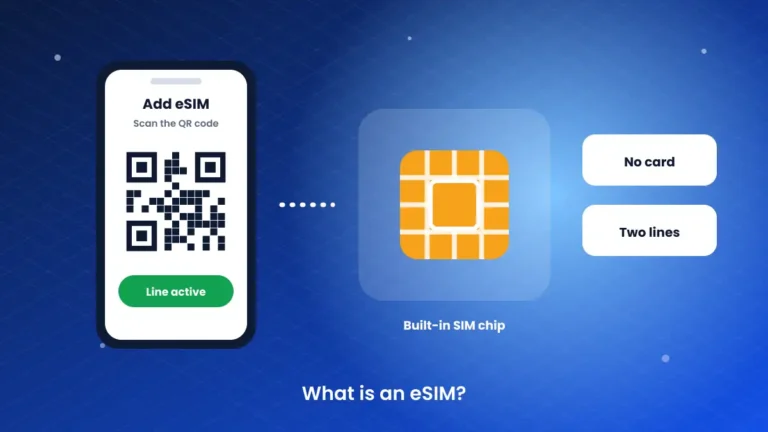
- When travelling. Some people use one abroad to reach services from home. However, check the service’s terms and the local law first. For mobile data abroad, see what an eSIM is.
When you may not need a VPN
Many everyday activities are already encrypted. For instance, most websites and banking apps use HTTPS, which shows as a padlock or “https” in the address bar. So on your own home network or mobile data, it adds less than many adverts suggest.
Similarly, it does not make you anonymous. The provider can see your traffic instead of your network provider, so you are moving your trust from one company to another.
Free VPNs: what to watch for
Free apps can carry real risks. A study of 283 free Android VPN apps by researchers from CSIRO and UNSW found that 38% showed some malware presence, and 18% did not encrypt traffic, iTnews reported. In addition, about three-quarters used third-party tracking libraries.
That study is several years old, so the app market has changed. Even so, the lesson still applies: if the service is free, ask how the company makes money. Some free providers show adverts or collect data to sell.
How to choose a safe VPN
Before you install any of these apps, check these points:
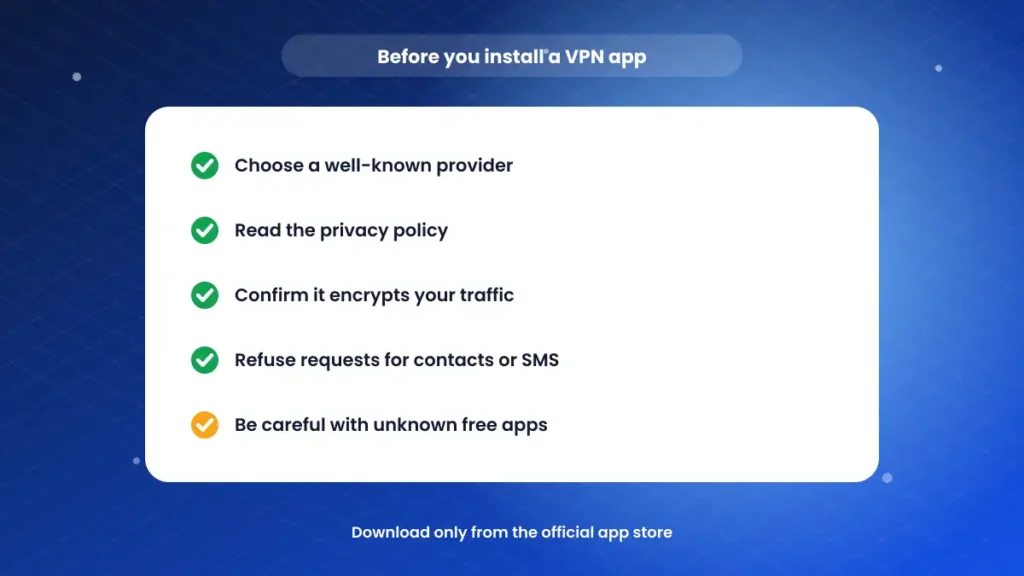
- Research the provider. First, look for a well-known company with independent reviews, not just star ratings in the app store.
- Read the privacy policy. Next, check what data the provider keeps, and whether it shares data with third parties, as the FTC advises.
- Confirm the encryption. Then make sure the app clearly says it encrypts your traffic, and look for modern protocols such as WireGuard or OpenVPN.
- Review the permissions. After that, refuse any app that asks for your contacts, SMS, or photos.
- Check for a kill switch. Finally, a kill switch blocks your internet if the connection drops, so your traffic does not leak.
Also, download the app only from the official Google Play Store or Apple App Store, and check the developer name.
How to set up a VPN on your phone
Most apps follow the same steps:
- Install the app from the official app store.
- Create an account and use a strong, unique password. Our guide to two-factor authentication explains how to protect it further.
- Allow the connection when your phone asks for permission.
- Choose a server location, or let the app pick the fastest one.
- Switch it on before you join public Wi-Fi, and check that its icon appears in the status bar at the top of your screen.
VPNs and online banking
You can usually use banking apps while the tunnel is on. However, some banks may flag or block a login when your location suddenly appears to be in another country. If your banking app stops working, switch the service off on a network you trust, such as your mobile data.
Remember that your bank will never ask you to install a VPN or remote-access app to “secure” your account. If someone asks you to do that, it is a scam. Our guide on how to protect your bank account online has more safety habits.
Frequently asked questions
Does a VPN make me anonymous?
No. It hides your activity from your local network and hides your IP address from websites, but the provider can still see your traffic. Websites can also recognise you when you sign in.
Does a VPN slow down my internet?
Often, a little. Your traffic takes an extra step through the remote server, so speeds may drop, especially if the server is far away.
Do I need a VPN on mobile data?
Usually not for everyday browsing, because most apps and websites are already encrypted. It matters more on public or shared Wi-Fi.
Is it legal to use a VPN?
VPNs are legal in many countries. However, rules differ, and using one to break the law or a service’s terms is still not allowed. Check local rules before you travel.
Are free VPNs safe?
Some are, but many carry risks such as weak encryption, tracking, or data collection. Choose a well-known provider, and read its privacy policy before you install it.
Key takeaways on what a VPN is
- It encrypts your traffic between your device and a remote server, and hides your IP address.
- It is most useful on public Wi-Fi, for work systems, and for privacy.
- It does not stop phishing, scam calls, malware, or weak passwords.
- Be careful with free apps, and check the provider, privacy policy, encryption, and permissions.
- Never install a VPN or remote-access app because a caller or message tells you to.
Want to stay safer online? Read our guides on how to secure your Gmail account and how to secure your WhatsApp account, or browse all our digital explained guides.