New phones increasingly come without a SIM tray, and networks now advertise digital SIMs. So what is an eSIM, and should you switch? In short, it is a SIM card built into your phone that you set up with a QR code instead of a plastic card. This guide explains how it works, its pros and cons, how to check if your phone supports it, and how to get one from a Nigerian network.
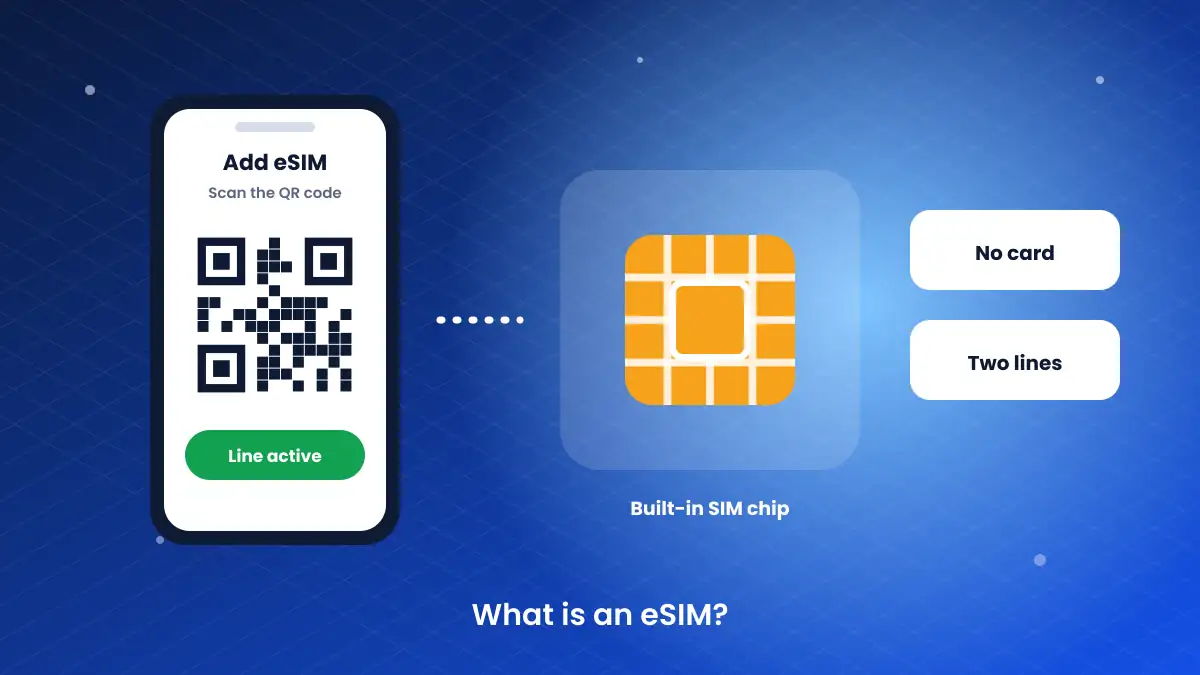
Quick answer: An eSIM, or embedded SIM, is a small chip built into your phone that stores your mobile number and network profile digitally. Instead of inserting a plastic card, you download your line, usually by scanning a QR code from your network. In Nigeria, MTN, Airtel, Glo, and T2 (formerly 9mobile) offer this service, typically at their service centres after identity checks.
In this guide
- What is an eSIM?
- How an eSIM works
- Physical SIM vs eSIM
- Advantages of an eSIM
- Disadvantages and risks
- How to check if your phone supports an eSIM
- How to get an eSIM in Nigeria
- How to stay safe with an eSIM
- Frequently asked questions
- Key takeaways on what an eSIM is
What is an eSIM?
An eSIM is a SIM that is built into your device instead of being a removable card. The “e” stands for “embedded”. The chip is soldered onto the phone’s circuit board, and your network sends your line details to it over the internet.
The GSMA, the global body for mobile networks, describes the standard as offering “simpler device setup without the need to insert or replace a SIM card”, according to its eSIM overview.
The chip itself can hold more than one network profile. So you can keep, for example, your main Nigerian line and a travel data plan on the same phone, and switch between them in your settings.
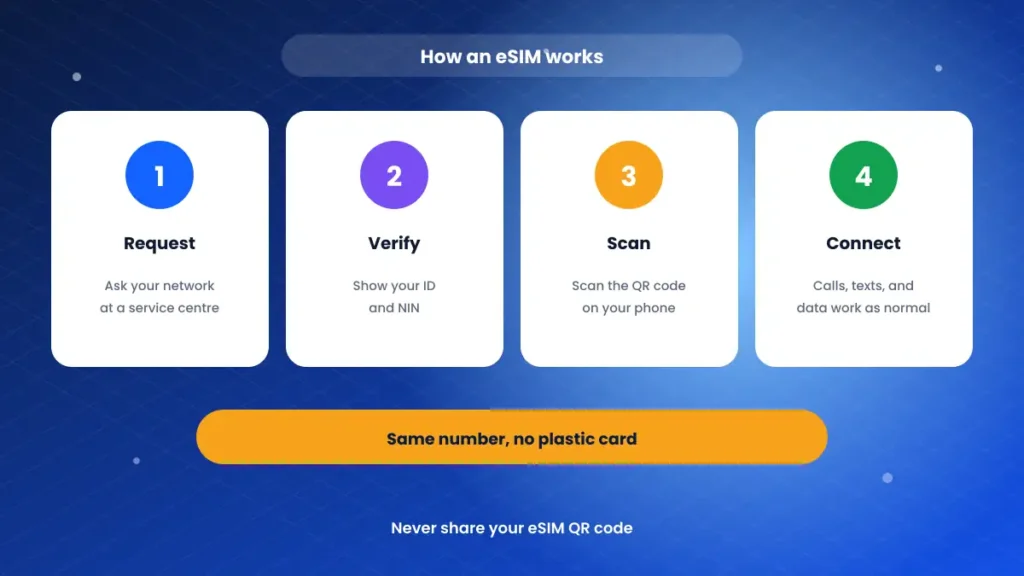
How an eSIM works
Here is what happens when you set one up:
- You request a digital line. First, you ask your network for an eSIM, either for a new number or to convert your existing physical SIM.
- The network verifies you. Next, it checks your identity, just as it would for a SIM replacement.
- You get a QR code. Then the network gives you a QR code or an activation code.
- You scan it. Your phone downloads the network profile onto its built-in chip.
- Your line goes live. Finally, calls, texts, and data work as normal, without a plastic card.
Physical SIM vs eSIM
Both options give you the same number, calls, texts, and data. The difference is how they are stored and changed:
| Physical SIM | eSIM | |
|---|---|---|
| What it is | A removable plastic card | A chip built into the phone |
| How you set it up | Insert the card | Scan a QR code or activation code |
| Switching phones | Move the card | Transfer or request a new profile from your network |
| Lines per phone | One per SIM slot | Several stored profiles, usually two active at once |
| If the phone is stolen | Thief can remove the card | The profile cannot be pulled out |
Advantages of an eSIM
- No card to lose or damage. For example, it cannot fall out or crack.
- Dual SIM on one phone. Many phones let you use a physical SIM and a digital one, or two digital lines, at the same time.
- Easier travel. You can add a local or international data plan abroad without buying a card at the airport. Our guide on how to get a virtual dollar card covers paying for foreign services.
- Harder to remove if stolen. A thief cannot simply take the card out and use your number in another phone.
Disadvantages and risks
- Not every phone supports it. In particular, many budget and older phones still use physical SIMs only.
- Switching phones takes longer. You may need your network’s help, or a transfer feature on your phone, instead of just moving a card.
- Fewer places to get help. Activation usually happens at a service centre or experience centre, not at a street vendor.
- Remote fraud. Criminals can try to move your line to their own device without touching your phone. A November 2026 Vanguard report said that “eSIM provisioning has made remote swaps faster and harder to detect”, according to AllAfrica.
So protect your line the same way you would a physical SIM. Our guide on how SIM swap fraud works explains the warning signs, and device binding adds another layer for banking apps.
How to check if your phone supports an eSIM
Before you visit your network, confirm that your phone can use a digital SIM:
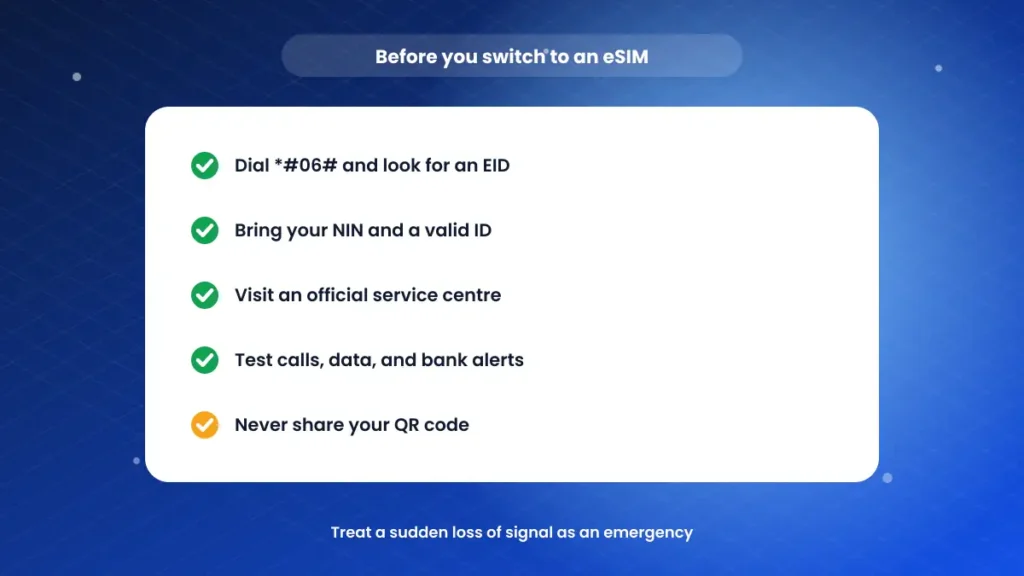
- Dial *#06#. If your phone shows an EID number along with the IMEI, it has a built-in eSIM chip.
- Check your settings. On iPhone, open Settings, then Mobile Service or Cellular, and look for “Add eSIM”. On Android, open Settings, then Network or Connections, then SIM manager, and look for an option to add a digital SIM.
- Check the model. Recent iPhones, Google Pixel phones, and many Samsung Galaxy models support it, but some regional versions do not.
If you bought your phone abroad or from a carrier, also check that it is not locked to a single network.
How to get an eSIM in Nigeria
Nigerian networks have offered digital SIMs for several years. According to a September 2025 BusinessDay report, MTN launched its service in July 2020 and 9mobile, now T2, in August 2020. Airtel offers prepaid and postpaid versions at its Airtel Experience Centres, and Glo began offering it in March 2025.
The general process is similar on every network:
- Visit an official service centre. Go to your network’s own office, not a roadside vendor.
- Bring your ID. Take a valid photo ID and your NIN, because networks must verify you before they issue or replace a line. Our guide shows how to link NIN to SIM first if you have not already.
- Ask for an eSIM. Request a new line or a conversion of your existing number.
- Scan the QR code. Staff will help you scan it, or give you the code to scan yourself.
- Test your line. Finally, make a call, send a text, and check your data and bank alerts before you leave.
Fees and exact steps can change, so check with your network before you go.
How to stay safe with an eSIM
- Never share your QR code. Anyone who scans it may be able to install your line on their phone.
- Treat a dead line as an emergency. If your phone suddenly shows “No service”, call your network and bank at once.
- Use app-based security. Where you can, use in-app approval or an authenticator app instead of SMS codes. Our guide to two-factor authentication explains why.
- Lock your phone. Use a strong screen lock and a SIM PIN, so a thief cannot easily use your line.
Frequently asked questions
Can I keep my number if I switch?
Yes. Networks can convert your existing physical SIM to a digital one and keep the same number, after verifying your identity.
Can I use an eSIM and a physical SIM together?
Often, yes. Many phones support one physical SIM and one digital SIM active at the same time.
What happens if I lose my phone?
Call your network to block the line, just as you would with a physical SIM. Then request a new eSIM or physical SIM for your replacement phone.
Do eSIMs work for data abroad?
Yes. Many travellers buy a data plan from an international provider and add it as a second profile, so they keep their Nigerian number active for calls and texts.
Is an eSIM safer than a physical SIM?
In some ways. It cannot be removed from a stolen phone. However, criminals can still try remote swaps, so protect your personal details and use strong account security.
Key takeaways on what an eSIM is
- An eSIM is a SIM built into your phone, set up by scanning a QR code instead of inserting a card.
- MTN, Airtel, Glo, and T2 offer digital SIMs in Nigeria, usually at official service centres.
- Check your phone first by dialling *#06# and looking for an EID number.
- It makes dual SIM and travel data easier, but switching phones can take longer.
- Never share your QR code, and treat a sudden loss of signal as an emergency.
Want to understand more everyday tech? Read what a VPN is and what a BVN is, or browse all our digital explained guides.