When you pay for something online, log in with your Google account, or see a map on a delivery website, an API is working in the background. You never see it, but almost every app you use depends on it. So, what is an API? This guide explains it in plain English, shows how APIs work step by step, and gives real examples of why websites and businesses use them.
Quick answer: An API (application programming interface) is a set of rules that lets one piece of software talk to another. One app sends a request, the API passes it to another system, and that system sends back a response, such as a payment result, a map, or the weather. For example, an online shop uses a payment gateway’s API to charge your card without building its own payment system. APIs save time, connect services, and keep systems secure, because each side only shares what the other needs.
In this guide
- What is an API?
- How an API works
- Everyday examples of APIs
- Why websites use APIs
- Types of APIs
- APIs in banking and fintech
- API security basics
- How to start learning about APIs
- Frequently asked questions
- Key takeaways on what is an API
What is an API?
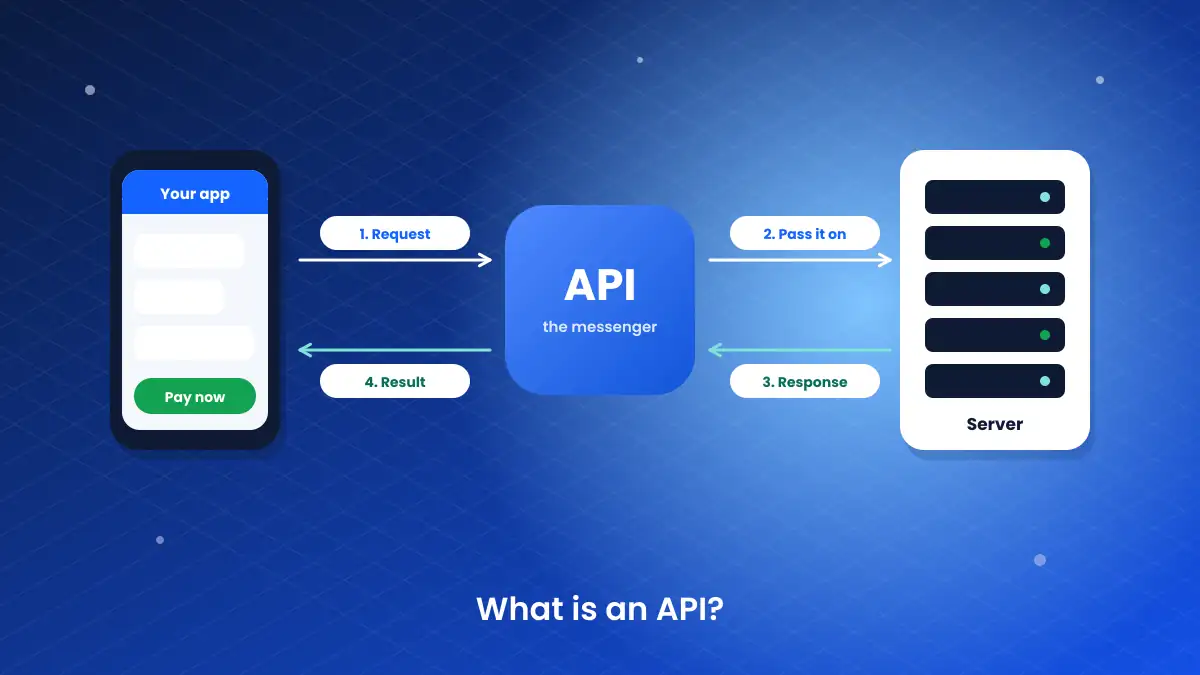
API stands for application programming interface. In simple terms, it is a messenger between two pieces of software. One program asks for something, and the messenger delivers the request and brings back the answer.
The US government’s data.gov glossary describes an API as a set of definitions of the ways one piece of software communicates with another. In other words, it is an agreed way of asking and answering.
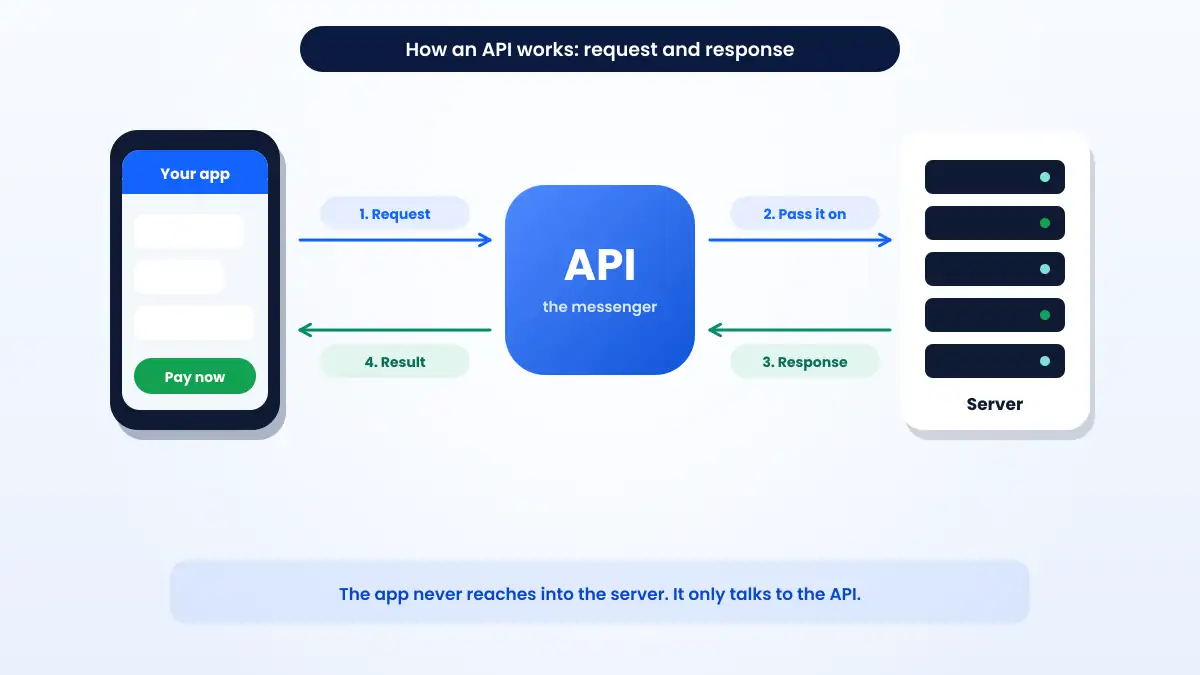
A common comparison is a waiter in a restaurant. You do not walk into the kitchen. Instead, you give your order to the waiter, who takes it to the kitchen and brings your food back. Similarly, an app does not reach into another company’s systems. It sends a request through the interface and gets a response.
How an API works
Most web interfaces follow the same simple pattern of request and response:
- An app makes a request. For example, a weather app asks for today’s forecast in Lagos.
- The interface checks the request. It confirms who is asking, usually with an API key, and whether the request is allowed.
- The server does the work. The provider’s system finds the data or acts.
- The provider sends a response. The answer comes back in a standard format, often JSON, which is plain text that apps can read.
- The app shows the result. You see the forecast on your screen.
All of this usually takes less than a second.
Here are a few terms you will often see:
| Term | What it means |
|---|---|
| Endpoint | The web address an app sends its request to |
| Request | The question or instruction, such as “get today’s weather” |
| Method | The type of request, such as GET to read data or POST to send data |
| API key | A secret code that identifies the app making the request |
| Response | The answer, often in JSON format |
| Documentation | The instructions that explain how to use the service |
Everyday examples of APIs
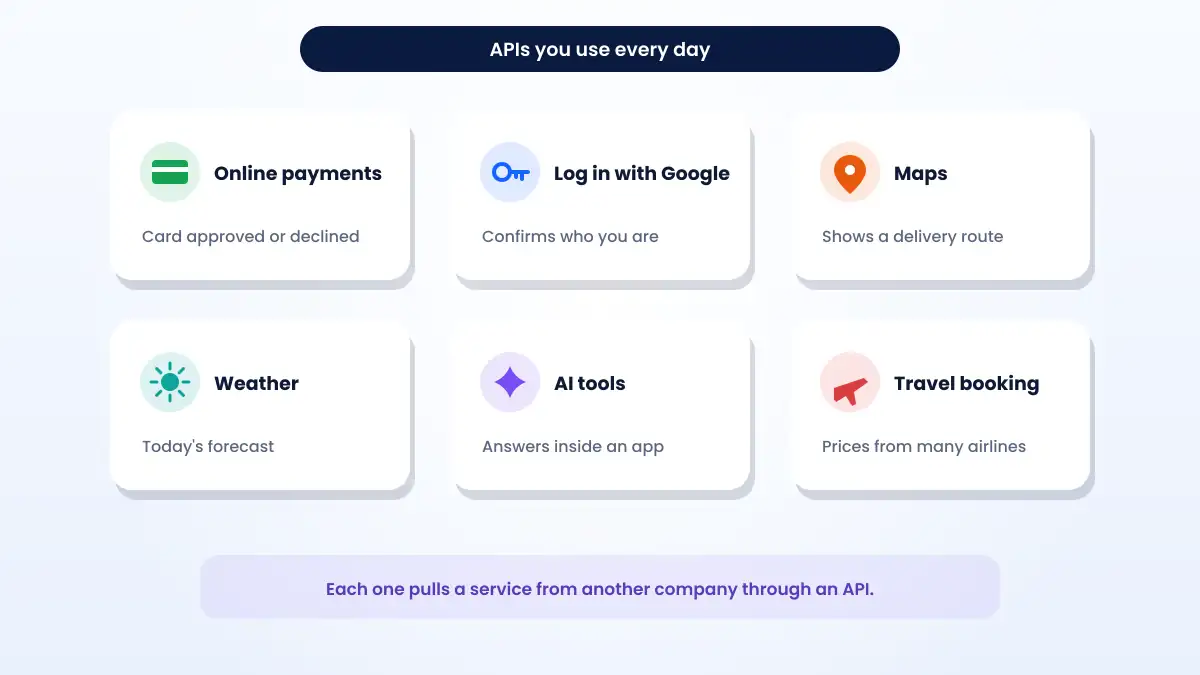
In fact, you rely on them many times a day. Here are some common examples:
| What you do | How an API helps |
|---|---|
| Pay on a website | The shop sends your payment to a payment gateway’s API, which returns “approved” or “declined” |
| Log in with Google | The website asks Google’s API to confirm who you are, without seeing your password |
| See a map on a delivery site | The site loads the map from a mapping service’s API |
| Check the weather in an app | The app gets the forecast from a weather service’s API |
| Book a flight or hotel | Travel sites collect prices and seats from airlines and hotels through APIs |
| Chat with an AI tool inside another app | The app sends your question to an AI provider’s API |
| Share a post to social media | The app uses the social network’s API to publish it |
For example, our guide on what a payment gateway is shows how an online shop connects to card payments, which is one of the most common uses of an API.
Why websites use APIs
Websites and apps use APIs for several reasons:
- Save time and money. Instead of building a payment system or a map from scratch, a business connects to one that already works.
- Add features quickly. A small shop can add card payments, delivery tracking, or live chat in days.
- Keep data secure. Each side shares only what the other needs. For instance, “Log in with Google” confirms your identity without giving your password to the website.
- Connect different systems. An online store can send orders to an accounting sheet or a delivery company automatically.
- Work on many devices. The same interface can serve a website, an Android app, and an iPhone app.
Many of these services run in the cloud, so they are available all day from anywhere. Our guide to what cloud computing is explains how that works.
Types of APIs
First, you can group them by who can use them:
- Public or open APIs. Any developer can sign up and use them, sometimes for free. Weather and map APIs are common examples.
- Partner APIs. Only approved business partners can use them, for example, a bank sharing data with a licensed fintech.
- Private or internal APIs. A company uses them only inside its own systems, such as between its app and its database. Our guide to what a database is explains how that data is stored and organised.
They can also be grouped by style. The most common style on the web is REST, which uses ordinary web addresses and simple methods such as GET and POST. Others include SOAP, an older and stricter style still used by some banks, GraphQL, which lets the app ask for exactly the data it needs, and webhooks, where the server sends a message to your app when something happens, such as a successful payment.
APIs in banking and fintech
These interfaces power much of digital finance. Payment gateways, mobile money apps and fintech services all use them to move money and check transactions. Smart devices rely on them too, as our guide to what the internet of things is explains. Our guide to payment gateway vs payment processor explains which company does what behind a card payment.
In Nigeria, the Central Bank of Nigeria (CBN) is working on open banking, which would let banks share customer data with approved fintechs through standard APIs, but only with the customer’s permission. The CBN issued operational guidelines in March 2023. However, the planned August 2025 rollout was delayed, as TechCabal reported, while the CBN builds a standard API template. Our guide to open banking in Nigeria explains how the CBN framework works for customers.
For small businesses, the most useful one is usually a payment API. Our guide on how to accept online payments covers the main options.
API security basics
Because APIs connect systems, they must be protected. Here are the key points:
- Treat API keys like passwords. Anyone with your secret key may be able to act as your business.
- Never share secret keys in emails, screenshots, WhatsApp chats, or public code.
- Keep secret keys on the server, not in website code that visitors can see.
- Use test keys while building and switch to live keys only when you are ready.
- Give each key only the access it needs, and change keys if you think one has leaked.
Security is a growing concern. In Postman’s 2025 State of the API report, which surveyed more than 5,700 developers and API professionals, 51% named unauthorised or excessive API calls from AI agents as a top security worry, according to Postman’s announcement.
How to start learning about APIs
You do not need to be a programmer to understand APIs. To start:
- Read the documentation of a service you already use, such as your payment provider. Look for words like “endpoint”, “request”, and “response”.
- Try a free public API. Many weather and currency APIs return results you can open in a web browser.
- Use a testing tool. Free tools such as Postman let you send requests and see responses without writing code.
- Learn basic JSON. It is simple text with names and values, so it is easy to read.
Frequently asked questions
Is an API the same as a website?
No. A website is made for people to read. An API is made for software to read, so it returns data rather than a designed page.
Do I need to know coding to use an API?
To build with an API, usually yes. However, many no-code tools and website builders let you connect APIs with a few clicks, for example, to add a payment button.
Are APIs free?
Some are free, some are free up to a limit, and some charge per request. Payment APIs usually charge a fee on each successful transaction instead.
What is an API key?
An API key is a secret code that identifies the app making a request. It works like a password for software, so keep it private.
What is the difference between an API and a webhook?
With an API, your app asks for information. With a webhook, the other system sends your app a message automatically when something happens. Our guide to what a webhook is explains how they work, step by step.
Key takeaways on what is an API
- An API is a set of rules that lets one piece of software talk to another.
- It works by request and response, often using JSON.
- Payments, logins, maps, weather, and AI features in apps all use APIs.
- Websites use APIs to save time, add features, and share only the data they need.
- Keep API keys secret, just like passwords.
Want simpler explanations? Browse all our Digital Explained guides.