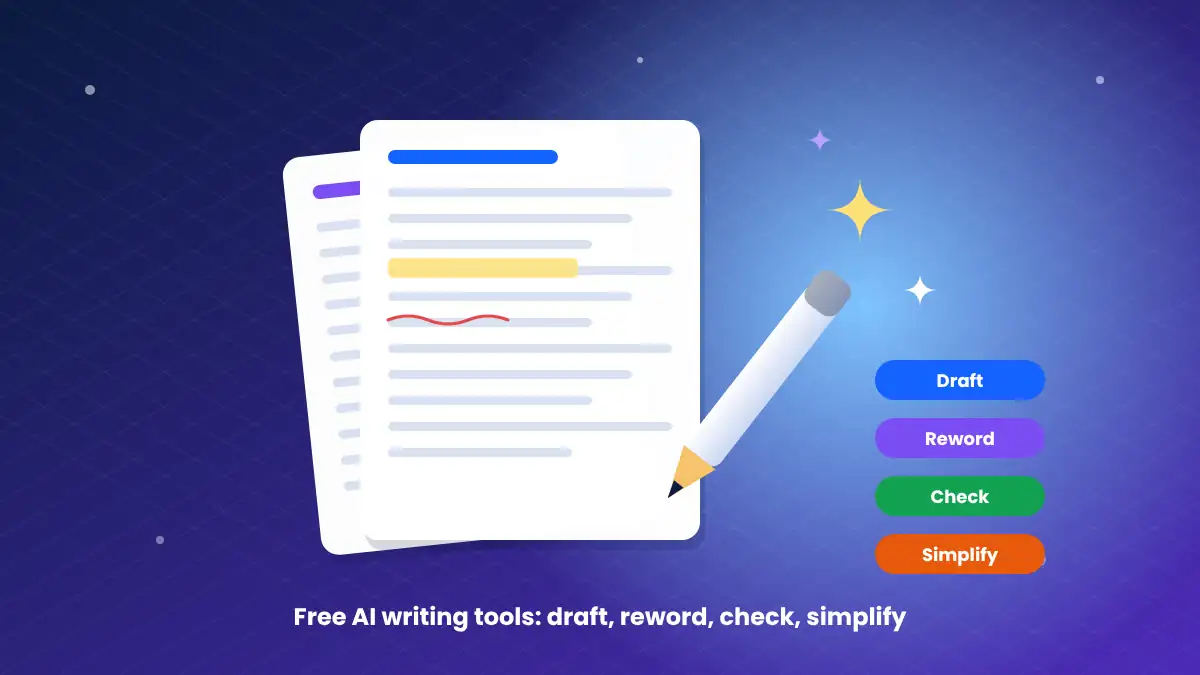
Good writing still takes time, but it no longer takes money. Several free AI writing tools can now draft an email, tidy an essay, simplify a long sentence, or fix your grammar in seconds. This guide compares the best free AI writing tools in 2026, shows exactly what each free plan includes, and explains when a paid plan is worth it. It also covers how to use them honestly at school and at work.
Quick answer: The best free AI writing tools are ChatGPT, Google Gemini, and Claude for drafting; QuillBot for rewording; Grammarly and LanguageTool for grammar checks; DeepL Write for polishing short texts; and Hemingway Editor for clearer, simpler sentences. Use a drafting tool first, then an editing tool, and always check facts yourself. Most people never need to pay; if you do, ChatGPT Go costs about $5 a month in Nigeria.
In this guide
- Two kinds of AI writing tools
- The best free AI writing tools at a glance
- The best free AI writing tools, one by one
- How to pick the right free AI writing tool
- A four-step workflow with free AI writing tools
- Use free AI writing tools honestly
- When to upgrade from free AI writing tools
- Frequently asked questions
- Key takeaways on free AI writing tools
Two kinds of AI writing tools
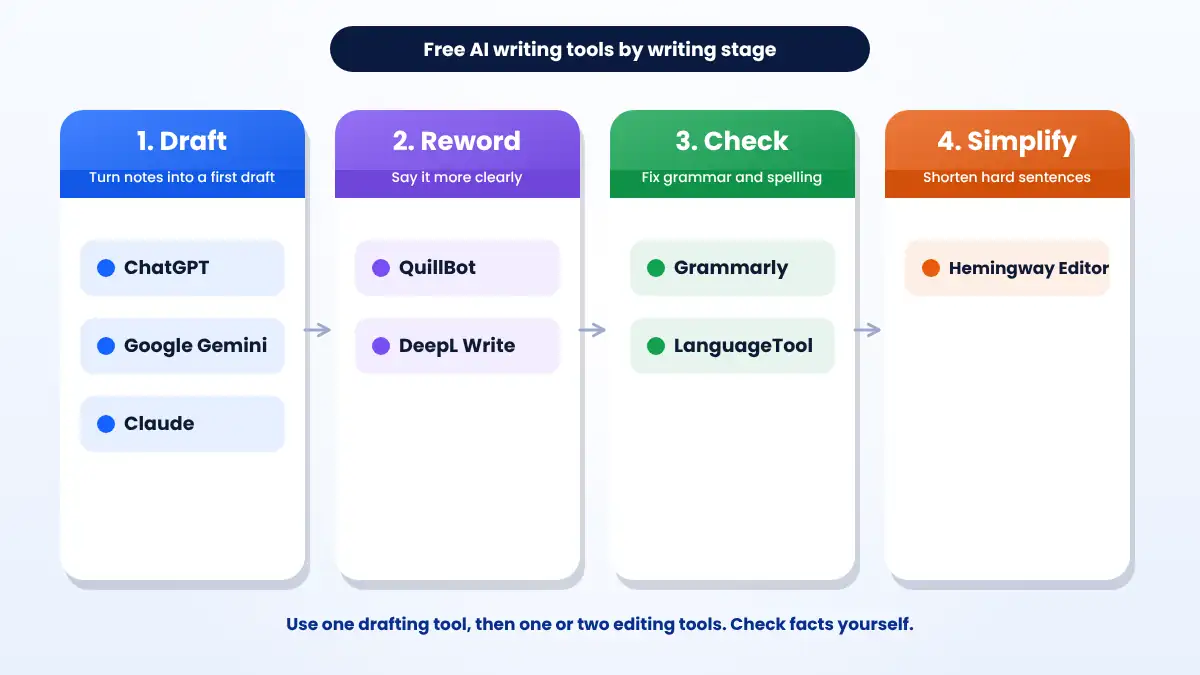
Free AI writing tools fall into two groups, and you will get better results if you use both.
- Drafting tools write new text from your instructions. ChatGPT, Gemini, and Claude are chatbots that can turn rough notes into a first draft, suggest a structure, or rewrite a paragraph in a different tone.
- Editing tools improve text you have already written. Grammarly, LanguageTool, QuillBot, DeepL Write, and Hemingway check grammar, suggest clearer words, and flag long, hard sentences.
In short, drafting tools help you start, while editing tools help you finish. Neither replaces your own judgement, because both can get facts wrong or make your writing sound generic.
The best free AI writing tools at a glance
| Tool | Best for | Free plan in brief | Paid plan from |
|---|---|---|---|
| ChatGPT | First drafts, emails, outlines | Limited messages on the best model, then a lighter model | About $5 a month (Go, Nigeria) |
| Google Gemini | Drafts and summaries for Google users | Free with a Google account | $5 a month (AI Plus) |
| Claude | Long documents and careful rewriting | Free plan with usage limits | $20 a month (Pro, US) |
| Grammarly | Grammar, spelling, and tone in your browser | Basic checks and 100 AI prompts a month | $12 a month (billed yearly) |
| QuillBot | Rewording and summarising | Paraphrase up to 100 words at a time, 2 modes | $8.33 a month (billed yearly) |
| LanguageTool | Grammar checks in 20+ languages | Up to 10,000 characters per check | Paid Premium plan |
| DeepL Write | Polishing short texts | Up to 1,500 characters at a time | Write Pro (unlimited) |
| Hemingway Editor | Shorter, clearer sentences | Free readability checks | $10 a month (Editor Plus) |
Free limits change often, so treat this table as a guide and check each tool’s own page before you depend on a feature.
The best free AI writing tools, one by one
1. ChatGPT: the best all-round drafting tool
ChatGPT is the easiest place to start. Give it your notes and ask for a first draft, an outline, or five headline ideas. For example: “Turn these notes into a polite 120-word email asking my landlord to fix the water pump. Notes: pump broke Monday, no water since, need it fixed this week.”
The free plan includes web search and file uploads, but it limits how many messages you can send on the most capable model. After about 10 messages in five hours, it switches to a lighter model until the limit resets. If that slows you down, ChatGPT Go costs about $5 a month in Nigeria. Plus, the next tier costs $20 a month.
2. Google Gemini: best if you live in Google apps
Gemini is free with any Google account, and it handles drafts, summaries, and rewrites well. If you write in Gmail and Google Docs, it fits neatly into your day. For instance, paste a long email thread and ask for a summary with the action points.
Google’s AI Plus plan costs $5 a month, about ₦7,450, but the free version is enough for most writing.
3. Claude: best for long documents and careful rewrites
Claude reads long documents well and writes in a natural, clear style. So it suits jobs such as turning a 20-page report into a one-page summary, or rewriting a stiff paragraph so it sounds more human. You can also ask it to explain why it changed something, which helps you learn.
The free plan has usage limits that reset over time. Claude Pro costs $20 a month in the US and gives you more usage.
4. Grammarly: best grammar checker for everyday writing
Grammarly checks spelling, grammar, and punctuation as you type, in your browser, email, and documents. It also shows the tone of your writing, so you can see whether an email sounds friendly or harsh before you send it.
The free plan includes basic checks and 100 AI prompts a month. Grammarly Pro costs $12 a month when you pay for a year, and it adds full-sentence rewrites and tone changes.
5. QuillBot: best for rewording and summaries
QuillBot rewrites a sentence or paragraph in different words, which helps when your wording feels clumsy or repetitive. It also summarises long text and checks grammar.
On the free plan, you can paraphrase up to 100 words at a time in two modes, and summarise up to 1,200 words. Premium costs $8.33 a month, billed yearly. However, rewording someone else’s work does not make it yours, so always credit your sources.
6. LanguageTool: best free checker for long texts and other languages
LanguageTool is a grammar and style checker that works in more than 20 languages, including English and French. Its free version checks texts of up to 10,000 characters at a time, which is roughly 1,500 words. That makes it a good free choice for checking a whole assignment or report in one go.
7. DeepL Write: best for polishing short texts
DeepL Write improves grammar and suggests smoother wording, and it often keeps your meaning better than a general chatbot. It suits short texts such as a cover letter paragraph or a LinkedIn post. The free version handles up to 1,500 characters at a time, while Write Pro removes the limit.
8. Hemingway Editor: best for clear, simple sentences
Hemingway highlights long, hard-to-read sentences, passive voice, and words with simpler alternatives. It also gives your text a readability grade. As a result, it is ideal for blog posts, notices, and anything ordinary readers must understand quickly.
The free version flags these problems for you to fix by hand. Editor Plus costs $10 a month or $100 a year if you want its paid features.
How to pick the right free AI writing tool
The best tool depends on what you are writing. Here is a quick guide:
| What you are writing | Start with | Then check with |
|---|---|---|
| School essay or assignment | Your own draft, with Claude or ChatGPT to explain feedback | LanguageTool or Grammarly |
| Work email | ChatGPT or Gemini | Grammarly (tone) |
| CV and cover letter | ChatGPT or Claude | DeepL Write and Grammarly |
| Blog post or article | Your own outline, with Gemini for ideas | Hemingway |
| Social media caption | ChatGPT | QuillBot for variations |
For more detail, see our guides to the best free AI tools for Nigerian students and how to create a CV with AI.
A four-step workflow with free AI writing tools
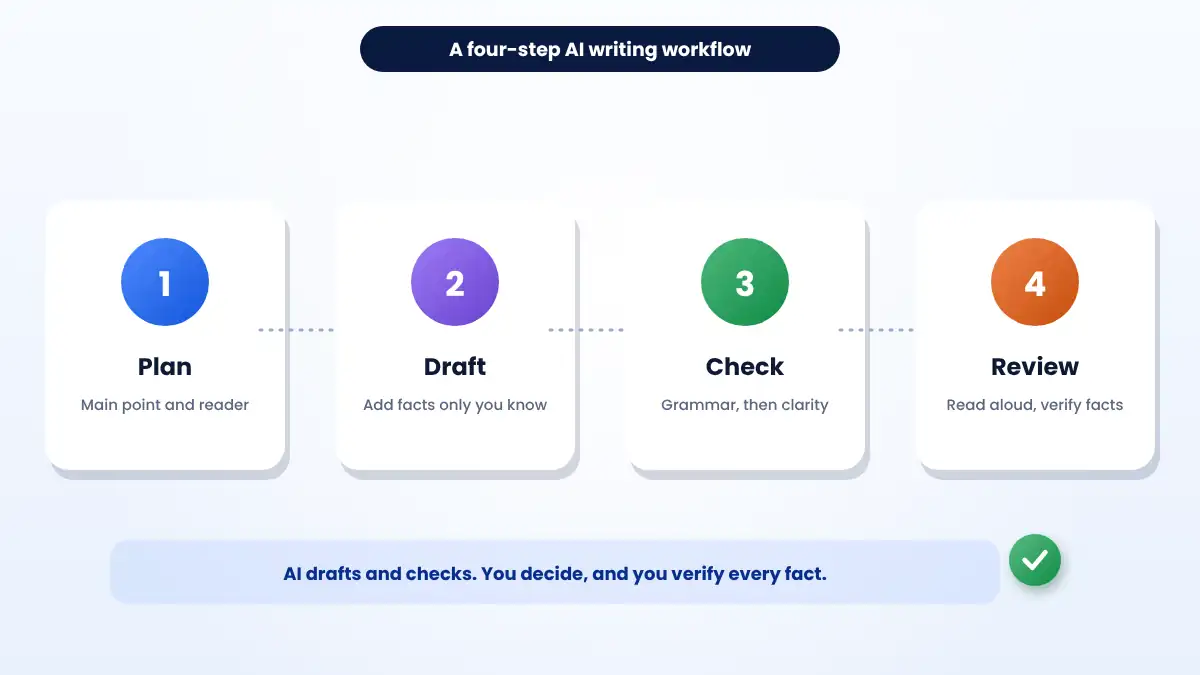
Free AI writing tools work best together. This workflow keeps you in control:
- Plan. Write down your main point and who will read it. Then ask ChatGPT, Gemini, or Claude for an outline.
- Draft. Write the draft yourself, or ask for a first draft and then rewrite it in your own words. Add the facts, figures, and examples only you know.
- Check. Run the text through Grammarly or LanguageTool to catch errors, then through Hemingway to shorten hard sentences.
- Review. Read it aloud. Check every name, date, figure, and claim against a reliable source, because AI tools sometimes invent details.
Use free AI writing tools honestly
AI can make you a faster writer, but it also brings risks. So keep these rules in mind:
- Follow your school’s or employer’s rules. Many schools set limits on AI use. If you are unsure, ask your lecturer, and say when you used AI. If you teach, our guide to AI tools for teachers covers lesson planning.
- Do not present AI text as entirely your own. Use AI to help you think, plan, and edit, and make the final work reflect your own understanding.
- Check every fact. Chatbots can invent quotes, statistics, and references that look real. Never cite a source you have not opened yourself.
- Keep private details out. Do not paste personal data, passwords, account numbers, or confidential work documents into any AI tool.
- Do not rely on AI detectors. Tools that claim to detect AI text can wrongly flag human writing, so treat their scores with caution.
When to upgrade from free AI writing tools
Most people never need to pay for free AI writing tools, because combining two or three free plans covers almost every task. However, an upgrade can make sense if you write for a living or hit the same limit every day:
- ChatGPT Go (about $5 a month in Nigeria) suits daily users who keep running out of messages.
- Grammarly Pro ($12 a month, billed yearly) suits people who write many emails and want full-sentence rewrites. For step-by-step prompts, see how to write emails with AI.
- QuillBot Premium ($8.33 a month, billed yearly) suits students and writers who reword a lot of text.
Pay for one tool at a time. Also, many of these plans bill in US dollars, so a naira card can fail because of foreign spending limits; our guide on why card transactions get declined explains what to check.
Frequently asked questions
What is the best free AI writing tool?
For most people, ChatGPT is the best free tool for drafting, and Grammarly is the best free tool for checking. Together they cover most everyday writing.
Are free AI writing tools good enough for schoolwork?
They are good enough to help you plan, understand feedback, and fix grammar. However, follow your school’s rules on AI, and make sure the final work shows your own thinking.
Can AI writing tools replace a human editor?
Not fully. They catch grammar errors and long sentences, but a human editor also checks facts, logic, tone, and whether the writing suits its readers.
Is it safe to paste my work into AI writing tools?
It is safe for ordinary text, but avoid personal data, passwords, and confidential documents. Where a tool allows it, turn off the setting that uses your chats to train its models.
Which free AI writing tool works without an account?
Hemingway’s free checks and DeepL Write’s free version work in the browser without signing up. Most chatbots and Grammarly need a free account.
Key takeaways on free AI writing tools
- Use a drafting tool, such as ChatGPT, Gemini, or Claude, to start, and an editing tool, such as Grammarly or LanguageTool, to finish.
- QuillBot rewords text, DeepL Write polishes short texts, and Hemingway makes sentences simpler.
- Free plans cover most needs; upgrade one tool only when a limit slows you down every day.
- Check every fact, follow your school’s or employer’s rules, and keep private data out of AI tools.
Want more? Read our guides to the best free AI tools for small businesses, how to use ChatGPT for Excel analysis, or browse all our AI and productivity guides.