Since 1 July 2026, Nigerian banking apps have worked on only one phone at a time. If you switch phones, the app asks for extra checks, and transfers are limited for a day. This is device binding, and it is now a Central Bank of Nigeria (CBN) rule. This guide explains what device binding is, how it works, what happens when you change phones, and how to avoid getting locked out.
Quick answer: Device binding ties your banking or fintech app to one registered phone. If someone gets your password or OTP, they still cannot use your account from another phone without passing extra checks. Under a CBN circular dated 12 March 2026, banks and fintechs had to apply it by 1 July 2026, along with a lower transfer limit for the first 24 hours on a new device.
In this guide
- What is device binding?
- How device binding works
- The CBN device binding rule
- What happens when you change phones
- Why device binding matters
- What device binding cannot stop
- Problems people face with device binding
- How to avoid getting locked out
- Frequently asked questions
- Key takeaways on device binding
What is device binding?
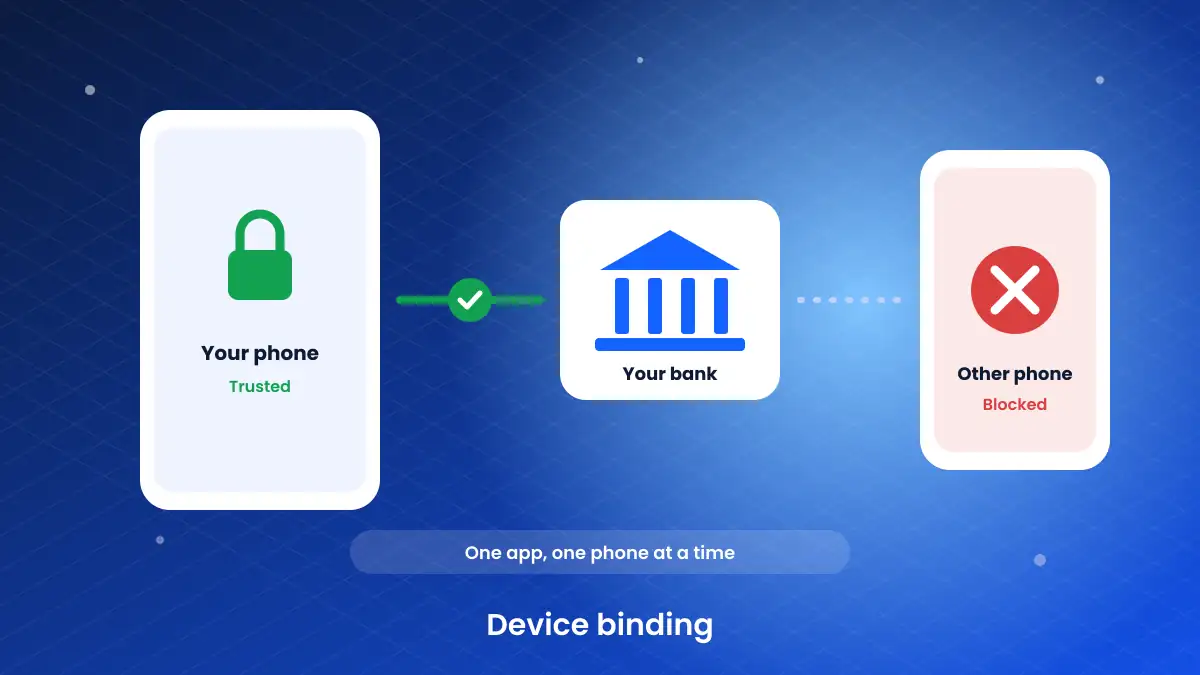
Device binding is a security method that links your account to a specific phone. Your bank records that phone as trusted, and it only accepts logins and payments from it. So, the phone itself becomes one of the keys to your account.
In practice, your app stores a secret digital key on your phone. Each time you log in or pay, the app uses that key to prove the request comes from your registered phone. By contrast, a criminal who steals your password on another phone does not have the key.
In short, device binding means your password alone is no longer enough. Someone also needs your phone.
How device binding works
Most banking apps follow similar steps:
- Register the phone. First, when you set up the app, your bank checks your identity and records details that identify your phone.
- Create a secret key. Next, the app creates a key that stays locked inside your phone’s secure storage.
- Sign every request. Then, each login or payment carries a signed proof from that key.
- Check the proof. After that, your bank checks that the proof matches your registered phone, and only then approves the request.
- Re-check on a new phone. Finally, if you log in from another phone, the bank asks for fresh identity checks before trusting it.
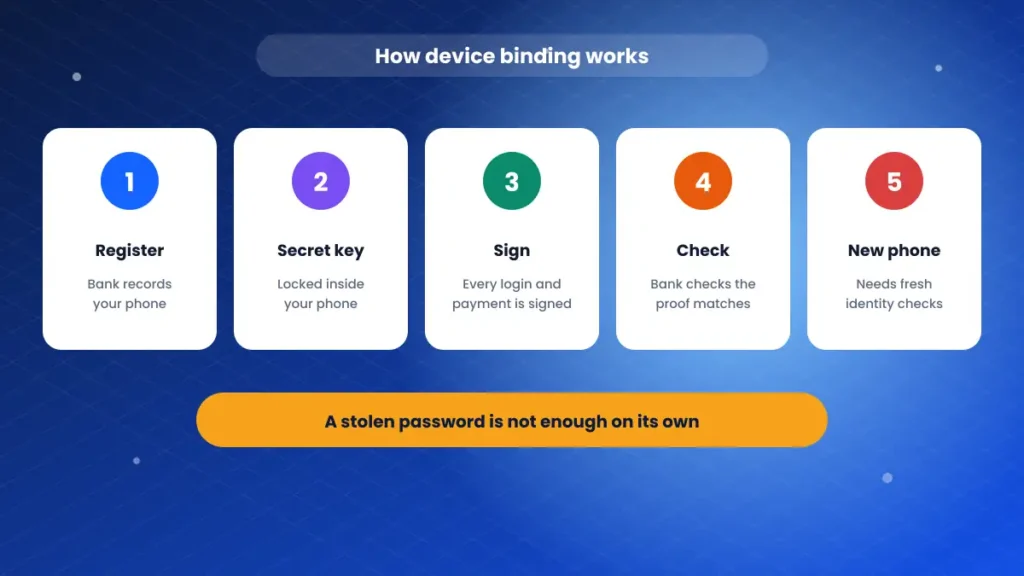
Importantly, device binding works quietly in the background. You only notice it when you change or add a phone.
The CBN device binding rule
The CBN set new security minimums for instant payments in a circular dated 12 March 2026, with a compliance date of 1 July 2026, Technext reported. The main points for customers are:
| Rule | What it means for you |
|---|---|
| One device at a time | Your mobile banking app can be active on only one phone at a time |
| New-device limit | For the first 24 hours on a new phone, transfers in and out are capped at a lower limit. |
| Two-factor checks | Instant payments must use at least two independent checks |
| Fraud monitoring | Banks and fintechs must watch instant payments for fraud |
| BVN phone number | From May 2026, you can change the phone number linked to your BVN only once |
According to Global Law Experts, the rules cover commercial banks, microfinance banks, licensed fintech payment providers, and mobile money operators. So, it applies to traditional bank apps as well as popular fintech apps.
Our guide on how to protect your bank account online explains the other CBN rules from the same circular.
What happens when you change phones
Changing phones is now a small process. Typically, it looks like this:
- Install the app on the new phone. Then, log in with your usual details.
- Verify your identity. For example, your bank may check your BVN, take a selfie for a face check, or send an OTP.
- Deactivate the old phone. Because only one phone can be active, the old one is switched off for banking.
- Wait out the 24-hour window. During the first day, your transfers are limited.
- Back to normal. After 24 hours, your usual limits return.
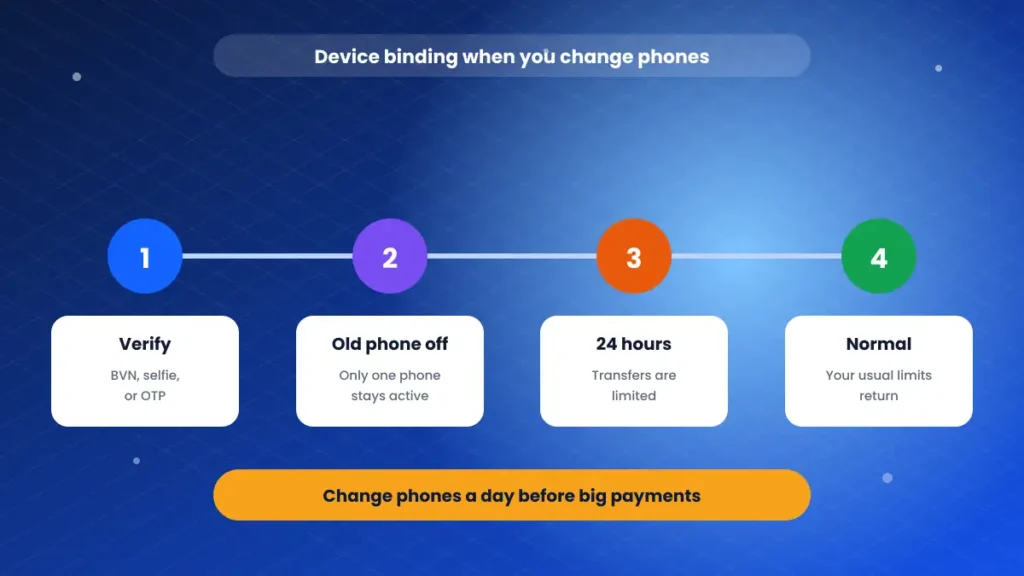
So, if you plan to change phones, do it at least a day before you need to make a large payment.
Why device binding matters
Device binding closes several common routes to fraud:
- Stolen passwords and OTPs. A criminal with your details still cannot log in from their own phone without passing fresh checks.
- SIM swap fraud. Even if someone takes over your phone number, the banking app stays tied to your phone. Our guide to how SIM swap fraud works explains this threat.
- Account takeover. Moreover, the 24-hour limit on a new phone means a thief cannot empty an account at once.
- Fake login pages. Similarly, details stolen through phishing are much less useful on another device.
What device binding cannot stop
Device binding is strong, but it does not stop everything:
- Your own unlocked phone. If someone has your phone and can unlock it, they may get into your app. So, lock your phone with a strong PIN and biometrics.
- Scams that trick you. If a scammer persuades you to send money yourself, device binding does not help. Read our guide to authorised push payment fraud.
- Remote access apps. Never install an app because a “bank officer” asks you to, since it can let a scammer control your phone.
- Deepfake calls. Fake voices and videos can pressure you into acting. Our guide to deepfake scams explains the warning signs.
Problems people face with device binding
The rule also brings practical challenges. For instance, Technext highlighted several concerns:
- Lost or stolen phones. You are locked out until you verify on a new phone.
- Phone repairs. Sending a phone for repair can cut off app banking for a while.
- Shared phones. Families who share one phone may struggle to use several accounts.
- Small businesses. A trader who loses a phone may face limits on transfers for a day or more.
If you get stuck, USSD banking may still work, and your bank’s branch or contact centre can help you verify. Our guide to how bank transfers work explains your other options.
How to avoid getting locked out
A few simple habits make device binding much easier:
- Keep your BVN phone number active. Banks often send verification codes to it, and you can change it only once.
- Plan phone changes. Move to a new phone a day before you need large transfers. If you are also switching to a digital SIM, see what an eSIM is.
- Log out before repairs. If your phone goes for repair, ask your bank how to protect the app first.
- Turn on a strong screen lock. Use a PIN plus fingerprint or face unlock.
- Report a lost phone at once. Call your bank to block the app, then verify on a new phone.
- Use passkeys where offered. Our guide to passkeys for payments explains a related way to tie payments to your device.
Frequently asked questions
Can I use my banking app on two phones?
No, not at the same time. The CBN rule allows only one active device per mobile banking app. Logging in on a second phone usually switches off the first.
Why are my transfers limited on a new phone?
The CBN requires a lower transfer limit for the first 24 hours after you activate a new device. It stops a thief from emptying an account right after taking it over.
Does device binding apply to fintech apps?
Yes. It covers banks, microfinance banks, licensed fintech payment providers, and mobile money operators.
What if my phone is stolen?
Call your bank immediately to block the app. Then, verify your identity on a new phone. Our guide to two-factor authentication explains other checks worth turning on.
Does device binding affect USSD banking?
The rule focuses on mobile banking apps. However, ask your bank how it protects your USSD account.
Key takeaways on device binding
- Device binding ties your banking app to one registered phone.
- A CBN circular dated 12 March 2026 made it mandatory for banks, fintechs, and mobile money operators from 1 July 2026.
- On a new phone, you must verify your identity, and transfers are limited for 24 hours.
- It blocks stolen passwords and OTPs, but it cannot stop scams that trick you into paying.
- Keep your BVN phone number active, plan phone changes, and lock your phone.
Want to stay safer online? Read our guides on how to identify a fake website and how to spot a fake bank alert, or browse all our cybersecurity guides.