Many of the apps and services you use every month bill in US dollars. Streaming services, cloud storage, design tools, and AI apps often want a card that works abroad. In Nigeria, a virtual dollar card is a popular way to pay them. It lives inside a mobile app, holds dollars, and works like a normal card online. However, fees, declines, and closed cards can catch you out. This guide shows you how to choose, set up, and use a virtual dollar card safely for online subscriptions.
Quick answer: A virtual dollar card is a prepaid card in US dollars that you create and fund inside a fintech or banking app. To use it safely for subscriptions, compare fees first, keep only the money you need on the card, fund it before each billing date, and avoid repeated declines, which often carry fees. Also, Nigerian banks raised the dollar limits on naira cards in 2026, so check your bank card too.
In this guide
- What is a virtual dollar card?
- Naira card or virtual dollar card?
- Fees to check before you choose
- How to set up a virtual dollar card
- How to pay for subscriptions with it
- Why your card may be declined
- How to keep your virtual dollar card safe
- What to do if something goes wrong
- Frequently asked questions
- Key takeaways on virtual dollar cards
What is a virtual dollar card?
A virtual dollar card is a card that exists only in an app. It has a 16-digit card number, an expiry date, and a security code, just like a plastic card. However, you use it only for online and in-app payments.
Most of these cards are prepaid. In other words, you load dollars onto the card first, and you can spend only what is on it. Usually, you fund it from your naira account, and the app converts the money into dollars at its own exchange rate. Our guide to debit card vs prepaid card explains how prepaid cards differ from bank cards.
Behind the scenes, a card issuer and a card network, such as Visa or Mastercard, run the card. The app you use is often a partner of that issuer, rather than the issuer itself.
Naira card or virtual dollar card?
Between 2023 and 2025, many Nigerian banks limited or stopped international payments on naira cards. As a result, virtual dollar cards became the main option for many people. Since then, banks have raised their limits. In September 2026, for example, Nairametrics reported that GTBank allowed up to $40,000 a quarter in international spending on naira cards, while FirstBank allowed $10,000 a quarter, in its report on new limits.
Here is how the two options compare:
| Feature | Naira debit card | Virtual dollar card |
|---|---|---|
| Where the money comes from | Your naira bank account | A dollar balance you load first |
| Exchange rate | Set by your bank at the time of payment | Set by the app when you fund the card |
| Risk if the card is stolen | Your whole account may be exposed | Only the card balance |
| Limits | Your bank’s international limit | The provider’s card limits |
| Best for | Occasional payments, if your bank allows them | Regular subscriptions you want to keep separate |
So, check your bank’s current international limit before you open a new app. Our guide to debit vs credit vs prepaid cards compares the main card types.
Fees to check before you choose
Fees vary widely between providers, and they change often. Before you choose an app, look for these charges:
- Creation fee. A one-time charge to open the card, often between $1 and $5.
- Funding fee. A percentage of each amount you load, such as 0.5% to 2%.
- Exchange rate. The rate the app uses to convert naira to dollars. A poor rate can cost more than the fees.
- Transaction fee. A charge on each payment, either flat or a percentage.
- Decline fee. A small charge, often around $0.40 to $0.50, each time a payment fails.
- Monthly fee. Some cards charge a monthly maintenance fee, while many do not.
These ranges come from comparisons published by Adomonline and walllet.com, which is itself a card provider. Moreover, fees change over time, and regulators can change the rules on charges, so always check the app’s current fee page before you pay.
How to set up a virtual dollar card
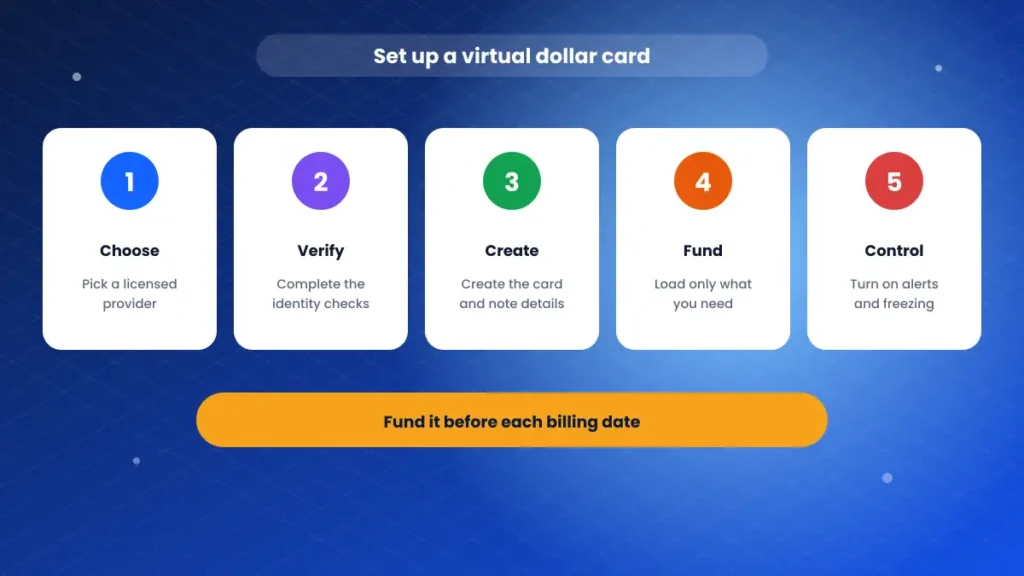
Most apps follow the same basic steps:
- Choose a licensed provider. First, pick an established bank or fintech app, and check who issues the card.
- Verify your identity. Next, complete the app’s checks, which usually ask for your BVN or NIN and a selfie.
- Create the card. Then, choose a dollar card, pay any creation fee, and note the card details.
- Fund it. After that, load only enough dollars for your next payments, plus a small buffer for fees.
- Set your controls. Finally, turn on transaction alerts and learn how to freeze the card in the app.
How to pay for subscriptions with it
Once your card is ready, follow these steps for each subscription:
- Use the billing address from the app. Many providers give you an address to enter at checkout. If you enter a different one, the payment may fail.
- Check the price in dollars. Note the monthly amount, plus any tax, so you know what to keep on the card.
- Expect a small test charge. Some services place a temporary hold, such as $1, to check the card. It usually drops off within a few days.
- Fund the card before each billing date. Set a reminder a day or two before renewal.
- Keep a record. Save the service name, the amount, and the renewal date.
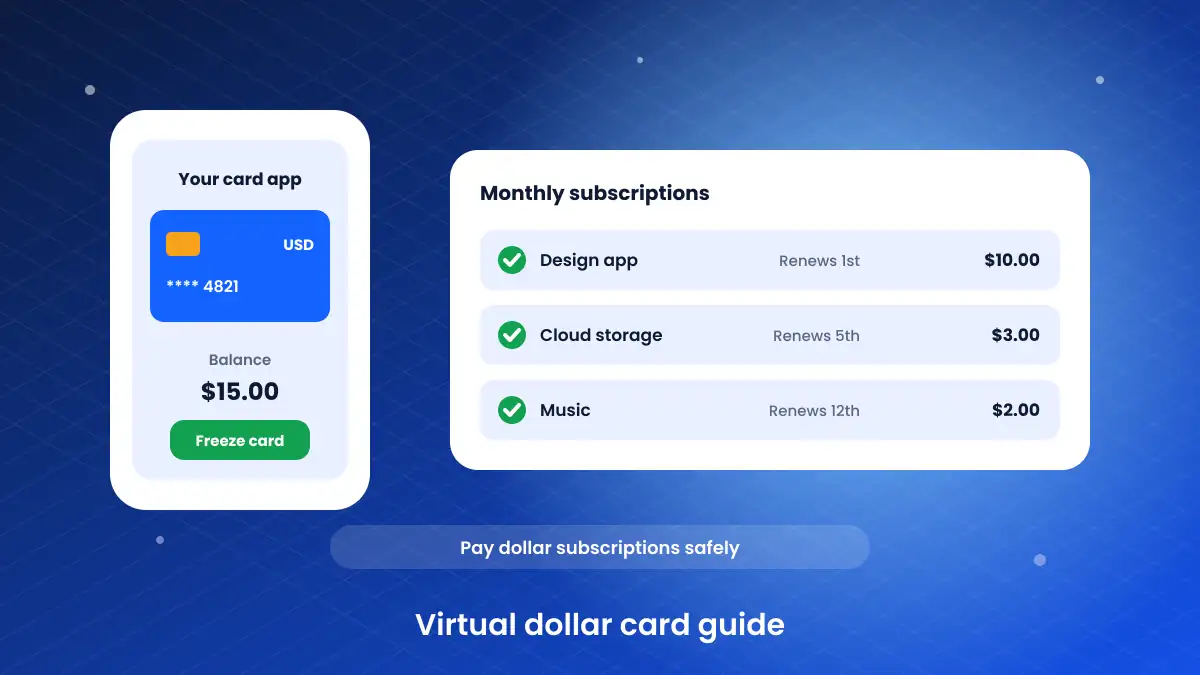
For example, Customer 1 pays for a $10 monthly design app and a $3 cloud storage plan. Each month, she loads about $15, which covers both plans and any small fees. As a result, her card never sits with a large balance.
In addition, some people use one card for each subscription. That way, if one service has a problem, you can freeze that card without affecting the others.
Why your card may be declined
A declined payment is frustrating, and it can also cost you a fee. Common reasons include:
- Not enough balance. The balance must cover the price, fees, and any temporary hold.
- Wrong billing address. The address does not match what the provider expects.
- Prepaid cards not accepted. Some merchants refuse prepaid cards. For instance, walllet.com notes that OpenAI does not accept prepaid cards for API credits.
- Unsupported country or currency. Some services check where the card was issued.
- Security checks. The bank or the merchant may block a payment that looks unusual.
If a payment fails, do not keep trying. Repeated failed attempts can add decline fees, and some providers may restrict or close the card. Instead, check the reason in the app, fix it, and then try once more. Our guide to why card transactions get declined explains decline codes in more detail.
How to keep your virtual dollar card safe
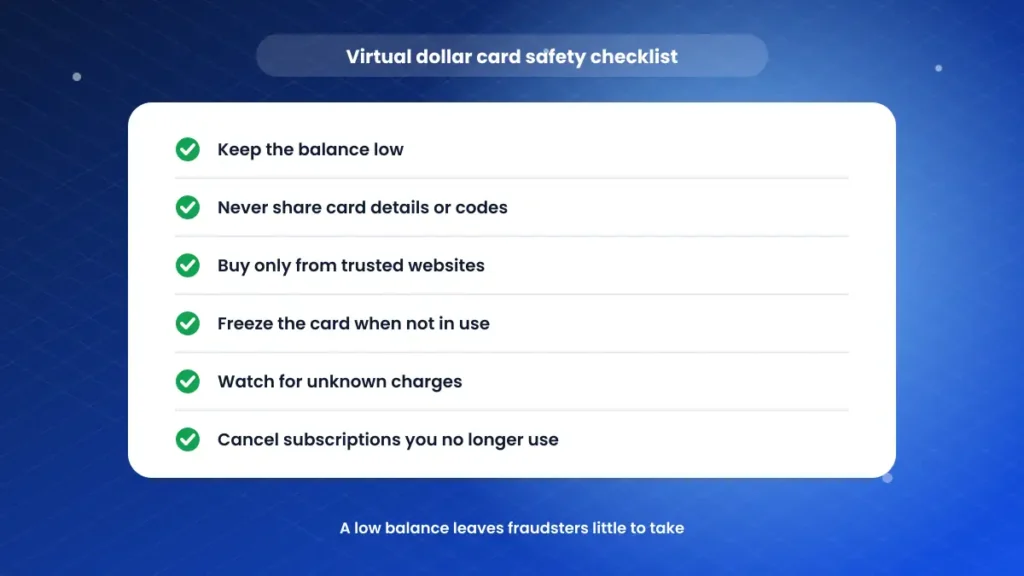
A virtual card limits your risk, but only if you use it carefully:
- Keep the balance low. Load only what you need for the next payment.
- Never share your card details or codes. Do not post your card number, security code, or one-time codes in chats or groups.
- Buy only from trusted websites. Check the web address before you enter card details.
- Freeze the card when you are not using it. Many apps let you unfreeze it in seconds.
- Watch for unknown charges. Check your alerts and statement every week.
- Cancel subscriptions you no longer use. Cancel in the service’s own account settings, not just by emptying the card.
Also, be careful with the provider itself. In July 2022, several Nigerian fintechs had to suspend their virtual dollar cards after a card partner lost network access, as our guide to debit card vs prepaid card explains. So, never store savings on a virtual card. Our guides to recognising a phishing message and protecting your bank account online cover other habits that help.
What to do if something goes wrong
If you spot a charge you do not recognise, act quickly:
- Freeze the card. First, stop any further payments in the app.
- Check the merchant. Next, look for a subscription you forgot about or a renewal you missed.
- Contact the provider. Then, report the charge through the app’s official support channel, with the date, amount, and merchant.
- Cancel the subscription. After that, cancel it on the merchant’s website, if it is a service you signed up for.
- Request a new card. Finally, ask for a replacement card if you think the details were stolen.
Some providers charge a fee to raise a formal dispute. So, contact the merchant first when the charge is a simple billing mistake.
Frequently asked questions
Is a virtual dollar card safe?
It can be, if you choose a licensed provider, keep the balance low, and never share your card details. Because it holds only what you load, a stolen card exposes less money than a bank card.
Can I use a virtual dollar card for Netflix or Spotify?
Often, yes. However, acceptance depends on the service, the card, and your billing country, so a payment can still fail. Check the provider’s list of supported merchants before you subscribe.
Why was I charged for a failed payment?
Many providers charge a small decline fee when a payment fails, especially for insufficient balance. Keep enough on the card to cover the price and any fees.
Should I use my naira card instead?
It depends on your bank. Many banks raised their international limits in 2026, so a naira card may work. However, a virtual card keeps your subscriptions separate from your main account.
What happens to my money if the provider closes the card?
Usually, the provider returns the balance to your wallet or bank account, but this can take time. So, keep only small balances on any virtual card.
Key takeaways on virtual dollar cards
- A virtual dollar card is usually a prepaid card in US dollars that works online and in apps.
- Compare creation, funding, transaction, and decline fees, as well as the exchange rate, before you choose.
- Fund the card before each billing date, and use the billing address the provider gives you.
- Avoid repeated declines, which can add fees and lead to card restrictions.
- Keep the balance low, freeze the card when idle, and never store savings on it.
Want to learn more about how cards work? Read our guides to network tokenisation and card authorisation, or browse all our tech tutorials.