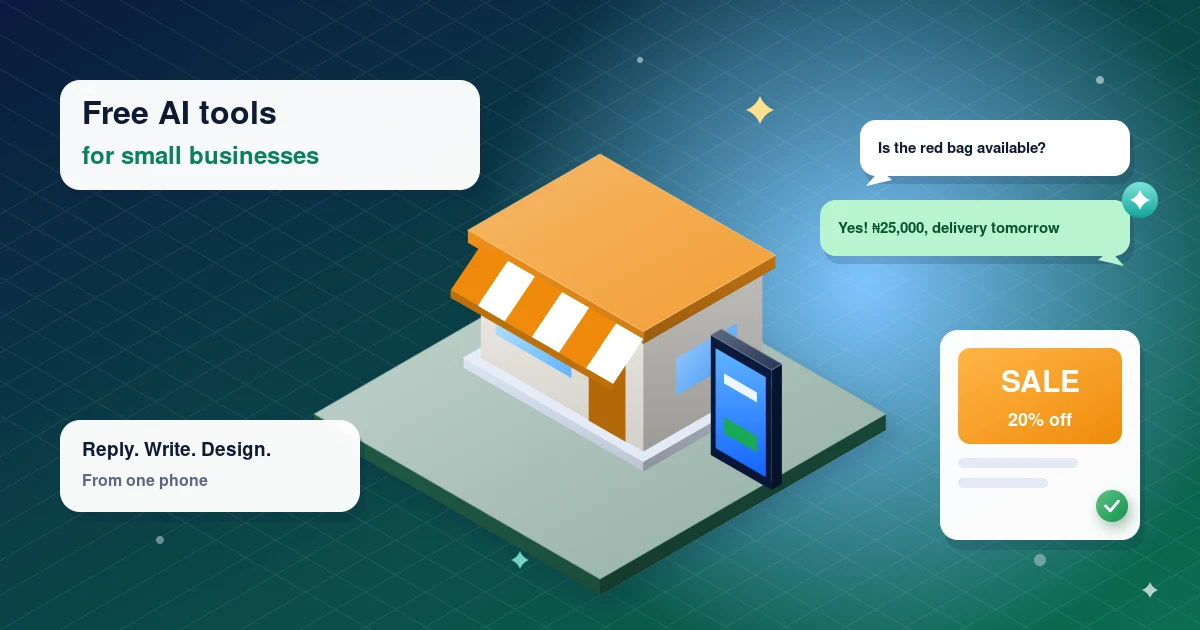
Running a small business in Nigeria means doing ten jobs at once. You answer customers on WhatsApp, write captions, design flyers, track sales, and chase payments, often from one phone. (For the payment side, see how to accept online payments.) The good news is that several AI tools for small businesses now handle much of that work for free. This guide compares the best free AI tools for small businesses in Nigeria in 2026, shows what each free plan includes, and explains when a paid plan is worth it. It also shows how to use AI without risking your customers’ data.
Quick answer: The best free AI tools for small businesses in Nigeria are ChatGPT and Google Gemini for writing and planning, Meta Business Agent in the WhatsApp Business app for customer replies, Canva for flyers and social posts, Microsoft Copilot and Perplexity for research with sources, Claude for long documents, Gemini Notebook for policies and contracts, and Grammarly for clear emails. Start free, then pay only when you hit a limit, for example, ChatGPT Go at about $5.25 a month.
In this guide
- Why AI tools for small businesses matter in Nigeria
- The best AI tools for small businesses at a glance
- The best free AI tools for small businesses, one by one
- How to use AI tools for small businesses: tasks and prompts
- A week with free AI tools: a worked example
- Keep customer data safe
- Free or paid: when to upgrade
- Frequently asked questions
- Key takeaways on AI tools for small businesses
Why AI tools for small businesses matter in Nigeria
Most Nigerian small businesses run on a tight budget. Hiring a designer, a copywriter, and a customer service agent is out of reach for a one-person shop. Meanwhile, customers expect fast replies on WhatsApp and Instagram, often late at night.
AI tools for small businesses close part of that gap. They draft the caption, suggest the reply, and lay out the flyer, so you spend your time on the work only you can do. However, they still make mistakes. So the rule is simple: let AI write the first draft, then you check it before it reaches a customer.
The best AI tools for small businesses at a glance
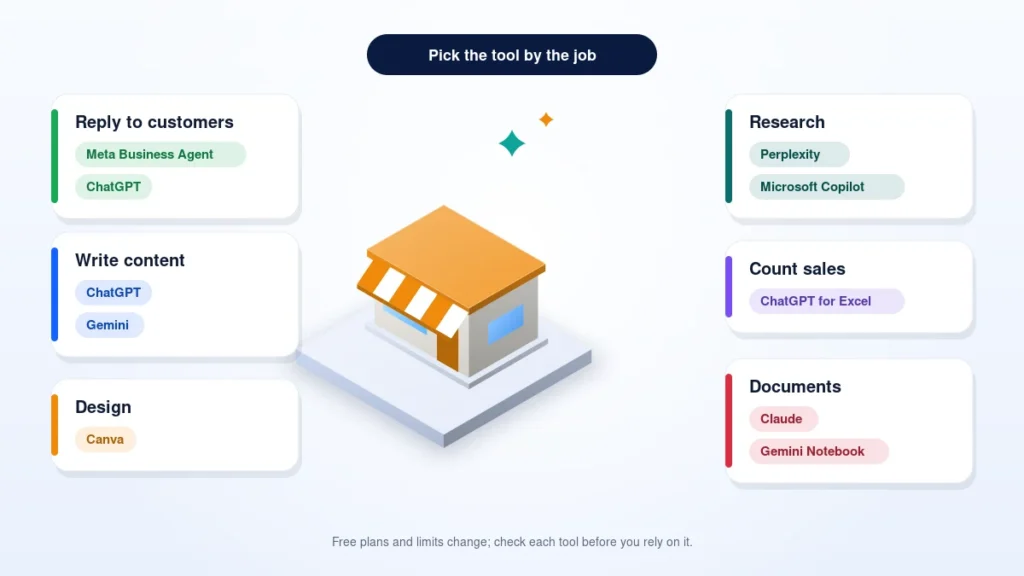
| Tool | Best for | Free plan in brief |
|---|---|---|
| ChatGPT | Captions, product descriptions, replies, Excel formulas | Free plan for everyday chat; ChatGPT Go costs about $5.25 a month |
| Google Gemini | Writing, planning and research inside Google apps | Free with a Google account; AI Plus costs about $5 a month |
| Meta Business Agent | Answering customer chats on WhatsApp | Free to start in the WhatsApp Business app, as it rolls out |
| Canva | Flyers, price lists and social media posts | Free plan with a small monthly AI allowance |
| Microsoft Copilot | Quick answers with web sources | Also free with a Microsoft account |
| Perplexity | Market and supplier research with citations | Free, but with a limit on advanced searches |
| Claude | Reading long documents and drafting proposals | Free plan, but with daily usage limits |
| Gemini Notebook | Questions about your own contracts and policies | Free, with limits on notebooks and sources |
| Grammarly | Clear, error-free emails and proposals | Free basic checks, although advanced suggestions cost money |
Free limits change often, so treat this table of AI tools for small businesses as a guide. Also, check each tool’s own page before you build your daily routine around a feature. For everyday apps that need no AI at all, see our list of the best free business tools.
The best free AI tools for small businesses, one by one
1. ChatGPT: the all-round pick among AI tools for small businesses
ChatGPT’s free plan handles most everyday business writing. For example, it can turn rough notes into a product description, write five caption ideas for a new stock, or draft a polite reply to a customer who wants a refund. It can also write spreadsheet formulas for your sales records, as our guide to ChatGPT for Excel analysis shows. To turn these tasks into a weekly habit, see how to use AI in a small business.
If you use it daily, the free limits can run out. In that case, ChatGPT Go costs about $5.25 a month in Nigeria and $8 in the US, with more messages, uploads, and image creation than the free plan.
2. Google Gemini: best if your business runs on Google
Gemini is free with a Google account, and it works well for writing, summaries, and planning. For instance, ask it to plan a month of social media posts for a bakery in Abuja, with one idea per day. If you already use Gmail and Google Sheets, it fits neatly into your day.
Google’s paid tier, AI Plus, adds Gemini inside Gmail, Docs, and Sheets, plus more storage. If you want Gmail with your own domain name, see how to create a professional business email. It costs about $5 a month, so try the free version first.
3. Meta Business Agent: AI replies on WhatsApp
For most Nigerian small businesses, WhatsApp is the shop counter. Meta announced Business Agent in June 2026 as an AI agent that answers questions, qualifies leads, and helps close sales. It draws on your catalogue and business details, then replies to customers in chat.
It is free to start, but Meta says businesses will access it through paid subscriptions in the coming months. Also, Meta is rolling it out in stages. Update the WhatsApp Business app, then check under Business tools to see if it is available to you. Before you switch it on, check that your catalogue, prices, and delivery terms are correct, because the agent repeats what you give it. Our guide to AI agents for small business explains how to keep an agent under control.
4. Canva: flyers and posts in minutes
Canva is the easiest way to make a flyer, a price list, or an Instagram post that looks professional. Its free plan includes thousands of templates and a small monthly allowance of AI features, such as Magic Write for text. Simply describe the design, pick a template, and swap in your own logo and photos.
The paid plan adds more AI uses and tools such as the background remover. Still, the free plan is enough for a weekly flyer.
5. Microsoft Copilot: answers with sources
Copilot is free with a Microsoft account, and it searches the web as it answers. Then it lists the links it used. That makes it handy for quick questions, such as the documents you need to register a business name, before you confirm them on the official site.
6. Perplexity: research with citations
Perplexity is built for research. Ask it about suppliers, prices, or competitors, and it answers with numbered sources you can open. Its free plan covers most needs, although advanced searches are limited. Always confirm prices and regulations at the source, because they change quickly. Our step-by-step guide to AI for business research shows how to do this well.
7. Claude: long documents and proposals
Claude is strong at reading long documents and writing clear drafts. For example, upload a tender document and ask for a checklist of what it requires. Then ask it to draft a proposal outline. The free plan has daily usage limits, so save it for longer tasks.
8. Gemini Notebook: answers from your own documents
Gemini Notebook, formerly NotebookLM, answers only from the files you upload. Add your supplier contract, staff handbook or loan terms, and ask questions such as “What is the notice period?” Because it sticks to your sources, it is less likely to invent an answer.
9. Grammarly: clear emails and proposals
Grammarly checks spelling, grammar, and tone in your browser, email, and documents. The free version fixes basic errors. That matters, because a clean email to a corporate client builds trust before you even meet. For more free options, such as QuillBot and LanguageTool, see our guide to the best free AI writing tools. The same care applies to job applications, as our guide on how to create a CV with AI shows.
How to use AI tools for small businesses: tasks and prompts
Here are the tasks where AI saves the most time, with prompts you can copy. Change the details to match your business:
| Task | Tool | Prompt to copy |
|---|---|---|
| Product description | ChatGPT or Gemini | “Write a 60-word description of a handmade leather bag for Instagram. Mention it is made in Ibadan and costs ₦25,000. Friendly tone.” |
| Customer reply | ChatGPT | “A customer says her order is late. Write a short, polite WhatsApp reply that apologises and says delivery will be tomorrow.” |
| Content plan | Gemini | “Plan 30 days of Instagram posts for a small bakery in Abuja: one idea per day, with a caption hook.” |
| Flyer | Canva | “Black Friday sale flyer for a phone accessories shop, 20% off, bold colours.” |
| Sales records | ChatGPT | “My sheet has Date in A, Product in B, and Amount in C. Write a formula for total sales of ‘Power bank’ in November.” |
| Research | Perplexity | “What should I check before I choose a payment gateway for a small online shop in Nigeria? Show sources.” |
| Contracts | Gemini Notebook | “From this supplier contract, list the payment terms, penalties, and notice period.” |
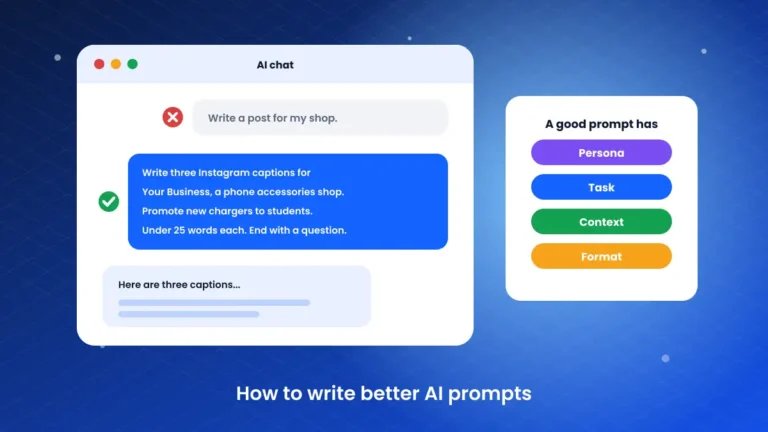
Whatever you sell, the pattern is the same. First, give the tool your details: product, price, location, and tone. Next, ask for a draft. Finally, edit it so it sounds like you.
A week with free AI tools: a worked example
Here is how one owner could use free AI tools for small businesses. Chioma sells handmade bags in Ibadan through Instagram and WhatsApp. This example is illustrative:
| Day | Task | Tool |
|---|---|---|
| Monday | Writes descriptions for five new bags, then edits the tone | ChatGPT |
| Tuesday | Designs a “new arrivals” flyer and three Instagram posts | Canva |
| Wednesday | Checks courier options and prices for deliveries to Abuja | Perplexity |
| Thursday | Lets the agent answer common questions on price and delivery | Meta Business Agent |
| Friday | Adds up the week’s sales by payment method with one formula | ChatGPT for Excel |
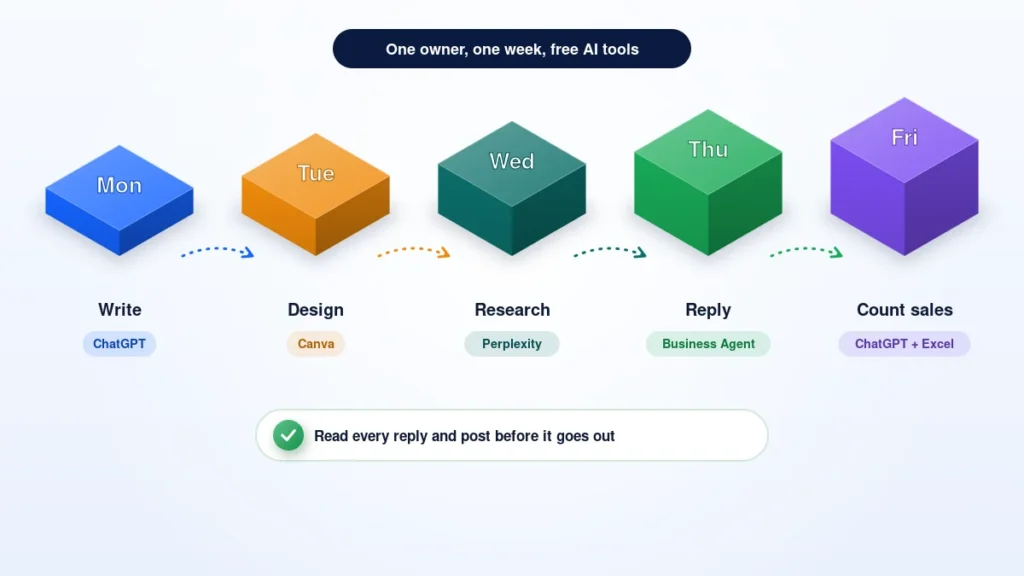
As a result, Chioma spends less time on routine writing and more time making bags. Still, she reads every reply and caption before it goes out, because she is responsible for what her business says.
Keep customer data safe
AI tools for small businesses are only safe if you control what you share. So follow these rules:
- Do not paste customer data. Keep names, phone numbers, addresses, and account details out of AI chats. The Nigeria Data Protection Act 2023 requires businesses to protect personal data.
- Never share financial secrets. Never type card numbers, PINs, OTPs, or banking passwords into any AI tool.
- Turn off training. In ChatGPT, open Settings, then Data controls, and turn off “Improve the model for everyone”.
- Check before you send. AI can invent prices, policies, or promises. Read every reply and post before it goes out.
- Use a business account. Also, keep business tools on a separate account from your personal one, so staff changes do not lock you out.
Free or paid: when to upgrade
Start with the free plans of these AI tools for small businesses. Then upgrade only when a limit slows you down every week. For example:
- ChatGPT Go (about $5 a month) suits you if you write with ChatGPT daily and keep running out of messages or uploads.
- Google AI Plus (about $5 a month) suits you if your business runs on Gmail, Docs, and Sheets.
- Canva Pro suits you if you design every day and need the background remover and brand kit.
In short, pay for one tool that saves you hours each week, not for several you rarely use. Also, check whether you can pay in naira, because foreign currency card limits make dollar payments harder.
Frequently asked questions
What is the best free AI tool for a small business?
For most owners, ChatGPT or Gemini is the best place to start, because both handle writing, planning, and quick research for free. Then add Canva for design and the WhatsApp Business app for customer chats. To bring customers into those chats, you can create a QR code for your WhatsApp link. To help nearby customers find you on Google Search and Maps, create a Google Business Profile as well.
Can AI reply to my customers on WhatsApp?
Yes. Meta Business Agent can answer common questions in the WhatsApp Business app, but it is still rolling out. Check the app’s Business tools, and review its answers often.
Are AI tools safe for business data?
They are safe if you share carefully. Keep customer details, account numbers, and passwords out of chats, and turn off model training where the tool allows it.
Do I need a laptop to use these tools?
No. ChatGPT, Gemini, Canva, Copilot and WhatsApp all have mobile apps. However, a laptop helps with long documents and spreadsheets.
Will AI replace my staff?
Unlikely. AI handles first drafts and routine questions, while people handle judgement, relationships, and quality. In fact, most small businesses use AI to help a small team do more.
Key takeaways on AI tools for small businesses
- ChatGPT and Gemini cover most writing and planning tasks for free.
- Meta Business Agent can answer WhatsApp customers, but it is still rolling out.
- Canva handles flyers and posts, while Perplexity and Copilot handle research with sources.
- Keep customer data, card details, and passwords out of every AI tool.
- Upgrade one tool at a time, and only when a free limit slows you down.
Want more? Read how to use ChatGPT for Excel analysis, learn what a payment gateway is before you sell online, or browse all our AI and productivity guides.