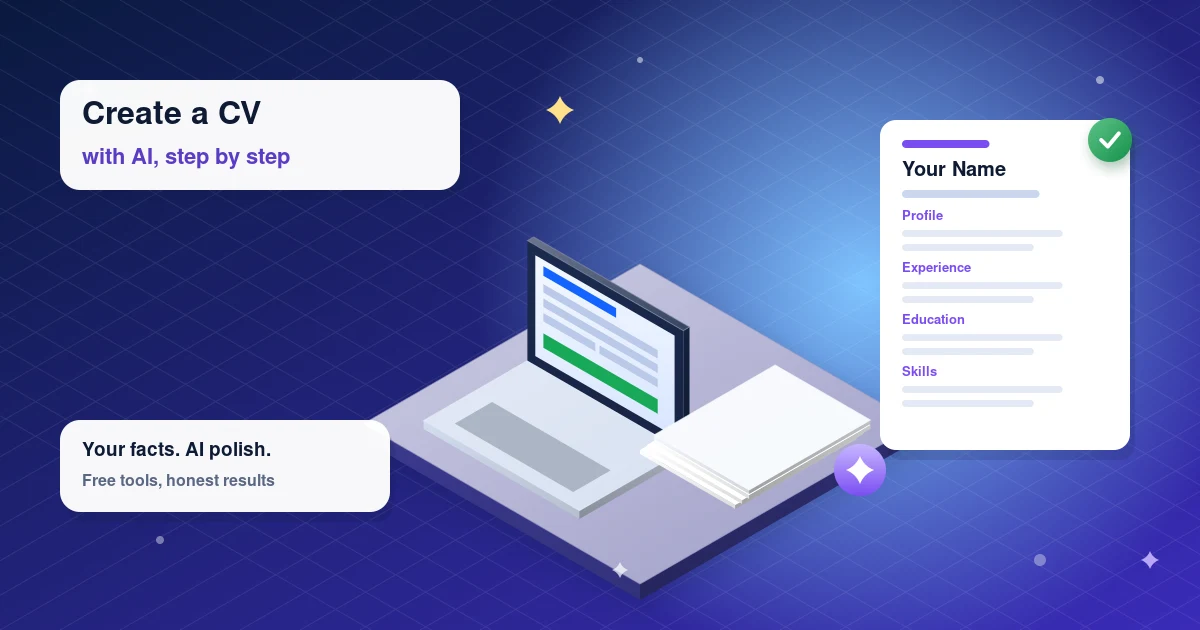
A good CV gets you the interview, but writing one is hard. You have to choose what to include, describe your work in strong words and fit it all on two pages. AI can help with every part of that, from the first draft to the final proofread. This guide shows you how to create a CV with AI, step by step, using free tools. You will get prompts you can copy, a before-and-after example and the checks that keep your CV honest.
Quick answer: To create a CV with AI, first collect your details: past roles, results, education and the job advert. Next, paste them into a free AI tool such as ChatGPT, Gemini or Claude, and ask for a draft in a clear CV structure. Then ask it to rewrite each bullet point around your results and to match the job advert’s keywords. Finally, format it in a simple template, check every fact and proofread it yourself.
In this guide
- What AI can and cannot do for your CV
- Before you start: gather your details
- How to create a CV with AI: step by step
- Before and after: one bullet point
- Prompts to create a CV with AI
- Common mistakes when you use AI for a CV
- Is it safe to create a CV with AI?
- Frequently asked questions
- Key takeaways on how to create a CV with AI
What AI can and cannot do for your CV
AI is a fast writing assistant, not a career coach who knows you. So it helps to know where it is strong and where it is weak before you create a CV with AI:
| AI is good at | AI is bad at |
|---|---|
| Turning rough notes into clear bullet points | Knowing what you actually achieved |
| Suggesting a structure and section order | Checking that dates, grades and job titles are correct |
| Matching your wording to a job advert | Judging what a Nigerian or local employer values most |
| Fixing grammar and cutting long sentences | Avoiding generic phrases unless you ask it to |
In short, you supply the facts and the judgement, while the AI tool supplies speed and polish.
Before you start: gather your details
AI can only work with what you give it. So, before you open any tool, write these down in a notes app:
- The job advert. Copy the full description for the role you want.
- Your roles. For each job, internship or NYSC posting, note the employer, your title and the dates.
- Your results. For each role, list three to five things you did, with numbers where you can, such as customers served, sales made or time saved.
- Education and certificates. Include your degree, class and any professional exams, such as ICAN or a cloud certificate.
- Skills. List the software, languages and tools you can really use.
Keep private details out of the AI chat. Instead of your phone number, NIN or home address, type a placeholder such as [PHONE]. Then add the real details yourself at the end.
How to create a CV with AI: step by step
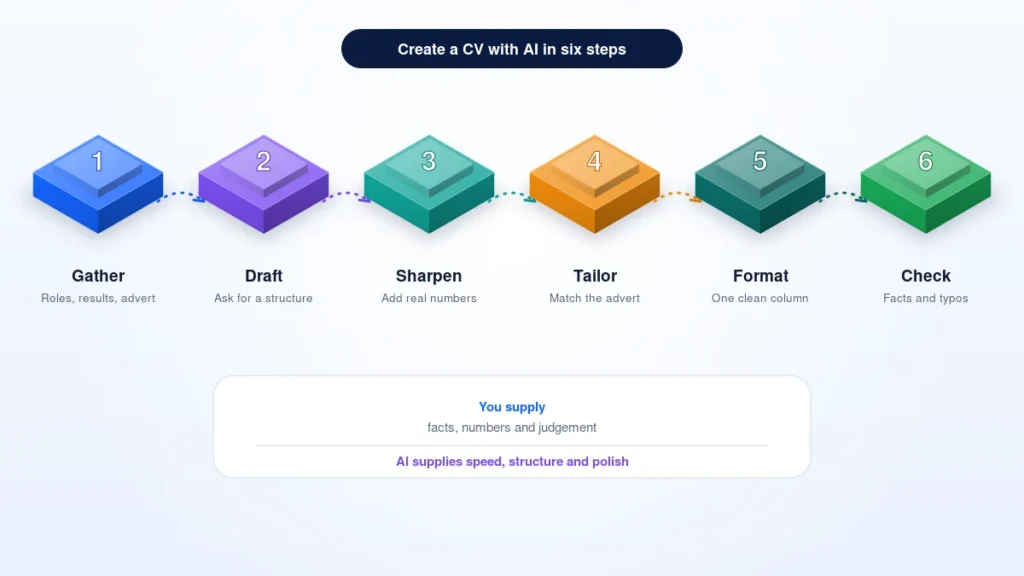
Step 1: Choose a free AI tool
ChatGPT, Gemini and Claude all write CVs well on their free plans. Pick the one you already use. If you are a student, our guide to the best free AI tools for Nigerian students compares them.
Step 2: Ask for a first draft
Paste your notes and ask for a draft in a standard CV structure. For example:
“Using the notes below, write a two-page CV for a graduate applying for a customer service role at a bank in Lagos. Use these sections: contact details, profile, work experience, education, skills and certifications. Use bullet points, past tense and British English. Do not invent any facts.”
The National Careers Service lists the same core sections: contact details, a short introduction, education and work history.
Step 3: Sharpen each bullet point
Most first drafts are vague. So ask the AI to rewrite each bullet around a result: “Rewrite each bullet to start with an action verb and show the result. Where a number is missing, ask me for it instead of guessing.” Then answer its questions with real figures.
Step 4: Tailor it to the job advert
Recruiters and applicant tracking systems (ATS) look for words from the advert. Paste the advert and ask: “List the ten most important skills and keywords in this advert. Then show where my CV already covers them and where it does not.” Next, add the missing keywords only where they are true for you.
Step 5: Format it in a simple template
Copy the text into Google Docs, Microsoft Word or Canva. Choose a simple, one-column layout with clear headings. Fancy designs with tables, icons and two columns look nice, but some ATS software reads them badly. So save the design-heavy version for when you hand over a printed copy.
Step 6: Check every fact and proofread
Read the whole CV slowly. Check every date, title, grade and number against your records. Then run it through Grammarly or ask the AI for a final proofread; our guide to the best free AI writing tools compares the free checkers. Finally, save it as a PDF, unless the employer asks for a Word file. If your old CV is only a PDF, our guide on how to convert PDF to Word shows how to make it editable again. If the final file is too big to upload, see how to make a PDF smaller.
Before and after: one bullet point
Here is how one bullet changes when you create a CV with AI and add your own numbers. This example is illustrative:
| Version | Bullet point |
|---|---|
| Before (your notes) | “Was in charge of attending to customers and their complaints.” |
| AI draft, no numbers | “Managed customer enquiries and resolved complaints efficiently.” |
| Final, with your facts | “Resolved about 40 customer complaints a week at a Lagos branch, and cut repeat complaints by a quarter in six months.” |
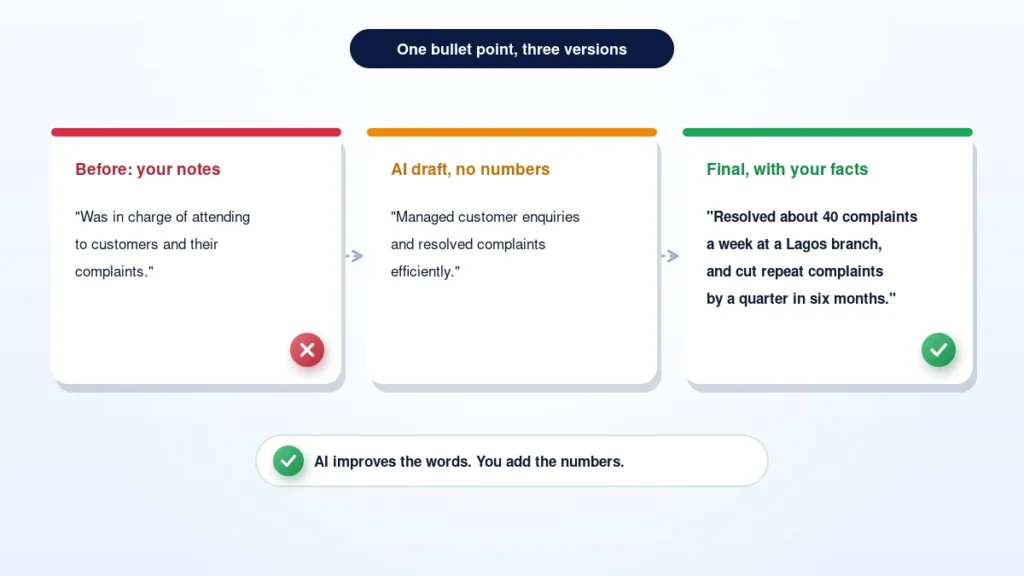
Notice that the AI improved the wording, but only you could add the numbers. Never let the tool make them up.
Prompts to create a CV with AI
Copy these prompts and change the details in brackets:
| Goal | Prompt |
|---|---|
| Profile | “Write a three-line CV profile for a [job title] with [years] years of experience in [field]. Mention [two strengths]. Avoid clichés such as ‘results-driven’.” |
| Bullet points | “Turn these notes into four CV bullet points with action verbs and results: [notes].” |
| Tailoring | “Compare my CV with this job advert. List the missing keywords and suggest where to add them honestly.” |
| Shorten | “Cut this CV to two pages. Remove the weakest points first and tell me what you removed.” |
| Career change | “I am moving from [old field] to [new field]. Rewrite my experience to highlight skills that transfer.” |
| Cover letter | “Write a 250-word cover letter for this advert, using only the facts in my CV.” |
Common mistakes when you use AI for a CV
- Inventing facts. AI may add skills, tools or results you do not have. Remove anything you cannot explain in an interview.
- Generic phrases. Lines such as “dynamic team player” say nothing. Instead, replace them with a specific result.
- One CV for every job. A tailored CV beats a general one, so adjust it for each advert.
- Too long. Most graduates need one to two pages. Even with long experience, two pages is usually enough.
- Unneeded personal details. Many Nigerian CVs still list date of birth, state of origin and marital status. Most employers do not need them, so leave them out unless the advert asks.
- Sending without a read-through. Recruiters notice odd wording. Therefore, read the CV aloud before you send it.
Is it safe to create a CV with AI?
Yes, if you share carefully. A CV holds personal data, so follow three rules:
- Use placeholders. Keep your phone number, email, address, NIN and BVN out of the chat, and add them yourself at the end.
- Turn off training. In ChatGPT, go to Settings, then Data controls, and turn off “Improve the model for everyone”, as OpenAI’s data controls FAQ explains.
- Stay honest. Using AI to write better is fine. However, claiming a degree, a job or a skill you do not have can cost you the job later.
Frequently asked questions
Can employers tell if I used AI to write my CV?
Sometimes. Generic phrases and identical layouts are the giveaway. If you add your own results and edit the wording, your CV reads as yours.
Which free AI tool is best for writing a CV?
ChatGPT, Gemini and Claude all work well on their free plans. The quality depends more on the details you give them than on the tool.
How long should a CV be in Nigeria?
For graduates, one to two pages is usually enough. Experienced professionals rarely need more than two pages.
Should I put my photo on my CV?
Usually not, unless the employer asks for one. A photo takes space and adds nothing about your skills.
Can AI write my cover letter too?
Yes. Give it the job advert and your final CV, and ask for a short letter that uses only facts from your CV. Then edit it so it sounds like you.
Key takeaways on how to create a CV with AI
- Gather your roles, results and the job advert before you create a CV with AI.
- Ask for a draft, then sharpen each bullet with real numbers.
- Tailor the CV to each advert, and use a simple one-column layout.
- Keep private details out of AI chats, and never let the tool invent facts.
- Read the final CV yourself before you send it.
Want more ways to use AI at work? See the best free AI tools for small businesses, learn to use ChatGPT for Excel analysis, or browse all our AI and productivity guides.