Promotional texts at midnight, “you have won” calls, and strangers asking for your BVN can make your phone feel like a public notice board. The good news is that you can block spam calls and texts in a few minutes, using a free network code and settings already on your phone. This guide shows how to block spam calls on MTN, Airtel, Glo, and 9mobile, how to filter them on Android and iPhone, and what to do when a call is a scam.
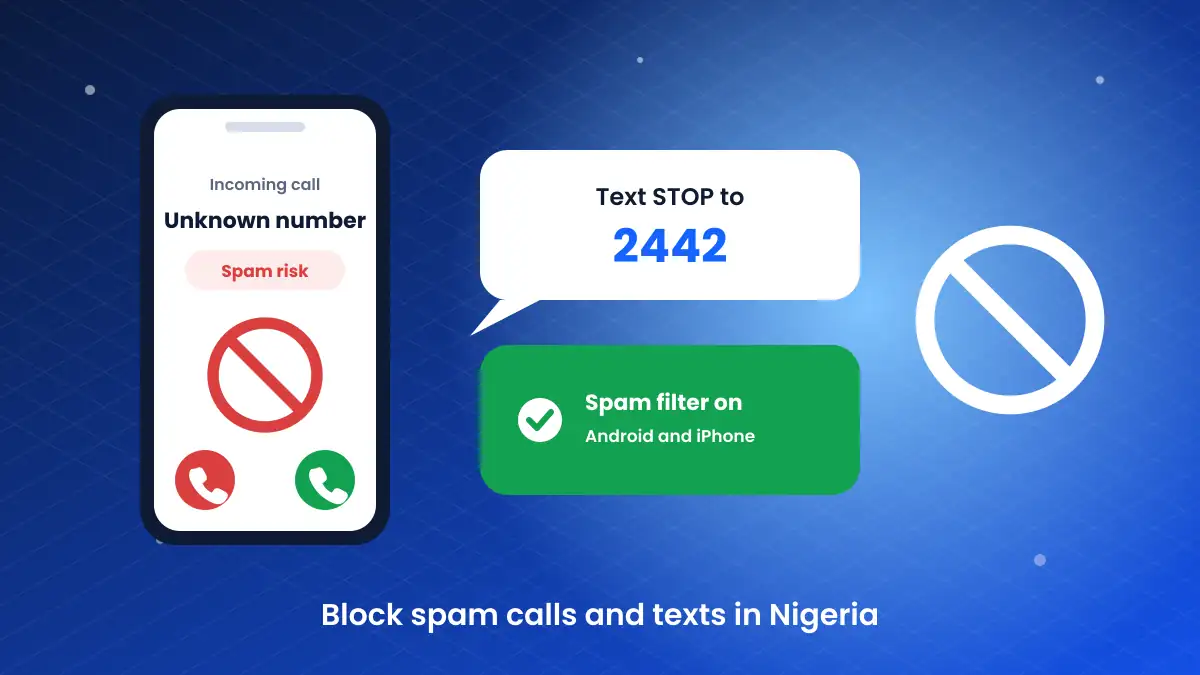
Quick answer: To block spam calls and promotional texts in Nigeria, text STOP to 2442 on any network. This free NCC “Do Not Disturb” service stops unsolicited marketing messages and calls. Then turn on your phone’s spam filter: on Android, open Phone, then Settings, then Caller ID and spam; on iPhone, open Settings, then Apps, then Phone, then Screen Unknown Callers. Block any number that still gets through.
In this guide
- Why you get so many spam calls
- How to block spam calls with 2442 (Do Not Disturb)
- What Do Not Disturb does not block
- How to block spam calls on Android
- How to block spam calls on iPhone
- How to block spam texts
- What to do about scam calls
- Should you use a call-blocking app?
- How to report spam to your network or the NCC
- Frequently asked questions
- Key takeaways on how to block spam calls
Why you get so many spam calls
Nigerians receive a lot of unwanted calls. In June 2026, experts cited a global spam-monitoring report that ranked Nigeria as Africa’s most spammed country, with more than half of unknown calls identified as spam, Gazette Nigeria reported.
Spam usually falls into three groups:
- Promotions. For example, adverts from your network, betting sites, or other businesses.
- Value-added services. Such as caller tunes, horoscopes, or “daily tips” that may charge your airtime.
- Scams. Calls and texts that pretend to be from a bank, a network, or a government agency to steal your money or details.
The first two are annoying. The third is dangerous, so it needs extra care, as we explain below.
How to block spam calls with 2442 (Do Not Disturb)
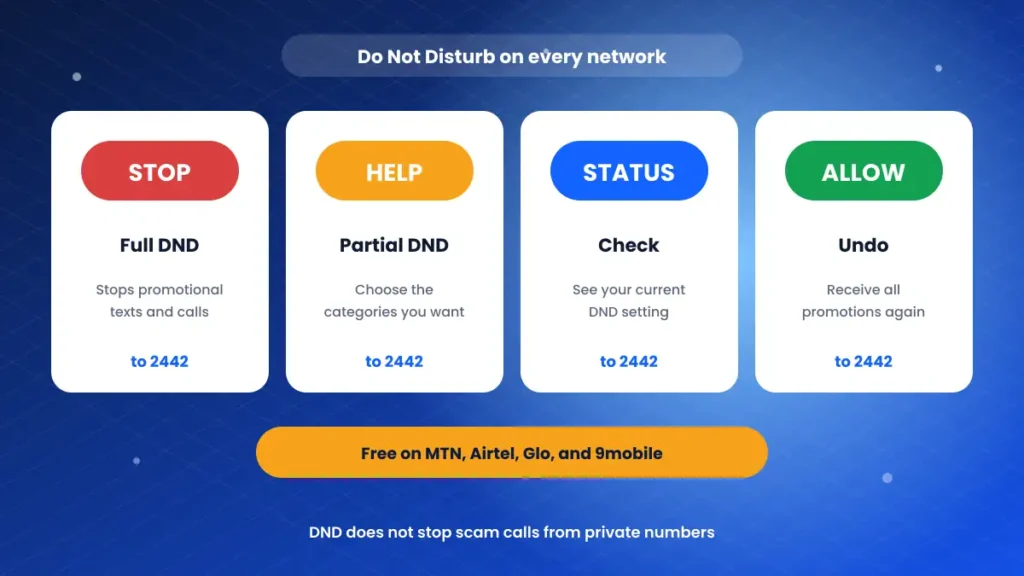
The Nigerian Communications Commission (NCC) runs a free Do Not Disturb (DND) service on every network through the short code 2442. According to the NCC’s DND guide, you can use these commands:
| Text this to 2442 | What it does |
|---|---|
| STOP | Full DND: stops unsolicited promotional texts and calls |
| HELP | Shows the categories for partial DND |
| A category number, such as 1 or 11 | Partial DND: keeps only the categories you choose |
| STATUS | Shows your current DND setting |
| ALLOW | Turns DND off, so you receive all promotions again |
The partial DND categories include banking and financial products (1), education (3), health (4), sports (8), and news alerts (11), among others. So if you want bank promotions but nothing else, choose partial DND instead of full DND.
The same commands work on MTN, Airtel, Glo, and 9mobile, and the NCC says the service is free. However, it may take some time to take effect, so give it a few days before you complain.
What Do Not Disturb does not block
DND is designed for marketing messages from businesses and networks. Therefore, it does not stop everything:
- Scam calls from private numbers. Fraudsters use ordinary SIM cards, so DND cannot filter them.
- Messages you signed up for. For example, bank alerts, OTPs, and services you subscribed to.
- Value-added service charges. These are separate. To check and cancel active subscriptions, the NCC lists the code *305#.
That is why you also need your phone’s built-in spam filter.
How to block spam calls on Android
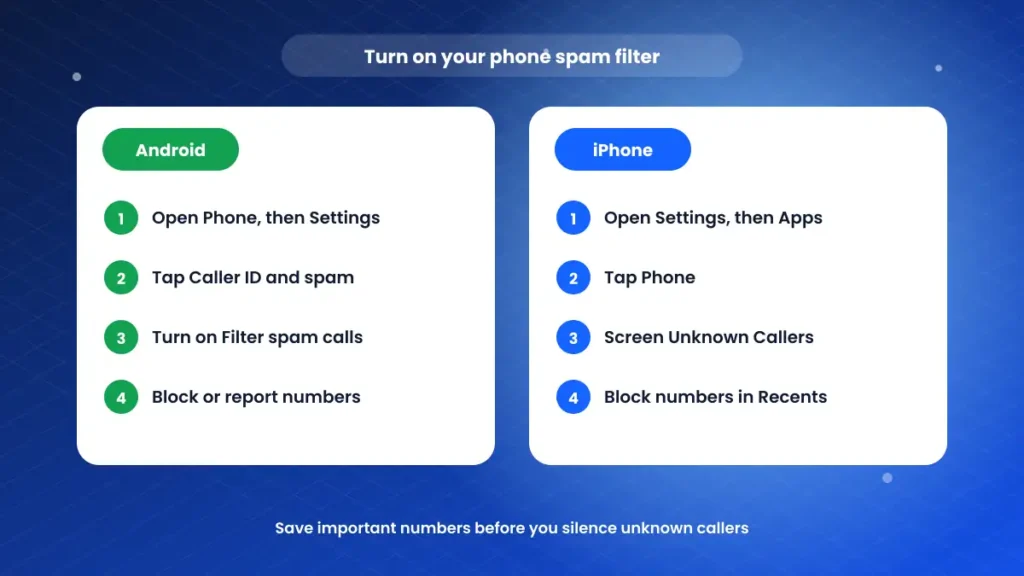
Most Android phones use the Google Phone app, which has caller ID and spam protection built in. According to Google’s Phone app help, follow these steps:
- Open the Phone app. Then tap the three dots and choose Settings.
- Open Caller ID and spam. Next, turn on “See caller ID and spam”.
- Turn on Filter spam calls. As a result, suspected spam calls will not ring your phone.
- Block a number. Finally, tap a call in your recent calls, then tap “Block or report spam”.
On some Samsung, Tecno, Infinix, and other phones, the menu names differ slightly. In that case, look for “Block numbers” or “Caller ID and spam protection” in your phone app’s settings.
How to block spam calls on iPhone
On iPhone, you can silence or screen calls from numbers that are not in your contacts. According to Apple’s guide to managing unknown callers:
- Open Settings. Then tap Apps, then Phone.
- Choose Screen Unknown Callers. Next, pick “Ask Reason for Calling” or “Silence”.
- Block a number. In the Recents list, tap the info button next to the number, then tap Block Caller.
With Silence turned on, unknown calls go to voicemail, but your saved contacts still ring. So save important numbers, such as your doctor, your child’s school, and delivery riders, before you turn it on.
How to block spam texts
Spam texts need a slightly different approach:
- Text STOP to 2442 to cut promotional texts from businesses and networks.
- Block the sender. On Android, open the message, tap the three dots, and choose Block. On iPhone, tap the sender at the top, then Info, then Block Caller.
- Filter unknown senders. For example, many Android messaging apps and the iPhone Messages app can move texts from unknown numbers into a separate list.
- Reply STOP to the sender. This works for real businesses, but never reply to a suspicious text, because it confirms your number is active.
What to do about scam calls
A scam call can sound official. For example, the caller may claim your BVN is blocked, your SIM will be cut off, or a prize is waiting. Then they ask for your PIN, an OTP, or a transfer.
Follow these rules:
- Hang up. A real bank or network will never ask for your PIN, password, or OTP.
- Call back on an official number. Use the number on your bank card or your network’s website.
- Never share codes. In particular, never read out a code sent to your phone, because it may be your WhatsApp or banking code. Our guide on how to secure your WhatsApp account explains this trick.
- Block and report the number. Use your phone’s “Report spam” option, and tell your network.
If you already shared details, act quickly. Our guide on what to do if your bank account is hacked covers the first 24 hours. For text scams, see how to recognise a phishing message.
Should you use a call-blocking app?
Third-party caller ID apps can identify more spam numbers. However, many of them ask for access to your contacts, call log, and messages. So read the permissions and privacy policy before you install one, and download it only from the official app store.
For most people, the free 2442 service plus the built-in phone settings is enough. Also, be wary of any “spam blocker” link sent by text, because it may be malware. Our guide to loan app scams shows how fake apps misuse contact access.
How to report spam to your network or the NCC
If promotional texts continue after you activate DND, report them to your network’s customer care first. Give the sender’s number or name, the date, and a screenshot.
If your network does not resolve the problem, you can contact the NCC’s Consumer Affairs Bureau by email at consumer@ncc.gov.ng, as listed on its consumer portal. Keep your complaint reference from your network, because the NCC may ask for it.
Frequently asked questions
Is the 2442 DND service free?
Yes. The NCC says texting STOP or HELP to 2442 is free on all networks.
Will DND stop my bank alerts and OTPs?
No. DND targets promotional messages. Bank alerts, OTPs, and services you signed up for still arrive.
Why do I still get spam calls after activating DND?
Many spam and scam calls come from private numbers, which DND cannot filter. So also turn on your phone’s spam filter, and block numbers that get through.
How do I stop airtime deductions from unknown services?
Dial *305# to check and cancel active value-added services, then text STOP to 2442 to reduce new promotions.
Can I block all unknown numbers?
Yes, on iPhone with Silence under Screen Unknown Callers, and on some Android phones with a “Block unknown numbers” option. However, you may miss genuine calls, such as deliveries, so save important numbers first.
Key takeaways on how to block spam calls
- Text STOP to 2442 to block spam calls and promotional texts on any Nigerian network.
- Turn on your phone’s caller ID and spam filter, or screen unknown callers on iPhone.
- Block and report numbers that still get through.
- Dial *305# to check for value-added services that charge your airtime.
- Never share a PIN, password, or OTP with a caller, and hang up on anyone who asks.
Want to stay safer on your phone? Read how to spot a fake bank alert and how SIM swap fraud works, or browse all our cybersecurity guides.