WhatsApp holds your chats, your groups, and often your business. That makes it a target. In Nigeria, criminals who take over a WhatsApp account often message the owner’s contacts and ask for money, as NIBSS has warned. The good news is that a few settings make a hijack much harder. This guide shows you how to secure your WhatsApp account in six steps, and what to do if someone takes it over.
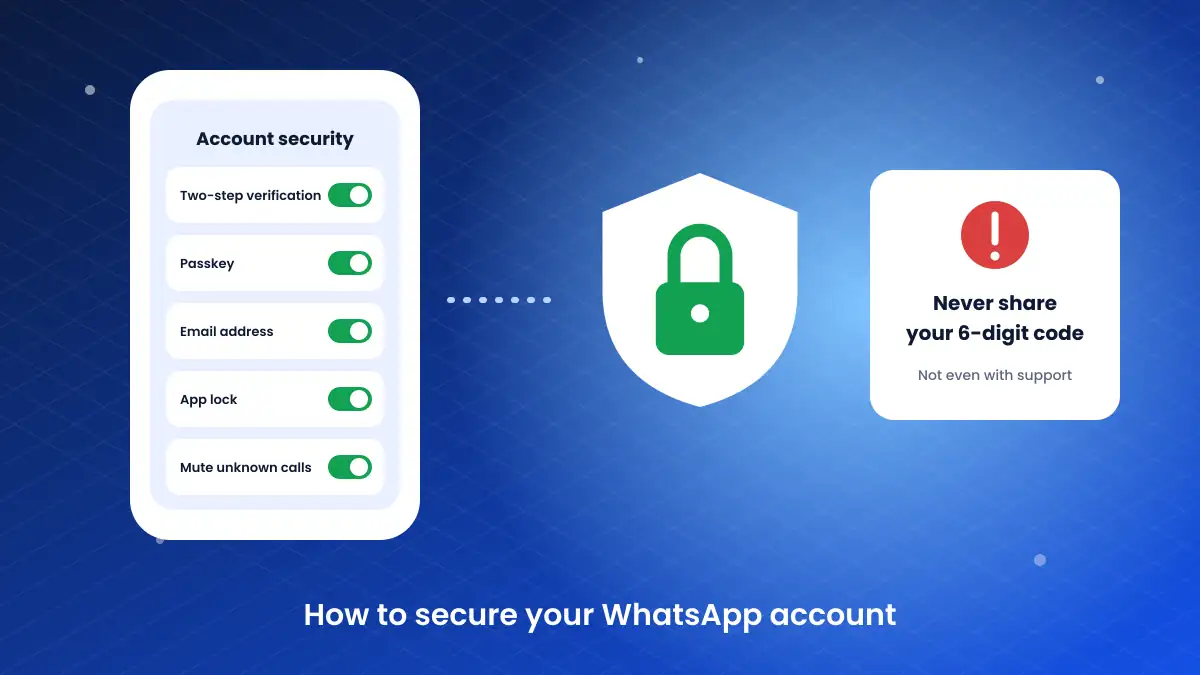
Quick answer: To secure your WhatsApp account, turn on two-step verification, add a passkey and an email address, remove linked devices you do not recognise, tighten your privacy settings, and lock your phone and SIM. Above all, never share the six-digit code WhatsApp sends you by SMS or call. Anyone who gets that code can move your account to their phone.
In this guide
- How WhatsApp accounts get hijacked
- Six steps to secure your WhatsApp account
- Step 1: Turn on two-step verification
- Step 2: Add a passkey
- Step 3: Add an email address
- Step 4: Check your linked devices
- Step 5: Tighten your privacy settings
- Step 6: Protect your phone and SIM
- Keep your WhatsApp account secure: never share the code
- How to recover and secure your WhatsApp account after a hijack
- Frequently asked questions
- Key takeaways: how to secure your WhatsApp account
How WhatsApp accounts get hijacked
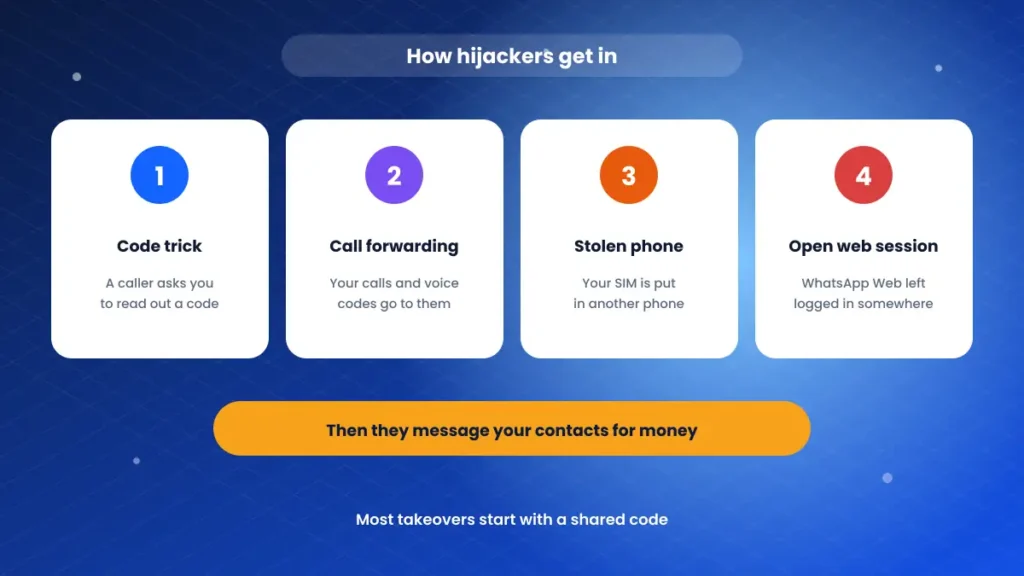
Most hijacks do not need hacking skills. Instead, they rely on tricking you or getting hold of your phone. Common methods include:
- The code trick. A caller claims to be from a club, a class, or a meeting, and asks you to read out a six-digit code. In fact, it is your WhatsApp verification code. NIBSS describes fraudsters posing as a scheduled online meeting to get it.
- “Sent by mistake” messages. A contact, who may already be hacked, says they sent a code to your number by mistake and asks you to forward it.
- Call forwarding. A fraudster gets your calls diverted to their number, then asks WhatsApp to deliver the code by voice call.
- A stolen phone or SIM. Someone puts your SIM in another phone and registers WhatsApp with it.
- An open web session. You leave WhatsApp Web logged in on a shared or office computer.
Once inside, the criminal locks you out and messages your contacts. They often use your old chats to make requests for money look real.
Six steps to secure your WhatsApp account
Each step takes a minute or two, and together they block the tricks above. Menu names can differ slightly between Android, iPhone, and app versions, so update WhatsApp before you start.
Step 1: Turn on two-step verification
Two-step verification adds a secret that only you know. When anyone registers your number on a new phone, WhatsApp asks for it as well as the SMS code. So a stolen code alone is not enough.
To turn it on, open Settings, then Account, then Two-step verification, and follow the steps. On Android, Settings is in the three-dot menu. On iPhone, it is a tab at the bottom of the screen.
In August 2026, WhatsApp began upgrading this six-digit PIN to a full password that can mix letters, numbers, and symbols, according to 9to5Google. Depending on your app version, you may still see a PIN. Either way, avoid easy choices such as 123456 or your birthday. WhatsApp will also ask for it every so often, which helps you remember it.
Our guide to two-factor authentication explains why a second step stops most account takeovers.
Step 2: Add a passkey
A passkey lets you verify your account with your fingerprint, face, or screen lock, instead of a code. Because there is no code to read out, there is nothing for a scammer to steal by phone.
To create one, go to Settings, then Account, then Passkeys. WhatsApp now supports more than one passkey on an account, which helps if you use both Android and iPhone. If your phone does not show this option, update the app first. Our guide to passkeys for payments explains how passkeys work behind the scenes.
Step 3: Add an email address
An email address gives WhatsApp a second way to reach you. For example, it can help you reset your two-step verification if you forget it. It can also be used to verify your account when an SMS does not arrive.
Find it under Settings, then Account, then Email address. Use an email account that is itself well protected. Otherwise, a hacked email could undo your other settings. Our guide on how to secure your Gmail account shows you how.
Step 4: Check your linked devices
WhatsApp can run on up to four linked devices, such as a laptop or tablet, as well as your phone. Each one can read and send your messages.
To review them, open Linked devices. On Android, it is in the three-dot menu. On iPhone, it is in Settings. Then:
- Look at each device. Check the device type and when it was last active.
- Log out of anything you do not recognise. Tap the device and choose to log out.
- Log out of shared computers. After you use WhatsApp Web at work or in a café, log out before you leave.
Make this check a habit, for example, once a month.
Step 5: Tighten your privacy settings
Scammers use what they can see about you to sound convincing. So, limit what strangers can see:
- Run the Privacy Checkup. Go to Settings, then Privacy, then Privacy checkup, and follow the prompts.
- Hide your profile photo, About, and last seen from strangers. Choose “My contacts” for each one.
- Control who can add you to groups. Again, “My contacts” stops random scam groups.
- Silence unknown callers. Find it under Settings, then Privacy, then Calls. For normal phone calls, see how to block spam calls and texts.
- Turn on app lock. This setting asks for your fingerprint or face before WhatsApp opens.
Nigeria’s IT agency, NITDA, also recommends limiting who sees your profile photo, status, and last seen, according to Nairametrics.
Step 6: Protect your phone and SIM
Your WhatsApp account is tied to your phone number. Therefore, protecting the phone and SIM matters just as much:
- Use a strong screen lock. A PIN, fingerprint, or face unlock stops casual access.
- Add a SIM PIN. Then, a thief cannot use your SIM in another phone without it. NIBSS recommends a SIM lock for this reason.
- Check call forwarding. If calls to your number stop arriving, check that call forwarding is off. On most networks, dialling ##002# cancels all call forwarding.
- Keep the app updated. Updates fix security flaws and add new protections.
Our guide on how SIM swap fraud works explains how criminals take over phone numbers and how to stop them. If your phone is lost or stolen, a recent backup gets you running again, so learn how to back up your phone.
Keep your WhatsApp account secure: never share the code
WhatsApp sends a six-digit code when someone registers your number on a phone. It is the key to your account. So treat it like your bank PIN:
- WhatsApp staff will never call or message you to ask for it.
- No club, school, or meeting needs your WhatsApp code.
- If a contact asks for “a code sent by mistake”, call them on a different number first. Their account may already be hacked.
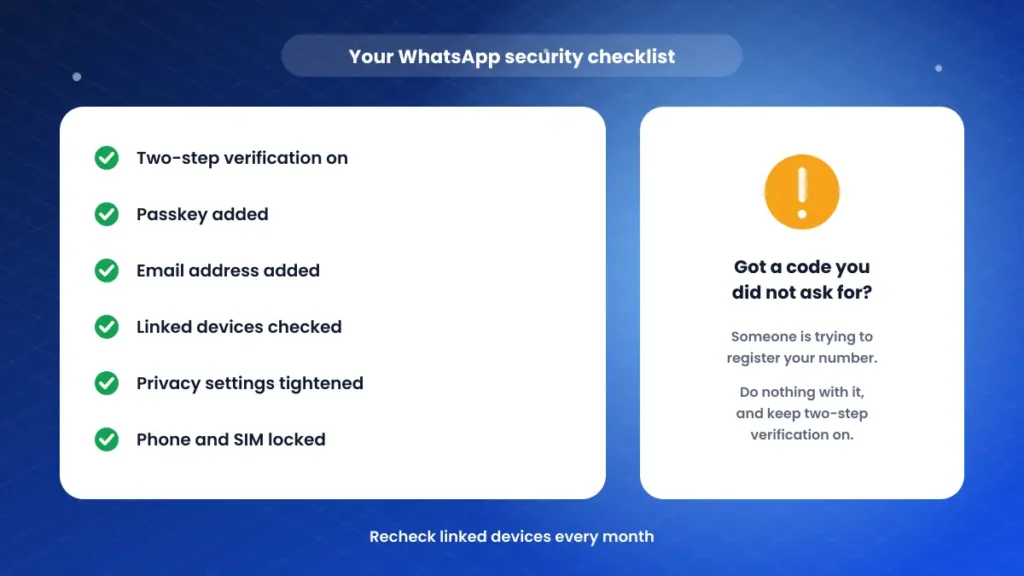
- If you get a code you did not ask for, someone is trying to register your number. Do nothing with the code, and check that two-step verification is on.
Our guide to recognising a phishing message covers other tricks criminals use to get codes and passwords.
How to recover and secure your WhatsApp account after a hijack
Act quickly, because the criminal is probably messaging your contacts already:
- Warn your contacts. First, use SMS, calls, or another app to tell family and friends not to send money.
- Register WhatsApp again. Next, open WhatsApp on your phone and verify your number with the SMS code. This logs the other phone out.
- Wait if a PIN blocks you. Then, if the criminal set their own two-step verification, you may have to wait several days before you can verify without it.
- Check linked devices. After that, log out of every device you do not recognise.
- Turn on your protections. Finally, set up two-step verification and a passkey once you are back in.
If anyone has already sent money, they should contact their bank at once. Our guide to authorised push payment fraud explains what to do next.
Frequently asked questions
Can someone hack WhatsApp with just my number?
Not on its own. They also need the six-digit code that WhatsApp sends to your phone, and your two-step verification secret if it is on. That is why sharing the code is so risky.
Will two-step verification stop all hacks?
No setting stops everything. However, it blocks the most common takeover, where a criminal has your SMS code but not your secret.
What if I forget my two-step verification PIN or password?
Use the forgot option in WhatsApp. If you added an email address, WhatsApp can send a reset link to it.
What is the fastest way to secure my WhatsApp account?
Turn on two-step verification, and never share the six-digit code WhatsApp sends you. Those two habits stop most takeovers.
Is WhatsApp Web safe to use?
Yes, on your own computer. On a shared computer, log out when you finish, and check your linked devices afterwards.
Can WhatsApp support help me secure my account again?
You can contact support from the app. However, the fastest route is usually to verify your number again on your own phone.
Key takeaways: how to secure your WhatsApp account
- Never share the six-digit code WhatsApp sends you, whoever asks for it.
- Turn on two-step verification, and add a passkey and an email address.
- Check linked devices regularly, and log out of shared computers.
- Hide your profile details from strangers, and silence unknown callers.
- Lock your phone and SIM, because your account depends on your number.
Want to stay safer online? Read our guides on how to protect your bank account online and spot deepfake scams, or browse all our cybersecurity guides.