If you sell online, run a small shop, or offer a service under a brand, registering it builds customer confidence. It also helps you open a business bank account and apply for contracts. In Nigeria, the Corporate Affairs Commission (CAC) now lets you register a business name online, and simple applications can be approved within minutes. This guide shows how to register a business name with CAC step by step, what you need before you start, and what to do after approval.
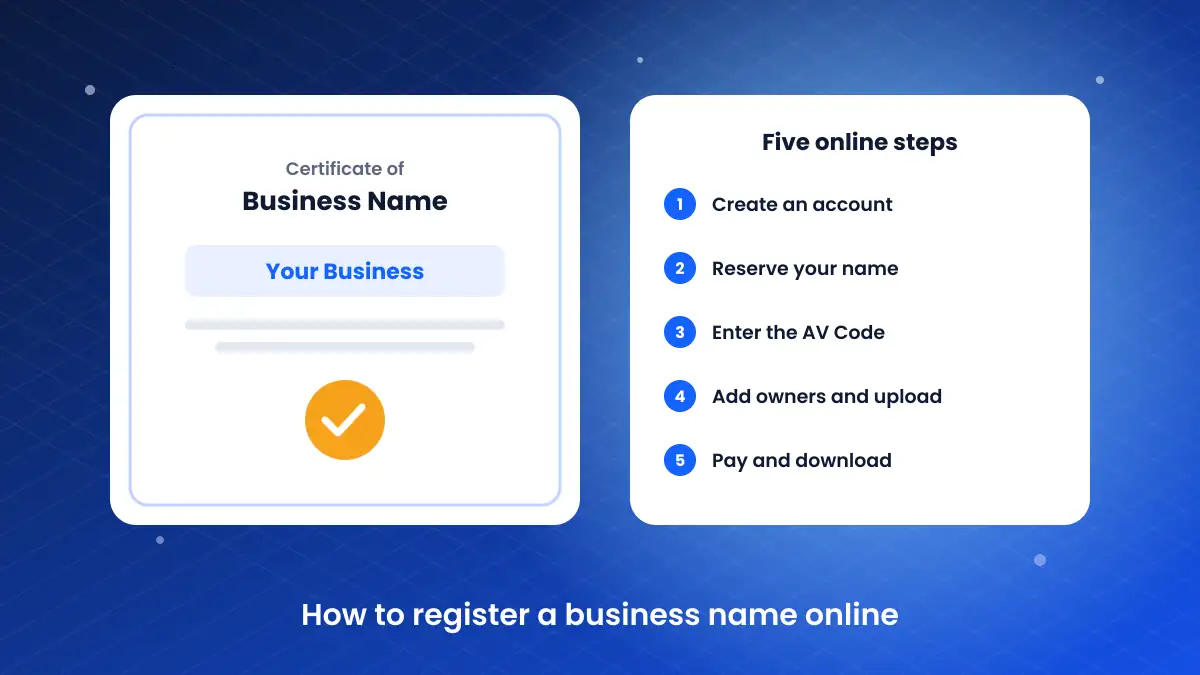
Quick answer: To register a business name in Nigeria, create an account on the CAC’s online registration portal, reserve your proposed name, and enter the AV Code you receive. Then add the business address and owner details, upload an ID, a passport photograph, and a signature for each owner, and pay through Remita. Once approved, download your certificate from the dashboard. After that, file annual returns every year.
In this guide
- What is a business name?
- Why you should register a business name
- What you need before you start
- How to register a business name with CAC, step by step
- How much does it cost?
- After you register a business name
- Common mistakes to avoid
- Frequently asked questions
- Key takeaways on how to register a business name
What is a business name?
In simple terms, a business name is the trading name of a sole proprietor or a partnership. For example, Customer 1 might trade as “Your Business Fashion” without forming a limited company.
A business name is different from a private limited company (Ltd). In particular, the owners of a business name are personally responsible for its debts, while a company is a separate legal person. As a result, a business name is usually cheaper and simpler, which suits many freelancers, traders, and small service businesses.
| Feature | Business name | Private limited company |
|---|---|---|
| Owners | One person or a partnership | Shareholders |
| Legal status | Not separate from the owners | Separate legal person |
| Liability | Owners are personally liable | Usually limited to the shares |
| Paperwork | Simpler | More forms and filings |
| Best for | Freelancers, traders, and small shops | Businesses seeking investors or bigger contracts |
If you plan to raise investment or take on large contracts, ask a lawyer whether a company suits you better.
Why you should register a business name
There are several practical reasons to register a business name:
- Trust. Customers and suppliers can search the CAC register and confirm that your business exists.
- Banking. Most banks ask for a CAC certificate before they open a business account in your trading name.
- Contracts and grants. Many government and corporate opportunities require proof of registration.
- Protection. Once registered, another business cannot register the same name.
- Compliance. The CAC has pushed businesses to register. In April 2025, it gave unregistered businesses six weeks to register or face prosecution, Nairametrics reported.
What you need before you start
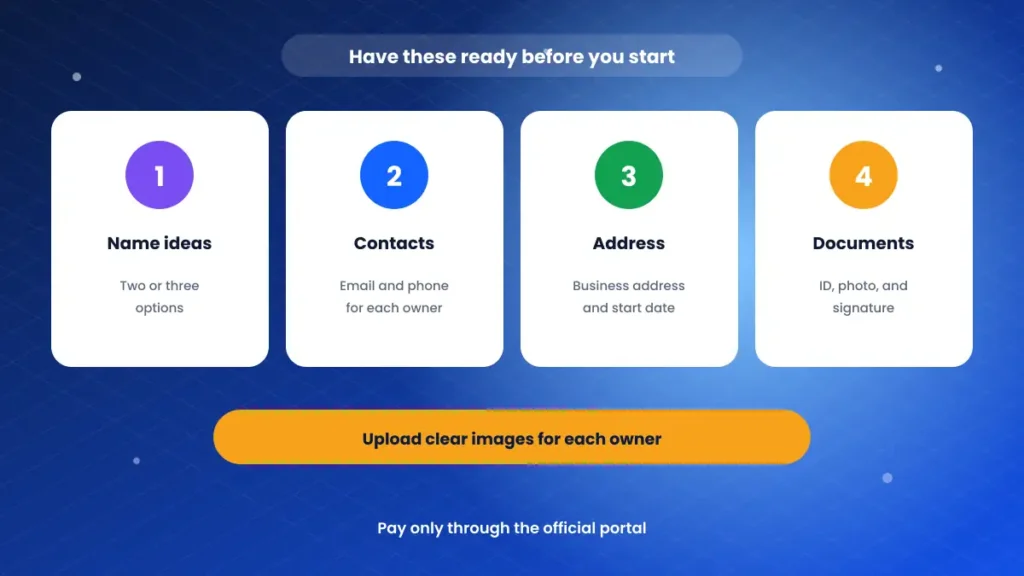
First, gather these items, because the portal asks for them during the application:
- Two or three name ideas. Your first choice may already be taken.
- A working email address and phone number for the business and each owner.
- The business address and the date the business started or will start.
- A short description of what the business does, such as “sale of phone accessories”.
- For each owner: a valid ID, a recent passport photo, and a signature. According to the CAC portal FAQ, these files must be uploaded as images.
- A way to pay online, such as a debit card or internet banking, through Remita.
In addition, keep your date of birth and ID details handy. In December 2025, the CAC began requiring details such as the proprietor’s date of birth, email, and a valid ID for business name updates, according to Nairametrics.
How to register a business name with CAC, step by step
The steps below follow the CAC portal FAQ. However, the screens can change, so follow the prompts you see.
- Create an account. First, go to the CAC’s online services portal from the official cac.gov.ng website, click “Create Account”, and confirm your email.
- Check and reserve your name. Next, open “Name Reservation” on your dashboard. Choose the business classification and type, enter your proposed name and the nature of the business, and click “Check Availability”. If the name is free, pay the reservation fee. The FAQ says name reservation is automated, so approval comes instantly once payment succeeds.
- Note your AV Code. After that, the portal gives you an availability code. You need it to link your reserved name to the registration.
- Start the registration. Then click “Registration”, choose “Register New Business”, and enter the AV Code. Add the business email, address, and commencement date.
- Add the owners and upload documents. Similarly, enter each proprietor’s details and upload their ID, passport photograph, and signature.
- Review and pay. Check the preview page carefully, because mistakes are harder to fix later. Then pay the registration fee through Remita.
- Download your certificate. Finally, the FAQ says business name registrations are now AI-approved and processed instantly. If the status says Pending, wait a few minutes and refresh. Once it shows Approved, click Action, then download the certificate and status report.
Save the certificate and status report in a safe folder, and back them up. Our guide on how to back up your phone shows free ways to do this.
How much does it cost?
The CAC charges a fee for name reservation, and another for registration, and Remita may add a small transaction charge. Because fees change from time to time, check the current amounts in the “Summary of Fees” on the official CAC website before you pay.
If you use an accredited agent, the agent also charges a professional fee. Only pay the official fees through the portal, and never send money to someone who promises a “faster” registration outside it.
After you register a business name
Registration is only the start. Next, take these steps to put the name to work:
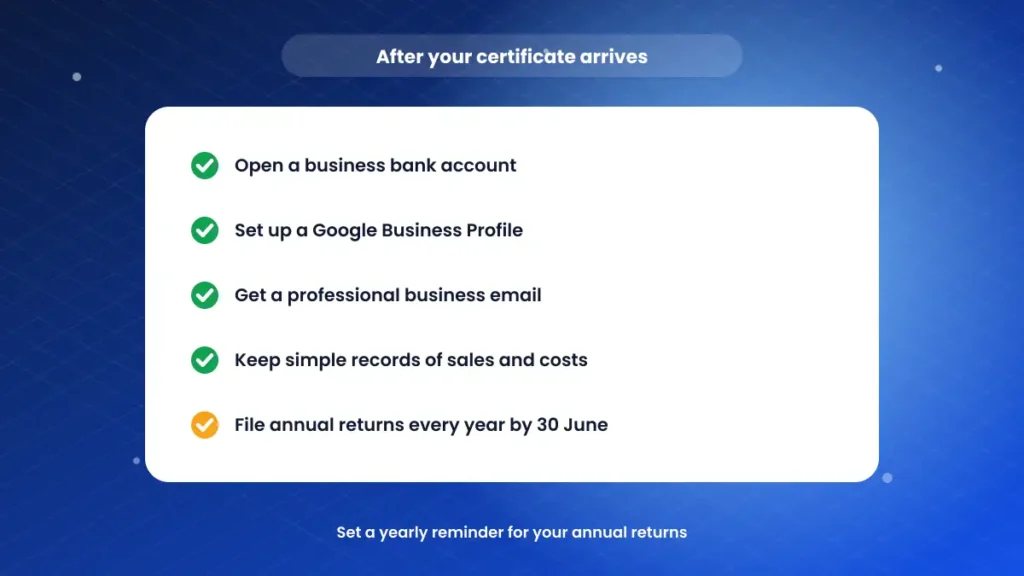
- Open a business bank account. Take your certificate, status report, and ID to your bank, and ask what else it needs.
- Set up your online presence. For instance, create a free Google Business Profile and a professional business email.
- Start accepting payments. Our guide on how to accept online payments explains the options.
- Keep simple records. Track sales and costs from day one, for example, with our guide to tracking business expenses in Excel.
- File annual returns. Business names must file annual returns every year, except the year of registration. Under section 822 of CAMA 2020, the deadline is 30 June each year, according to Mondaq. Missing it can put your registration at risk.
Common mistakes to avoid
Many applications go wrong for simple reasons. So watch out for these:
- Choosing a name that is too similar to an existing one. Search first, and pick something distinctive.
- Using restricted words without approval. Words that suggest a government link or a regulated activity, such as “bank” or “insurance”, may need extra consent.
- Uploading blurry documents. Use clear, well-lit images of your ID, photograph, and signature.
- Entering wrong personal details. Check names, dates, and phone numbers on the preview page before you pay. Ensure your profile name during registration matches the names on your means of identification. Any mismatch, even with one letter, makes your request for your business name queried. The profile names (surname and first name) are not editable; hence, this requires engaging customer support to help – a process you never wish to experience.
- Paying fake agents. Use the official portal or an agent listed on the CAC website, and be wary of anyone who contacts you first. Our guide on how to recognise a phishing message explains the warning signs.
- Forgetting annual returns. Set a yearly reminder for June.
Frequently asked questions
Can I do it myself without an agent?
Yes. The CAC portal is designed for owners to register directly. You can also use an accredited agent if you prefer help.
How long does approval take?
The CAC portal FAQ says business name registrations are now AI-approved and processed instantly. However, an application may take longer if the details need a closer review.
Do I need an office address?
You need a business address. Many small businesses use the owner’s home address, but make sure it is accurate and that you can receive letters there.
Can two partners own it together?
Yes. A business name can belong to a partnership. Each partner adds their details and documents during the application.
Can I convert to a limited company later?
Yes. Many owners start with a business name and later register a company as the business grows. Ask the CAC or a lawyer about the steps for your case.
Key takeaways on how to register a business name
- A business name suits sole traders and partnerships, but the owners stay personally liable.
- Prepare name ideas, contact details, an address, and an ID, photograph, and signature for each owner.
- Reserve the name, enter the AV Code, add the owners, pay through Remita, and download the certificate.
- Check current fees on the official CAC website, and pay only through the portal.
- File annual returns every year by 30 June, starting the year after registration.
Ready for the next step? Read our guides on how to start an online store and the best free business tools, or browse all our digital business guides.