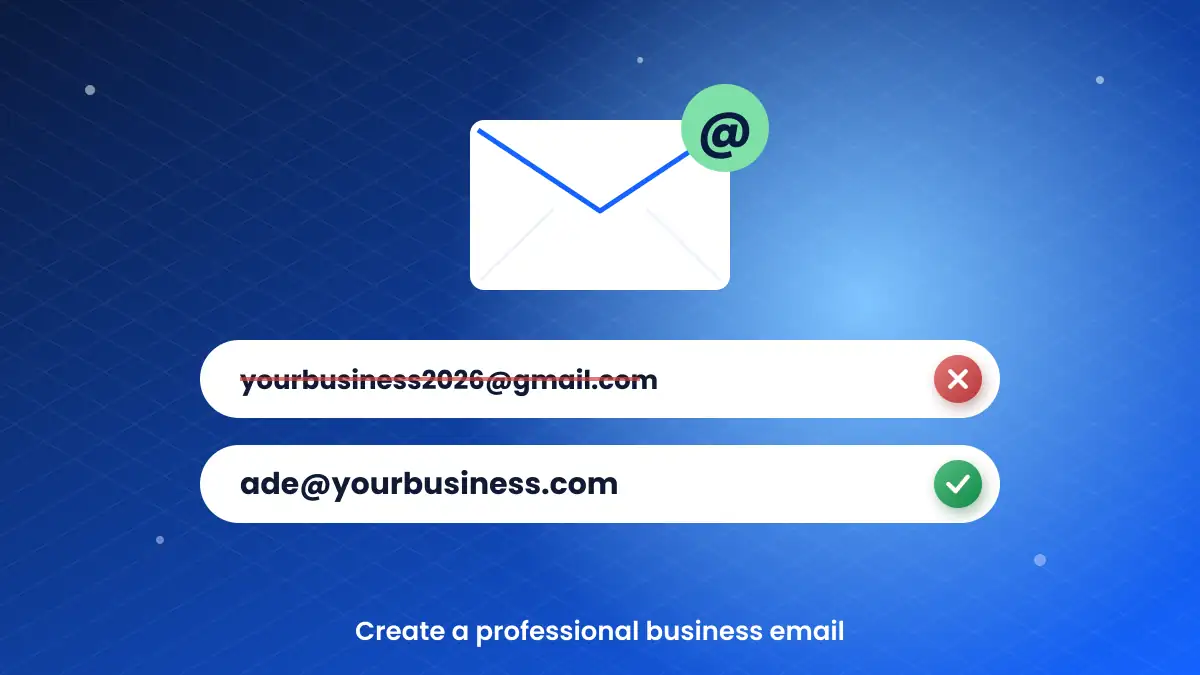
Would you trust a payment request from yourbusiness2026@gmail.com, or one from sales@yourbusiness.com? Most customers trust the second one more. A professional business email uses your own domain name, so it looks credible and is harder for scammers to copy. This guide shows how to create a professional business email step by step, what it costs, the free options, and how to set it up so your emails land in the inbox.
Quick answer: To create a professional business email, first register a domain name, such as yourbusiness.com. Then sign up for an email service such as Google Workspace, Microsoft 365, or Zoho Mail, and prove that you own the domain. Next, add the MX, SPF, and DKIM records that the provider gives you to your domain’s DNS settings. Finally, create your mailboxes, such as info@ or yourname@. Paid plans start at about $7 per user per month, and Zoho Mail has a free plan for up to five users.
In this guide
- What is a professional business email?
- Step 1: Choose a domain for your professional business email
- Step 2: Pick a provider to create a professional business email
- How to create a professional business email, step by step
- Set up SPF, DKIM, and DMARC so you reach the inbox
- Choose good professional business email addresses
- Keep your professional business email secure
- Use your new email everywhere
- Frequently asked questions
- Key takeaways on how to create a professional business email
What is a professional business email?
A professional business email is an address that ends with your own domain name, such as hello@yourbusiness.com. In contrast, a free address ends with gmail.com or yahoo.com.
To create a professional business email, you need two things:
- A domain name, such as yourbusiness.com or yourbusiness.com.ng. You rent it yearly from a domain registrar.
- An email service, which stores your messages and gives you an inbox and apps. Examples are Google Workspace, Microsoft 365, and Zoho Mail.
You do not need a website to use a business email. However, the same domain can later host your website, so choose it with care. Our guide shows how to create a business website when you are ready.
Step 1: Choose a domain for your professional business email
Pick a domain that is short, easy to spell, and close to your business name. Avoid hyphens and numbers, because people get them wrong when they type your address. A .com domain suits most businesses, while .ng or .com.ng shows customers that you are based in Nigeria.
Watch the renewal price, not just the first-year price. Some registrars sell a .com for about $1 in the first year, then charge around $22 a year to renew, according to a 2026 analysis of domain renewal prices. So compare renewal prices before you buy, and turn on auto-renew, so you never lose the domain or your email.
Step 2: Pick a provider to create a professional business email
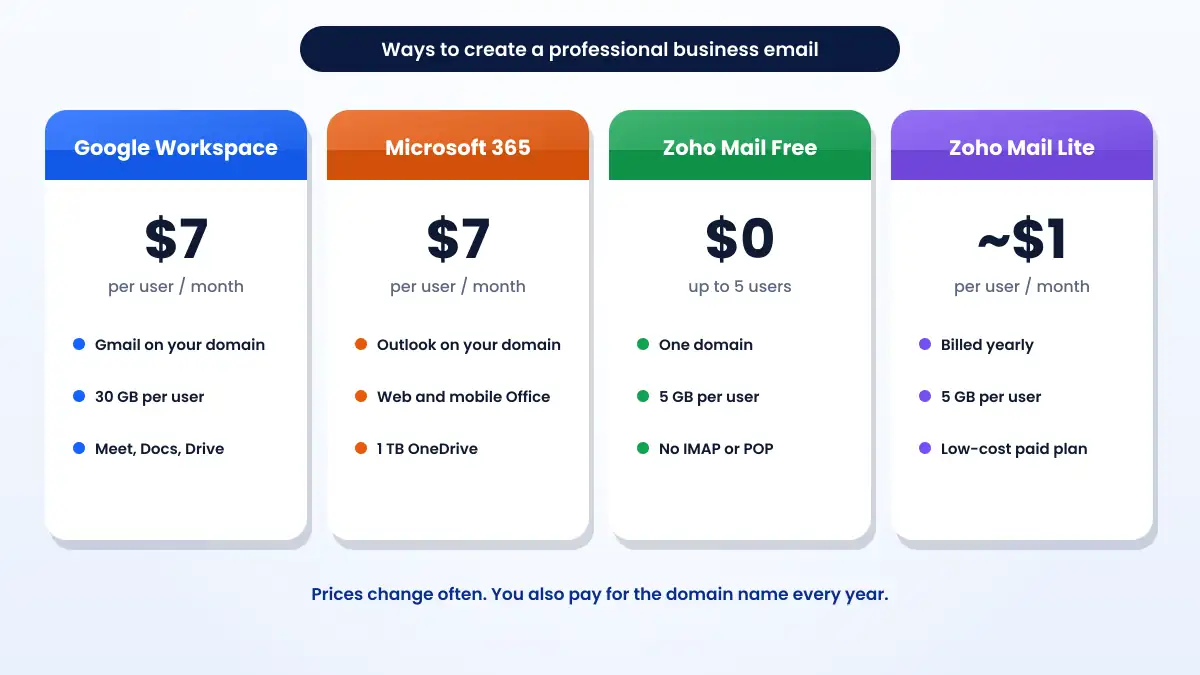
These are the most popular ways to create a professional business email. Prices are per user, per month, and can change, so check them before you buy:
| Provider | Price | What you get | Best for |
|---|---|---|---|
| Google Workspace Business Starter | $7 a month on a yearly plan, or $8.40 on a flexible plan | Gmail with your domain, 30 GB of storage per user, Meet, Docs, and Drive | Teams that already like Gmail |
| Microsoft 365 Business Basic | $7 a month since July 2026 | Outlook with your domain, web and mobile Word and Excel, 1 TB of OneDrive storage | Teams that use Word and Excel |
| Zoho Mail Forever Free | Free for up to 5 users | 5 GB per user for one domain, used through the web and Zoho’s app | Very small businesses on a tight budget |
| Zoho Mail Lite | About $1 a month, billed yearly | 5 GB per user, with more features than the free plan | Low-cost paid email |
Google Workspace has a 14-day free trial, and Microsoft raised its business prices on 1 July 2026. For Google, see this Workspace pricing breakdown, and for Microsoft, see Office Watch’s report on the 2026 price rise.
The free Zoho plan has limits. According to Zoho’s pricing page, it does not include IMAP or POP, so you cannot add the mailbox to other email apps such as Outlook. Even so, it is a good way to start. For more no-cost apps, see our guide to the best free business tools.
How to create a professional business email, step by step
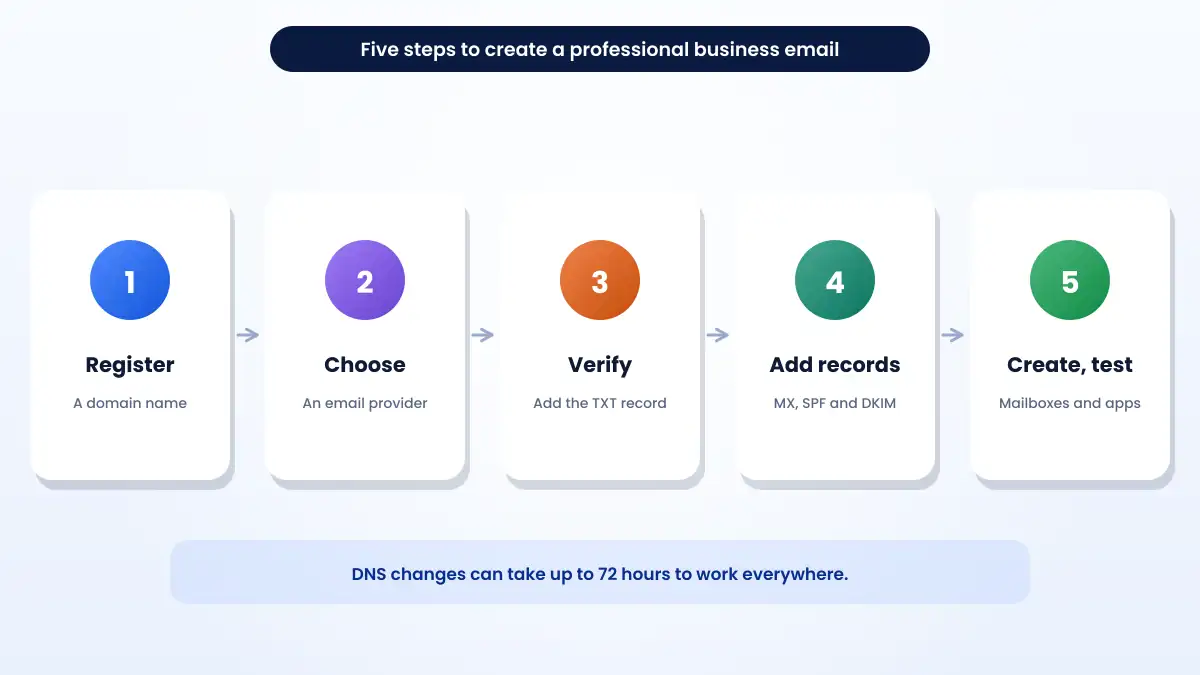
The exact screens differ by provider, but the steps are the same. Here is the process, using Google Workspace as the example:
- Sign up. Go to the provider’s website, choose a plan, and enter your business name and the domain you registered.
- Create your first account. This is usually your own address, such as ade@yourbusiness.com. It also becomes the admin account.
- Verify your domain. The provider gives you a TXT record. Log in to your domain registrar, open the DNS settings, and add the record. This proves that you own the domain.
- Add the MX records. MX records tell the internet where to deliver your email. For Google Workspace, Google’s MX guide says to add smtp.google.com with priority 1, and to delete any other MX records. Changes can take up to 72 hours.
- Add SPF and DKIM. These records prove that your emails really come from you. The next section explains them.
- Create the other mailboxes. Add addresses for staff, or shared ones such as info@ and sales@.
- Set up your phone and test. Install the Gmail, Outlook, or Zoho Mail app, sign in, then send a test email to a friend’s Gmail account and ask them to reply. Once you are set up, our guide shows how to write emails with AI in less time.
Set up SPF, DKIM, and DMARC so you reach the inbox
Without these records, your emails may go to spam or be rejected. In simple terms:
- SPF lists the servers that are allowed to send email for your domain.
- DKIM adds a digital signature to every email, so receivers can check that it was not changed.
- DMARC tells receivers what to do with emails that fail those checks, which helps stop scammers from sending email in your name.
Your email provider gives you the exact SPF and DKIM values to copy into your DNS settings. This matters more and more. According to Google’s email sender guidelines, emails to personal Gmail accounts should be authenticated with both SPF and DKIM. In addition, senders of about 5,000 or more emails a day must also publish a DMARC record.
Even if you send far fewer emails, add a basic DMARC record. It protects your brand because it makes fake emails from your domain easier for receivers to spot.
Choose good professional business email addresses
Simple addresses are easier to remember and harder to mistype. Here are some good patterns:
- yourname@ for personal contact, such as ade@yourbusiness.com.
- info@ or hello@ for general enquiries on your website and flyers.
- sales@, orders@ or support@ for specific jobs. Many providers let you set these up as shared addresses or aliases, so you do not pay for an extra user.
Avoid addresses that are long, full of numbers, or easy to confuse, such as ade.fashions2@.
Keep your professional business email secure
Your business email will receive orders, bank alerts, and customer details, so protect it from the start:
- Turn on 2-Step Verification for every account. Our guide on how to secure your Gmail account shows how, and the same ideas apply to Outlook and Zoho.
- Never share one password between staff. Give each person their own account, and close it when they leave.
- Train your team to spot fake payment requests and password-reset emails. Our guide on how to recognise a phishing message explains the warning signs.
- Keep your domain registrar account safe too. Whoever controls the domain controls your email.
Use your new email everywhere
Once your professional business email works, add it to your business cards, email signature, website, social media pages and WhatsApp Business profile. When customers are ready to buy, our guide on how to accept online payments shows how to get paid. Also, use it when you create a Google Business Profile, so your listing and your email look consistent.
Frequently asked questions
Can I create a professional business email for free?
Partly. Zoho Mail’s Forever Free plan gives up to five free mailboxes for one domain. However, you still have to pay for the domain name every year.
Which business email account is best for a small business?
For most small teams, Google Workspace or Microsoft 365 is the simplest business email account, depending on whether you prefer Gmail or Outlook. If your budget is tight, start with Zoho Mail’s free or Lite plan, and upgrade later as your team grows.
Do I need a website to have a business email?
No. You only need a domain name and an email service. You can add a website to the same domain later.
What is the difference between Gmail and Google Workspace?
Gmail is free and ends with gmail.com. Google Workspace is a paid service that lets you use Gmail with your own domain, plus extra admin and security tools.
How long does it take to set up?
The sign-up takes less than an hour. However, Google says DNS changes for MX records can take up to 72 hours to work everywhere.
Can I use my business email on my phone?
Yes. Google Workspace works in the Gmail app, Microsoft 365 in the Outlook app, and Zoho Mail in its own app.
Key takeaways on how to create a professional business email
- A professional business email needs a domain name and an email service.
- Compare domain renewal prices, not only the first-year price.
- Google Workspace and Microsoft 365 start at about $7 per user per month, and Zoho Mail has a free plan for up to five users.
- Add MX, SPF, DKIM, and DMARC records so your emails reach the inbox.
- Protect every account with 2-Step Verification.
Building your business online? Next, see the best free AI tools for small businesses, or browse all our digital business guides.