A single payment gateway works well for a new online business. But as sales grow, problems appear. The gateway goes down during a busy sale, some banks decline more often than others, or customers want a payment method you do not offer. As a result, many growing businesses connect to multiple providers and use payment orchestration to manage them. This guide explains what payment orchestration is, how it works, when you need it, and how to start.
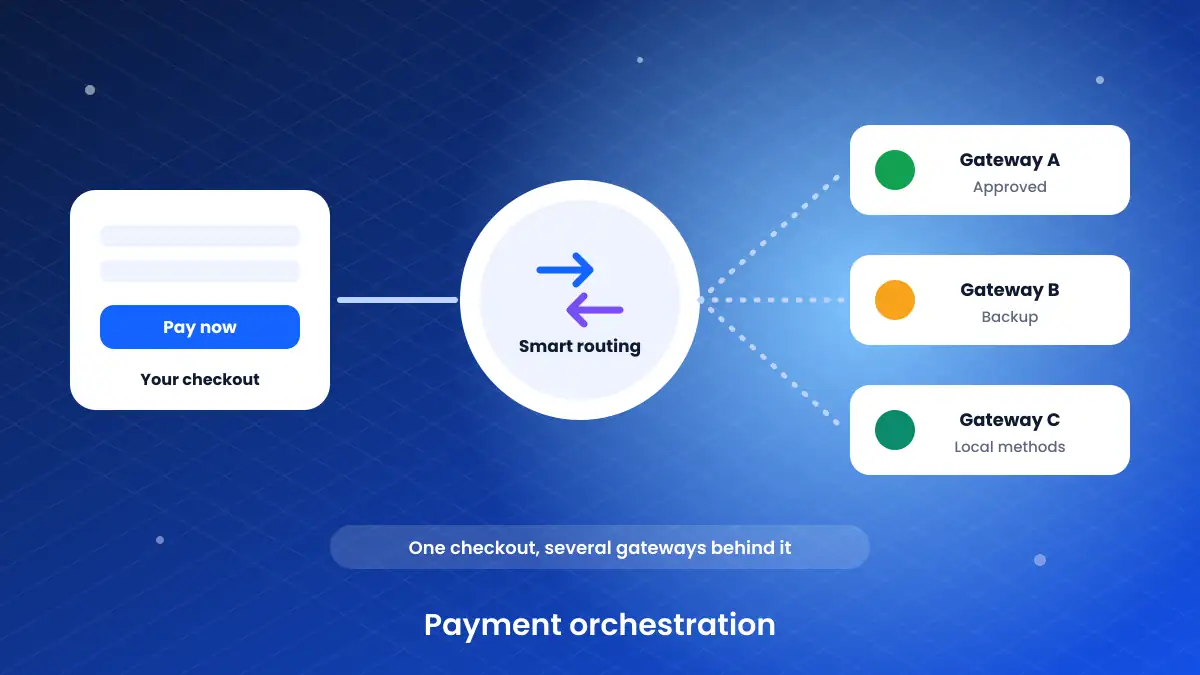
Quick answer: Payment orchestration is a software layer that sits between your checkout and multiple payment gateways or processors. For each payment, it chooses the best route, switches to a backup if one provider fails, and gives you one dashboard for all your payments. It helps busy merchants approve more payments and avoid outages. For a small business, however, one good gateway is usually enough.
In this guide
- What is payment orchestration?
- Why one gateway is not always enough
- How payment orchestration works
- Key features of payment orchestration
- Payment orchestration vs gateway vs processor
- An example of payment orchestration
- Do you need payment orchestration?
- Ways to set up payment orchestration
- Costs and risks
- How to get started
- Frequently asked questions
- Key takeaways on payment orchestration
What is payment orchestration?
Put simply, it is the practice of managing several payment providers through one system. Instead of connecting your website to a single gateway, you connect it to an orchestration layer. That layer then connects to two or more gateways, processors, or acquirers.
Nuvei, a payments company, describes it as an intelligent layer that routes each transaction to the most effective acquirer or processor in real time, in its guide to orchestration. In plain terms, it works like a traffic controller for your payments.
If you are new to these terms, start with our guide to what a payment gateway is.
Why one gateway is not always enough
Relying on one provider creates several risks for a growing business:
- Outages. If your only gateway goes down, you cannot take payments until it comes back.
- Declines. Some providers approve certain cards or banks more often than others.
- Missing payment methods. Customers may want to pay by transfer, card, USSD, or QR, and one provider may not support all the payment channels.
- Cross-border sales. Selling abroad often needs a provider that handles foreign cards and currencies.
- Messy reports. Once you add a second provider, you have two dashboards, two settlement schedules, and two sets of fees to match.
For example, MoneyHash, an orchestration company, says scaling Nigerian merchants often work with two to four payment providers, in its article on online payments in Nigeria. So, managing them becomes a job in itself.
How payment orchestration works
A typical payment follows five steps:
- The customer pays. First, the customer enters card details or chooses a payment method at your checkout.
- The layer checks your rules. Next, the orchestration layer looks at the card type, bank, amount, currency, and each provider’s recent performance.
- It picks the best route. Then, it sends the payment to the provider most likely to approve it at the lowest cost.
- It fails over if needed. After that, if the provider is down or has a technical error, the layer sends the payment to a backup provider.
- You see one report. Finally, every payment appears in one dashboard, whichever provider handled it.
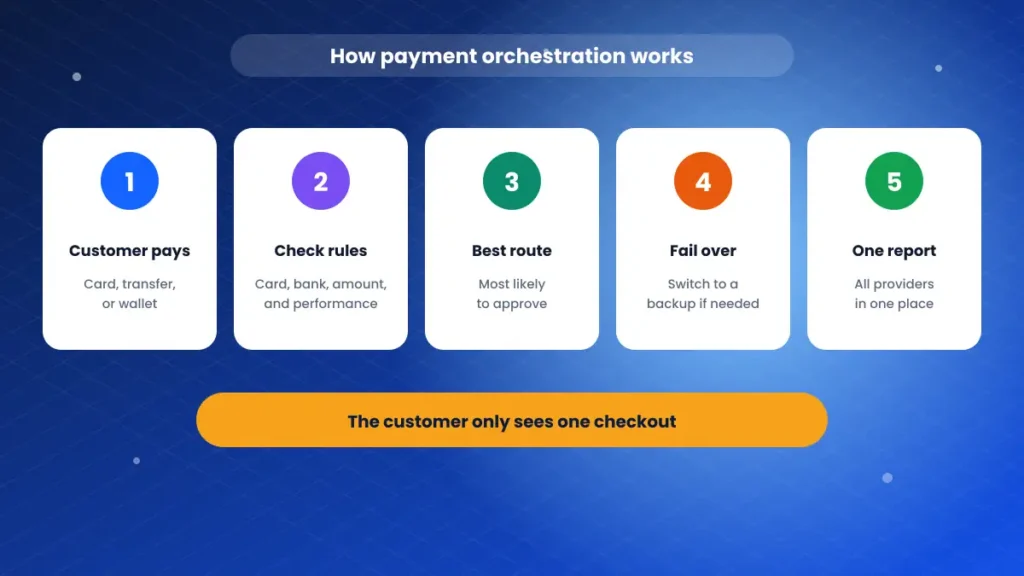
Importantly, all of this happens in a second or two. The customer simply sees one checkout.
Key features of payment orchestration
Most of these tools offer the same core features:
- Smart routing. Send each payment to the provider with the best approval rate or lowest fee for that card, bank, or amount.
- Failover. Switch to a backup provider when one is down or slow.
- Retries. Try a failed payment again through another route. However, card schemes limit how often you can retry a declined card. Our guide on why card transactions get declined explains those rules.
- Tokenisation. Store a customer’s card safely once and use it with any provider. Our guide to network tokenisation explains how card tokens work.
- More payment methods. Add transfers, cards, wallets, and QR through one integration.
- One dashboard. See approvals, declines, fees, and settlements for every provider in one place.
Payment orchestration vs gateway vs processor
These three are easy to confuse. In brief, here is how they differ:
| Feature | Payment gateway | Payment processor | Payment orchestration |
|---|---|---|---|
| What it does | Collects payment details at checkout | Moves the payment between banks and card networks | Chooses which gateway or processor to use |
| How many providers | One | One | Several |
| Main benefit | A simple way to accept payments | Gets the payment approved and settled | Higher approvals, backup, and one view |
| Who needs it | Almost every online business | Every business, often through the gateway | Busy or growing merchants |
Our guide to payment gateway vs payment processor explains the first two in more detail.
An example of payment orchestration
Suppose an online electronics shop uses two gateways. During a weekend sale, Gateway A has a technical problem. Customer 1 tries to pay by card, and the first attempt fails with a timeout.
Without this layer, Customer 1 sees an error and may give up. With orchestration, however, the layer spots the timeout and sends the payment to Gateway B within seconds. Customer 1 pays successfully and never knows anything went wrong.
Then, at the end of the week, the shop’s finance team checks one report that shows sales from both gateways. Our settlement reconciliation calculator can help them confirm that each provider paid the right amount.
Do you need payment orchestration?
Of course, not every business needs it. You may benefit if:
- you process many card or online payments every day;
- you already use two or more payment providers;
- outages or failed payments cost you noticeable sales;
- you sell to customers in other countries; or
- you need payment methods that one provider cannot offer.
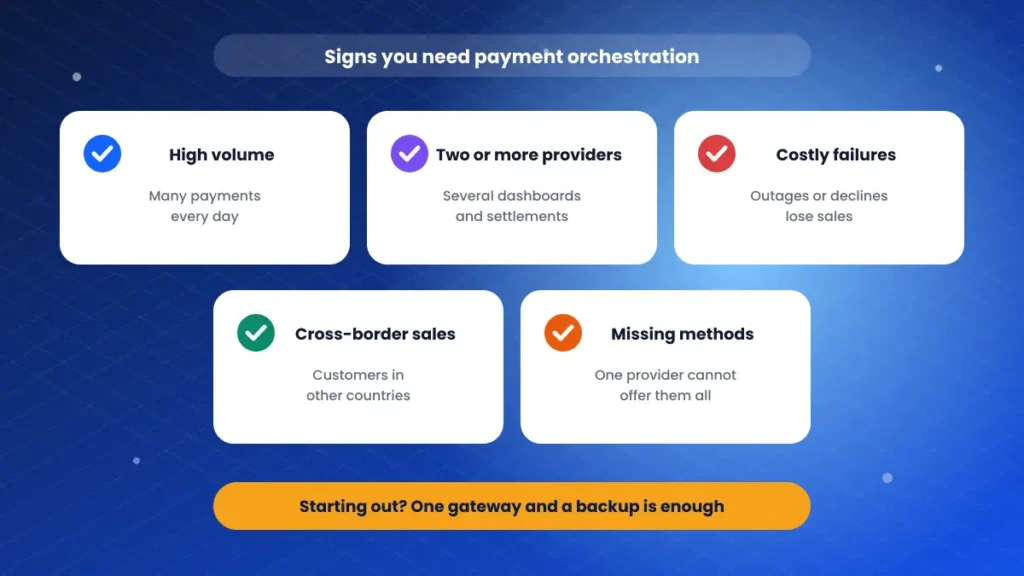
On the other hand, if you are just starting, one reliable gateway is usually enough. In that case, a simple backup, such as a payment link from a second provider or a bank transfer option, covers most outages. Our guide on how to accept online payments explains these options.
Ways to set up payment orchestration
Generally, there are three common routes:
- Use a gateway with built-in routing. Some gateways route payments across their own bank connections. Paystack, for instance, says it routes transactions through different paths and suggests another payment method when one fails, according to its success rates page.
- Use an orchestration platform. A specialist platform connects to many providers through one integration, so it suits larger merchants.
- Build your own. A business with developers can write its own routing rules. However, this takes time and ongoing maintenance.
Costs and risks
Naturally, this approach also brings trade-offs:
- Extra fees. Platforms usually charge a monthly fee or a small charge per payment, on top of gateway fees. Moreover, fees change over time, and regulators can change the rules on charges, so check current pricing.
- More complexity. You manage more contracts, more settlement schedules, and more support contacts.
- Security duties. Handling card data brings card security rules, so choose tools that keep card details tokenised.
- Retry limits. Too many retries on a declined card can break card scheme rules and lead to penalties.
In short, the benefits must outweigh the extra cost and effort.
How to get started
If you think you need it, follow these steps:
- Measure your failures. First, check how many payments fail each week, and why.
- Review your providers. Next, compare approval rates, fees, and outages for each gateway you use.
- Add a second provider. Then, start with a simple backup before you buy a full platform.
- Set clear rules. After that, decide which payments go where, and when to fail over.
- Reconcile every week. Finally, match each provider’s settlement to your sales. Our guide on card settlement explains how payouts work.
Frequently asked questions
Is payment orchestration the same as a payment gateway?
No. A gateway collects and sends payments for one provider. Payment orchestration sits above several gateways and decides which one to use.
Does payment orchestration reduce failed payments?
It can. Routing payments to the provider most likely to approve them, and switching when one is down, helps more payments succeed. However, it cannot fix declines caused by low balances or blocked cards.
Is payment orchestration only for big companies?
Mostly. In practice, large and fast-growing merchants gain the most. Small businesses can get similar protection by keeping a backup payment option.
Can I use Paystack and Flutterwave together?
Yes. In fact, many businesses use more than one gateway. An orchestration tool, or your own routing rules, can decide which one handles each payment.
Does payment orchestration help with reconciliation?
Yes. Because all payments appear in one report, it is easier to match sales with what each provider paid you.
Key takeaways on payment orchestration
- Payment orchestration manages several payment gateways or processors through one layer.
- It routes each payment to the best provider, switches to a backup during outages, and shows everything in one report.
- It helps busy merchants approve more payments, but it adds cost and complexity.
- Small businesses usually need only one good gateway plus a simple backup.
- Start by measuring failed payments, then add a second provider before you buy a full platform.
Want to understand the systems behind your checkout? Read our guides to what a payment processor is and embedded finance, or browse all our digital business guides.