Running a small business takes a lot of tools: email, documents, design, social media, scheduling, and security. The good news is that you can start with free business tools and pay only when you outgrow them. This guide lists the best free business tools for small businesses, what each free plan includes, and the limits to watch before you rely on one.
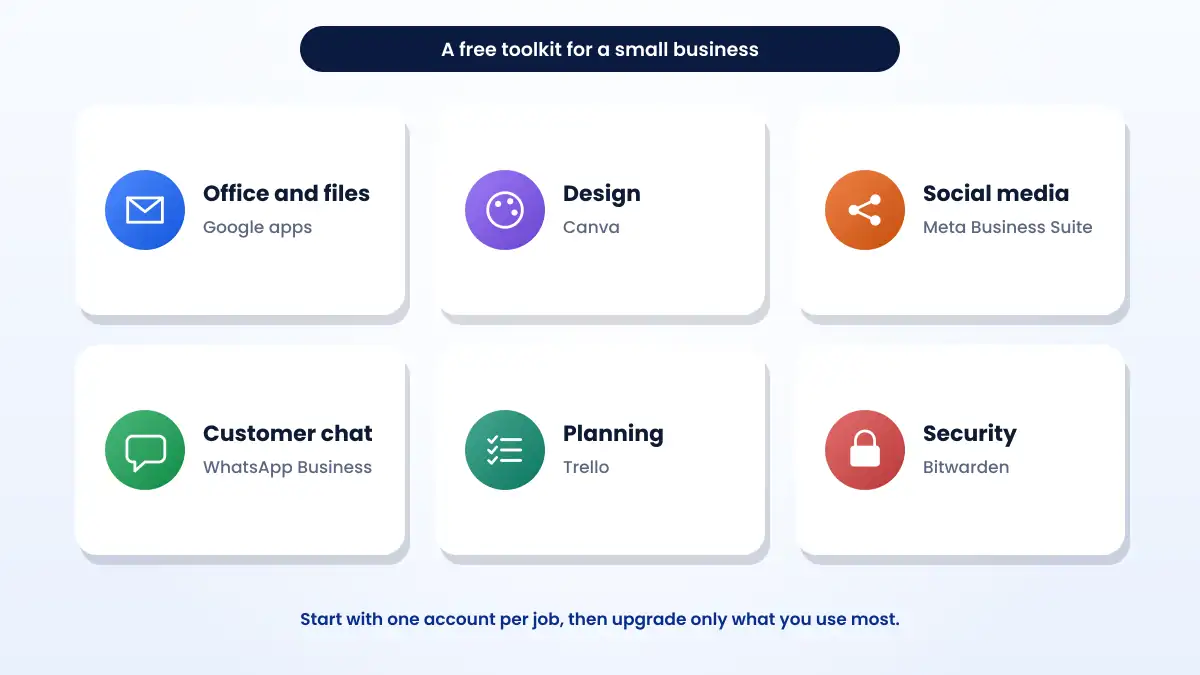
Quick answer: The best free business tools for most small businesses are Google’s free apps (Gmail, Docs, Sheets, Forms, and Drive), the WhatsApp Business app, Canva, Meta Business Suite, Trello, Calendly, Google Meet, and the Bitwarden password manager. Each one has a free plan with limits. For example, a Google account includes 15 GB of storage, and free Google Meet group calls stop after 60 minutes. So start free, and upgrade only the tool you use most.
In this guide
- The best free business tools at a glance
- Free business tools for email, documents and storage
- Design and social media
- Customer chat and bookings
- Planning and teamwork
- Keep your accounts secure
- Free tools on DigiLife Guide
- How to choose free business tools
- Frequently asked questions
- Key takeaways on free business tools
The best free business tools at a glance
Here is a quick summary of the tools in this guide. All of them work in a browser or on a phone:
| Tool | What it does | Main free plan limit |
|---|---|---|
| Google apps (Gmail, Docs, Sheets, Drive) | Email, documents, spreadsheets and file storage | 15 GB of storage shared across Gmail, Drive and Photos |
| WhatsApp Business | Chat with customers, catalogue and quick replies | Made for a small team on one phone number |
| Canva | Design flyers, social posts and logos | 5 GB of storage; premium templates and some tools are paid |
| Meta Business Suite | Schedule Facebook and Instagram posts, one inbox | Works only with Meta’s own apps |
| Buffer | Schedule posts across several networks | 3 channels and 10 queued posts per channel |
| Trello | Plan tasks on boards and cards | 10 collaborators per Workspace |
| Calendly | Let customers book appointments | One event type and one connected calendar |
| Google Meet | Video calls with customers and staff | Group calls stop after 60 minutes |
| Bitwarden | Store and share passwords safely | Unlimited passwords and devices |
Free business tools for email, documents and storage
Every business needs a place to write, calculate and store files. For most owners, a free Google account covers all three:
- Gmail for email. Later, you can move to your own domain. Our guide on how to create a professional business email explains the options.
- Google Docs and Sheets for letters, price lists, stock records, and simple budgets. Our guide on how to track business expenses in Excel works in Sheets too.
- Google Forms for order forms, customer feedback and event sign-ups. Responses can go straight into a sheet.
- Google Drive for storing and sharing files with your team.
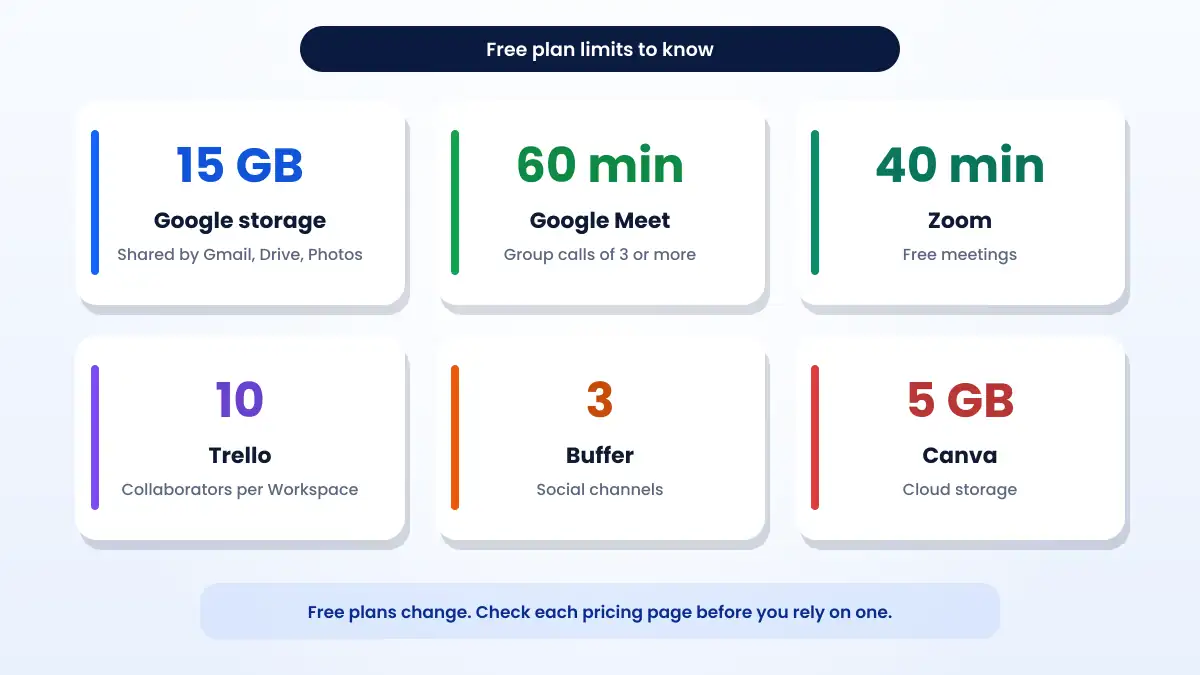
However, the storage is shared. According to Google’s storage help page, a Google account includes up to 15 GB, and Gmail, Drive, and Photos all use it. So keep business files in a separate account from your personal photos. Our guide to what cloud computing is explains where those files are stored.
Design and social media
Good marketing does not need a designer or an agency at the start. These free tools help you look professional:
- Canva lets you design flyers, social media posts, price lists, and simple logos from templates. Its free plan includes thousands of templates and 5 GB of storage, according to a Canva free plan review checked in October 2026. Tools such as the background remover and premium templates need a paid plan.
- Meta Business Suite is free. It lets you schedule posts to Facebook and Instagram and answer messages and comments in one inbox, as Buffer’s guide to Meta Business Suite explains.
- Buffer schedules posts to other networks too. Its free plan covers 3 channels with up to 10 queued posts each, according to an August 2026 Buffer pricing review.
- Mailchimp sends email newsletters. Its free plan has become much smaller, though. A 2026 analysis by beehiiv, a Mailchimp competitor, reports a limit of 250 contacts and 500 emails a month. So check the current plan before you build a large list there.
Customer chat and bookings
Next, make it easy for customers to find you, talk to you and book you:
- WhatsApp Business is a free app for chatting with customers. It adds a business profile, a product catalogue, quick replies and away messages. Our guide to WhatsApp Business vs WhatsApp helps you decide which app suits you.
- Google Business Profile puts your business on Google Search and Maps for free. Our guide on how to create a Google Business Profile walks you through it.
- Calendly lets customers book a time that suits them. Its free plan allows one event type and one connected calendar, according to a September 2026 review of the free plan, which a rival scheduling tool wrote. That is enough for one kind of appointment, such as a 30-minute consultation.
- Google Meet handles video calls. According to an August 2026 guide to Meet’s time limits, free group calls of three or more people stop after 60 minutes, while one-to-one calls can run for up to 24 hours. The same guide puts the free Zoom limit at 40 minutes.
If you also want a website, Google Sites is free. Our guide on how to create a business website compares it with paid builders.
Planning and teamwork
As your team grows, you need a simple way to share tasks and dates:
- Trello organises work on boards, with a card for each task or order. The free plan allows up to 10 collaborators and 10 boards per Workspace, according to an October 2026 Trello pricing guide.
- Google Calendar keeps deliveries, meetings, and deadlines in one place, and you can share it with staff.
- A shared Google Sheet works well as a simple stock list or order tracker before you need special software. When you are ready to sell online, see how to start an online store.
Keep your accounts secure
Free tools also help protect your accounts and your customers’ data:
- Bitwarden is a password manager. Its free plan stores unlimited passwords on unlimited devices, so each account can have its own strong password.
- 2-Step Verification is free on Google, Meta, and most other accounts. Turn it on everywhere. Our guide on how to secure your Gmail account shows how.
Also, give staff their own logins rather than sharing yours. That way, you can remove their access when they leave.
Free tools on DigiLife Guide
We also build free tools that work in your browser, with no sign-up:
- PDF tools to merge, split, compress, and convert PDF files.
- A QR code generator for your website, WhatsApp, or Wi-Fi.
- A payment processing fee calculator to see what card and gateway fees cost you.
How to choose free business tools
Free plans change often, so choose with care. Before you rely on any of these free business tools, check these points:
- Check the limits. Look at storage, users, posts, or contacts, and think about where you will be in a year.
- Make sure you can export your data. You should be able to download your files, contacts, or designs if you switch.
- Use a business account. Sign up with your business email, not a staff member’s personal one, so the business keeps control.
- Start with fewer tools. One tool that your team uses every day is worth more than five that nobody opens.
- Upgrade only when it pays. For example, pay for more storage or longer meetings once the free limit costs you time or sales.
Frequently asked questions
Are free business tools safe to use?
Yes, if you choose well-known tools and protect your accounts. Use a strong, unique password and 2-Step Verification on every tool, and do not store customer card details in documents or chats.
What is the best free tool for a new small business?
Start with a free Google account and the WhatsApp Business app. Together, they cover email, documents, storage, and customer chat. Then add Canva for design.
Can they replace paid software?
For a small business, often yes at the start. However, free plans have limits on storage, users, or features. Upgrade the tool you depend on most once those limits start to slow you down.
Do I need AI tools as well?
Not to get started. AI tools can save time on writing and research, though. Our list of the best free AI tools for small businesses covers them separately. When you are ready, our guide on how to use AI in a small business gives a simple workflow.
Will these tools stay free?
Nobody can promise that. Free plans can shrink, as Mailchimp’s did. So keep backups of important files and contacts, and check each tool’s pricing page from time to time.
Key takeaways on free business tools
- You can run most of a small business with free business tools at the start.
- Google’s free apps, WhatsApp Business, Canva, and Meta Business Suite cover the basics.
- Every free plan has limits, such as 15 GB of Google storage or 60-minute group calls on Meet.
- Use a business account, turn on 2-Step Verification, and keep backups.
- Upgrade only the tool you use most, once its limits cost you time or sales.
Building your business online? Next, learn how to accept online payments, or browse all our digital business guides.