Every time you tap, insert, or type in your card details, your bank has a few seconds to say yes or no. That decision is card authorisation (also spelt authorization). This guide explains how card authorisation works step by step, what your bank checks, why money sometimes “disappears” before a payment is final, and what merchants should do with holds.
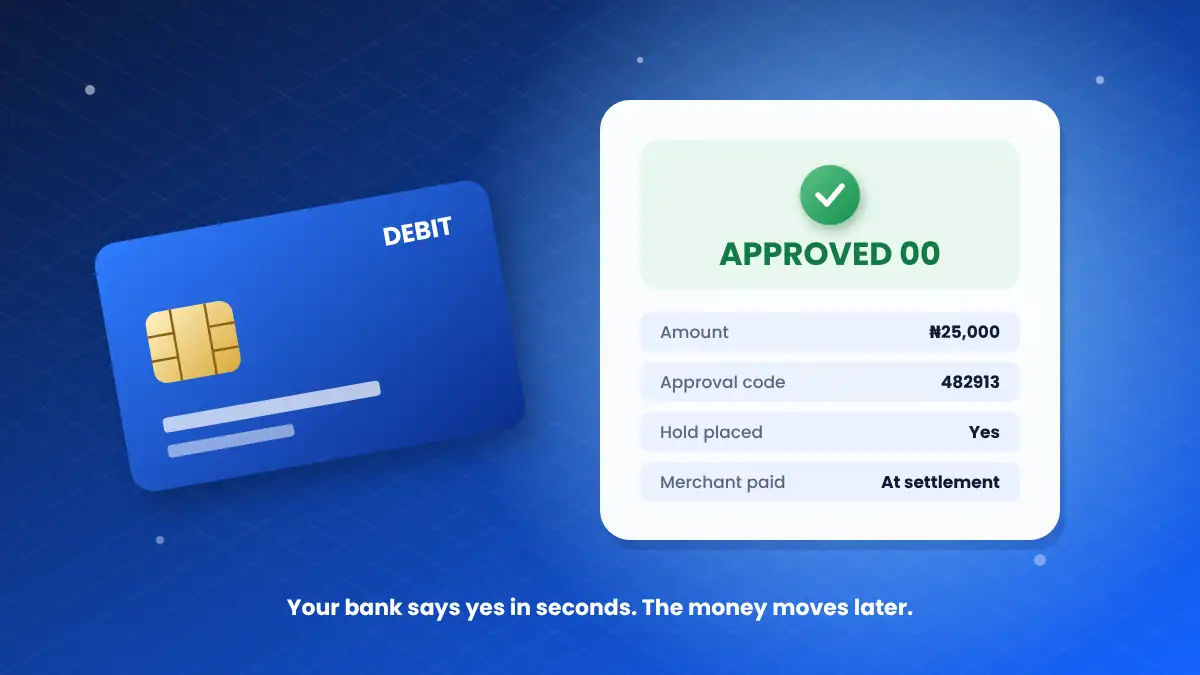
Quick answer: Card authorisation is the real-time request that asks your bank whether a card payment can go ahead. The terminal or checkout sends the request through the acquirer and a switch or card network to your bank’s issuer processor. It checks the card, PIN or code, limits, and fraud rules, and your bank confirms the balance. Then it approves or declines in a few seconds. An approval usually places a hold on your money. The merchant only receives the funds later, during clearing and settlement.
In this guide
- What is card authorisation?
- How card authorisation works, step by step
- What your bank checks before it approves
- Card authorisation vs authentication vs settlement
- Authorisation holds: why your money looks “gone”
- Types of card authorisation
- Single-message vs dual-message payments
- Stand-in and offline authorisation
- For merchants: handling authorisations well
- Frequently asked questions
- Key takeaways
What is card authorisation?
Card authorisation is the first stage of a card payment. It answers one question: can this card pay this amount right now?
If the answer is yes, your bank sends back an approval and sets the money aside for the merchant. If the answer is no, you see “Declined” and nothing moves.
Authorisation is not the same as payment. In fact, the merchant does not get your money at this point. That happens later, when the merchant’s bank (the card acquirer) collects the funds through clearing and settlement. Think of authorisation as a promise: the bank says the money is there and reserves it for this merchant. Our guide to card settlement explains how that money finally moves.
How card authorisation works, step by step
The whole journey usually takes two or three seconds. Here is what happens behind the scenes:
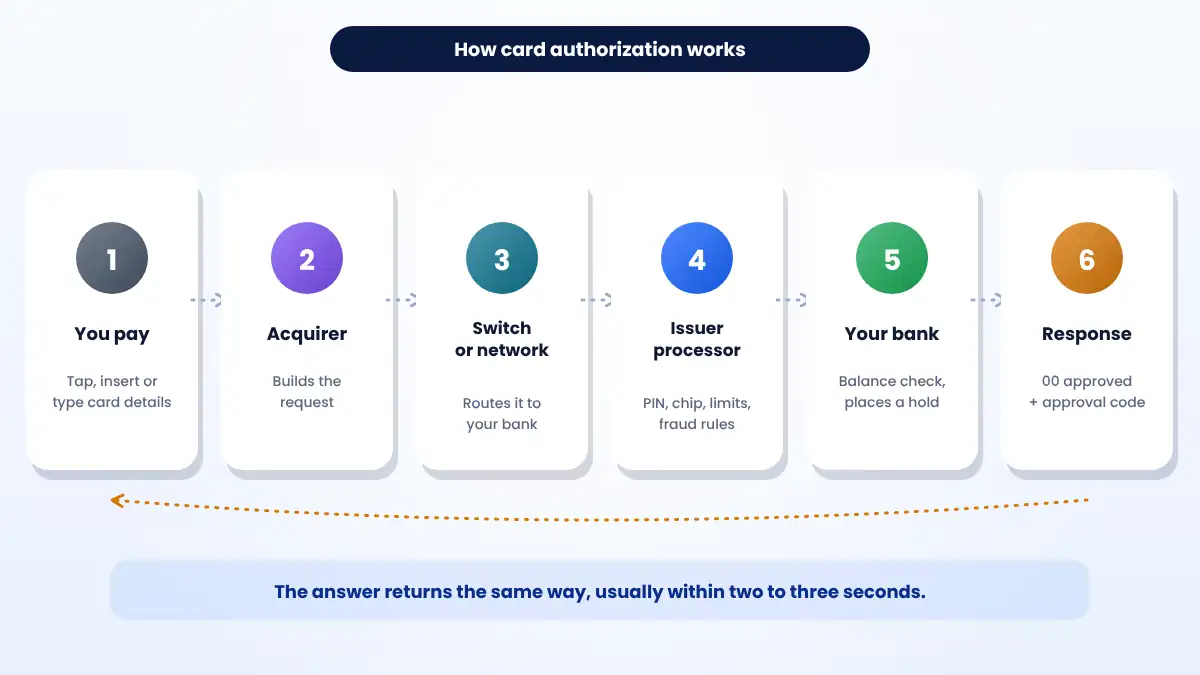
- You pay. You insert, tap, or swipe your card at a POS terminal, or type your card details on a checkout page.
- The acquirer’s processor builds the request. It packs the card number, amount, merchant details, and security data into a standard message. Most card systems use the ISO 8583 format, where an authorisation request is message type 0100.
- A switch or card network routes it. A payment switch or the card network (Verve, Visa or Mastercard) reads the card number and sends the request to the right bank.
- The issuer processor runs the checks. Most Nigerian banks use an issuer processor between the card network and their core banking system. It checks the PIN, the card status, the chip data or CVV, the limits, and the fraud rules.
- Your bank confirms the money. The core banking system checks the balance and places a hold for the amount.
- The answer comes back. The response travels the same path in reverse. It carries a response code, such as 00 for approved, and for approvals, a short approval code that appears on your receipt.
For a full walk-through of a payment at a shop, see our guide on how POS transactions work.
What your bank checks before it approves
Your card issuer runs several checks in a fraction of a second. Each one can stop the payment:
- Card status: is the card active, or is it expired, blocked, lost, or stolen?
- PIN or security code: is the PIN correct, or the CVV for an online payment?
- Chip data: for an EMV chip card, the chip creates a one-time cryptogram. The issuer checks it to make sure the card is genuine and the data was not changed.
- Channel settings: Is the card allowed for POS, web, or international payments?
- Limits: is the amount within your daily, per-transaction, or international limit?
- Fraud rules: does the payment look unusual for you, for example, a large amount at an odd hour in another country? Many banks now use AI fraud detection for this check.
- Balance: is there enough money, including any fees and VAT?
If any check fails, the bank sends a decline code instead. Our guide on why banks decline a card payment explains what each common code means.
Card authorisation vs authentication vs settlement
These three words describe different stages, and people often mix them up:
| Stage | Question it answers | Example |
|---|---|---|
| Authentication | Are you really the cardholder? | Entering your PIN, an OTP, or a 3-D Secure check |
| Authorisation | Can this card pay this amount now? | The bank approves ₦25,000 and places a hold |
| Clearing and settlement | Who owes whom, and when does the money move? | The merchant’s bank receives the funds a day or more later |
So authentication proves who you are, and card authorisation decides whether the bank will pay. Settlement then moves the money. A payment can pass authentication and still fail authorisation, for example, when your balance is too low.
Authorisation holds: why your money looks “gone”
When your bank approves a payment, it usually puts a hold on the amount. Your available balance drops, even though the merchant has not received any money yet. Later, one of two things happens:
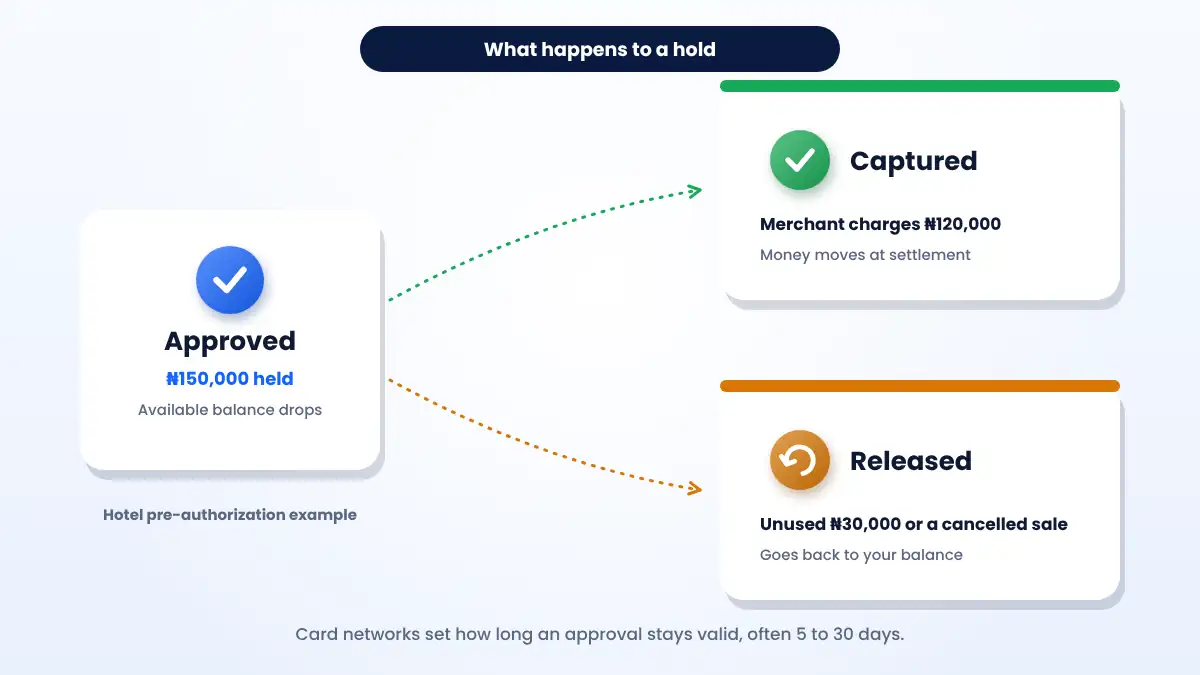
- The merchant captures it. The hold becomes a final debit, and the money moves to the merchant during settlement.
- The bank releases the hold. If the merchant cancels, changes the amount, or never captures, the money goes back to your available balance.
Hotels, car hire firms and some fuel stations use a pre-authorisation. They hold an estimated amount first and charge the final amount later. For example, a Lagos hotel may hold ₦150,000 at check-in and charge only ₦120,000 at check-out. The bank should then release the difference.
Card networks set how long an approval stays valid. According to Adyen’s summary of scheme rules, these are the main windows:
| Card network | Authorisation type | How long it stays valid |
|---|---|---|
| Visa | Card-present payment | 5 days |
| Visa | Online payment you start yourself | 10 days |
| Visa | Hotel, car rental or cruise pre-authorisation | 30 days |
| Mastercard | Final authorisation | 7 days |
| Mastercard | Pre-authorisation | 30 days |
However, your own bank decides when to remove a hold from your account, and some banks release unused holds sooner. If a hold stays after a cancelled or failed payment, ask your bank. Our guide to failed POS transactions lists the CBN reversal timelines.
Types of card authorisation
Not every authorisation works the same way. These are the main types you will meet:
- Final authorisation: the merchant knows the amount, and it will not change, as in most shop and online purchases.
- Pre-authorisation (estimated): the merchant holds an estimated amount and charges the final figure later.
- Incremental authorisation: the merchant adds to an existing hold, for example when a guest extends a hotel stay.
- Account verification: a zero-amount check that confirms a card is valid, often used when you save a card in an app.
- Reversal: a message that cancels all or part of an earlier approval and releases the hold.
Single-message vs dual-message payments
Some card payments use two separate messages. First, an authorisation (0100) reserves the money. Later, a clearing record tells the bank to post the final amount. This is the dual-message model, and it is common for credit cards and online payments.
Other payments use a single message (0200) that authorises and debits at the same time. ATM cash withdrawals usually work this way, because the cash leaves the machine at once. As a result, a single-message debit shows up on your statement immediately, while a dual-message payment may first appear as pending.
Stand-in and offline authorisation
Sometimes your bank cannot answer, for example during maintenance or a network outage. In that case, a processor or card network may use stand-in processing. It approves or declines on the bank’s behalf using limits the bank set in advance, and it tells the bank afterwards. If stand-in is not set up, you may see code 91 (“issuer or switch inoperative”).
EMV chip cards can also approve small payments offline, without contacting the bank. However, the bank controls this through limits stored on the chip, and many Nigerian banks set these offline limits to zero. So in practice, the bank authorises most card payments in Nigeria online.
For merchants: handling authorisations well
Good authorisation habits reduce declines, disputes, and customer complaints:
- Capture on time. Capture approved payments before the authorisation expires; otherwise, you risk a failed capture or a chargeback.
- Release what you do not need. Visa’s authorisation and reversal best practices ask merchants to reverse an unused approval within 24 hours of knowing the sale will not complete.
- Use the right type. Use a final authorisation when you know the amount, and a pre-authorisation only when you do not.
- Show clear messages. Turn decline codes into plain words for the customer, and never retry a hard decline.
- Reconcile daily. Match approvals to settlements so you can spot missing funds early. Our free settlement reconciliation calculator can help.
If you are choosing a provider, our guide on payment gateway vs payment processor explains who handles each step.
Frequently asked questions
How long does card authorisation take?
Usually two to three seconds. A slow network, a busy switch, or a bank outage can make it longer, and the terminal may time out.
Does an approved authorisation mean the merchant has the money?
No. Approval only reserves the money. The merchant’s bank receives the funds later, during clearing and settlement.
What is an approval code?
It is a short code, often six characters, that the issuer sends with an approval. It appears on your receipt and helps the bank and merchant trace the payment if there is a dispute.
Why do I see a pending debit for a payment I cancelled?
The authorisation hold may still be on your account. Your bank releases it when the merchant reverses it or when it expires. If it stays, contact your bank with the receipt or reference.
Is a PIN or OTP the same as authorisation?
No. A PIN or OTP is authentication, which proves you are the cardholder. Card authorisation is the bank’s decision to approve the amount.
Key takeaways
- Card authorisation is the real-time check that asks your bank whether a card can pay a specific amount now.
- The request travels from the terminal or checkout through the acquirer and a switch or card network to your bank’s issuer processor.
- Your bank checks the card status, PIN or code, chip data, limits, fraud rules, and balance.
- An approval places a hold on your money. The merchant receives the money later, during clearing and settlement.
- Holds are either captured or released, and card networks set how long an approval stays valid.
- Merchants should capture on time and reverse unused approvals quickly.