Not long ago, opening a bank account meant queues, forms, and a trip to the branch. Today, you can open one on your phone in minutes, then pay bills, save, and send money without ever meeting a teller. So, what is digital banking? This guide explains it, shows how it works, lists the main features and benefits, and explains how to keep your money safe.
Quick answer: Digital banking means using a bank’s services online, through a mobile app, website, or USSD code, instead of visiting a branch. You can open an account, check your balance, transfer money, pay bills, save, and get a card from your phone. Traditional banks offer it through their apps, while digital-only banks and licensed fintechs run without branches at all. In Nigeria, the NDIC insures deposits at licensed banks, including microfinance banks, up to a limit.
In this guide
- What is digital banking?
- How digital banking works
- Key features of digital banking
- Digital banking vs traditional banking
- Benefits of digital banking
- Risks and how to stay safe
- How to choose a digital bank
- Frequently asked questions
- Key takeaways on what is digital banking
What is digital banking?
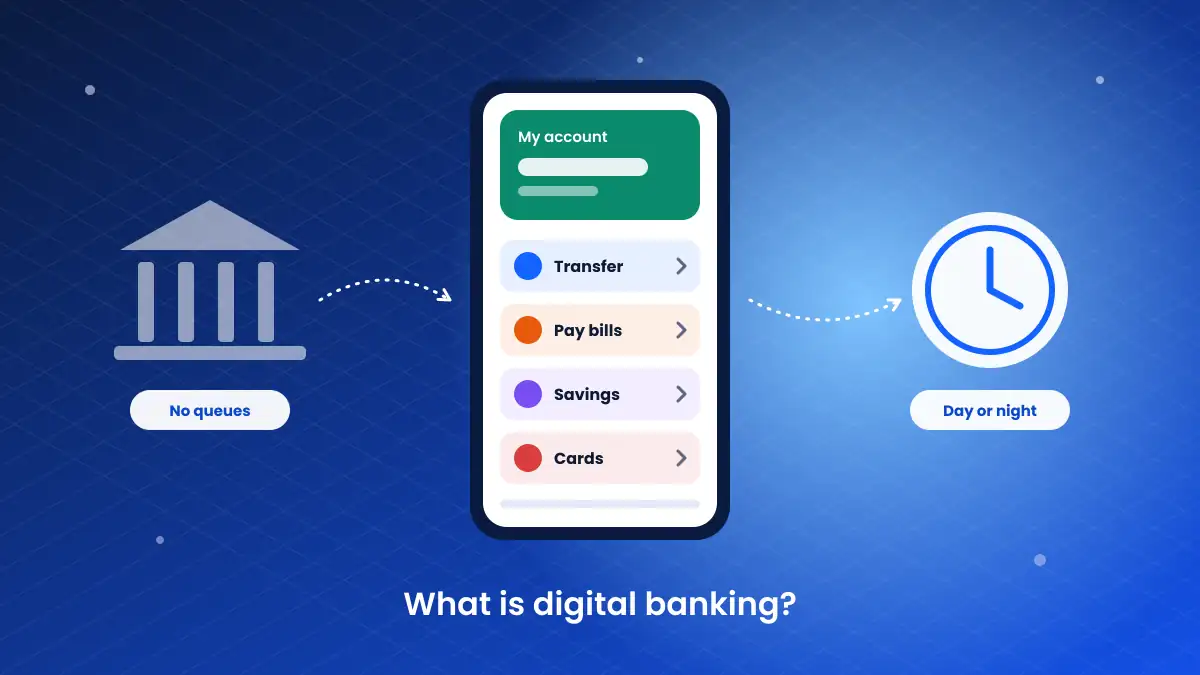
Digital banking is the use of online channels to carry out banking tasks. Instead of filling in a paper slip at a branch, you tap a few buttons in an app. The bank still keeps your money, follows the same rules, and moves your payments, but you deal with it through a screen.
In fact, the term covers more than one thing:
- Online and mobile banking from a traditional bank, such as its app and internet banking website.
- USSD banking, where you dial a short code to send money or buy airtime, even on a basic phone.
- Digital-only banks, which have no branches and serve customers entirely through an app.
Digital banking is one branch of fintech. Our guide to what fintech is explains the wider picture.
How digital banking works
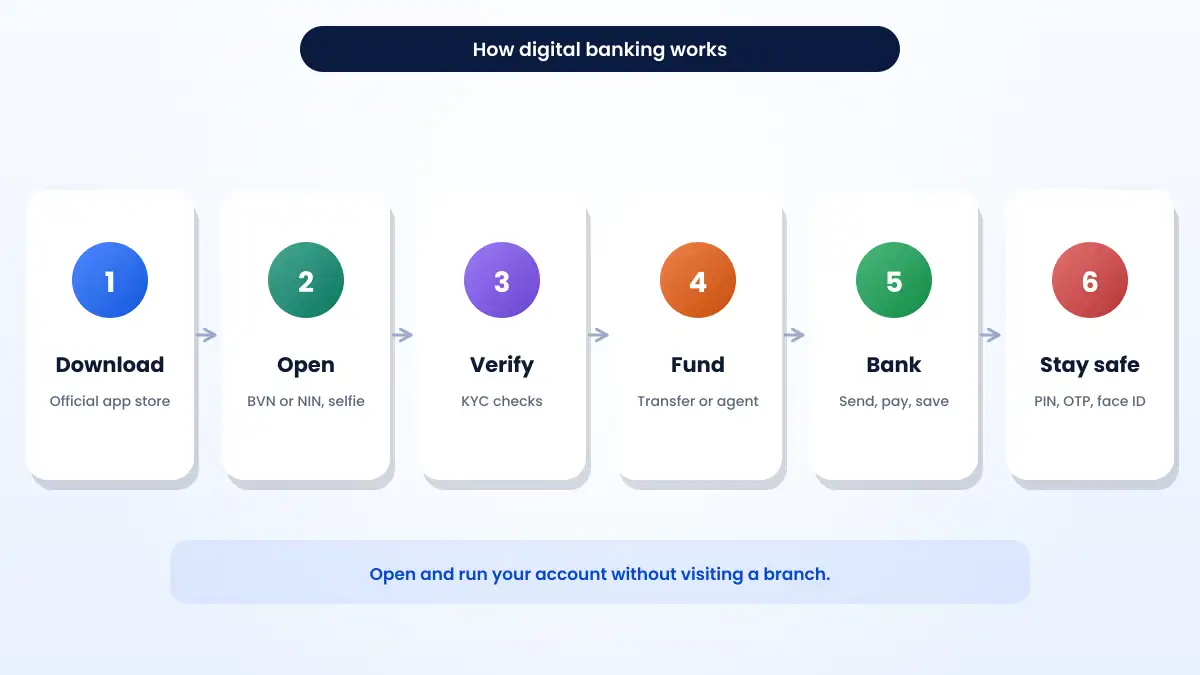
Here is what usually happens when you use a digital bank:
- You download the app. First, install the official app from your phone’s app store.
- You open an account. Next, you enter your details and verify your identity, usually with your BVN or NIN and a selfie. Our guide to what a BVN is explains how that check works.
- The bank checks you. Then it runs “know your customer” (KYC) checks before it activates the account.
- You fund the account. For example, you receive a transfer or deposit cash through an agent.
- You bank from your phone. After that, you can send money, pay bills, save, or request a card.
- The bank keeps you safe. Throughout, it uses PINs, one-time passwords (OTPs), and fingerprint or face login to protect your account.
Behind the scenes, transfers between banks usually travel through the NIBSS Instant Payment system. Our guide on how bank transfers work explains the steps.
Key features of digital banking
Although apps differ, most offer these features:
| Feature | What you can do |
|---|---|
| Account opening | Open an account from your phone in minutes |
| Transfers | Send money to any bank account, usually in seconds |
| Bill payments | Pay for airtime, data, electricity, and TV |
| Cards | Request a debit card or create a virtual card for online shopping |
| Savings | Lock money away or save towards a goal, often with interest |
| Statements | Download account statements for visas, loans, or records |
| Alerts | Get instant notifications for every credit and debit |
| Support | Chat with customer service inside the app |
In addition, some apps offer small loans, investments, or tools for business owners, such as payment links and POS terminals. Many also include a wallet for quick payments, which our guide to what a digital wallet is explains.
Digital banking vs traditional banking
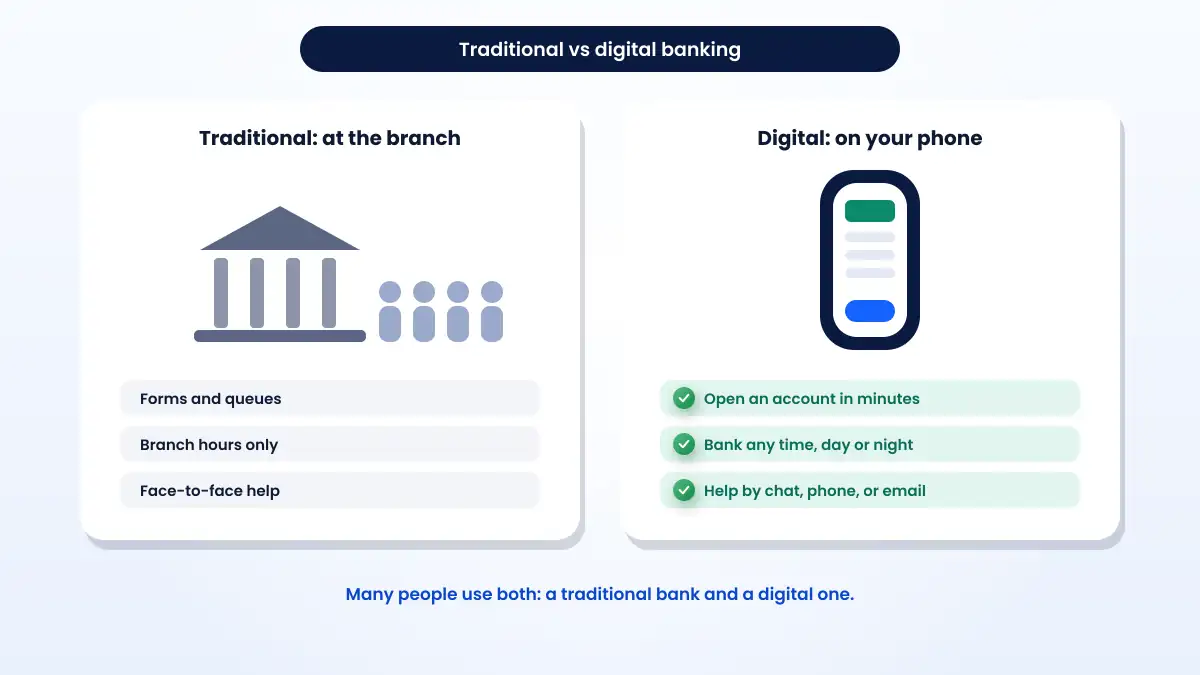
| Feature | Traditional banking | Digital banking |
|---|---|---|
| Where you bank | Mostly at a branch | On your phone or computer |
| Opening hours | Branch hours | Any time, day or night |
| Account opening | Forms and branch visit | Minutes in an app |
| Fees | Often higher | Often lower, with some free transfers |
| Cash deposits | At the branch | Through agents or ATMs |
| Personal help | Face-to-face | Chat, phone, or email |
In practice, many people use both. For instance, they keep a salary account with a traditional bank and use a digital bank for daily spending and savings. Open banking goes a step further, as our guide to open banking in Nigeria explains.
Benefits of digital banking
- Convenience. You can bank anywhere, at any time, without queues.
- Speed. Similarly, account opening and transfers take minutes or seconds.
- Lower costs. As a result, many digital banks charge fewer fees than branches.
- Better tracking. Instant alerts and spending charts help you see where your money goes.
- Wider reach. Finally, people far from a branch can still open and use an account.
Risks and how to stay safe
However, digital banking also has risks. Fraudsters target app users with fake messages, calls, and websites. In addition, network problems can delay transfers, and losing your phone could expose your account if it is not locked.
Follow these habits to protect yourself:
- Use a licensed bank. Check that the bank or fintech holds a CBN licence before you deposit money.
- Know your protection. The Nigeria Deposit Insurance Corporation (NDIC) insures deposits at licensed banks, microfinance banks, and payment service banks up to a set limit, which it raised in May 2024.
- Lock your phone and app with a strong PIN, fingerprint, or Face ID.
- Never share your PIN, OTP, or password, even with someone who claims to work for your bank.
- Watch for SIM swap fraud. If your line suddenly stops working, call your bank at once. Our guide on how SIM swap fraud works explains why.
- Download apps only from official stores, and check the developer name.
For more tips, see how to protect your bank account online.
How to choose a digital bank
When comparing options, therefore, check:
- Licence and insurance. Make sure the CBN licenses the bank and the NDIC insures its deposits.
- Fees. Compare transfer charges, card fees, and any monthly maintenance fees.
- Reliability. Read recent reviews about failed transfers and app downtime.
- Customer support. Check how quickly the bank responds to problems.
- Features you need. For example, savings with interest, virtual cards, or business tools.
Frequently asked questions
Is digital banking safe?
Yes, when you use a licensed bank and protect your login details. Most fraud happens when people share PINs or OTPs, or click fake links, rather than through hacking the bank itself.
What is the difference between digital banking and online banking?
Online banking usually means using a traditional bank’s website or app. In contrast, digital banking is the broader term. It also includes USSD banking and digital-only banks with no branches.
Do I need a smartphone for digital banking?
Not always. For example, USSD banking works on basic phones without internet. However, a smartphone gives you the full range of app features.
Can I deposit cash into a digital bank?
Yes, in most cases. Typically, you can deposit cash through the bank’s agents, partner ATMs, or by transferring from another account.
Is my money insured in a digital bank?
If the bank holds a licence and NDIC cover, the NDIC insures your deposits up to the current limit. Check the bank’s licence details on its website or with the CBN.
Key takeaways on what is digital banking
- Digital banking means using banking services through an app, website, or USSD code instead of a branch.
- You can open an account, transfer money, pay bills, save, and get cards from your phone.
- It is faster and often cheaper than branch banking, and it works day or night.
- Use only licensed banks, and never share your PIN, OTP, or password.
- The NDIC insures deposits at licensed banks, including microfinance banks, up to a limit.
Want more simpler explanations? Browse all our Digital Explained guides, or read about debit, credit, and prepaid cards.