AI chat tools can draft a reply, a product description, or a weekly plan in seconds. However, many owners try them once, get a vague answer, and give up. The trick is not finding a better tool. Instead, it is having a simple routine. This guide shows how to use AI in a small business with a six-step workflow, real examples, and a weekly routine, plus how to keep customer data safe.
Quick answer: To use AI in a small business, start with one repetitive task, such as answering common customer questions. Gather the facts the AI needs (prices, hours, delivery areas), write a clear prompt with the task, context, and format, then check and edit every answer before you use it. Save prompts that work, and measure the time you save. Never paste private customer details, and turn off model training in the tool’s settings where you can.
In this guide
- Why use AI in a small business?
- Choose one task to start with
- A simple workflow to use AI in a small business
- Example: answering customer messages with AI
- A weekly routine to use AI in your business
- Keep customer data safe
- Common mistakes to avoid
- Frequently asked questions
- Key takeaways on how to use AI in a small business
Why use AI in a small business?
AI is no longer just for big companies. According to the U.S. Chamber of Commerce, 58% of US small businesses used generative AI in 2025, up from 23% in 2023. So many of your competitors are already trying it.
For a small team, the main gain is time. AI can write a first draft, so you spend your time checking and improving it instead of starting from a blank page. It works well for:
- Replies to common customer questions
- Product descriptions and social media captions
- Summaries of long documents and reports
- Plans, checklists, and to-do lists
- Spreadsheet formulas and simple data analysis
However, AI makes mistakes. It can sound confident and still be wrong, so a person must always check the result.
Choose one task to start with
Do not try to automate everything at once. Instead, pick one repetitive task that takes at least an hour a week and is easy to check. For example:
| Task | Why it suits AI | What you check |
|---|---|---|
| Answering common customer questions | The same questions come up every day | Prices, stock and delivery times |
| Writing product descriptions | Each one follows the same pattern | Sizes, materials and claims |
| Planning social media posts | AI can suggest a week of ideas fast | Tone, dates and offers |
| Summarising long documents | It pulls out the main points quickly | Key figures and dates |
| Writing spreadsheet formulas | It explains each formula step by step | That the totals add up |
If you are unsure, start with customer questions. In fact, the example later in this guide uses that task. Later, when you want AI to take actions for you, read our guide to AI agents for small business.
A simple workflow to use AI in a small business
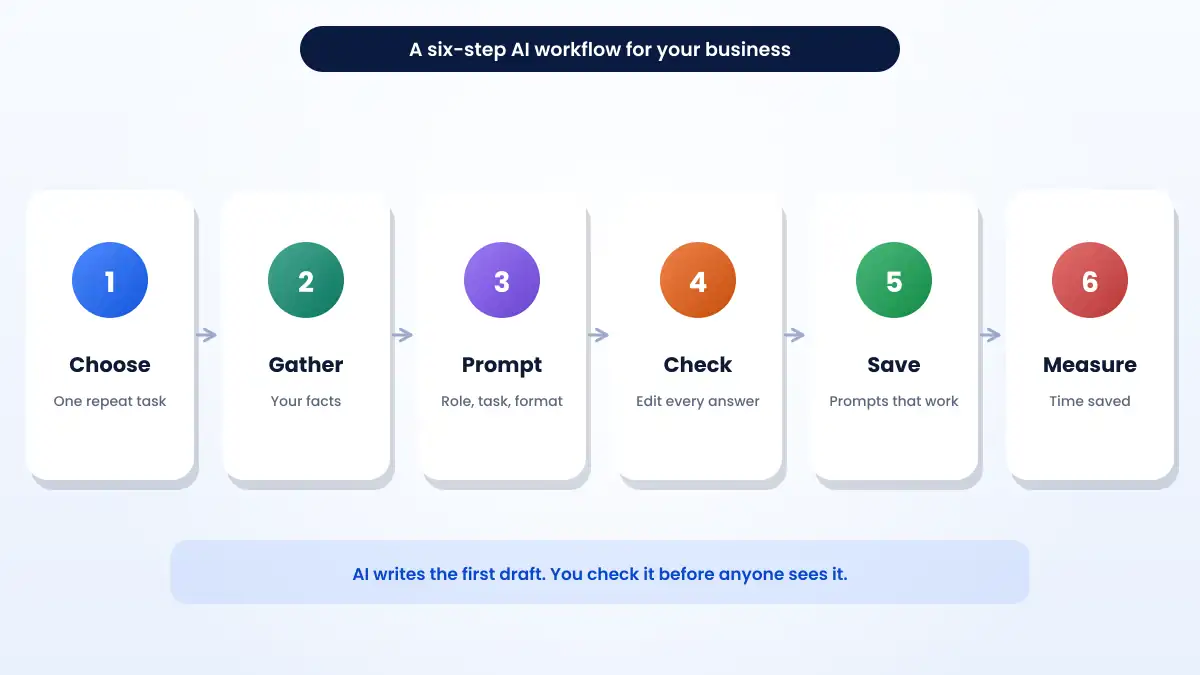
Once you have chosen a task, follow these six steps each time:
- Choose the task. Write down exactly what you want, such as “a reply to customers who ask about delivery”.
- Gather your facts. Collect what the AI cannot know: your prices, opening hours, delivery areas, return rules, and tone of voice.
- Write a clear prompt. Give the AI a role, the task, your facts and the format you want (see the table below).
- Check and edit. Read every answer. Then fix facts, remove anything you cannot promise, and make it sound like you.
- Save what works. Keep good prompts in a note or document, so anyone on your team can reuse them.
- Measure the result. Note how long the task took before and after. If AI does not save time, try a different task.
What to put in a prompt
A good prompt has four parts:
| Part | Example |
|---|---|
| Role | “You are a friendly customer service assistant for Your Business, a small bakery.” |
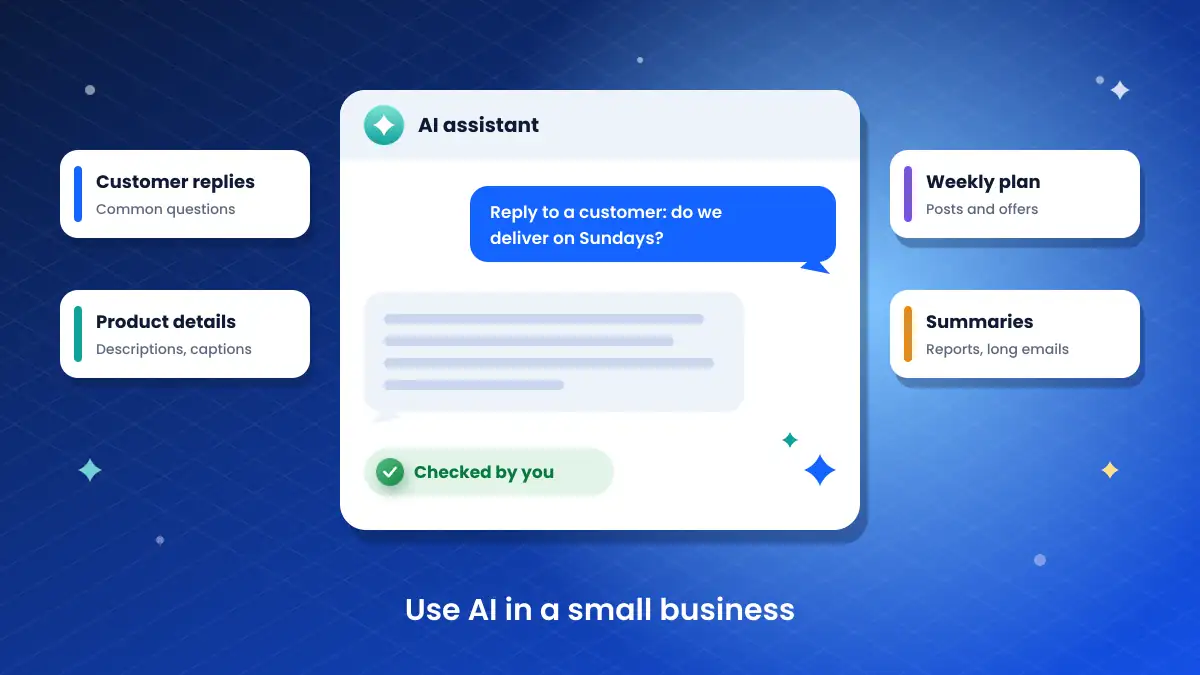
| Task | “Write a short reply to a customer who asks if we deliver on Sundays.” |
| Facts | “We deliver Monday to Saturday, 9 am to 6 pm, within the city. Orders after 4 pm go out the next day.” |
| Format | “Keep it under 60 words, warm and polite, with no emojis.” |
Then, if the answer is not right, reply with a correction, such as “Make it shorter” or “Mention that customers can collect from the shop.” Often, two or three rounds give a usable draft. For more examples, see our guide on how to write better AI prompts.
Example: answering customer messages with AI
Here is how the workflow looks for one common task.
First, list the ten questions customers ask most, such as prices, delivery, payment, and opening hours. Next, write your facts in one note. Then ask the AI to draft a short reply for each question, using only those facts.
After that, read every reply. Correct any details the AI guessed, and remove promises you cannot keep. Finally, save the replies as quick replies in WhatsApp Business. Our guide to WhatsApp Business vs WhatsApp explains how quick replies work.
As a result, you now answer common questions in seconds, and every reply is accurate because you checked it first.
A weekly routine to use AI in your business
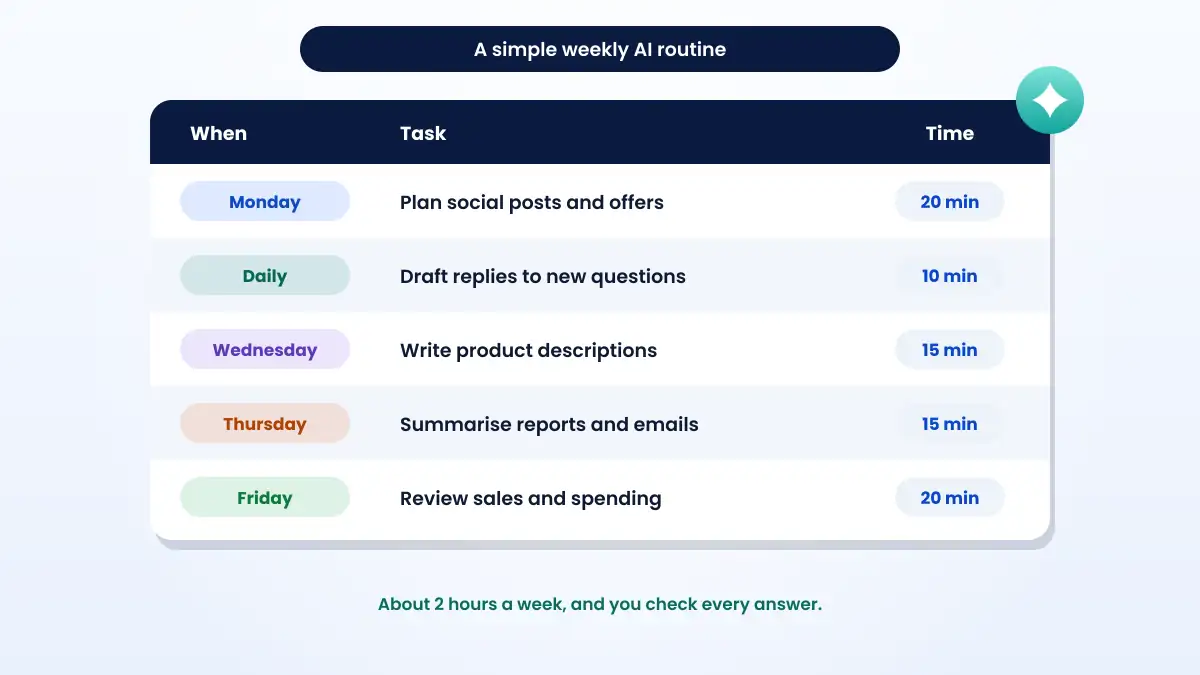
AI works best as a habit. Here is a simple weekly routine:
| When | Task | Time |
|---|---|---|
| Monday | Plan the week’s social posts and offers | 20 minutes |
| Daily | Draft replies to new or unusual customer questions | 10 minutes |
| Wednesday | Write or improve two product descriptions | 15 minutes |
| Thursday | Summarise reports, supplier terms or long emails | 15 minutes |
| Friday | Review sales and spending, and ask for ideas | 20 minutes |
On Friday, for example, you can ask AI to explain a formula or spot trends in your sales sheet. Our guide on how to use ChatGPT for Excel shows how. Similarly, our guide on how to summarise documents with AI helps with Thursday’s task.
Keep customer data safe
AI tools are useful, but what you type may be stored. So follow these rules:
- Do not paste private details. Remove names, phone numbers, addresses, account numbers, and passwords before you paste a message or a sheet.
- Check the training setting. In ChatGPT, for example, you can open Settings, then Data controls, and turn off Improve the model for everyone, according to OpenAI’s data controls guide. The same guide says OpenAI does not train on business workspace data by default.
- Follow the law. In Nigeria, the Data Protection Act 2023 requires businesses to collect only the personal data they need and to keep it secure, as a February 2026 summary of the Act explains.
- Protect your accounts. Use a strong password and two-step verification on every AI account.
Common mistakes to avoid
Even so, many owners make the same mistakes when they start:
- Copying answers without checking. AI can invent prices, laws, or facts. Always check before you send or post.
- Writing vague prompts. “Write a post” gives a bland result. Instead, add your facts, audience, and format.
- Trying too many tools. One general AI chat tool is enough to start. Our list of AI tools for small businesses compares the free options.
- Losing your voice. Edit every draft so it sounds like you and not like a robot.
- Skipping the measurement step. If you do not track the time saved, you will not know whether AI is helping.
Frequently asked questions
Do I need to pay for AI tools?
Not to start. Many AI chat tools have free plans, although they have limits. Upgrade only when you use a tool every day and hit those limits.
Can AI replace my staff?
For most small businesses, no. AI drafts and suggests, but people still check the work, talk to customers, and make decisions. Think of it as an assistant.
Is it safe to use AI with customer information?
Only with care. Remove personal details before you paste anything, check the tool’s privacy settings, and follow your local data protection law.
What is the best first task for AI?
Answering common customer questions is a good start, because the questions repeat and the answers are easy to check.
Can AI help with business research?
Yes. It can help you study competitors, customers, and prices. Our guide to AI for business research shows how to check the results.
Key takeaways on how to use AI in a small business
- Start with one repetitive task that is easy to check.
- Give the AI a role, the task, your facts, and a format.
- Check and edit every answer before you use it.
- Save prompts that work, and measure the time you save.
- Never paste private customer details, and turn off model training where you can.
Want to save more time? Next, see our list of the best free business tools, or browse all our digital business guides.