For years, paying online has meant typing a one-time code sent by text message. However, OTPs can be slow; they sometimes never arrive, and scammers have learned to steal them. Now banks and card networks are testing a faster way to prove it is really you: passkeys. This guide explains passkeys for payments, how they work, how they compare with OTPs, where they are already in use, and how to set one up safely.
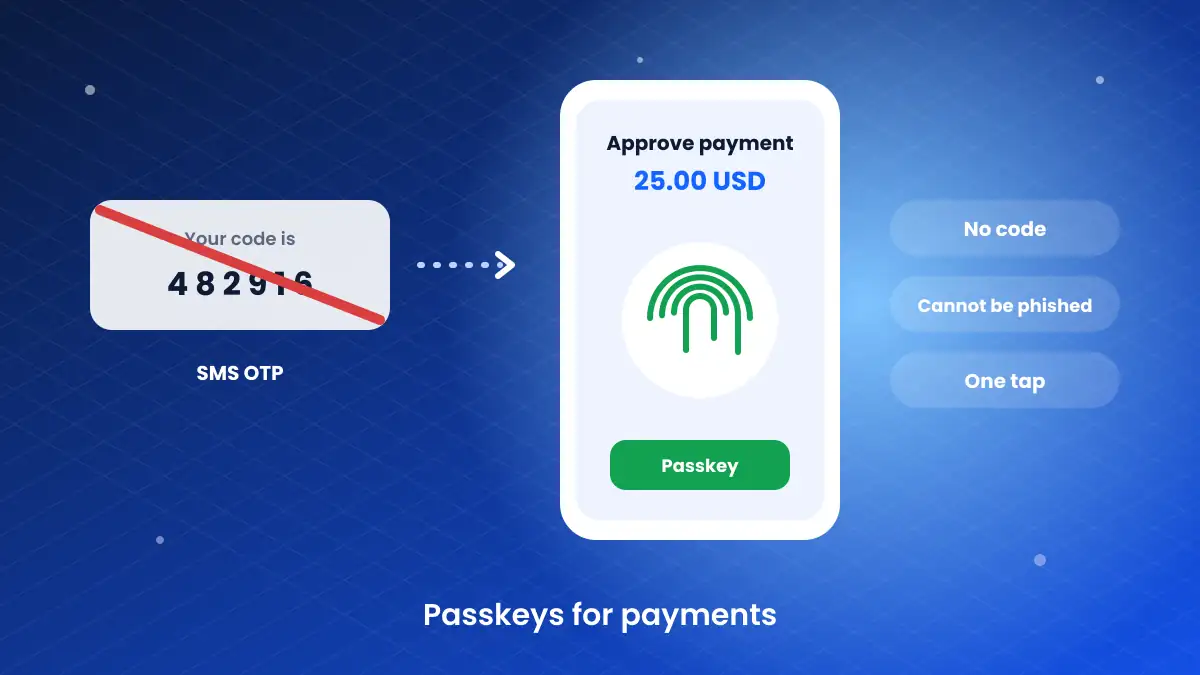
Quick answer: Passkeys for payments let you approve a card payment or log in with your phone’s fingerprint, face scan, or screen lock, instead of a code sent by SMS. The passkey stays on your device and only works on the real website or app, so scammers cannot phish it. Visa and Mastercard are rolling them out, but most banks still use OTPs for now.
In this guide
- What are passkeys for payments?
- How passkeys for payments work
- Passkeys vs OTPs
- Why banks are moving away from OTPs
- Where passkeys for payments are already used
- Passkeys for payments in Nigeria
- How to set up a passkey safely
- Frequently asked questions
- Key takeaways on passkeys for payments
What are passkeys for payments?
A passkey is a digital key that replaces a password or a one-time code. It is stored safely on your phone or computer, and you unlock it the same way you unlock your device, with a fingerprint, a face scan, or a PIN.
Passkeys for payments use the same idea at checkout. Instead of waiting for an OTP, you approve the payment on your phone, and the passkey proves to your bank that it is really you. For example, Visa describes its Payment Passkey as a way to confirm a payment “much like they unlock a phone”, according to Biometric Update.
Importantly, your fingerprint or face data never leaves your device. The bank only receives proof that you unlocked the passkey.
How passkeys for payments work
Behind the scenes, a passkey uses a pair of matching keys. One is private and stays on your device. The other is public and sits with your bank or card network. A typical payment follows five steps:
- Set it up once. First, you create a passkey for your card in your banking app or at a supported checkout.
- Pay online. Next, you choose to pay at a supported shop.
- Get a request. Then, your device receives a request to confirm the payment.
- Unlock with your face or finger. After that, you approve with your fingerprint, face scan, or screen lock.
- The bank checks the proof. Finally, your bank checks the signed proof against the public key and approves the payment.
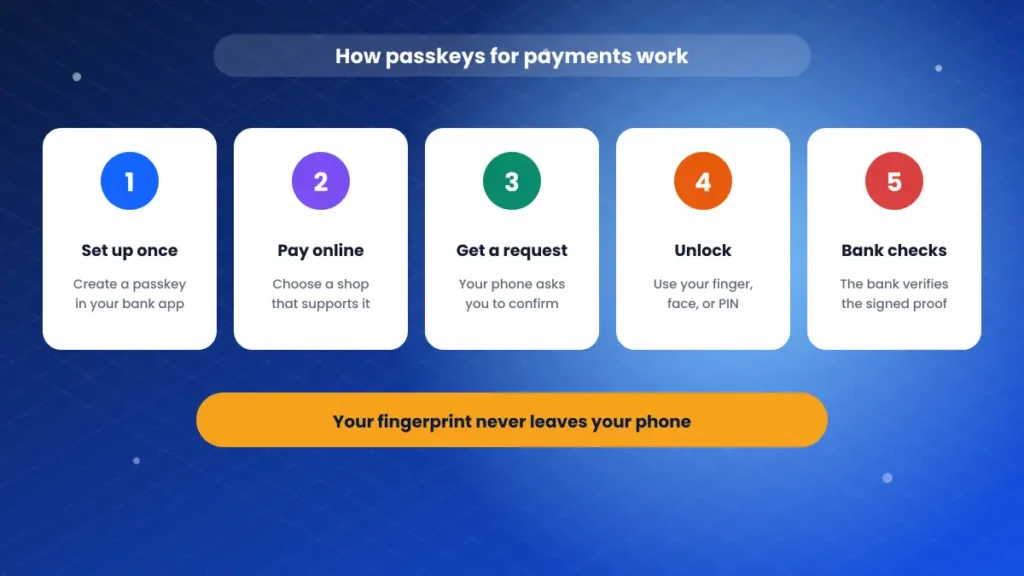
Because the private key never leaves your device, there is no code for a scammer to steal. Also, a passkey only works on the real website or app it was made for, so a fake site cannot use it.
Passkeys vs OTPs
Here is how passkeys compare with the SMS one-time codes most people use today:
| Feature | SMS OTP | Passkey |
|---|---|---|
| How you approve | Type a code from a text message | Fingerprint, face scan, or screen lock |
| Can be phished | Yes, if you share the code | No, it only works on the real site |
| SIM swap risk | Yes, codes go to your phone number | No, it is tied to your device |
| Needs mobile signal | Yes | No, only the device and internet |
| Speed | Wait for the text | One tap |
| Works everywhere | Yes, almost all banks | Not yet, only supported banks and shops |
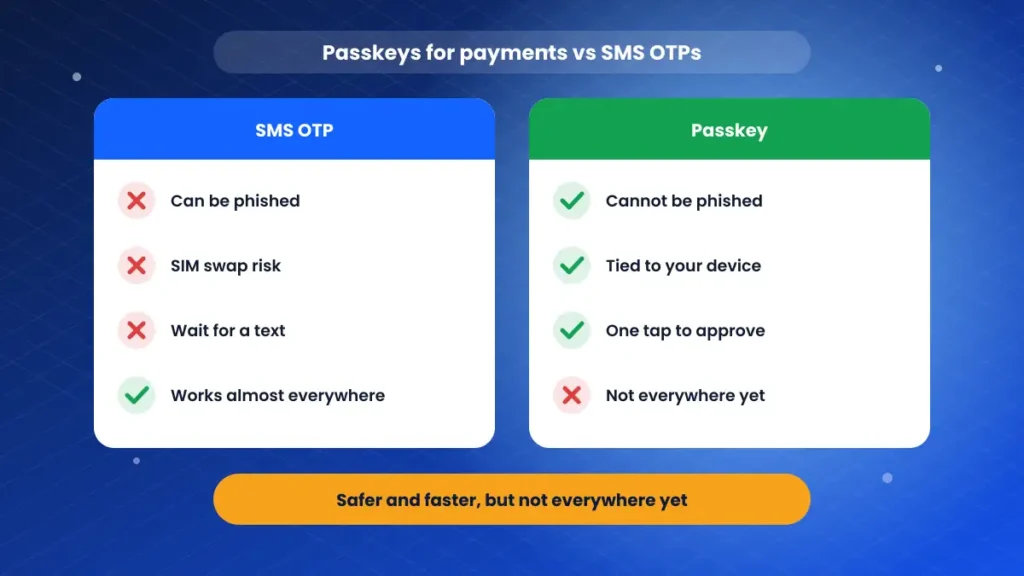
In short, passkeys win on safety and speed, while OTPs still win on reach. Our guide to how SIM swap fraud works explains why codes sent to your number are risky.
Why banks are moving away from OTPs
Several trends are pushing banks towards passkeys and in-app approval:
- Phishing. Scammers trick people into reading out or typing in their OTPs. Our guide to recognising a phishing message shows how these tricks work.
- SIM swap fraud. Criminals take over a phone number to receive the codes.
- Failed checkouts. Moreover, codes that arrive late or never arrive cause people to give up on purchases.
- New rules. Regulators are asking for stronger checks than a code alone.
Passkeys are also spreading fast outside payments. In May 2026, the FIDO Alliance, which writes the passkey standards, estimated that about 5 billion passkeys were in use worldwide. In its survey, 75% of consumers had turned on a passkey for at least one account.
Where passkeys for payments are already used
Card networks and regulators are moving at different speeds:
| Where | What is happening |
|---|---|
| Visa | Payment Passkey launched with banks such as IDFC FIRST Bank in India and ZA Bank in Hong Kong |
| Mastercard | Aims to replace manual card entry online with tokens and passkeys by 2030 |
| UAE | The central bank told banks to replace SMS and email OTPs with in-app approval by March 2026 |
| India | New RBI rules from April 2026 require two distinct checks, but still allow SMS OTP |
| Philippines | Banks must limit SMS and email OTPs under a 2025 central bank circular |
For example, the UAE phase-out moved customers to push notifications that they approve in their banking app with a fingerprint, Face ID, or PIN. Similarly, Mastercard’s plan pairs passkeys with network tokens. Our guide to network tokenisation explains that side.
In India, by contrast, the RBI’s new rules do not ban SMS OTPs, according to a BroadNet summary. Instead, they leave banks free to choose the second check, which opens the door to passkeys and device biometrics.
Passkeys for payments in Nigeria
In Nigeria, most banks still confirm online payments with OTPs sent by SMS or email, hardware tokens, or approval inside their own apps. So far, we have not found a CBN rule that requires passkeys or bans SMS OTPs.
Still, in-app approval is a step in the same direction. If your bank lets you approve payments in its app with your fingerprint or face, turn it on. It protects you from SIM swap fraud and stolen codes in much the same way as a passkey.
Our guide on how to protect your bank account online lists other settings worth switching on.
How to set up a passkey safely
When your bank or a shop offers passkeys, follow these steps:
- Start from the official app or website. Never set up a passkey from a link sent by text or chat.
- Lock your phone. Use a strong PIN, plus fingerprint or face unlock, because your passkey is only as safe as your device.
- Check the prompt. Make sure the request names your bank or the shop you expect.
- Keep a backup sign-in method. If you lose your phone, you will need another way to get into your account.
- Remove old devices. Delete passkeys from phones you no longer use through your account settings.
- Still check every payment. A passkey proves it is you, but it cannot stop you from paying a scammer by mistake.
That last point matters. Passkeys stop stolen codes, but they cannot stop tricks that get you to approve a payment yourself. Our guide to authorised push payment fraud explains those scams.
Frequently asked questions
Are passkeys safer than OTPs?
Yes. A passkey cannot be shared, phished, or stolen through a SIM swap, because it stays on your device and only works on the real site.
Does my bank get my fingerprint?
No. Your fingerprint or face data stays on your device. Your bank only receives proof that you unlocked the passkey.
What happens if I lose my phone?
Passkeys often sync to your phone maker’s account, so a new phone can restore them. Otherwise, you sign in another way and create a new passkey.
Will OTPs disappear completely?
Not soon. Many banks and shops still rely on them. Over time, however, more will offer passkeys or in-app approval instead.
Is a passkey the same as two-factor authentication?
Not exactly. A passkey combines something you have, your device, with something you are or know, your fingerprint or PIN. Our guide to two-factor authentication explains these factors.
Key takeaways on passkeys for payments
- Passkeys for payments replace OTPs with your fingerprint, face scan, or screen lock.
- They cannot be phished or stolen through SIM swap, because they stay on your device.
- Visa, Mastercard, and regulators in the UAE and the Philippines are moving away from SMS codes.
- Most Nigerian banks still use OTPs or in-app approval, so turn on in-app approval where you can.
- Passkeys stop stolen codes, but you still need to check who you are paying.
Want to see how payments are changing next? Read our guides to agentic commerce and what a digital wallet is, or browse all our cybersecurity guides.