More shops, markets, and government offices in Nigeria now show a small black-and-white square at the counter. That square is often an NQR code. Instead of handing over a card or typing an account number, you scan it with your banking app and pay in seconds. This step-by-step guide explains what NQR is, how to pay with it, how merchants can accept it, and how to avoid QR code scams.
Quick answer: NQR is Nigeria’s national QR code payment system, run by NIBSS. To pay, open your bank or wallet app, choose the scan-to-pay or QR option, scan the merchant’s code, check the name and amount, and approve with your PIN or biometrics. The money moves from your account straight to the merchant’s account, usually within seconds. You need no card, and the merchant needs no POS terminal.
In this guide
- What is NQR?
- How NQR works
- How to pay with NQR, step by step
- NQR vs card, transfer, and USSD
- How merchants can accept scan-to-pay
- How to avoid QR code scams
- What to do if a payment fails
- Frequently asked questions
- Key takeaways on NQR
What is NQR?
NQR stands for NIBSS QR. It is a payment system built by the Nigeria Inter-Bank Settlement System (NIBSS), the company behind instant bank transfers. NQR went live in 2021, and it aims to bring Nigeria’s many QR payment options under one standard, according to Techpoint Africa.
In simple terms, an NQR code is a picture that holds the merchant’s payment details. When you scan it, your banking app reads those details, so you do not need to type an account number. Also, because it works across banks, a code from one bank can be paid from another bank’s app.
NQR is account-based. In other words, the money comes straight from your bank account, not from a card, as NIBSS explained in a June 2026 statement.
How NQR works
Behind the scenes, an NQR payment follows five steps:
- The merchant shows a code. First, the shop displays a printed code, or its app or terminal creates one for your order.
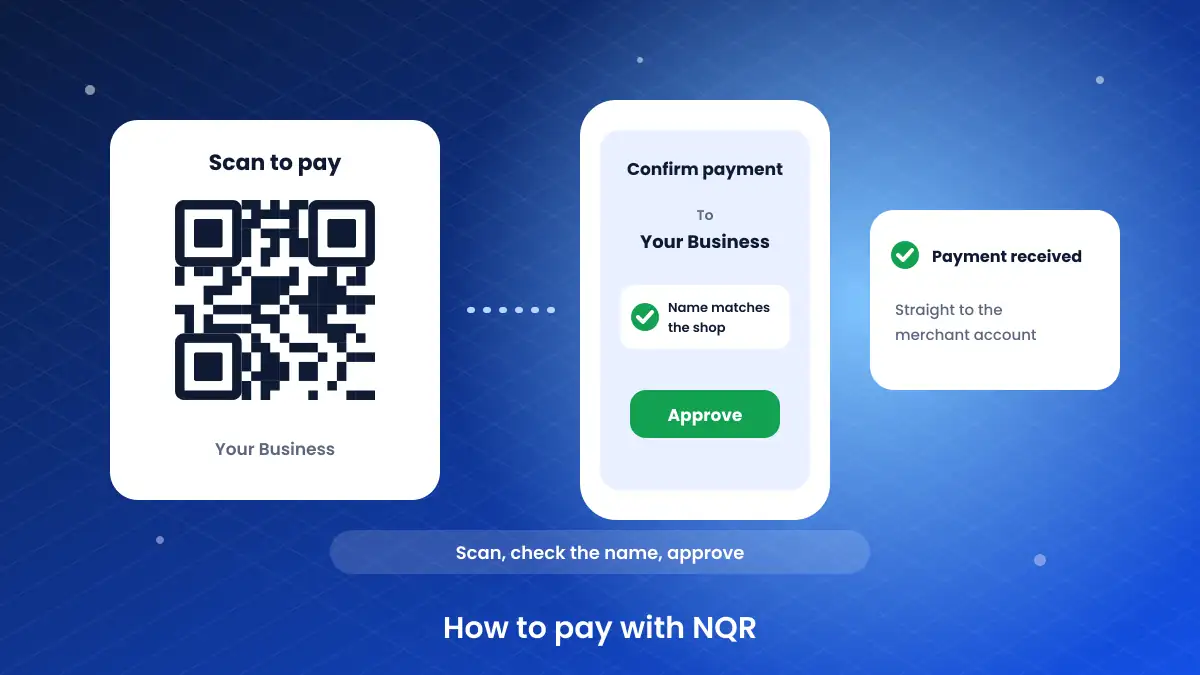
- You scan it. Next, your banking app reads the merchant’s name and account details from the code.
- You confirm. Then, you check the name and amount, and approve with your PIN, fingerprint, or face.
- NIBSS moves the money. After that, NIBSS routes the payment from your bank to the merchant’s bank.
- Both sides get a notification. Finally, you see a debit alert, and the merchant gets a credit notification.
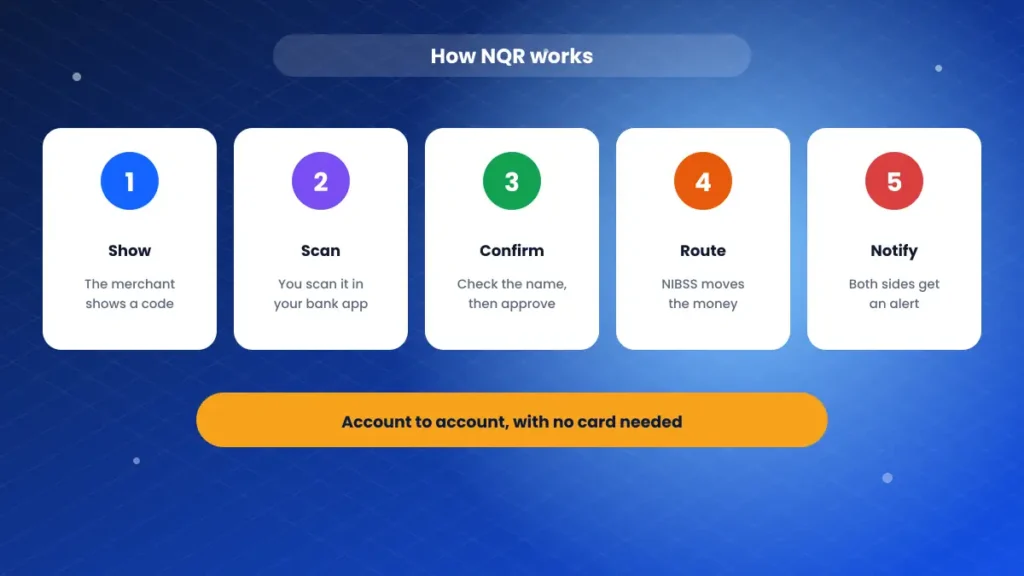
There are two kinds of codes. First, a static code is printed once and stays the same, so you type the amount yourself. By contrast, a dynamic code is created for each sale and already includes the amount.
How to pay with NQR, step by step
Most Nigerian banking apps follow the same basic steps:
- Open your banking app. First, log in to your bank or wallet app on your phone.
- Find the QR option. Next, look for “Scan to pay”, “QR payment”, or a QR icon. The name differs between apps.
- Scan the code. Then, point your camera at the merchant’s code and hold it steady until it reads.
- Check the details. After that, confirm the merchant’s name on your screen matches the shop, and check or enter the amount.
- Approve the payment. Finally, enter your PIN or use your fingerprint or face, and wait for the success message.
Before you leave, show the merchant your success screen, and wait until they confirm that the money has arrived. A screenshot alone is not proof for them, as our guide on how to spot a fake bank alert explains.
If your app has no QR option, update it first. However, some banks have not added NQR to every app yet, so ask your bank if you still cannot find it.
NQR vs card, transfer, and USSD
In practice, here is how NQR compares with other ways to pay a shop:
| Feature | NQR | Card at POS | Bank transfer | USSD |
|---|---|---|---|---|
| What you need | A banking app with a camera | A card and a POS terminal | The merchant’s account number | A registered phone number |
| Typing needed | None, or just the amount | Only your PIN | Both the account number and amount | Both a code and the amount |
| Merchant equipment | Just a printed code | A POS terminal | Nothing extra | Nothing extra |
| Speed | Usually seconds | Usually seconds | Usually seconds | Usually seconds |
| Risk of paying the wrong account | Low, as long as you check the name | Low | Higher, because of typing errors | Higher, because of typing errors |
So, NQR combines the ease of tapping a card with the low cost of a transfer. Our guide to contactless payment covers tap-to-pay cards, which work differently.
How merchants can accept scan-to-pay
For a shop, NQR can therefore be cheaper and simpler than a POS terminal. Here is how to start:
- Ask your bank. First, ask your business bank whether it offers NQR for merchants.
- Get profiled. Next, your bank registers your business for NQR and links it to your account.
- Get your code. Then, print the static code, or use your bank’s app or terminal for dynamic codes.
- Display it clearly. After that, place the code where customers can scan it easily, away from glare.
- Check every payment. Finally, confirm each payment in your own banking app before you hand over goods.
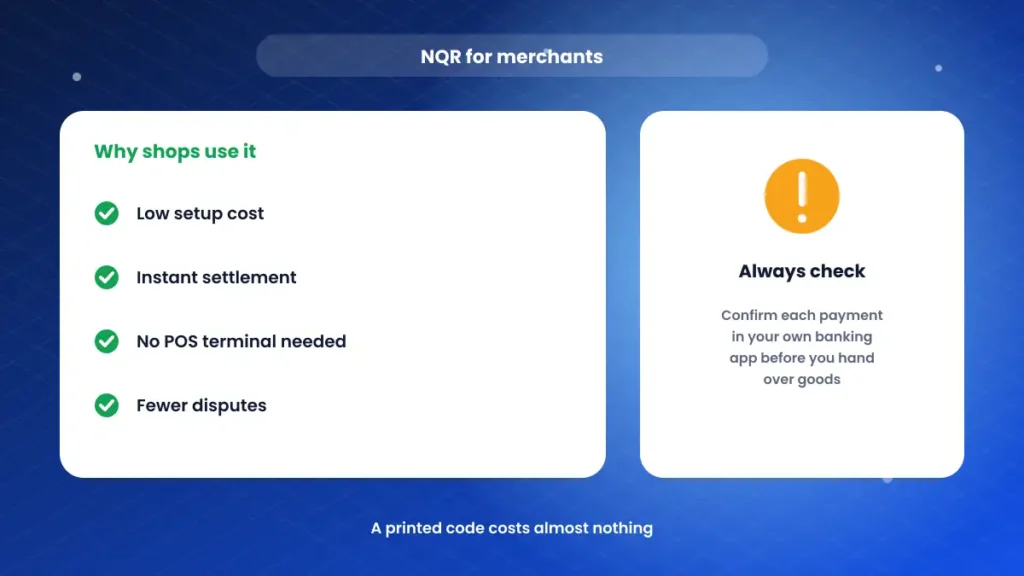
NIBSS says NQR offers instant settlement and notifications, zero onboarding cost, lower fees, and fewer disputes and chargebacks. For example, it said UBA had moved all its POS merchants onto NQR, so customers without cards can scan to pay. Even so, fees still depend on your bank. Moreover, fees change over time, and regulators can change the rules on charges, so ask for your bank’s current rate.
Our guide on how to create a QR code explains the difference between a payment code and an ordinary QR code for links or menus.
How to avoid QR code scams
QR codes are convenient. However, criminals can misuse them. Follow these habits:
- Check the name before you pay. Your app shows who will receive the money. If it does not match the shop, stop.
- Look for stickers. A fraudster may paste their own code over the shop’s code.
- Scan only from your banking app. Do not pay through a link that opens from your phone’s general camera.
- Never scan a code sent by a stranger. A code in a text or social media message may lead to a fake website.
- Keep your PIN private. Cover the screen when you enter it.
Our guides to recognising a phishing message and protecting your bank account online cover more safety habits.
What to do if a payment fails
Occasionally, your account is debited, but the merchant does not receive the money. If that happens:
- Do not pay twice straight away. First, check your app’s transaction history.
- Save the details. Next, keep the transaction reference, date, time, and amount.
- Ask the merchant to check again. Then, give them a few minutes, because some payments arrive late.
- Contact your bank. After that, report the failed payment through your bank’s official channels.
- Escalate if needed. Finally, if your bank does not resolve it, you can complain to the CBN.
Our guide to how bank transfers work explains how failed transfers are reversed.
Frequently asked questions
Is NQR free for customers?
Usually, customers pay no extra fee to scan and pay. However, check your bank’s charges, because fees can change.
Do I need internet to pay?
Yes, for app payments, because your banking app needs a data connection. Some USSD-based options exist for small vendors, but they work differently.
Can I pay from any bank?
In most cases, yes, because NQR works across banks. However, some apps have not added the QR option yet.
Is NQR the same as a normal QR code?
No. For example, a normal QR code can hold a link, a Wi-Fi password, or a contact. An NQR code holds payment details in a standard format that banking apps can read.
What if the name on my screen is different?
Do not pay. Instead, ask the merchant to confirm their business name, and check that no one has placed a fake sticker over the code.
Key takeaways on NQR
- NQR is Nigeria’s national QR code payment system, run by NIBSS.
- To pay, scan the merchant’s code in your banking app, check the name and amount, and approve.
- Money moves from your account to the merchant’s account, usually within seconds, with no card.
- Merchants can get a code through their bank, but should confirm every payment in their own app.
- Always check the merchant’s name before you pay, and watch for fake stickers.
Want to learn more about payments in Nigeria? Read our guides on paying by bank and what a payment switch is, or browse all our tech tutorials.