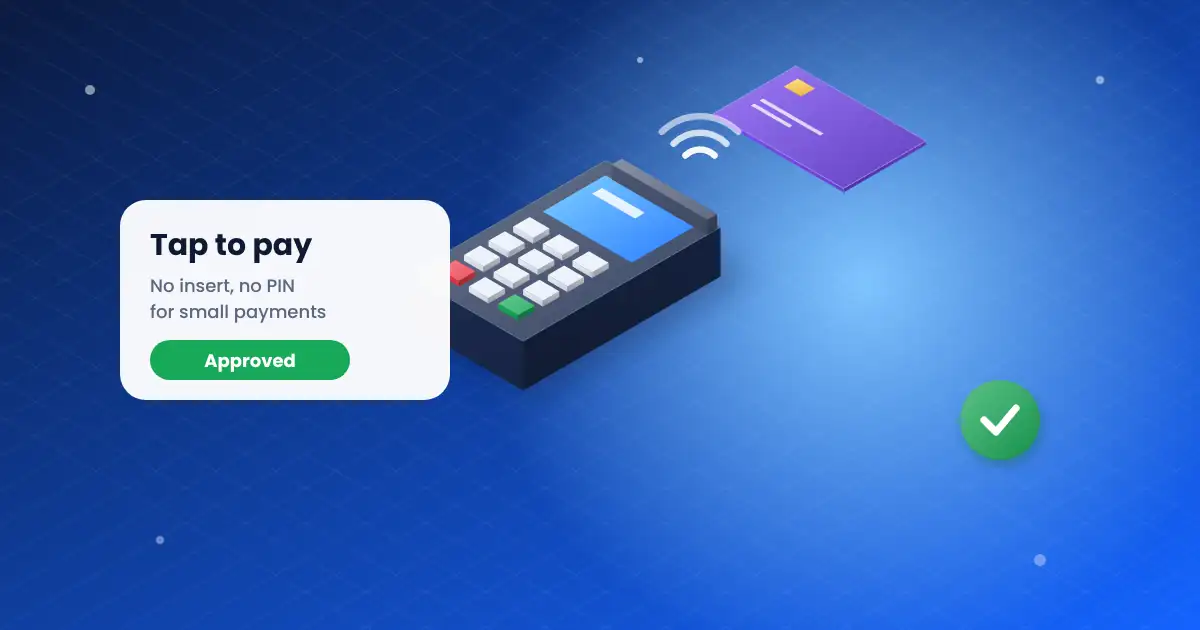
At a growing number of shops, fuel stations, and restaurants in Nigeria, you no longer need to insert your card and type your PIN for a small payment. Instead, you tap your card on the terminal, it beeps, and you are done. That is contactless payment. This guide explains what contactless payment is, how it works behind the scenes, the CBN limits that protect you, and how to use it safely.
Quick answer: Contactless payment lets you pay by tapping a card, phone, or wearable on a terminal instead of inserting the card. A small radio chip sends a one-time code to the terminal, and the payment then follows the same route as a normal card payment. In Nigeria, CBN rules cap contactless payments at ₦15,000 per transaction and ₦50,000 a day; above that, you must confirm with a PIN, code, or fingerprint.
In this guide
- What is contactless payment?
- How contactless payment works, step by step
- Contactless payment limits in Nigeria
- Is contactless payment safe?
- Contactless payment vs chip and PIN vs bank transfer
- Can you pay with your phone in Nigeria?
- Why contactless is still rare in Nigeria
- How to start using contactless payment
- Frequently asked questions
- Key takeaways
What is contactless payment?
Contactless payment is any card or mobile payment where you do not physically touch or insert anything into the terminal. You simply hold your card or device close to the reader for a moment.
The CBN’s Guidelines for Contactless Payments in Nigeria, issued in June 2023, define it as completing a payment “without physical contact” between the payer and the acquiring device. As a result, the rules cover several ways to pay:
- Contactless cards: Verve, Mastercard, or Visa cards with a built-in antenna.
- Phones and mobile wallets: a phone that stores a card and taps like one.
- Wearables: smartwatches, rings or wristbands with a payment chip.
- QR codes: scanning a code with your banking app.
You can spot a contactless card by the wave symbol, which looks like a sideways Wi-Fi sign. The same symbol on a POS terminal means it accepts tap payments.
How contactless payment works, step by step
Contactless payment uses near-field communication (NFC), a short-range radio link that only works when the card is a few centimetres from the reader. Here is what happens when you tap:
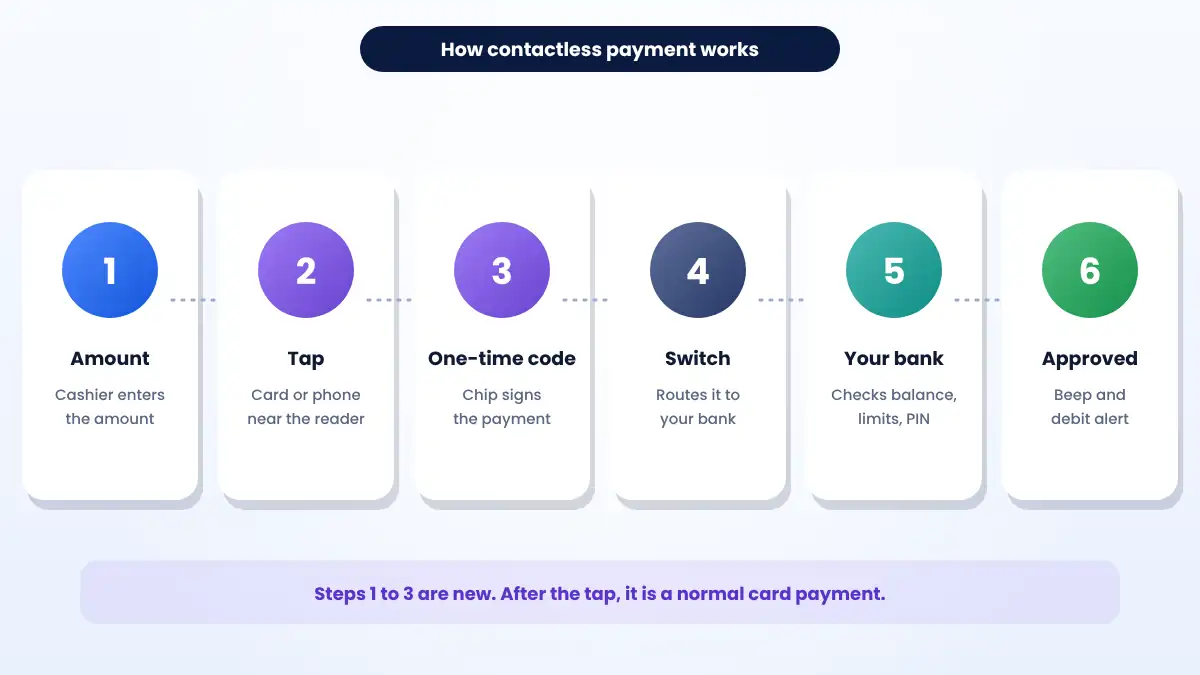
- The cashier enters the amount. The terminal then shows a tap prompt.
- You tap your card or phone. Hold it flat on the reader until it beeps, usually in under a second.
- The chip creates a one-time code. The card’s EMV chip signs the payment with a code that cannot be used again. Our guide to the EMV chip card explains how that code is made.
- The terminal sends the request. It goes through a payment switch and the card network to your bank.
- Your bank decides. It checks the code, your balance, and your limits, and asks for a PIN if the amount is above the contactless limit.
- The terminal shows the result. You see “Approved”, and your bank sends a debit alert.
Notice that only the first three steps are new. After the tap, a contactless payment follows the same route as any other card payment, which our guide to how POS transactions work explains in detail.
Contactless payment limits in Nigeria
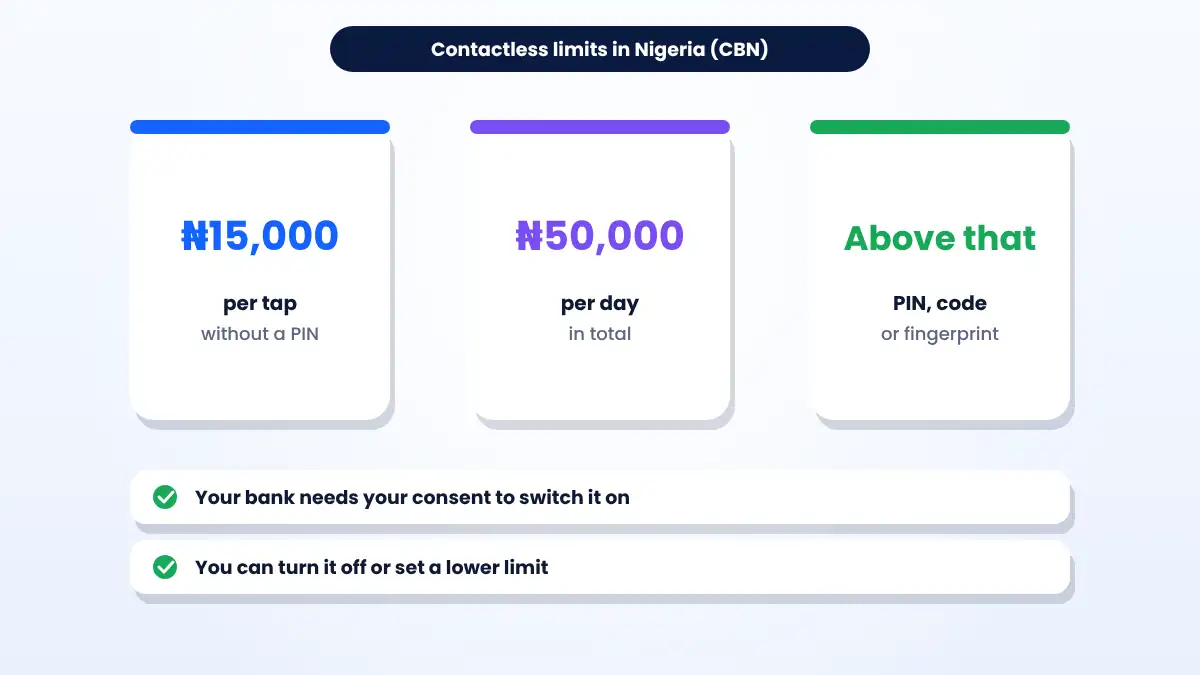
To limit losses from a lost or stolen card, the CBN set clear caps on contactless payments when it issued its June 2023 guidelines:
| Rule | What it means for you |
|---|---|
| ₦15,000 per transaction | A single tap without a PIN cannot go above this amount |
| ₦50,000 a day | Your total contactless spending in one day is capped |
| Extra checks above the limit | Larger payments need a PIN, a mobile code or a fingerprint |
| Opt in and opt out | Your bank must not switch contactless on without your consent, and you can turn it off |
| Lower limits allowed | Your bank, or you, can set limits below the CBN caps |
| Higher limits on request | You must ask your bank in writing, and it decides based on its risk rules |
Note that some issuers go further. For example, Verve says it has added PIN authentication to its contactless cards, so you may be asked for a PIN even on small taps.
Is contactless payment safe?
Contactless payment is generally as safe as chip-and-PIN, and in some ways safer. Here is why:
- One-time codes: each tap creates a new code, so copied data cannot be reused for another payment. Phone wallets also use network tokenisation, which hides your real card number.
- Short range: the card must be within a few centimetres of a reader, so it is hard to read by accident.
- Spending caps: the ₦15,000 and ₦50,000 limits cap what a thief can spend without your PIN.
- The card stays in your hand: you do not hand it to a cashier, so there is less risk of a swap.
- Shared liability: under the CBN rules, banks and merchants are liable for fraud that comes from their own negligence, according to TechCabal’s summary.
However, the main risk is simple: if you lose your card, someone can make small taps until you block it. So, turn on debit alerts, block a lost card at once in your banking app, and set a low contactless limit if you rarely use it. Our guide on how to protect your bank account online covers the other settings that help.
Contactless payment vs chip and PIN vs bank transfer
Each way of paying suits a different situation:
| Contactless | Chip and PIN | Bank transfer | |
|---|---|---|---|
| How you pay | Tap the card or phone | Insert the card and enter your PIN | Send money from your banking app |
| Speed at the till | About one second | A few seconds | Can take a minute or more |
| PIN needed | Not below the limit | Always | App PIN or biometrics |
| Best for | Small, quick payments | Larger card payments | Any amount, no card needed |
| Main risk | Small taps on a lost card | PIN theft by shoulder surfing | Fake credit alerts for merchants |
In practice, contactless is best for small, everyday payments, while chip and PIN or a transfer suits larger amounts.
Can you pay with your phone in Nigeria?
Partly. Many Nigerians already pay with their phones through bank transfers, USSD, and QR codes in their banking apps. Tap-to-pay with a phone is less common.
For example, Google Wallet and Google Pay launched in Nigeria on 28 October 2026, at first for some Mastercard cards from FirstBank, GTBank, UBA, and Zenith Bank, on Android phones. However, Verve cards and cards from apps such as OPay, Moniepoint, and Kuda were not supported at launch. Some providers, such as Nomba, now let Nigerian businesses accept Apple Pay from visitors and diaspora customers. However, that helps merchants, not local cardholders. Our guide to what a digital wallet is explains the other types you can use.
Meanwhile, some providers now turn an ordinary Android phone into a payment terminal, often called tap-to-phone. This lets small traders accept contactless cards without buying a separate POS machine. Our guide to SoftPOS explains how it works.
Why contactless is still rare in Nigeria
Contactless cards are now common, but tap payments are not. Verve, for instance, says more than 35 million of its cards are already contactless. Yet in a March 2025 report, Techpoint Africa found that adoption remains low for a few reasons:
- Few acceptance points: many terminals, especially older ones and agent machines, still do not accept taps.
- Low awareness: many people do not know their card is already contactless.
- Trust: some people feel uneasy paying without a PIN.
- Strong alternatives: bank transfers are already popular and widely accepted.
As more terminals and phones support tap-to-pay, this is likely to change.
How to start using contactless payment
If you want to try it, follow these simple steps:
- Check your card. Look for the wave symbol on the front or back.
- Activate it if needed. Ask your bank or check your banking app, since some banks need your consent first.
- Set your limits. Choose a contactless limit that suits you, up to the CBN cap.
- Look for the symbol on the terminal. Also ask the cashier whether they accept tap payments.
- Tap and hold. Keep the card flat on the reader until it beeps or shows “Approved”.
- Check your alert. Make sure the amount on your debit alert matches the receipt.
If a tap payment fails, insert the card and use your PIN instead. Our guide to failed POS transactions explains what common errors mean.
Frequently asked questions
Do I need a PIN for contactless payment?
Usually not for small amounts. Under CBN rules, payments up to ₦15,000 can go through without a PIN, within a ₦50,000 daily cap. Above that, you need a PIN, code, or fingerprint. Some banks and schemes also ask for a PIN on every tap.
Can someone steal money by tapping a reader on my bag?
It is very unlikely. The card must be within a few centimetres of a reader, a merchant account must receive the money, and each tap is capped at ₦15,000. Every payment also leaves a record that your bank can trace.
Can I be charged twice for one tap?
Rarely. A terminal processes one payment per amount entered. If you are debited twice, keep the receipts and ask your bank for a reversal, which it must resolve within the CBN’s timelines.
Can I turn off contactless on my card?
Yes. The CBN guidelines say you must be able to opt in and out at any time. You can usually do this in your banking app or by contacting your bank.
Is a QR code payment contactless?
Yes. The CBN’s definition includes QR code payments because you do not touch the terminal. However, QR payments use your banking app, not the card’s chip. Our guide on how to pay with NQR walks through each step. To make a QR code for a menu or Wi-Fi instead, see how to create a QR code.
Key takeaways
- Contactless payment lets you pay by tapping a card, phone, or wearable instead of inserting a card.
- A tap sends a one-time code over NFC, and then the payment follows the normal card route to your bank.
- CBN rules cap contactless payments at ₦15,000 per transaction and ₦50,000 a day without extra checks.
- Your bank needs your consent to switch contactless on, and you can turn it off at any time.
- Block a lost card at once, keep debit alerts on, and set a limit that suits you.