Your app says the transfer went through, and your balance has dropped. However, the person you paid says nothing has arrived. A failed transfer is stressful, especially when the money is for rent, stock, or a supplier. Fortunately, most failed transfers in Nigeria reverse on their own, and there is a clear route for the rest. This guide explains how to reverse a failed transfer step by step, what to do if you paid the wrong account, and when to escalate to the Central Bank of Nigeria (CBN).
Quick answer: To reverse a failed transfer, first check your transaction history and confirm with the recipient that nothing arrived. Then wait a few hours, because many failed transfers reverse automatically. If the money does not return, report it to your bank through its official channels with the session ID, date, time, and amount, and keep your complaint reference. If the bank has not resolved it within about two weeks, you can escalate to the CBN’s Consumer Protection Department.
In this guide
- What is a failed transfer?
- Why bank transfers fail
- How long does a failed transfer take to reverse?
- How to reverse a failed transfer, step by step
- Failed, pending, or wrong account?
- What if you sent money to the wrong account?
- How to escalate to the CBN
- How to avoid failed transfers
- Watch out for “reversal” scams
- Frequently asked questions
- Key takeaways on failed transfers
What is a failed transfer?
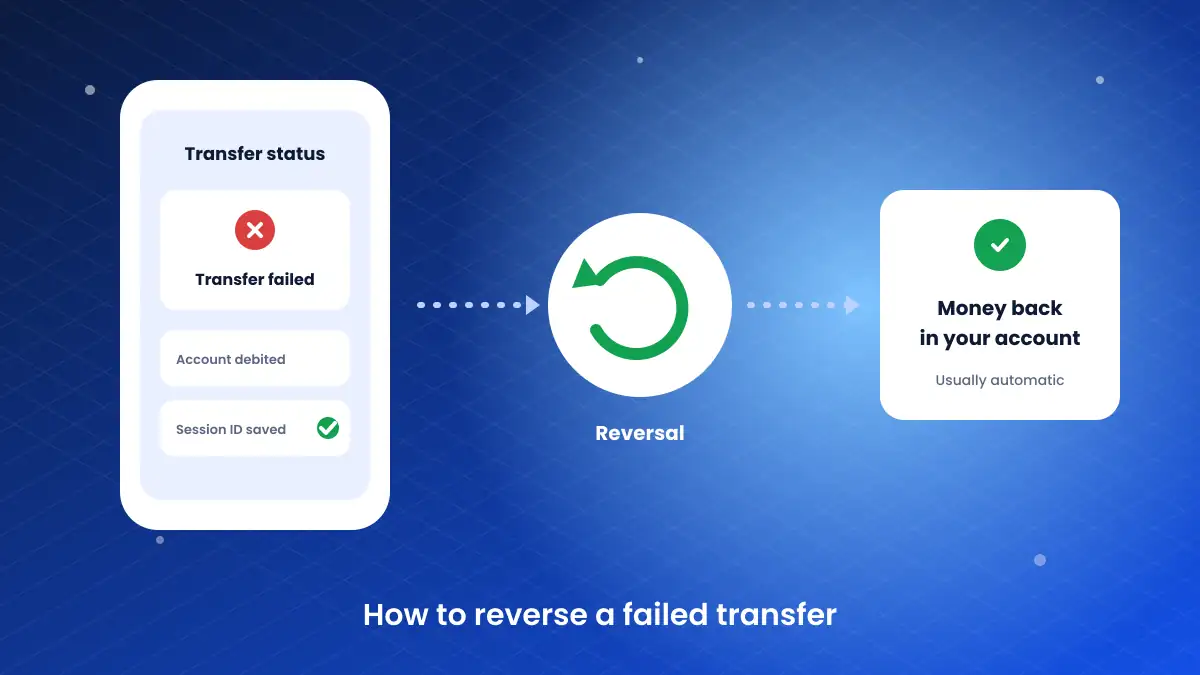
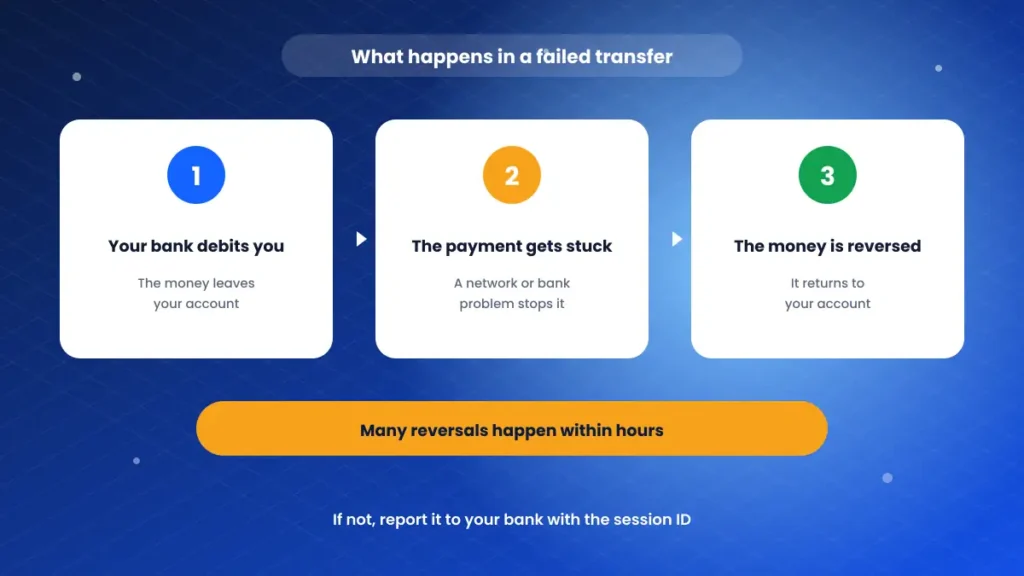
A failed transfer happens when your bank debits your account, but the money never reaches the recipient’s account. In other words, the money is stuck between the two banks. Usually, your bank or the payment network spots the problem and returns the money to you.
That is different from two other situations:
- A pending transfer. The payment is still being processed, and it may arrive or reverse soon.
- A transfer to the wrong account. The payment succeeded, but it went to someone else, for example because of a typing error.
Each one needs a different response, so it helps to know which one you have. Our guide to how bank transfers work explains the journey a transfer takes between banks.
Why bank transfers fail
Most failures are technical, not your fault. Common causes include:
- Network or switch delays. The systems that route payments between banks can slow down at busy times, such as month-end.
- The receiving bank is down. If the recipient’s bank cannot accept payments, the transfer cannot complete.
- Restrictions on the recipient’s account. For example, an account with incomplete identity checks may not accept money.
- Limits. A daily or per-transaction limit on either account can block the payment.
- Timeouts. Your app may lose connection before it receives a final response.
Our guide to payment switches explains the systems that route transfers between banks, and why they sometimes time out.
How long does a failed transfer take to reverse?
Many failed transfers reverse automatically, often within minutes or hours. Others need a manual check, which can take a few working days. The time depends on the banks involved and on what went wrong.
So, do not panic in the first hour. Instead, use that time to gather the details you will need if the money does not come back. Note, however, that we could not find a single published CBN deadline for reversing failed transfers. For failed ATM withdrawals, the CBN has separate refund rules, which our guide to how ATM transactions work covers.
How to reverse a failed transfer, step by step
Follow these steps in order:
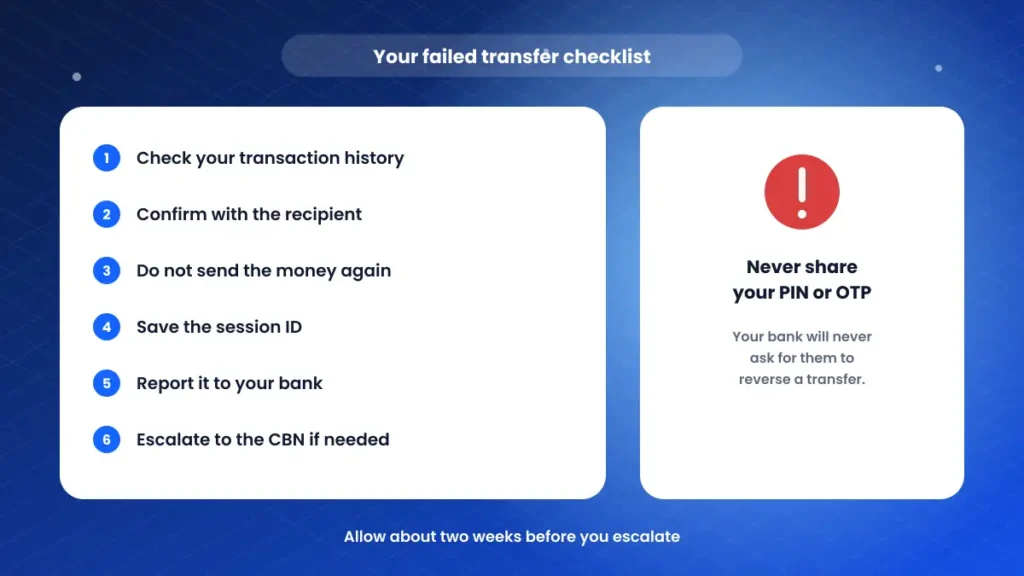
- Check your transaction history. First, open your banking app and find the transfer. Note its status, such as “successful”, “pending”, or “failed”.
- Confirm with the recipient. Next, ask the recipient to check their account and app, not just their SMS alerts. Sometimes the money arrives, but the alert is late.
- Do not send the money again yet. Then, wait until you know what happened to the first payment. Otherwise, you could end up paying twice.
- Save the details. After that, keep the session ID or transaction reference, the date, the time, the amount, and the recipient’s account details. A screenshot of the receipt helps too.
- Report it to your bank. If the money has not been returned within a day, contact your bank through its app, website, official phone line, or a branch. Ask for a complaint reference number.
- Follow up. Finally, check the status of your complaint regularly, and keep copies of every message.
The session ID is the most useful detail. It is a unique number that lets both banks trace the exact payment, so always include it in your complaint.
Failed, pending, or wrong account?
Use this table to work out what happened and what to do:
| Situation | What it means | What to do |
|---|---|---|
| Failed transfer | Your account was debited, but the money never arrived | Wait a few hours, then report it to your bank with the session ID |
| Pending transfer | The payment is still being processed | Wait, and do not resend until it fails or succeeds |
| Wrong account | The payment succeeded, but it went to someone else | Report it to your bank at once and ask for a recall |
| Fake “successful” alert | A buyer shows you a fake debit alert or screenshot | Check your own account before you release goods |
As a result, the first job is always to check your own app, not someone else’s screenshot. Our guide on how to spot a fake bank alert explains how sellers get caught out.
What if you sent money to the wrong account?
A transfer to the wrong account is not a failed transfer because the money arrived. However, you can still try to get it back. According to a Legit.ng report on the CBN’s rules for instant transfers, the process works like this:
- Tell your bank immediately. First, report the mistake and give the transaction details.
- Your bank contacts the receiving bank. Next, if the complaint looks genuine, your bank asks the recipient’s bank to recall the money.
- The money may be held. Then, if the funds are still in the account, the receiving bank can place a hold on them and ask the owner to agree to the reversal.
- Mediation. After that, if the owner refuses, the two banks’ internal auditors should try to resolve it within two weeks.
- Further action. Finally, if the money has been spent, the recipient’s BVN can be watch-listed, and the case can go to law enforcement.
Speed matters here, because the money is easier to recover before the recipient spends it. So, report it the same day, and always check the account name before you confirm a transfer.
How to escalate to the CBN
If your bank does not fix the problem, you can take it to the CBN. The CBN’s complaints page says you should give your bank about two weeks to resolve a complaint first.
To escalate:
- Write a letter. Address it to the Director, Consumer Protection Department, CBN.
- Include the facts. Add your name, account number, bank, the transaction date, time, amount, and session ID.
- Show your earlier complaint. Include your bank’s complaint reference and copies of your messages with the bank.
- Submit it. Send it through the contact details on the CBN website, or deliver it to the CBN head office in Abuja or any CBN branch.
Keep a copy of everything you send. Also, note the date, so you can follow up.
How to avoid failed transfers
You cannot prevent every failure. Even so, these habits reduce the risk:
- Check the account name. Your app shows the recipient’s name before you confirm. If it does not match, stop.
- Keep enough balance. Leave room for the amount and any charges, which you can estimate with our bank charges calculator.
- Know your limits. Check your daily transfer limit before a large payment.
- Avoid retrying in a panic. A second attempt during an outage can lead to two debits.
- Save trusted beneficiaries. Saved details reduce typing errors.
Watch out for “reversal” scams
Criminals know that people with failed transfers are anxious. So they pose as bank staff and offer to “speed up” a reversal. Remember these rules:
- Your bank will never ask for your PIN, password, or one-time password (OTP) to reverse a transfer.
- Do not click links in messages that promise a quick refund.
- Contact your bank only through the numbers in its app or on its official website.
Our guides to authorised push payment fraud and recognising a phishing message explain how these scams work.
Frequently asked questions
Will I get my transfer charges back?
If a transfer fails, ask your bank to reverse any fee it charged as well. Fees change over time, and regulators can change the rules on charges, so check your statement after the reversal.
What is a session ID?
It is a unique reference for an interbank transfer. Both banks use it to trace the payment, so it speeds up any complaint.
Can I reverse a successful transfer?
Not by yourself. If you sent it to the wrong account, ask your bank for a recall. If a scammer tricked you, report it to your bank at once.
My bank says the transfer was successful, but the recipient has nothing. What now?
Ask your bank for the session ID, and give it to the recipient. Their bank can then trace the payment on its side.
Can I reverse a failed transfer at any branch?
Yes, but you do not have to visit one. You can report it through your bank’s app or official contact centre.
Key takeaways on failed transfers
- Many failed transfers reverse automatically, often within hours.
- Check your history, confirm with the recipient, and do not resend straight away.
- Save the session ID, and report the problem to your bank with a complaint reference.
- If the bank does not resolve it within about two weeks, escalate to the CBN.
- Never share your PIN or OTP with anyone who offers to speed up a reversal.
Want to learn more about payments in Nigeria? Read our guides to why POS transactions fail and how to protect your bank account online, or browse all our digital payments guides.