You sell on WhatsApp or Instagram, and a customer says, “Send your account number.” Then you wait, check alerts, and hope the transfer is real. A payment link is a simpler option. You send one link, the customer pays by card, transfer, or USSD, and the money goes straight to your business account. This guide explains what a payment link is, how it works, how to create one without a website, what it costs, and how to stay safe.
Quick answer: A payment link is a web address that opens a secure checkout page where customers can pay you. You create it in a payment service such as Blusalt, Paystack, or Flutterwave, then share it by WhatsApp, SMS, email, or social media. You do not need a website or any code. The provider takes a small fee from each successful payment.
In this guide
- What is a payment link?
- How a payment link works
- Payment link vs bank transfer
- How to create a payment link without a website
- Types of payment pages
- How much does a payment link cost?
- How to stay safe when you pay or get paid
- Tips to get paid faster
- Frequently asked questions
- Key takeaways on what a payment link is
What is a payment link?
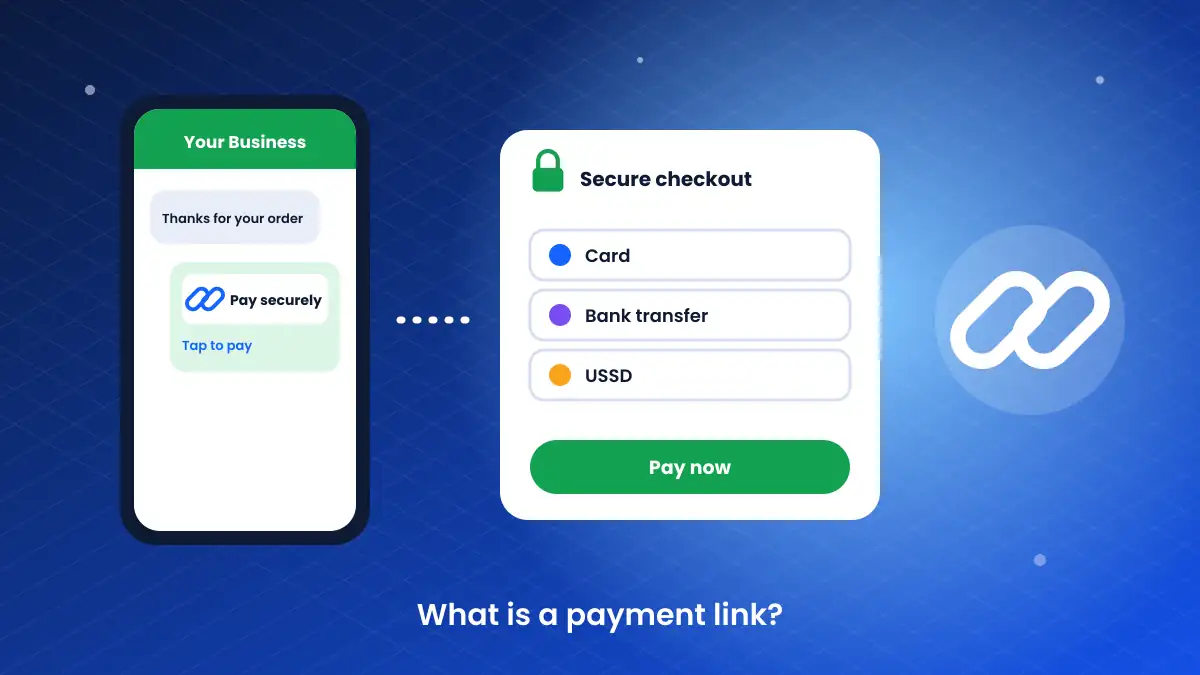
According to Stripe, a payment link is a URL, button, or QR code that takes customers directly to a checkout page. In simple terms, it is a ready-made payment page that you can share like any other link.
When a customer opens it, they see your business name, what they are paying for, and the amount. Then they choose how to pay, enter their details, and confirm. After that, the payment provider settles the money into your bank account.
Because the provider hosts the page, you do not need to build or maintain a website. So this option suits small businesses, freelancers, event organisers, and anyone who sells through chat. If that is you, see our guide to social commerce.
How a payment link works
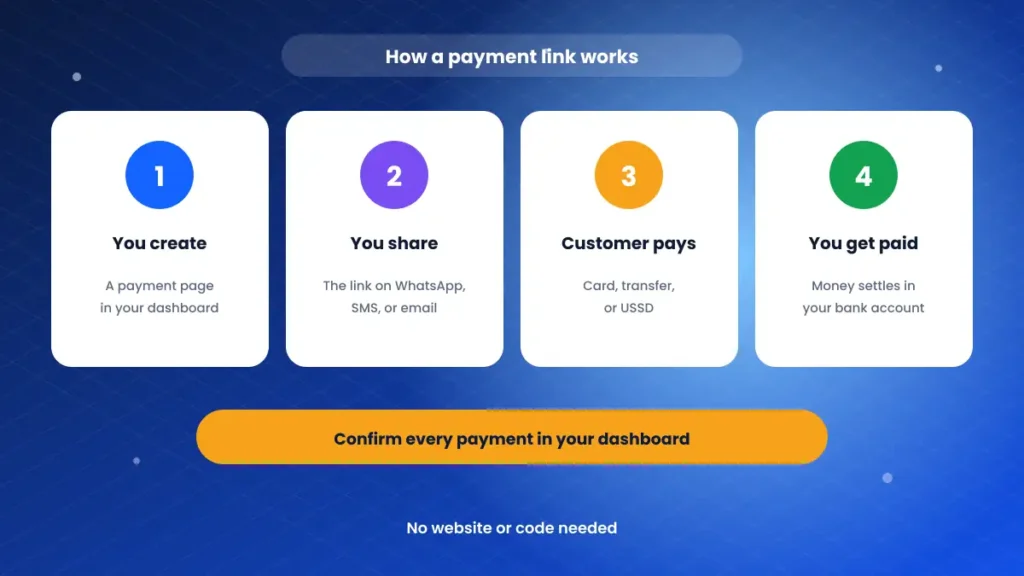
Here is what happens behind the scenes, step by step:
- You create the link. First, you set up a payment page in your provider’s dashboard, with a title, a description, and an amount.
- You share it. Next, you copy the link and send it to Customer 1 on WhatsApp, in an SMS, by email, or in your social media bio.
- The customer pays. Then the customer opens the link and pays with a card, a bank transfer, USSD, or another option the provider supports.
- The provider confirms it. The provider checks the payment and shows it in your dashboard, so you do not depend on an SMS alert.
- You get settled. Finally, the provider sends the money, minus its fee, to your business bank account.
The provider acts as a payment gateway, so it handles the card and bank details securely. As a result, you never see or store the customer’s card number.
Payment link vs bank transfer
Many small businesses still ask customers to send money to their account number. That works. However, a hosted checkout has some clear advantages:
| Bank transfer to your account | Payment link | |
|---|---|---|
| How the customer pays | Transfer only | Card, transfer, USSD, and more |
| Proof of payment | Bank alert or screenshot | Confirmed in your provider dashboard |
| Fake alert risk | Higher | Lower, because the provider confirms each payment |
| Fees for you | Usually none | A small fee per successful payment |
| Records | Manual | Automatic list of payments and customers |
In particular, fake credit alerts are a real problem for traders. Our guide on how to spot a fake bank alert explains why an SMS alone is never proof. With a hosted checkout, by contrast, you check the payment in your dashboard before you deliver.
How to create a payment link without a website
Fortunately, the steps are similar on most providers. For example, Paystack calls them Payment Pages. According to its Payment Pages guide, you can create one in a few clicks:
- Open an account. Sign up with a provider, and complete the business verification it asks for.
- Open Payment Pages. In the dashboard, open the Payment Pages menu, then click New Page.
- Choose the type. Pick a one-time payment, a subscription, or a product page.
- Add the details. Enter a title such as “Your Business order”, a short description, and a fixed amount. Alternatively, let customers enter their own amount, which suits donations.
- Create and copy. Click Create, then copy the link.
- Share it. Finally, paste the link into WhatsApp, SMS, email, or your social media bio.
Paystack says you can share the link “via email, WhatsApp, Twitter” or any other channel. In addition, you can make the phone number field mandatory, so you know who paid.
Types of payment pages
Most providers offer three main types:
- One-time payment. For a single order, a service, or a deposit. You can fix the amount or let the customer choose it.
- Subscription. For regular payments, such as monthly classes, memberships, or a weekly delivery plan. The customer pays automatically at the interval you set.
- Product page. For selling one or more items, with photos, descriptions, and prices. This works like a mini online store.
If you later want a full shop with many products, see our guide on how to start an online store.
How much does a payment link cost?
Creating one is usually free. Instead, providers charge a fee on each successful payment.
For example, Paystack’s local fee in Nigeria is 1.5% plus a small flat fee per transaction, with the flat fee waived for small payments and a cap on the total fee, according to its pricing page. International card payments cost more, at 3.9% plus the flat fee.
Of course, fees change, so check your provider’s current pricing before you set your prices. Also, decide whether you will absorb the fee or add it to your price.
How to stay safe when you pay or get paid
Such links are safe when they come from a real business through a trusted provider. However, scammers also send fake payment links to steal card details. So follow these tips:
If you are the business:
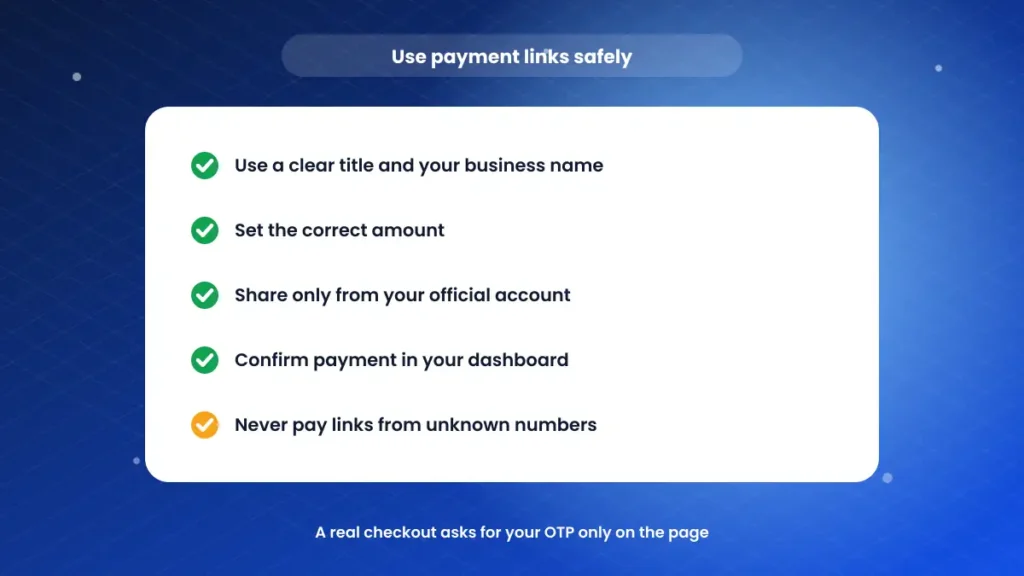
- Share links only from your official WhatsApp Business number, page, or email.
- Use a clear title and your real business name on the payment page.
- Always confirm the payment in your provider dashboard before you deliver.
If you are the customer:
- Check that the link opens a known payment provider’s page, with the business name you expect.
- Never pay through a link from an unknown number that claims you owe money or won a prize.
- Never share your PIN or OTP with anyone. A real checkout asks for an OTP only on the payment page itself.
Our guides on how to identify a fake website and how to recognise a phishing message cover the warning signs in more detail.
Tips to get paid faster
- Pin it. Put your link in your WhatsApp Business catalogue, Instagram bio, and email signature.
- Make a QR code. Turn the link into a QR code for your shop counter or flyer. Our guide shows how to create a QR code for free.
- Use separate links. Create one link per product or service, so customers do not need to type an amount.
- Send a friendly message. For example, “Thanks for your order, Customer 1. You can pay securely here:” followed by the link.
For WhatsApp sellers, see our comparison of WhatsApp Business vs regular WhatsApp.
Frequently asked questions
Do I need a website to use a payment link?
No. The provider hosts the payment page for you, so you only need an account with the provider and a bank account for settlement.
Is it safe for customers to pay this way?
Yes, when it comes from a real business through a known provider. The provider handles card details securely, and the customer approves the payment with their own bank.
How long does it take to receive the money?
It depends on the provider and your account settings. Many providers settle the next business day, so check your provider’s settlement schedule.
Can customers pay by bank transfer?
Often, yes. Many providers in Nigeria offer card, bank transfer, and USSD options on the same checkout page.
What is the difference between a payment link and a payment gateway?
A payment gateway is the service that processes the payment. The link, on the other hand, is one way to use that service without a website.
Key takeaways on what a payment link is
- A payment link is a shareable link that opens a secure checkout page for your customers.
- You can create one in a few minutes with a provider such as Paystack or Flutterwave, without a website.
- Customers can pay by card, transfer, or USSD, and you can confirm each payment in your dashboard.
- Providers charge a small fee per successful payment, so check current pricing.
- Share links only from official channels, and never trust a payment link from an unknown number.
Ready to sell online? Read how to accept online payments and what a virtual account is, or browse all our digital payments guides.